
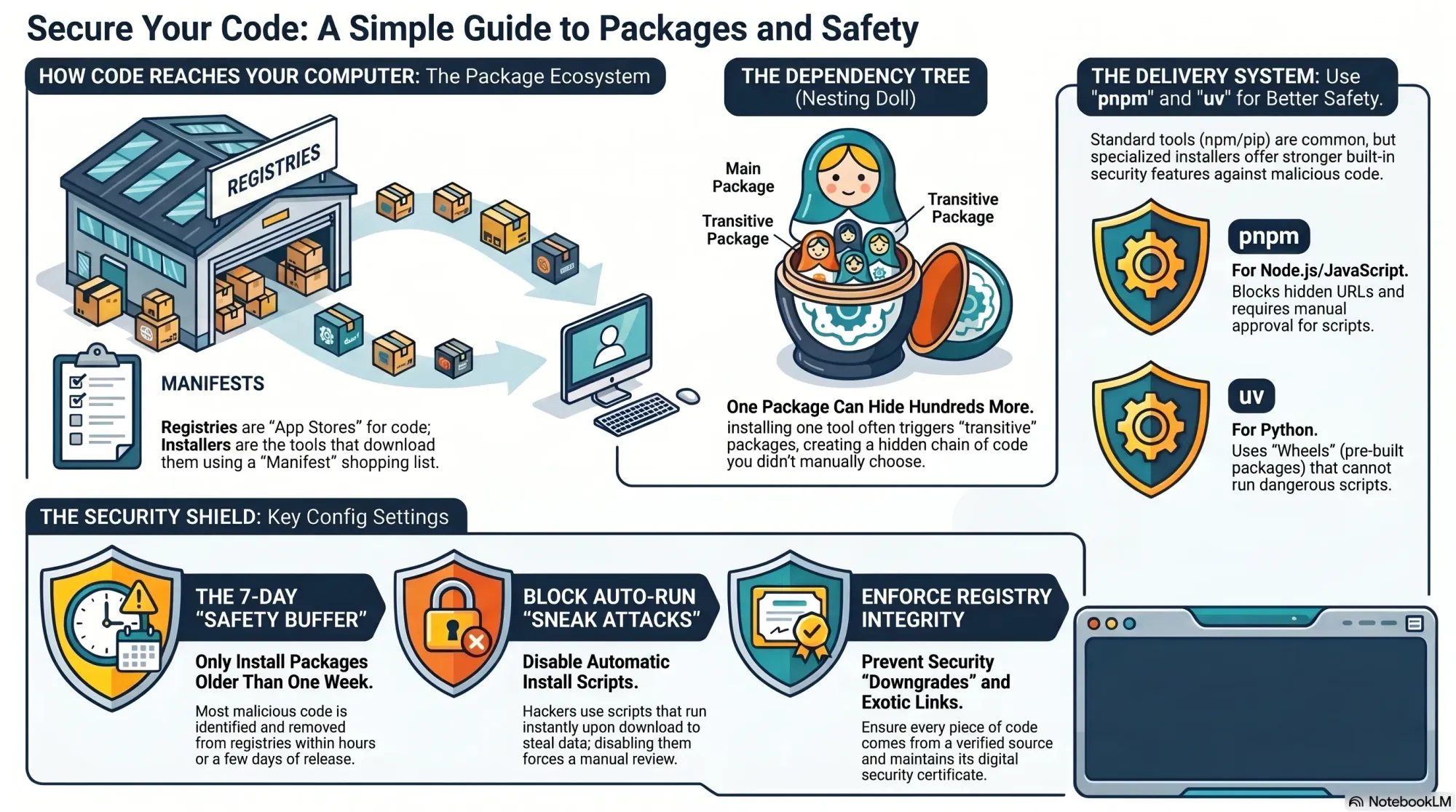
My first reaction to the recent wave of package hacks was fear—followed quickly by resolve. As I audited my own developer workflows, I realized a handful of guardrails dramatically reduce risk without slowing me down. What follows is the practical, product-minded approach I now use to keep my devices, code, and data safer while continuing to build at speed.
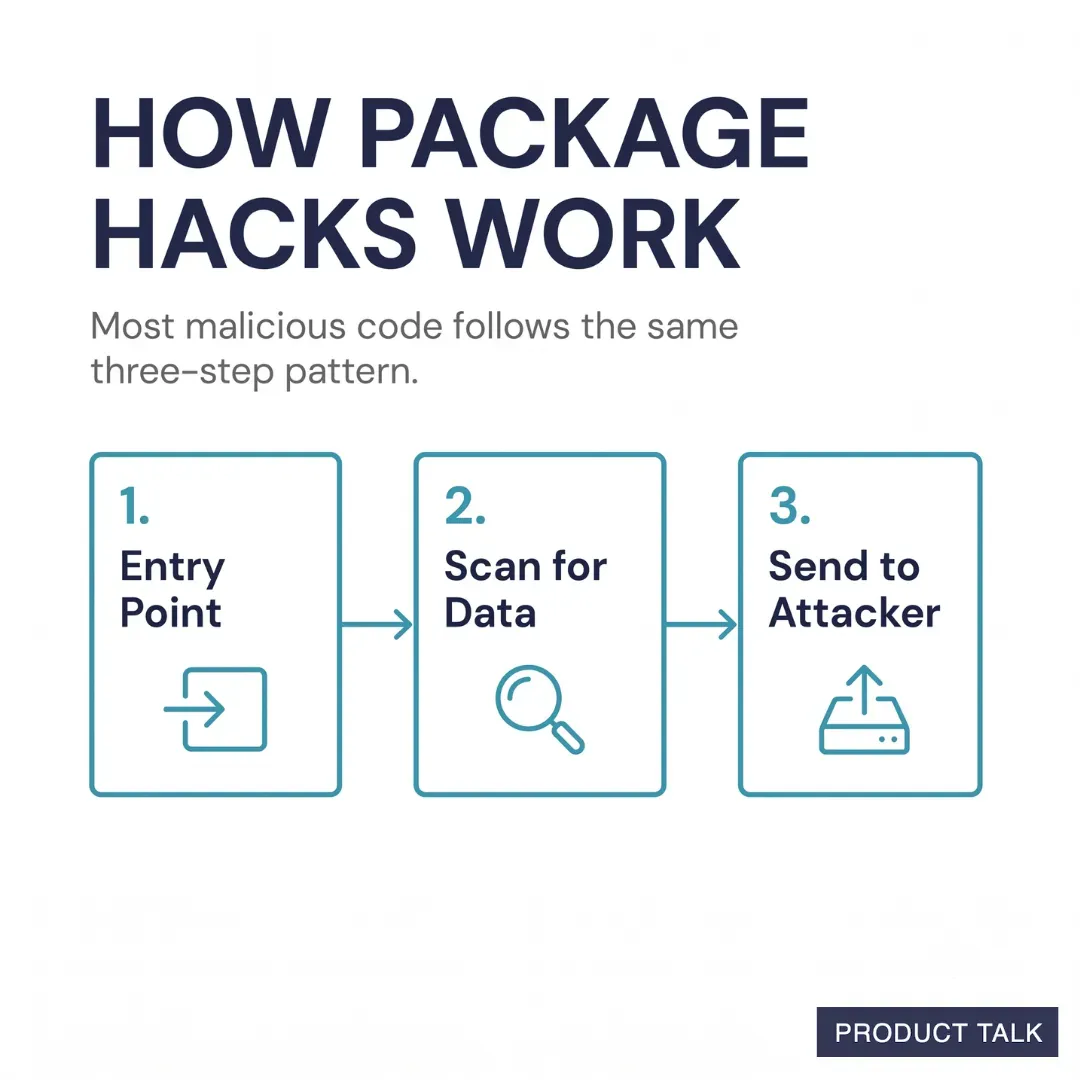
At a high level, these attacks rely on a simple pattern that’s easy to overlook in day-to-day work. An agent scoured over 230,000 malicious code incidents and found that most follow a similar pattern. Malicious code needs an entry point onto your computer. Once installed it scours your device for sensitive data, and then it uses your network connection to send that data to its own servers. The strategy I use mirrors that pattern: I work to block common entry points, constrain what code (and coding agents) can touch, and limit unnecessary network egress.
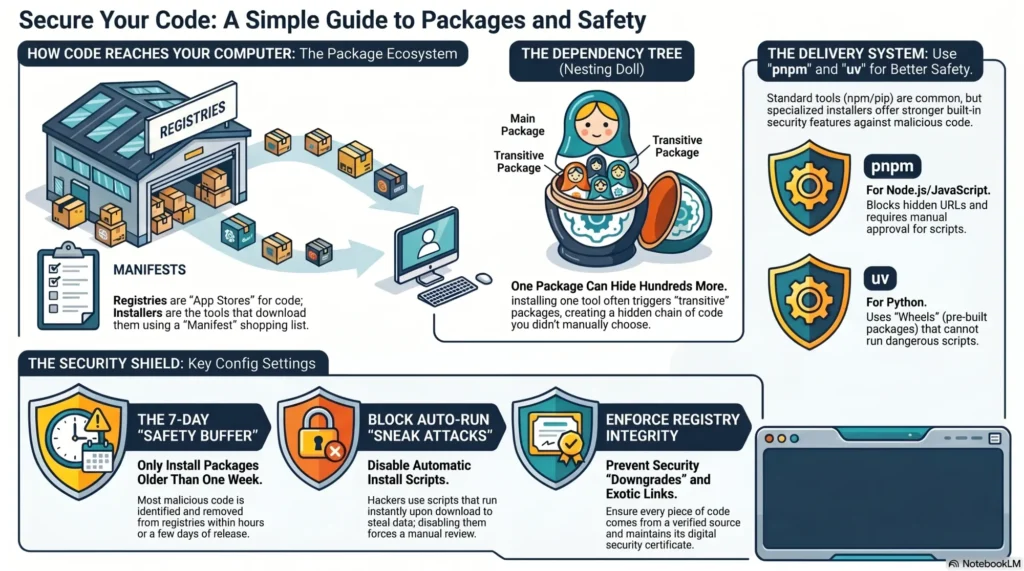
To set the stage, let’s align on core concepts. A package is a bundle of reusable code—so you don’t have to build everything from scratch. I regularly rely on packages like “luxon” for time zone math, “jest” for unit and integration tests, and “pandas” to ingest and manipulate CSV data. While I can fetch them directly from GitHub, I more often use registries—think of them like the App Store for code. “npm” is the Node.js registry and “PyPI” is the Python registry. To access a registry, I use an installation tool: “npm” (which is both a registry and an installer) or “pip” for Python and PyPI.
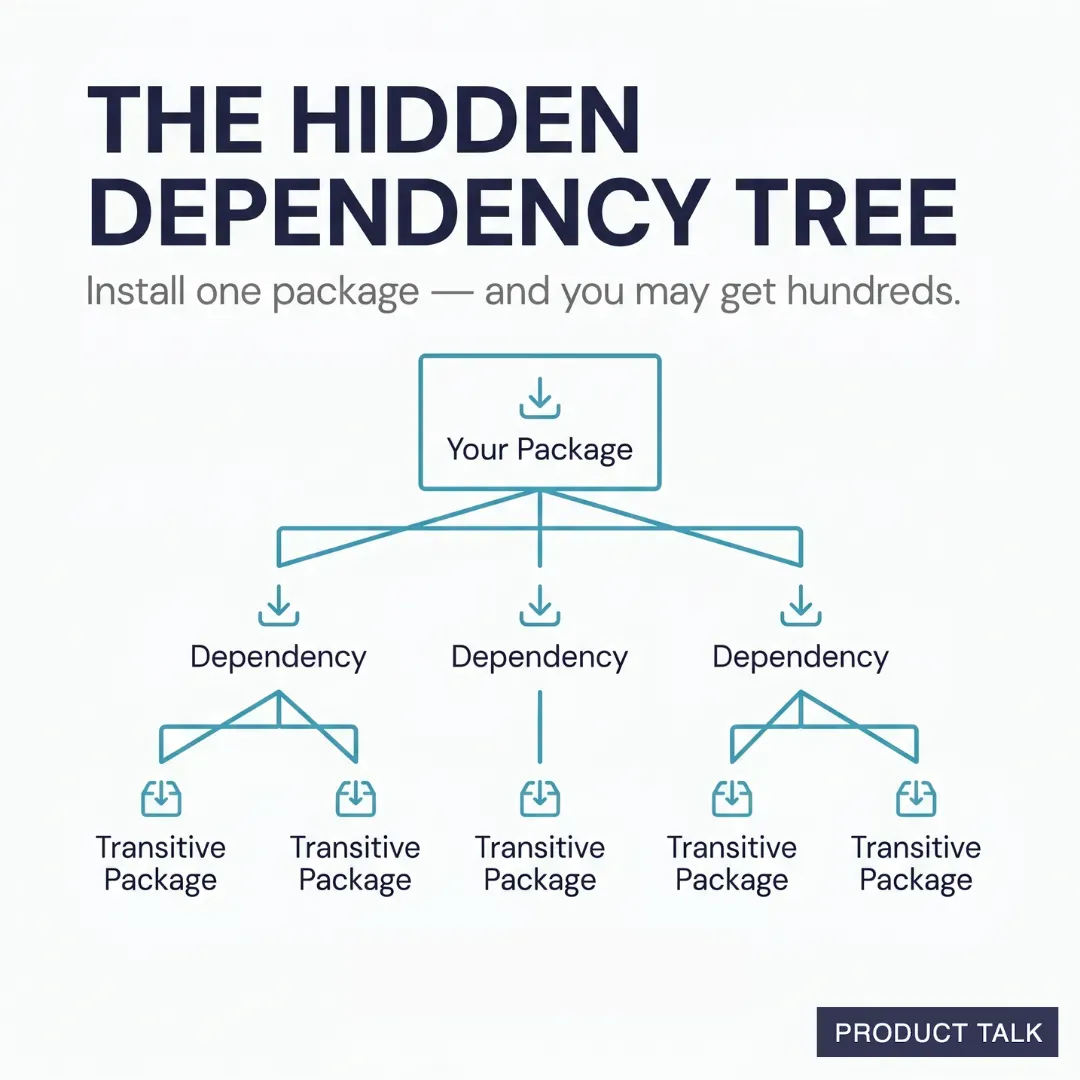
Most coding projects declare dependencies in a manifest—“package.json” for Node.js, and “pyproject.toml” or “requirements.txt” for Python—so new contributors and build tools can install the right stack. Every download can bring along transitive dependencies, too. For example, when I installed “jest,” it pulled in 266 packages. Developers tend to know the packages they choose; we’re less aware of the transitive tree they drag in. That’s where malicious software loves to hide—especially when coding agents are allowed to install packages autonomously.
With that context, here’s how I’ve reconfigured my environment to harden it by default. My goal on local machines is to cut off the most common points of entry. Isolation is useful—I often use Cowork for that reason—but isolation alone doesn’t keep malicious code out. I’ve found that nearly all of my local hardening strategies also make Cowork significantly safer when I mirror them there.
I have many workflows where I want Claude to operate across my file system, not just inside a single sandboxed folder. I rely on Claude to search, create, and edit the markdown files that run my task management system. Those files reference source material across my drive. I also built a research flow where Claude automatically creates notes from PDFs I download, and those notes get sorted into topic folders. I maintain a dense network of context files that Claude references on an as-needed basis. Granting one-folder-at-a-time access would shatter my productivity; doing nothing would be reckless. The answer is disciplined configuration that lets me move fast without leaving doors open.
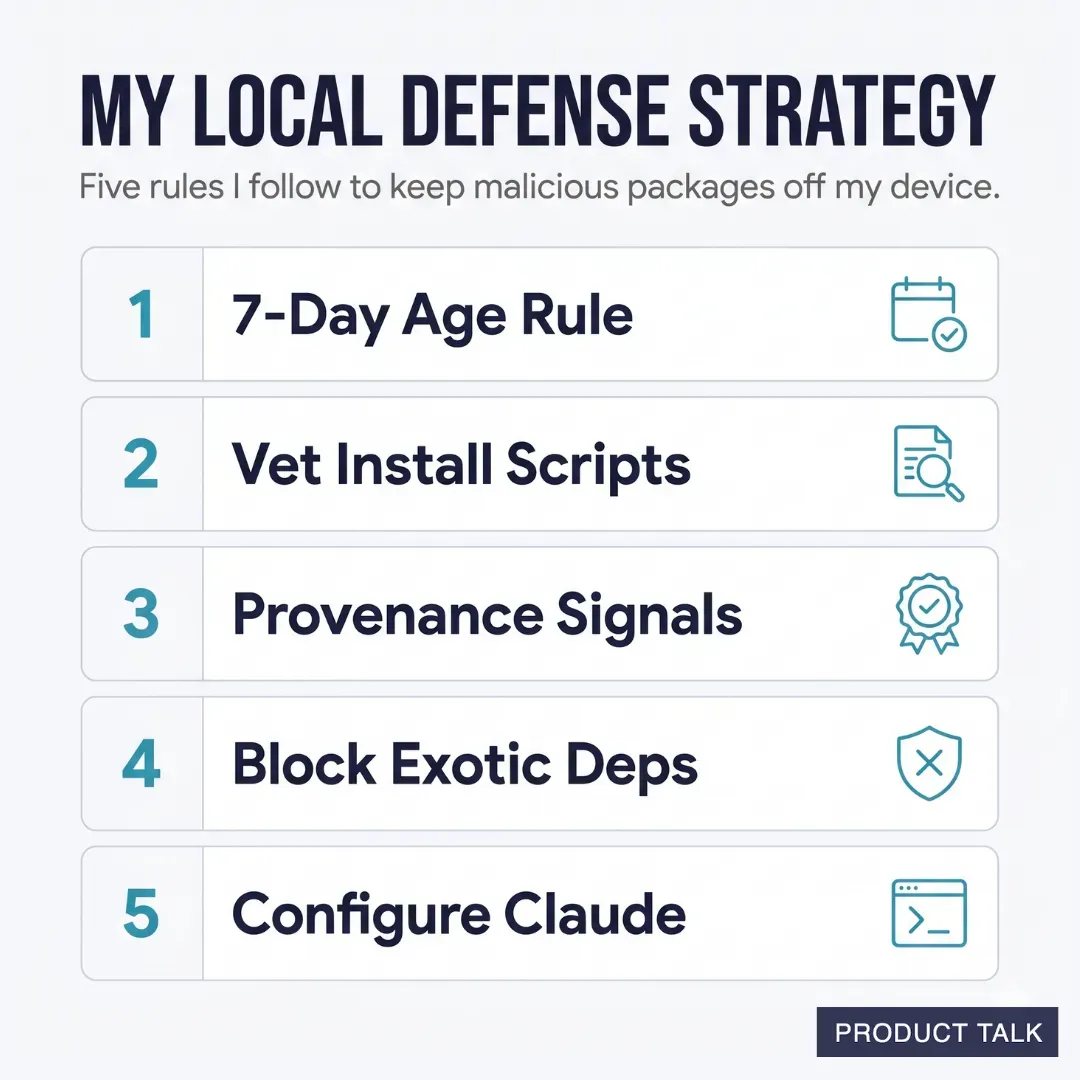
Practically, here are the guardrails I enforce today. First, I only install packages that are at least seven days old to avoid zero-day booby traps that haven’t been flagged by the community yet. Second, I never auto-run install scripts before I vet them; if a package insists on post-install hooks, it earns extra scrutiny. Third, I use provenance signals—maintainer history, download patterns, repo activity, signed releases, and consistency across registries—to surface red flags early. Fourth, I block exotic dependencies that look out of scope for the task at hand, especially if they request risky capabilities or introduce unfamiliar native modules. Fifth, I configure hooks so Claude must follow these same rules, ensuring my AI workflows inherit the same risk posture I expect from myself.
I’m not stopping there. I’m pinning all package versions—including transitive packages—so nothing silently auto-updates behind my back. I’m running weekly audit sweeps to catch anything that seeped through the cracks. And I’m progressively moving more development off my local machine to further reduce blast radius. All of this adds up to a supply chain security posture that’s strong, repeatable, and compatible with the realities of modern gen AI–accelerated development.
If this is new territory, take it one step at a time. Start by delaying installs on brand-new packages and disabling auto-run scripts. Layer in provenance checks and dependency review. Then extend those same rules to your coding agents. In my experience, these changes deliver immediate risk reduction while keeping momentum high—a pragmatic balance any product leader or developer can live with.
Inspired by this post on Product Talk.



Leave a Reply