Tag: LLMs for product managers

  • AI Evals for Product Managers: How I Measure Agent Quality—A Beginner’s Playbook

    AI Evals for Product Managers: How I Measure Agent Quality—A Beginner’s Playbook

    I’ve led multiple AI agent launches, and the single most reliable way I’ve found to ship with confidence is to treat evaluations as a product capability, not a side project. When we make AI quality measurable, predictable, and comparable over time, we move faster, reduce risk, and build trust with customers and stakeholders.

    Learn how product managers use AI evaluations to measure agent quality. Covers traces, LLM judges, offline evals, online evals, and how to connect evals to product outcomes.

    Why does this matter so much in product management? Because agent quality is only meaningful when it drives adoption, satisfaction, and revenue. I use eval-driven development to align the day-to-day iteration of prompts, policies, and workflows with business outcomes like activation, retention, and Net Recurring Revenue (NRR). That alignment turns AI quality from an abstract notion into a roadmap lever.

    First, traces. Traces are the spine of evaluation for agentic AI: they capture inputs, intermediate steps, tools invoked, and final responses. I instrument traces to make reasoning visible—what the agent tried, where it hesitated, and why it chose a path. With that visibility, I can compare prompts, policies, and tools, and I can teach the team to fix the root cause instead of patching symptoms. This is also where Agent Analytics becomes real: we move from anecdotes to observable behavior trends across cohorts and use cases.

    Next, LLM judges. I use model-as-judge to score qualities like helpfulness, coherence, or adherence to brand and policy. The trick is calibration. I pair LLM judges with a small, high-quality human-labeled set to ground the scale, then monitor drift as models, prompts, or data shift. LLM judges help me evaluate at speed, but I still spot-check edge cases and highly regulated flows to balance efficiency with risk controls.

    Offline evals come first. Before I expose users to changes, I run fixed test suites representing core scenarios, failure modes, and edge cases. I include golden examples, adversarial prompts, and domain-specific queries. Metrics cover task success, factuality, safety, latency, and cost. This is where prompt engineering and retrieval quality are tuned; if I’m using a retrieval-first pipeline, I evaluate evidence quality separately from generation so improvements are attributable and reproducible.

    Online evals follow to validate real-world performance. I roll changes out behind feature flags and use A/B testing to compare variants under production conditions. I track conversation outcomes, tool success rates, fallbacks to human support, and user satisfaction. These online signals close the loop on whether an offline improvement actually compounds value in the product—critical for product-led growth.

    Connecting evals to product outcomes is non-negotiable. I map quality signals to a driver tree: from per-turn scores (helpfulness, safety, latency) up to session-level outcomes (task completion, deflection, revenue intent), and finally to product KPIs (activation, retention, NRR). With this structure, I can set thresholds for launch gates, prioritize roadmap items that move the biggest levers, and build dashboards that leadership understands at a glance.

    A few lessons learned. Start with a minimal but durable test set and grow it as you discover new failure modes. Version everything—prompts, tools, and datasets—so you can reproduce wins. Beware metric drift when you swap models or update prompts. Blend human review where the cost of error is high. Above all, make evaluations part of your AI workflows and sprint rituals so quality improves continuously, not sporadically.

    If you’re just getting started, begin with traces and a small offline suite, add LLM judges for scale, then prove impact with a focused online experiment. Within a few cycles, you’ll have a living evaluation system that guides decisions, accelerates delivery, and gives your team—and your customers—confidence in every AI release.


    Inspired by this post on Amplitude – Perspectives.


    Book a consult png image
  • We Open-Sourced Our AI Skills Library: Reusable Skills to Supercharge Product Velocity

    We Open-Sourced Our AI Skills Library: Reusable Skills to Supercharge Product Velocity

    We open-sourced our AI Skills library. Here's what we built, why we built it, and how to use it. I’m sharing the approach we’ve used to move faster with more confidence across product discovery, prototyping, and production—while keeping governance, safety, and measurement front and center.

    What we built is a modular, open-source library of “skills” for agentic AI and LLM-powered workflows—things like retrieval and grounding, summarization, classification, tool-use, data enrichment, safety guardrails, and evaluation harnesses. Each skill follows consistent interfaces and conventions so teams can compose them like building blocks, swap implementations without breaking flows, and standardize best practices across products.

    Why we built it is simple: we kept rebuilding the same core capabilities across experiments and teams. Standardizing these skills accelerates time-to-value, reduces integration risk, and helps product trios collaborate with a common language. It also lets us scale what works—prompt patterns, eval datasets, telemetry—so every new initiative starts on third base instead of at bat.

    How to use it in practice: start by running a quick-start example to see a baseline skill chain in action. Then compose your own flow by selecting skills (for example, retrieval + summarization + tool call), configure them with environment variables and guardrails, and wire in evaluation datasets. From there, instrument the pipeline with metrics so you can compare variants and promote the best-performing chain to your main app or API.

    In a typical stack, the library dovetails with analytics and experimentation: ship skill variants behind feature flags, measure impact with A/B testing, and observe runtime behavior with logs and traces. CI/CD hooks let you run evals pre-merge, and production dashboards keep an eye on latency, cost, and outcome quality. This creates a virtuous loop where ideas move from prototype to production with clear evidence.

    Common use cases include customer support summarization and triage, lead scoring and enrichment, anomaly detection in product telemetry, and automated content workflows. Because the skills are composable, you can try multiple retrieval-first strategies, swap prompt templates, or add tools (search, RAG, calculators, connectors) without rewriting everything from scratch.

    Governance and safety are built in. Guardrails handle PII redaction, content policy checks, and rate limiting; configs make it easy to enforce privacy-by-design; and evaluation harnesses encourage an eval-driven development culture. The result is faster iteration without sacrificing data governance or reliability.

    If you want to contribute, add a new skill, improve prompts, share eval datasets, or open an issue with a scenario you want supported. The roadmap focuses on richer retrieval adapters, better test fixtures, and deeper observability so teams can debug and optimize complex chains with confidence.

    I’m excited to see how you’ll use the library to accelerate your roadmap. Clone it, run a quick start, and compose your first workflow today—then measure, iterate, and scale what works. I’ll keep sharing patterns, learnings, and updates as we grow the skills catalog and sharpen the tooling.


    Inspired by this post on Amplitude – Perspectives.


    Book a consult png image
  • A Game-Changing Leap in Voice AI: Fin Voice 2, Apex Flash, and a Live Demo You Can Trust

    A Game-Changing Leap in Voice AI: Fin Voice 2, Apex Flash, and a Live Demo You Can Trust

    In competitive markets, I see two options: try to win the game competitors set, or choose to play a different game. In the "Customer Agents" category, I’ve watched too many glossy, fabricated demos—especially around voice—mask the real challenges. Voice is just extremely hard. We all know the future of customer experiences will be Agent-driven voice, yet most of us haven’t actually spoken with a modern AI Agent when calling a business because the tech hasn’t been truly ready in the wild. Today, the bar moves.

    What changed? There’s a live, public demo of cutting-edge voice tech you can stress test yourself—no smoke, no mirrors. I recommend taking it for a spin: https://fin.ai/voice. It’s fast, natural, and, yes, very, very good.

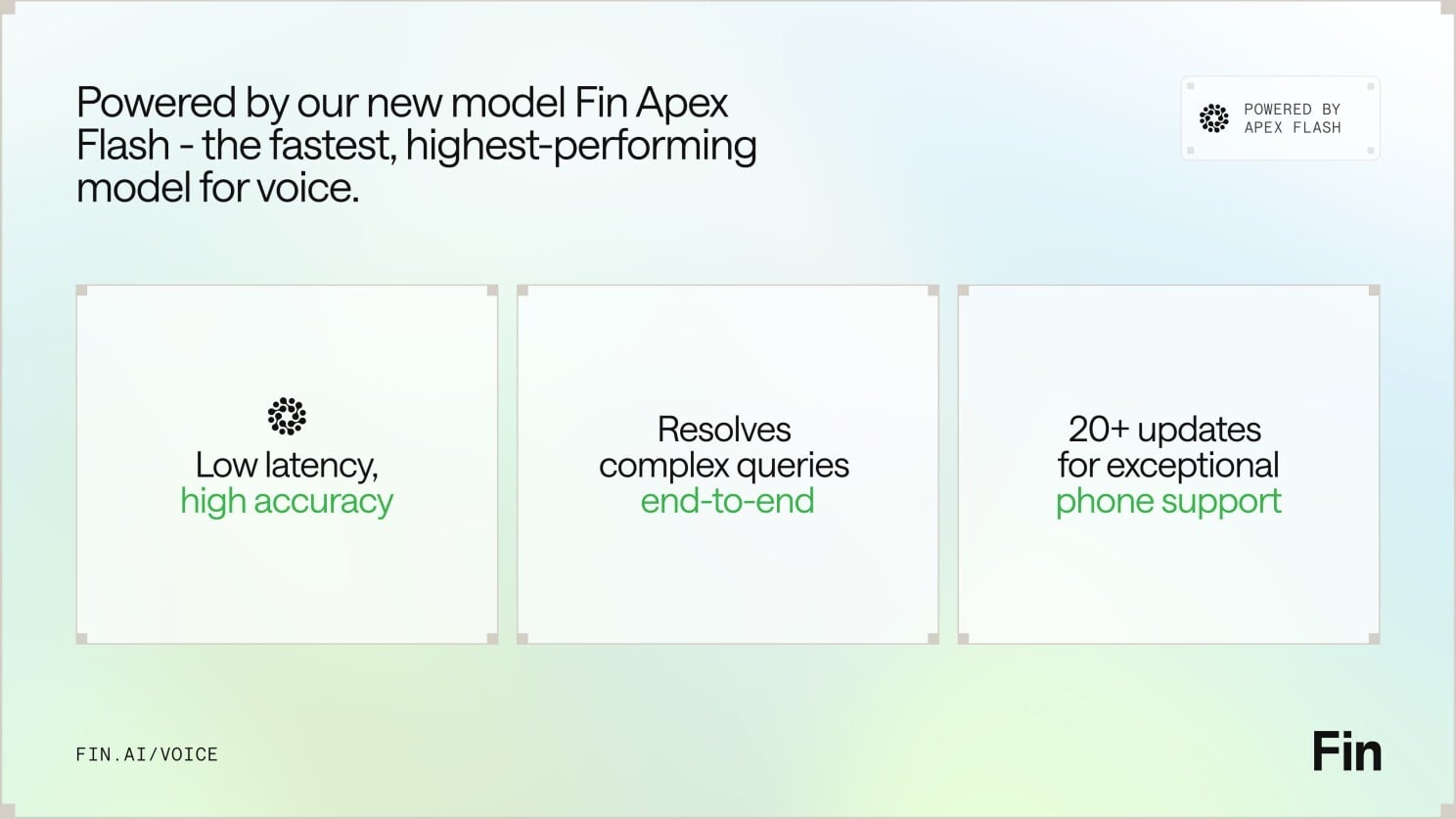
    For context, yesterday brought Apex Flash, their newest and fastest model, built for the unique demands of low latency channels like voice. Today comes Fin Voice 2, a major upgrade to Fin Voice with over 20 new features, and the first product built on Apex Flash.

    Here are the three things that stood out to me—and why they matter for customer support AI strategy and product strategy.

    First — thanks to Apex Flash, Fin Voice 2 is now the fastest, most natural Agent for phone, with higher resolution rates and customer satisfaction scores than ever before. Apex Flash is trained on millions of customer experience interactions, fine tuned for customer service, and can be configured to understand all your knowledge and follow all your policies. The result is higher resolution at significantly lower latency—the best of both worlds for voice AI agent performance.

    Speed and naturalness here aren’t accidental. Most voice AI products are slow because they convert speech to text, send it to a general model, get a text answer, and then convert it back to speech. Fin Voice 2 was designed to work differently, separating the real time layer that handles speech processing, and the layer that generates answers. That architecture is purpose-built for the demands of customer service on voice.

    Slide for Fin Voice 2, powered by Apex Flash, showing it beats Voice 1: +24.5% average resolution, +8.4% guidance following, +1.3% CSAT, -19.2% time to first audio, -37.6% semantic search latency.
    Powered by Apex Flash, Fin Voice 2 raises the bar on quality and speed—boosting resolution rates and guidance following while cutting time to first audio and semantic search latency, with a lift in CSAT too.

    Second — Fin Voice 2 can handle complex queries end to end: taking actions in external systems, verifying callers’ identities, processing refunds, booking appointments, and more. Phone is a high-stakes channel, and Fin adapts to customers across emotional states, clarifies when needed, and confirms key details before taking action. Most of the time, Fin can resolve the query in full, and when it can’t, it seamlessly hands off to the human team, maintaining full customer context and history. You also get multiple improvements to call quality, plus proactive outbound calls to follow up on unresolved issues—all orchestrated by robust AI workflows.

    Third — Fin Voice 2 gives you total control with industry-leading tools to configure and manage how Fin behaves. You get rich, detailed insights into call behavior and quality, the most common topics of calls, and one-click recommendations to improve. As with everything in Fin, you can fully self-serve and then manage it all with ease, without requiring professional services. Many vendors only let you set up their voice agent under supervision; with Fin, you get everything you need to iterate fast.

    If you haven’t tried the demo yet, go check it out: https://fin.ai/voice. If you prefer to wait, don’t be surprised when you end up speaking with it at a favorite brand soon.

    From a product management lens, this is what matters: latency is a feature customers feel; transparency builds trust in enterprise AI; and control is non-negotiable for CX leaders. The combination of a purpose-built, agentic AI architecture, measurable gains in resolution and CSAT, and true self-serve configuration signals that voice is moving from prototype theater to production reality. That’s the different game I want our industry to play.


    Inspired by this post on The Intercom Blog.


    Book a consult png image
  • Crafting Beloved Tech Brands: My Moonshot Marketing Playbook for the Post-LLM Era

    I spend a lot of my time asking a deceptively simple question: what does excellent marketing actually look like in 2026? From the vantage point of product leadership, the answer isn’t a spreadsheet or a channel plan—it’s a feeling. Beloved tech brands earn the benefit of the doubt, create gravity around their roadmap, and make customers proud to belong. That kind of momentum is not an accident; it’s a system.

    Here’s the hard truth I’ve learned building and scaling products: giving teams different goals creates dysfunction. When brand, demand gen, product marketing, and comms run on fragmented OKRs, you manufacture internal headwinds. “Marketing is one engine – not separate pieces.” One strategy, one narrative, one set of outcomes—expressed through different craft disciplines and time horizons.

    That unity of purpose clarifies executive roles, too. The real difference between an SVP and a CMO is scope and narrative ownership. A great CMO architects the whole system—portfolio allocation, brand architecture, integrated go-to-market strategy, and the bar for creative taste—while refusing to get dragged into decisions they should never be making (for example, approving every headline or micromanaging channel tactics). Leaders should decide the outcomes, standards, and constraints; teams should control the craft.

    On portfolio design, I run marketing like a portfolio of moonshots. You need a healthy mix: proven programs that compound, emergent bets that learn fast, and a small set of true moonshots that can change the slope of the curve. The point isn’t bravado; it’s risk-balanced exploration. If everything ships safely, you’re under-investing in differentiation. If everything is a swing for the fences, you’re not building a repeatable growth engine.

    This is where taste becomes a strategic advantage. “Ubiquity is the opposite of cool.” If you want to be beloved, you cannot treat every channel, audience, and moment as equal. Early on, selective distribution, distinctive creative codes, and tight community loops create status and meaning. Later, you scale without sanding off the edges that made the product special.

    Why do a few companies build a flywheel of momentum while others stall? They align story, product, and distribution. The product earns trust, the narrative creates aspiration, and the go-to-market strategy ensures the right customers experience both at the right time. Then perception cycles kick in—the Silicon Valley clock turns—and irrational optimism or skepticism can amplify signals. The antidote is compounding proof: consistent product shipping, community advocacy, and creative that makes people care.

    Scaling taste across an organization is teachable. I codify brand principles, narrative guardrails, and examples of “right” versus “almost right.” I replace abstract feedback with decision rubrics—what we keep, kill, or revise and why. I run recurring creative reviews with a small cross-functional council, so judgment compounds. Taste can’t be fully automated, but it can be operationalized: shared references, a story bible, and a high bar for craft that’s explicit, not mystical.

    In a post-LLM world, the fundamentals haven’t changed—but the frontier has. Generative tools supercharge iteration and research, yet the artistry never really left. You still need a point of view, a tension worth resolving, and a value proposition that’s felt, not just stated. Can taste be encoded in software? Parts of it—pattern libraries, style constraints, data-driven feedback—absolutely. But the spark that makes work unforgettable remains human: judgment, risk tolerance, and the courage to ship something that might not fit the playbook.

    That’s why telling an optimistic, yet realistic story about AI matters. Over-automation drains humanity; under-automation wastes potential. The best work pairs AI Strategy with craft leadership: LLMs for rapid exploration, humans for narrative decisions and ethical judgment. Your message should show how AI expands customer agency, not just efficiency.

    The brand-versus-growth debate is a false choice. The right story accelerates pipeline, and the right demand programs reinforce the brand. Look at Apple’s discipline around product truth and design codes, or Google Chrome’s “The Web Is What You Make of It (Dear Sophie)” for proof that emotion and utility can co-exist. Notion, Pinterest, Square, HubSpot, and Harley-Davidson show how community, identity, and product-led growth interlock when the company knows exactly what it stands for.

    When it comes to launches, I’ve learned that announcement videos full of humans, lack humanity. Overproduced gloss often dilutes the truth customers seek: what problem does this solve, how quickly can I feel the value, and why does it matter now? Real users, real context, and a crisp arc from problem to promise will outperform most theatrics.

    Practically, I architect my week to protect taste and outcomes. Early-week for strategy, portfolio reviews, and cross-functional alignment; mid-week for deep creative and product marketing work; late-week for decision clears and postmortems. I time-box “disruptive energy”—space to chase non-obvious ideas—and I guard it like any critical meeting. Without protected cycles for exploration, the urgent will always suffocate the important.

    If there’s a single takeaway: playbooks are obsolete, but the fundamentals are not. The channels change; the psychology doesn’t. Run one engine. Allocate a true portfolio. Scale taste with rigor. In the AI era, make people care. That’s how beloved tech brands are built—and how they endure.


    Book a consult png image
  • Supercharge Insights with Amplitude Agent Connectors: Connect Notion, Slack, Linear & More

    Supercharge Insights with Amplitude Agent Connectors: Connect Notion, Slack, Linear & More

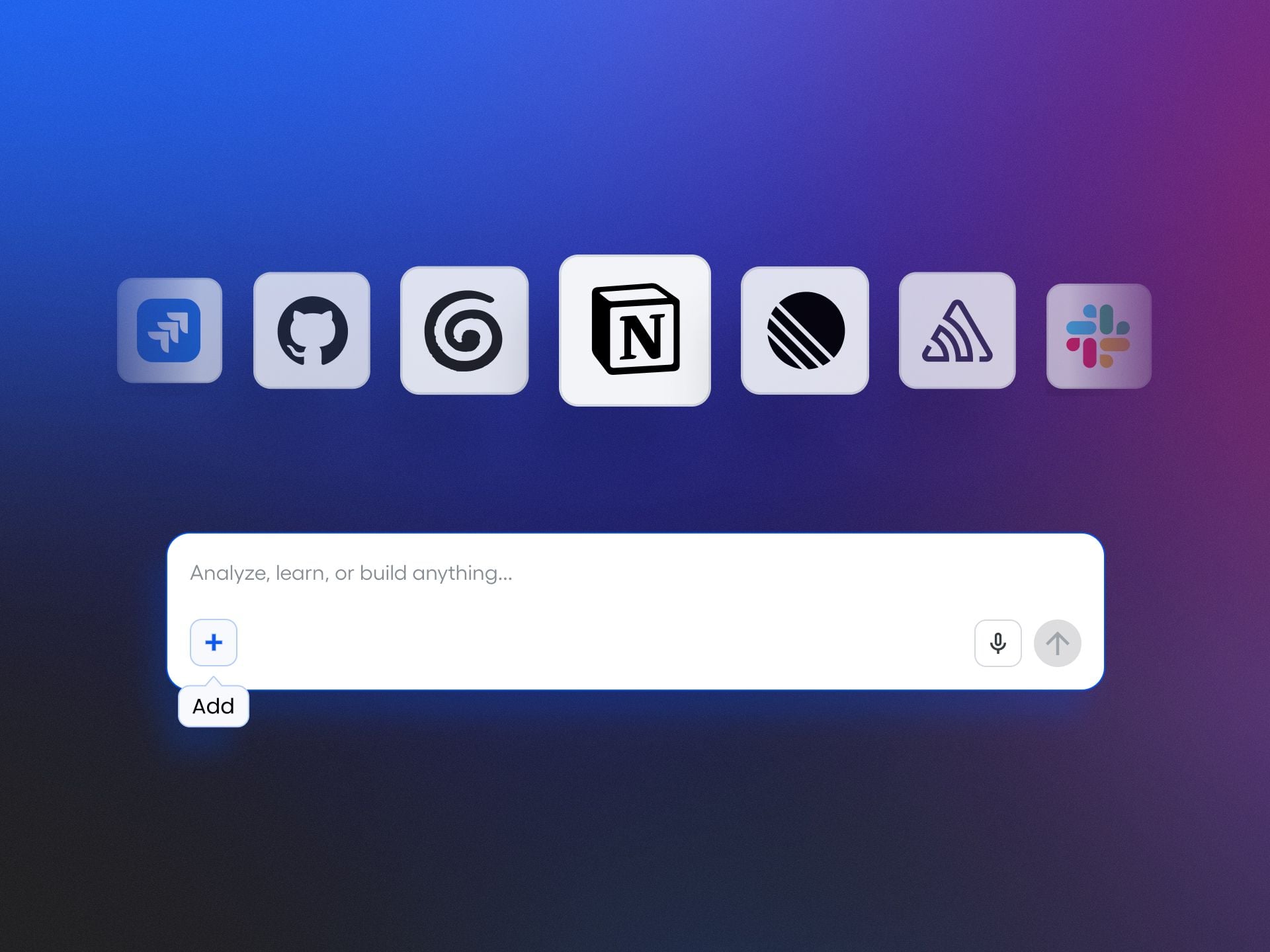
    I’ve led enough multi-tool product organizations to know how quickly momentum erodes when insights and actions live in different places. When my teams bounce between Notion, Atlassian, Slack, Linear, and analytics dashboards, we pay a real tax in context switching. That’s why I’m excited about what Amplitude is enabling with Agent Connectors—bringing our daily work and our data-driven decisions into one fluid, agentic AI workflow.

    Connect Notion, Atlassian, Slack, Linear, and more to Amplitude's Global Agent. Get richer analysis and take action across tools without leaving Amplitude.

    Practically, this means I can treat Amplitude analytics as a unified analytics platform where analysis and execution finally meet. Instead of exporting charts or copying insights into docs, I can drive Agent Analytics directly from the same surface where I manage behavioral analytics, reducing friction and accelerating decisions. For my product strategy, that’s a meaningful shift—from “insight later” to “insight-to-action now.”

    Here’s how I’d use it on a typical day: I ask the agent to synthesize signals from recent feature usage, spotlight anomalies, and then draft a concise summary for our Slack channel. In the same flow, I can prompt it to reference our Notion specs for context and queue next steps in Linear, keeping Atlassian stakeholders looped in without any extra swiveling between tabs. The value isn’t just faster execution; it’s tighter alignment across teams because the analysis and the plan live together.

    From an operating model perspective, this is how I scale AI workflows responsibly. I can define clear prompts, approval paths, and ownership so the agent augments—not replaces—expert judgment. Data governance and permissions remain front and center: the agent sees what your teams are allowed to see, and we maintain auditability on critical workflow steps. The outcome is a trustworthy, repeatable system that compounds learning over time.

    If you’re exploring agentic AI for product teams, start small and instrument your ROI. Pick one or two connectors (Slack and Notion are great first choices), define a measurable workflow—like pushing weekly retention insights and creating prioritized follow-ups in Linear—and iterate using continuous discovery. In my experience, the first wins appear as reduced time-to-insight, fewer meetings to align, and faster cycle time from observation to shipped change.

    The big picture is simple: bring your work to your analytics, and your analytics to your work. With Agent Connectors, Amplitude’s Global Agent helps close the loop from understanding behavior to taking action—without leaving the place where your insights are born.


    Inspired by this post on Amplitude – Best Practices.


    Book a consult png image
  • Decode How Amplitude AI Thinks: Proven Workflows to Get Actionable, High-Accuracy Results

    Decode How Amplitude AI Thinks: Proven Workflows to Get Actionable, High-Accuracy Results

    I’ve learned that the fastest way to unlock better AI outcomes is to understand how the system reasons, then partner with it deliberately. In product organizations, that means treating AI like a capable collaborator with a transparent process, clear inputs, rigorous checks, and measurable success criteria. When I work this way, my teams ship insights and experiments faster—and with far fewer surprises.

    Discover how Amplitude AI thinks and best practices for working with it. Partner with AI at each step of its process for more accurate, actionable outputs.

    Here’s the mental model I use. AI moves through a series of steps: clarify the goal, ingest context, retrieve and rank relevant information, reason through candidate solutions, draft an answer, self-critique, and refine. My job is to actively guide each step. I define the objective precisely, supply high-signal context, specify constraints, ask for structured reasoning, and require a quality bar before anything ships to stakeholders.

    Start by setting intent and success criteria. I write a one-sentence objective (“what problem are we solving now”), then define the evaluation rubric (“what good looks like”) up front. This small habit powers eval-driven development: it keeps AI outputs aligned with product goals, not just plausible-sounding text. I’ll often include target metrics and guardrails, such as confidence thresholds or required evidence from “Amplitude analytics.”

    Next, I curate the context. For analytics use cases, I provide event taxonomies, metric definitions, segments, and recent behavioral analytics trends to ground the model. A retrieval-first pipeline helps here: I scope the corpus, trim noise, and apply context window management so the model sees only what’s essential. The result is sharper, faster answers that map to our real data model and “unified analytics platform.”

    Then I shape the prompt. I use concise role framing, 1–3 high-quality exemplars, and explicit constraints (format, length, tone, citation requirements). I also ask the model to show its reasoning with a short, labeled scratchpad and to state uncertainties. This is practical prompt engineering—not magic—designed to make reasoning inspectable and reproducible across “AI workflows.”

    When tools are available, I encourage agentic AI patterns: let the system plan, call functions, and iterate. With “Amplitude AI,” I ask it to propose the next best analysis (e.g., segment drill-down, funnel step attribution, or anomaly detection), run it, summarize findings, then reflect on whether the next step changes. If you’re using “Amplitude MCP,” formalize these actions as callable tools so the model can chain them reliably.

    Quality is never an afterthought. I build lightweight evaluations into every loop: compare the model’s output against the rubric, check factual grounding, and A/B test alternative prompts for clarity and conversion where appropriate. Over time, these evaluations become our regression suite, giving us confidence as data, prompts, or model versions evolve. This discipline keeps LLMs for product managers aligned with shifting business priorities.

    Finally, I turn insights into action. I ask “Amplitude AI” for decision-ready artifacts—clear hypotheses, prioritized opportunities, and concrete next steps owners can execute. I require the model to cite the specific supporting events or segments and to flag assumptions. That last step is crucial: it invites human judgment where it matters and prevents automation from outpacing accountability.

    This approach doesn’t slow teams down; it speeds them up with focus. By guiding each step—intent, context, reasoning, tools, and evaluation—you transform AI from a black box into a reliable copilot. The payoff is tangible: clearer insights, faster cycles, and outputs stakeholders trust the first time they see them.


    Inspired by this post on Amplitude – Perspectives.


    Book a consult png image
  • AI Operating Model Playbook: Why 80% Stall—and How the Top 1% Accelerate with Discipline

    AI Operating Model Playbook: Why 80% Stall—and How the Top 1% Accelerate with Discipline

    I keep meeting talented product teams who can demo impressive proof-of-concepts but can’t get durable business impact into production. The difference isn’t raw ingenuity—it’s the operating model. As I’ve scaled AI initiatives in my own organization, one sentence has proven painfully accurate: "What the top 1% of AI-native product teams are doing differently – and why most won't catch up without rebuilding the operating model."

    When I say “AI operating model,” I mean the end-to-end way we set strategy, discover value, build, ship, govern, and learn—specifically adapted for AI systems. If we try to bolt AI onto a classic software cadence, we stall. If we rebuild our operating model around AI’s unique constraints and compounding advantages, we accelerate.

    It starts with strategy. I anchor our portfolio to explicit outcomes, not features—tying every initiative to measurable customer and commercial impact. Driver trees and an opportunity solution tree make tradeoffs transparent, while outcomes vs output OKRs prevent us from celebrating activity over results. This is how empowered product teams earn autonomy without losing alignment on the AI Strategy.

    Next is discovery. Continuous discovery reframes “can we ship a model?” into “can we change a behavior or decision with acceptable risk?” I pair customer interviews with in-product telemetry and journey mapping to qualify moments of high value and high frequency. The litmus test: can we describe the target workflow in plain language and simulate success before training models? If not, we’re not ready.

    Data foundations come third. A retrieval-first pipeline is now my default, not an afterthought. We invest in data governance, privacy-by-design, and observability so we can explain where answers come from, prove consent, and debug drift. Without trustworthy data and clear lineage, every downstream AI promise is fragile—and your AI readiness is mostly theater.

    Then I insist on eval-driven development. Before we optimize prompts or tune models, we define offline and online evals that represent the real task, including safety and “gotcha” cases. We treat prompt engineering, context window management, and agentic AI patterns as hypotheses that must beat a baseline under repeatable tests. This moves debate from opinions to evidence.

    Shipping is where most teams quietly stall. We integrate AI into our CI/CD with feature flags, shadow modes, and progressive rollouts, building MLOps into the same platform that runs our services. I watch DORA metrics to keep delivery velocity healthy, but I also watch AI-specific signals—input distribution shifts, response variance, and time-to-mitigation—so we catch regressions before customers do. Platform scalability matters more when inference costs and latency can spike overnight.

    Governance isn’t a gate at the end; it’s a runway from the start. We operationalize AI risk management with tiered reviews, model and data cards, and clear escalation paths. The goal is not to slow down, but to reduce surprise—so product managers, engineers, and legal share the same playbook for safety, fairness, and regulatory compliance.

    Value capture closes the loop. We connect product metrics to commercial levers like Net Recurring Revenue (NRR) and retention analysis, then shape packaging so customers pay for outcomes, not raw compute. This is where product-led growth meets sales-led growth: we demonstrate value in-product, then arm go-to-market teams with unambiguous proof.

    So why are 80% of teams stuck? Three patterns recur: technology FOMO masquerading as strategy, fragmented data that can’t support high-quality retrieval, and a lack of evals that forces decisions by vibes. Add ad hoc governance and you get pilots that impress in slides but wither under real-world variance.

    How do the top 1% think differently? They rebuild the operating model first. They position discovery around workflows, not models. They invest in retrieval-first architectures early. They standardize evals. They ship with guardrails. And they treat “learning per week” as a sacred metric—because compounding insight beats sporadic heroics.

    If you need a 90-day plan, here’s the sequence I use. Week 1–2: run a content audit of data sources and map the top five repeatable workflows ripe for AI leverage. Week 3–4: define success metrics and offline evals for one beachhead use case. Week 5–8: build the retrieval pipeline, implement prompt baselines, and instrument observability. Week 9–12: ship behind feature flags, run A/B testing with safety thresholds, and iterate on failure cases. By the end, you’ll have a reusable blueprint—not just a demo.

    Team design matters. I staff product trios (PM, design, tech lead) with forward deployed engineers or solutions engineering partners who sit with customers. That proximity reduces spec ambiguity and accelerates learning. It also sharpens our product roadmapping and sprint planning because we plan against outcomes, not outputs.

    The hardest part is emotional, not technical: letting go of familiar software rituals that don’t serve AI. Once we accept that AI demands a different operating rhythm, progress feels lighter. The top 1% don’t have secret models; they have disciplined systems. Rebuild yours, and the compounding benefits will outpace any single model upgrade.


    Inspired by this post on Product School.


    Book a consult png image
  • Building AI-Era GTM and Analytics That Make Tough Calls Simple: A Product Leader’s Playbook

    Building AI-Era GTM and Analytics That Make Tough Calls Simple: A Product Leader’s Playbook

    I build "GTM and analytics products for the AI era—tools that make hard calls simple." That guiding principle shapes how I design systems, prioritize roadmaps, and lead teams: we earn speed by engineering clarity. My north star is straightforward—turn noisy signals into trusted insights that move the business, without adding friction for customers or chaos for teams.

    In practice, this starts with behavioral analytics. Whether you're using Amplitude analytics or a homegrown stack, the goal is the same: a unified analytics platform that captures clean events, enforces a clear taxonomy, and maps behaviors to outcomes. I focus on journey mapping, activation and retention analysis, and honest attribution so that every GTM motion ladders to real product usage, not vanity metrics.

    Decisions should be testable and reversible. I operationalize experimentation with A/B testing, feature flags, and guardrailed rollouts. Minimum detectable effect, power analyses, and anomaly detection aren’t academic exercises; they’re the foundation for credible learnings. When a result is unclear, we tighten hypotheses, shrink blast radius, and iterate quickly—biasing for learning while protecting the customer experience.

    AI changes the surface area of product work, but it doesn’t change the discipline. I treat LLMs for product managers as a capability, not a shortcut: eval-driven development, clear success criteria, and human-in-the-loop feedback remain non-negotiable. Privacy-by-design and data governance shape what we build; responsible prompts, retrieval strategies, and safety checks shape how it behaves in the wild. When the model is uncertain, the product should be honest about it—and offer a graceful fallback.

    Great GTM is a system, not a launch day. I connect product strategy to go-to-market strategy through product-led growth loops: in-app guides that meet users where they are, onboarding that accelerates time-to-value, and signals that identify true qualified intent. Driver trees tie adoption to monetization so that marketing, sales, and success work from the same picture—making trade-offs visible and reversible.

    Execution is where clarity compounds. Continuous discovery with product trios keeps problems crisp and solutions grounded in user truth. Product roadmapping and sprint planning follow outcome-first principles: fewer projects, clearer intents, stronger accountability. When teams can trace every backlog item to a metric that matters, they move faster with less oversight—and deliver results that stand up to scrutiny.

    When we do all of this well, decisions feel simple because the work behind them is rigorous. That’s the promise of modern GTM and analytics in the AI era: no theatrics, just dependable systems that turn possibilities into predictable progress.


    Inspired by this post on Amplitude – Best Practices.


    Book a consult png image
  • The Ultimate Knowledge Management Playbook to Supercharge Your AI Service Agent and Scale Support

    The Ultimate Knowledge Management Playbook to Supercharge Your AI Service Agent and Scale Support

    AI in customer service is no longer experimental—it’s the standard. In my work leading product and customer experience teams, I’ve seen the shift firsthand, and the stakes have never been higher for getting the foundations right.

    Fin’s 2026 Customer Service Transformation Report found that 82% of senior leaders say their teams invested in AI for customer service over the last 12 months, with 87% planning to invest in 2026. Those investments pay off with 24/7 availability, multilingual support, major time savings, and faster resolutions. But there’s an unsung hero behind every AI-first support experience: knowledge management.

    A Service Agent is only as good as what we give it to work with. If we’re using an Agent, like Fin, to resolve customer queries end to end, it needs an extensive pool of knowledge to draw from. We have to feed it accurate answers on our product, features, policies, and troubleshooting. Without these, the Agent can’t do its job—and our team ends up handling repetitive queries that should be automated.

    Monochrome headshot beside a prominent Fin quote about customer support, urging time investment in knowledge and processes to create compounding impact and fewer future cases for service teams.
    A Fin-branded quote pairs with a friendly black-and-white portrait to champion smarter support. It reminds readers that time spent building knowledge and processes today compounds into fewer tickets and smoother operations.

    In this guide, I’ll walk you through two phases of the journey. Phase 1 is about building a high-quality knowledge base from scratch or overhauling what you have. Phase 2 is about maintaining, optimizing, and scaling that knowledge so your AI performance keeps compounding over time.

    Definition: Knowledge management is the process of creating, organizing, sharing, and maintaining knowledge in your business.

    Fin-branded quote graphic showing a smiling person in a collared shirt beside large text about feeding an AI knowledge base, supporting a guide on knowledge management for service agents.
    Fin’s quote card blends a friendly headshot with a message to think outside the box and tap new information sources to power an AI knowledge base—ideal inspiration for service teams leveling up knowledge management.

    Your help center is the obvious example, but it’s only the tip of the iceberg. Effective knowledge management also means creating resources like FAQs, troubleshooting guides, onboarding and best-practice docs, internal support guidance, and learning materials that cover everything from everyday how‑tos to complex billing and account questions.

    It means identifying content gaps—missing troubleshooting steps, unclear policy explanations, outdated feature details, or unanswered edge cases—before your customers find them. It means implementing systems so both your Agent and your support reps can access the right information at the right time. And it means developing processes so your content stays in lockstep with product updates, policy changes, and bug fixes.

    Monochrome quote graphic for Fin with a professional headshot on the left and guidance on testing first deployments to mirror the customer experience; for knowledge management and service agents.
    From Fin's guide to knowledge management, this monochrome quote card urges teams to test their first deployment themselves so agents feel the same journey customers do, turning insights into faster, higher-quality support.

    Your knowledge base now fuels your entire support experience, not just self-serve. It’s the key to accurately answering complex questions, reducing handle time, and delighting customers across channels.

    Here’s the blunt truth I share with every team: your Agent is only as strong as what you feed it. A lack of information, messy structure, or stale documentation will tank accuracy and trust. No large language model (LLM) knows your business like you do. It doesn’t understand your customers’ needs, pain points, and use cases. That knowledge is unique to you and your organization, meaning you need to be the one to map it all out and make it available to your Agent.

    Screenshot of a customer service knowledge base page titled 'Procedure: Damaged food order', showing step-by-step guidance with verification steps, an IF rule block, tags, and Test, Save, and Set live controls in a minimalist desktop UI.
    Equip service agents with a clear playbook for damaged delivery reports. This procedure page outlines when to use the guide, how to verify evidence, and the next action to reorder—ready to test, save, and set live.

    Every investment in knowledge also has compounding results. Think of it as a flywheel: when you improve your knowledge base, your Agent solves more cases and generates better data. That data shows you what to add, update, or refine next. The sooner you plant the seeds, the sooner you’ll harvest the returns.

    Consider a simple calculation. If it takes 30 minutes to write a troubleshooting article for a common issue, that half hour often saves hours for your support reps, who no longer need to handle that query. You can estimate impact by multiplying the average time to compose a response by the frequency of the query. For customers, multiply the number of customers who ask this question by their average time to resolution to quantify time saved. Then monitor Agent involvement rate, resolution rate, and automation rate to see the compounding effect.

    Illustration of a sales agent using an AI-powered knowledge management dashboard on a laptop, with chat bubbles, documents, and analytics icons for faster answers and improved customer messaging.
    Give every seller instant, trusted answers with an AI-powered knowledge base that unifies docs, FAQs, and playbooks into a single source of truth—accelerating ramp, boosting call confidence, and improving every customer conversation.

    Phase 1: Building your knowledge base is about getting your content durable and AI-ready. I start by prioritizing what to include, where to source it, and how to audit and triage before go‑live.

    Data-driven tools can surface the right starting points. For example, platforms like Fin can surface knowledge gaps from real customer conversations where help content is missing, unclear, duplicated, or contradictory. A centralized knowledge hub then becomes your single source of truth for both customer-facing and internal content, with audience controls to ensure your Agent only uses the right materials for the right users.

    Black-and-white headshot on the left with a Fin-branded quote on the right about AI learning and improving customer support; clean, minimal graphic for knowledge management content.
    AI elevates service when teams treat deployment as a learning loop. This Fin-branded quote visual introduces our ultimate guide to knowledge management for service agents—iterate from day one to improve customer outcomes and teammate efficiency.

    Here’s how I prioritize content for the first wave. Support FAQs come first—billing changes, account updates, feature usage, troubleshooting, and policy questions. I mine the inbox and historical conversations to find the highest-frequency issues and turn them into crisp help articles the Agent can quote.

    Next, I build onboarding and setup guides so new customers reach value fast. I collaborate with customer success and product to document the fastest path to “first win,” and I ensure the Agent can reference those steps in chat and in‑product guidance.

    Black-and-white portrait of a business professional next to a Fin-branded quote urging regular audits and updates to knowledge so AI and service agents provide accurate, valuable support.
    Keep your help content fresh. A Fin quote urges support leaders to audit and update their knowledge base so AI assistants and service agents surface accurate answers that genuinely add value.

    Then I add troubleshooting and advanced guides for deeper issues and power-user workflows. I pull in product managers, engineering, and success managers to capture deeper diagnostics, known limitations, and recommended workarounds—exactly the details that prevent escalations.

    Finally, I create content for specific use cases and customer segments. Different goals and configurations require contextual guidance, so I reflect language customers actually use and tailor examples to their jobs-to-be-done.

    Monochrome headshot of a person on the left with a bold text panel titled Fin on the right, describing how training AI agents and strong knowledge bases improve customer service performance.
    Smarter support starts with better knowledge. A testimonial highlights how Fin learns from website and help center content, showing that robust knowledge bases train AI agents, raise accuracy, and yield compounding gains.

    When sourcing knowledge, I cast a wide net and consolidate it so the Agent and my team can use it reliably. That includes public help articles and troubleshooting guides; internal runbooks, escalation steps, and policy clarifications; curated snippets for short replies and exceptions; past conversations that expose gaps; relevant website pages; and documents like PDFs and DOCX with selectable text.

    Before anything goes live, I run a structured content audit. The goal is twofold: prevent the Agent from learning from outdated information, and expose gaps that will cause escalations. I divide content by product area, assign clear ownership, and set a time‑boxed review window to update, consolidate, or retire content. Shared ownership turns a daunting clean‑up into a manageable sprint.

    Monochrome headshot on the left with Fin branding and a large quote on the right stressing that strong content underpins accurate Service Agent answers and up-to-date support in knowledge management.
    Why can’t knowledge content be an afterthought? This Fin visual pairs a grayscale portrait with a bold message: great Service Agents rely on a strong, current knowledge base to deliver accurate, evolving support. Explore the guide.

    I also walk the customer journey myself—exactly as a new user would—so I can experience the Agent’s responses firsthand and spot missing topics or keywords. Where my platform supports it, I use preview and batch testing to validate coverage across common questions, then simulate more complex workflows to ensure handoffs and steps are properly defined before launch.

    After 30 days of Agent activity, I dive into the data. I look for topics driving handoffs to humans, articles correlated with low resolution rates or CSAT, and content that customers view but still escalate. Those signals tell me exactly what to write or refine next—and where to tighten conversation design or retrieval.

    Black-and-white headshot of a professional beside a large pull-quote about centralizing conversations, customer data, and knowledge on one platform to improve support, presented with Fin branding.
    Centralize your conversations, customer data, and knowledge in one place to sharpen context and speed resolutions. This Fin graphic pairs a monochrome portrait with a bold pull-quote highlighting unified platforms for better support.

    Prioritization is where impact accelerates. I focus first on the content my team shares most: top help articles, troubleshooting steps, onboarding flows, and policies. I study conversation analytics to identify the most common questions, the longest handle times, and the lowest CX scores, then close those gaps with targeted content. I also review high‑view articles that haven’t been updated recently and refresh anything affected by changes to product, policies, or plans.

    Resourcing matters. Building a high-performing Service Agent shouldn’t be a side gig. I explicitly allocate weekly time for frontline reps, support specialists, and product partners to work on content requests and knowledge improvements. A 5–10 hour per‑person cadence is a practical baseline, and it doubles as a powerful way to upskill the team for emerging AI roles.

    Hero banner with the headline 'Get started with the #1 Agent today' over a dark, colorful gradient with soft light flares, plus a centered button labeled 'Start a free trial' for a service agent platform.
    Jumpstart smarter support with the #1 Agent—organize knowledge, speed answers, and automate routine work. Click Start a free trial to see how AI elevates your service team and delivers faster resolutions.

    Writing for AI is writing for customers. I train the Agent to mirror the terms our customers use by analyzing search queries and real conversation language. I avoid internal jargon, expand acronyms, and clarify key concepts to eliminate ambiguity. When a topic invites yes/no answers, I restate the question and add the necessary context so the Agent doesn’t misinterpret shorthand. I always pair images or videos with clear explanatory text so the guidance is accessible and machine‑readable. And I structure content for scanning with crisp headings and short sections, avoiding hidden information that requires clicks to reveal.

    When I have bite‑size answers—common edge cases, policy clarifications, repetitive high‑volume queries—I collect them into focused internal snippets or compact FAQs so the Agent can retrieve and deliver precise answers quickly.

    Phase 2: Knowledge management is where the compounding value kicks in. Once live, I track the metrics that matter: resolution rate (conversations fully resolved by the Agent when it was involved), automation rate (total conversations handled by the Agent across overall volume), time saved (hours of manual work offloaded), Customer Experience (CX) Score comparisons across AI and human conversations, and CSAT parity.

    Then I put those learnings to work. Inevitably, some problems won’t be solvable on day one. That’s a gift—it shows me where to refine workflows, add clarifying steps, and strengthen knowledge depth. The richest insights often come from where the Agent struggles or escalates; those friction points become my highest‑ROI content tickets.

    Knowledge management is never one‑and‑done. As products, customers, and business goals evolve, so must the knowledge. I formalize an ongoing maintenance cadence with clear ownership, review intervals, and time blocks on the calendar. Wherever possible, I use AI‑assisted drafting to propose updates, summarize gaps, and accelerate review without sacrificing quality.

    To sustain momentum, I create a simple intake for content requests—often a lightweight ticket workflow inside our support tools—so anyone in support, success, sales, marketing, engineering, or product can flag gaps and propose improvements. The teams closest to customers usually spot the patterns first; a good intake system ensures we don’t lose those insights.

    I also bake knowledge work into every launch plan. New features, product updates, plans, and policies require Agent‑ready content at launch, not after. I partner with product, support, and product marketing to produce best practices and anticipated FAQs in advance, then I review early conversations post‑launch to spot recurring confusion and fast‑follow content needs.

    Brand consistency builds trust across every touchpoint. I standardize terminology for products, features, plans, and policies so the Agent, the help center, and human reps all speak the same language. I proof for tone, spelling, and grammar, and I use templates so content feels cohesive. I also include clear contact options for customers who need them—what channel to use, when to use it, and what to expect—so we maintain confidence even when escalation is required.

    Clarity about audience matters, too. If certain content applies only to specific roles, plans, or regions, I label it explicitly and, where my platform supports it, target content so the Agent uses the right guidance for the right segment.

    Finally, I connect the dots. When conversations, customer data, and knowledge live in one place, every interaction becomes an insight loop. A connected Agent turns support into a retrieval-first pipeline, making it far easier to diagnose issues, improve accuracy, and continuously raise the bar on customer experience.

    Behind every high-performing Agent is a rigorous, AI-friendly knowledge management practice. Treating knowledge as a core service function—not a project—creates systems that improve with every conversation. That’s how we transform support from a cost center into a compounding engine for customer satisfaction, operational efficiency, and growth.


    Inspired by this post on The Intercom Blog.


    Book a consult png image
  • The Counterintuitive Playbook for CLI Agents: Why Ruthless Subtraction Beats Feature Creep

    The Counterintuitive Playbook for CLI Agents: Why Ruthless Subtraction Beats Feature Creep

    I’ve learned the hard way that the fastest path to a reliable command-line agent is radical subtraction. "In the last month of developing Amplitude Wizard CLI, we cut more than we added. Learn less is more when it comes to building CLI agents." That decision was less about minimalism and more about product strategy: constraints sharpen behavior, clarify intent, and raise trust.

    When I evaluate agentic AI systems, especially those that act on developer environments, I start by asking what the agent must never do. By establishing hard guardrails first, the design naturally converges on an opinionated, safe, and teachable interface. Every additional flag, tool, or permission expands the blast radius; every removal shortens the path to first success.

    For CLI agents, the most valuable product choice is a narrow toolset with sane defaults. Opinionated workflows reduce cognitive load and failure modes, while clear human override points keep users in control. I prefer a bias toward idempotent actions, reversible changes, and explicit confirmation gates for anything destructive. If a feature can’t explain itself in a single, crisp sentence in the help text, it likely doesn’t belong.

    Security and reliability flow from limits. Progressive permissioning, scoped credentials, and time-bounded tokens prevent the agent from wandering. Dry-run modes build confidence without side effects. When a user can reason about what the agent will and won’t do, adoption accelerates—and support tickets plummet.

    Observability is the other half of trust. I instrument "Agent Analytics" across every run: inputs, tool choices, durations, outcomes, and error patterns. Those signals reveal where the agent gets confused, which steps users abandon, and which prompts need pruning. With that loop in place, "less is more" stops being a philosophy and becomes an evidence-backed operating model.

    I anchor the roadmap in eval-driven development. Before adding a capability, I define a measurable task, a success threshold, and the smallest viable interface to reach it. If the capability can’t lift completion rate, time-to-first-success, or re-run stability, it waits. That simple discipline protects the experience from feature creep and preserves velocity in CI/CD.

    Under the hood, I design for a retrieval-first pipeline and careful context window management. The agent should fetch only the minimally relevant facts, present a compact plan, and execute predictably. Thoughtful prompt engineering helps—but prompts are not a substitute for clear boundaries, deterministic tool contracts, and robust error handling.

    Documentation is product. I maintain docs-as-code with runnable examples that mirror the golden paths. When the docs and the CLI disagree, the CLI changes—never the docs. This creates an internal forcing function: if we can’t document it simply, we probably shouldn’t ship it.

    My litmus test for any proposed addition is simple: does this make the mental model smaller? If not, cut it, make it progressive, or hide it behind a clearly named subcommand. Defaults should be boring, safe, and fast. Advanced power should be opt-in and discoverable without overwhelming new users.

    The paradox of agentic AI is that capability grows as surface area shrinks. By removing distractions, we amplify signal, increase repeatability, and earn the right to add the next carefully chosen step. The result is a CLI agent that feels sharp, dependable, and—most importantly—useful on day one.


    Inspired by this post on Amplitude – Perspectives.


    Book a consult png image
  • Prompt Like a Pro: Three Battle-Tested Tips for Amplitude Global Agent Success

    Prompt Like a Pro: Three Battle-Tested Tips for Amplitude Global Agent Success

    When I guide teams building agentic AI features, I’ve seen a single prompt turn Amplitude Global Agent into either a world-class analyst or a well-meaning rambler. The difference isn’t magic—it’s method. With the right structure and iteration, we consistently get faster, clearer insights that stand up to product and analytics scrutiny.

    AI has gotten really good, but success still depends on the quality of your prompts. Explore three best practices for prompting in Amplitude Global Agent.

    Tip 1 — Define the role, goal, and guardrails. I begin every prompt by stating the agent’s role (for example: “You are a product analyst”), the business objective (“identify activation drop-offs by cohort”), and the boundaries (“use only Amplitude analytics events and properties provided; return JSON with metric, segment, timeframe”). This simple pattern reduces ambiguity, improves context window management, and yields outputs I can compare across runs.

    Tip 2 — Ground the model with concrete context and examples. Agent outputs improve dramatically when I supply the exact data it should reference: event names, properties, segments, filters, and timeframes. I often include a short example—one ideal question and one ideal answer—to anchor tone, structure, and depth. Think retrieval-first pipeline: feed the agent authoritative snippets (definitions, dashboards, prior queries) rather than hoping it guesses. That’s how I cut hallucinations and make results reproducible for LLMs for product managers.

    Tip 3 — Iterate with measurement, not vibes. I version prompts, A/B test variants, and log inputs/outputs so I can score quality with lightweight evals (accuracy against known answers, clarity, and actionability). Over time, a small library of “winning” prompts emerges for common AI workflows—activation analysis, retention cohorts, anomaly detection—so the team can move from tinkering to repeatable performance. This is where Agent Analytics practices pay off: we inspect outcomes, not just outputs.

    A practical starter structure I use: Role and Audience; Objective and Success Criteria; Data Context (events, properties, segments, timeframe); Constraints (sources, methods, privacy); Output Format (tables/JSON, fields, length); Examples (one good Q/A); and Fallbacks (what to do when data is insufficient). Even written as plain language, that scaffold reliably steers Amplitude Global Agent to precise, defensible answers.

    The emotional arc here is familiar: when the agent nails a complex funnel question in one pass, the team gets that “oh wow” moment; when it meanders, morale dips. Clear prompting turns those spikes of delight into a steady cadence of wins—less rework, faster learning loops, and cleaner handoffs from discovery to delivery. In short, invest in prompt engineering once, and you compound gains across every analysis session.

    If you’re just getting started, pick one critical question (for example, activation or retention), apply the three tips above, and commit to two to three prompt iterations with scoring. Within a single sprint, you’ll have a robust template you can reuse and adapt—helping Amplitude Global Agent deliver trustworthy insights at the speed your product strategy demands.


    Inspired by this post on Amplitude – Perspectives.


    Book a consult png image
  • Beyond Accuracy: How I Evaluate AI Customer Service Agents That Delight and Scale

    When teams evaluate AI Agent options for customer service, I often see the rigor aimed at the wrong subset of criteria. After leading and observing dozens of proof of concept (POC) efforts with our customers and prospects, I understand why performance—accuracy scores, resolution rates, and benchmark tests on curated datasets—soaks up most of the attention. But those indicators alone won’t guarantee success once you leave the sandbox and face real customers.

    If your POC only proves that the AI “works,” you’re missing the bigger picture. Here’s what else I look for to make the best long-term decision.

    How does it handle your real-world setup?

    Performance is table stakes, but it has to reflect the messiness of an actual support environment. The best-performing Agents don’t just get answers right—they exhibit resilient, human-like behavior under pressure. I watch how the Agent behaves when it doesn’t know an answer: does it recover or spiral? Does it stay on track through multi-step requests, and how gracefully does it hand off to human agents? If your knowledge base depends on a retrieval-first pipeline, test cross-source retrieval and grounding—not just single-document lookups.

    When I build evaluation scenarios, I put the Agent through its paces with a broad, realistic mix:

    • Multi-turn queries that require the Agent to carry context across a conversation, not just answer isolated questions.
    • Vague or fragmented inputs, like typos, grammatical errors, and incomplete questions, because that’s how customers actually write.
    • Edge cases and sensitive scenarios, like billing disputes, frustrated customers, and questions that sit at the boundary of what the Agent is trained on.
    • Different phrasings of the same question. An Agent that handles one version well but fails on a rephrasing has a knowledge problem, not a performance problem.
    • Queries that require pulling from multiple knowledge sources. Real issues are rarely answered by a single help article, and an Agent that can only handle single-source questions will hit a ceiling fast.
    • Multilingual conversations, if your customer base requires it. Performance can vary significantly across languages and it’s better to discover that in testing than in production.

    This preparation is worth the effort. Any Agent can look impressive in a demo; what matters is how it holds up as part of your team, serving your customers in production.

    What does it feel like to interact with the Agent?

    Two AI Agents can post the same quantitative scores—resolution rates, containment rate, and more—and still deliver very different customer experiences. Resolution rate tells me whether the Agent finishes conversations; it says nothing about how customers felt during them. I deliberately assess the experience, not just the outcome, because conversation design shapes trust and brand perception.

    Here’s what I look for to ensure the AI Agent is enjoyable to interact with:

    • Is the tone natural and on-brand, or does it feel robotic and generic?
    • Does it build trust early in the conversation, or does it create friction that makes customers want to immediately request a human?
    • When it doesn’t know the answer, does it handle that gracefully?
    • When it hands off to a human, is that transition seamless, or does the customer feel abandoned?

    As George Dilthey at Clay put it when evaluating their AI setup: “Keep what’s important to your business up front and center. For us, that was transparency and control over the customer experience.”

    That framing is exactly right. The Agent represents your brand in every conversation. Customers don’t experience “accuracy,” they experience conversations. An Agent that’s technically accurate but tonally off-brand will erode customer trust over time.

    I make the experience dimension explicit in my POCs. I have people on my team—and when possible, a small cohort of real customers—interact with the Agent under realistic conditions. Then I ask how it felt, not just whether it worked.

    Can you keep improving it after launch?

    This is the dimension most teams don’t evaluate at all, and it’s possibly the most important one. Choosing an Agent that works today and ensures you can continuously improve the customer experience over time requires more than a functional demo. You’re buying a system that must get better every week, not just during the first sprint.

    The feedback loop

    Can your team easily review conversations and identify where the Agent is underperforming? Can you pinpoint specific gaps (missing knowledge, incorrect tone, poor handoff decisions) and act on them quickly? The faster the loop between “something isn’t working” and “we’ve fixed it,” the more value compounds over time. In practice, that means instrumenting conversations, leveraging Agent Analytics, tagging misroutes and tone slips, and running targeted evals on known failure modes.

    The speed of iteration

    When you identify a gap, how quickly can you address it? This is partly a question of tooling (how easy is it to update knowledge, refine guidance, adjust behavior?) and partly a question of team capability. The teams getting the most out of AI are the ones that have changed how they operate and made continuous improvement a part of their everyday work. They’ve committed to going all-in for the long term, not just the first few weeks when launching their AI Agent. We treat this as eval-driven development: automate evaluations that mirror real tickets, tighten prompt engineering and retrieval settings, and ship small fixes daily.

    The vendor partnership

    The vendor behind the Agent matters just as much as the solution itself. You’re choosing a partner for transformation that will help you evolve how your business delivers customer experience. Ask:

    • How does customer feedback influence the product roadmap, and can they show you examples?
    • If you have feedback on limitations or weaknesses, do they engage transparently or get defensive?
    • What kind of support will you get post-launch?
    • Are they shaping where AI customer experience is going, or reacting to what others are building?

    How a vendor responds to those questions tells you more about the long-term relationship than any benchmark result.

    What a good POC proves

    If your POC only proves “the AI works,” you haven’t done enough. A strong proof of concept tests performance in realistic conditions, evaluates the experience from the customer’s perspective, and validates the system that will support continuous improvement after launch. Done well, it sets you up for long-term operational success and builds organizational AI readiness—not just a flashy demo.


    Inspired by this post on The Intercom Blog.


    Book a consult png image