
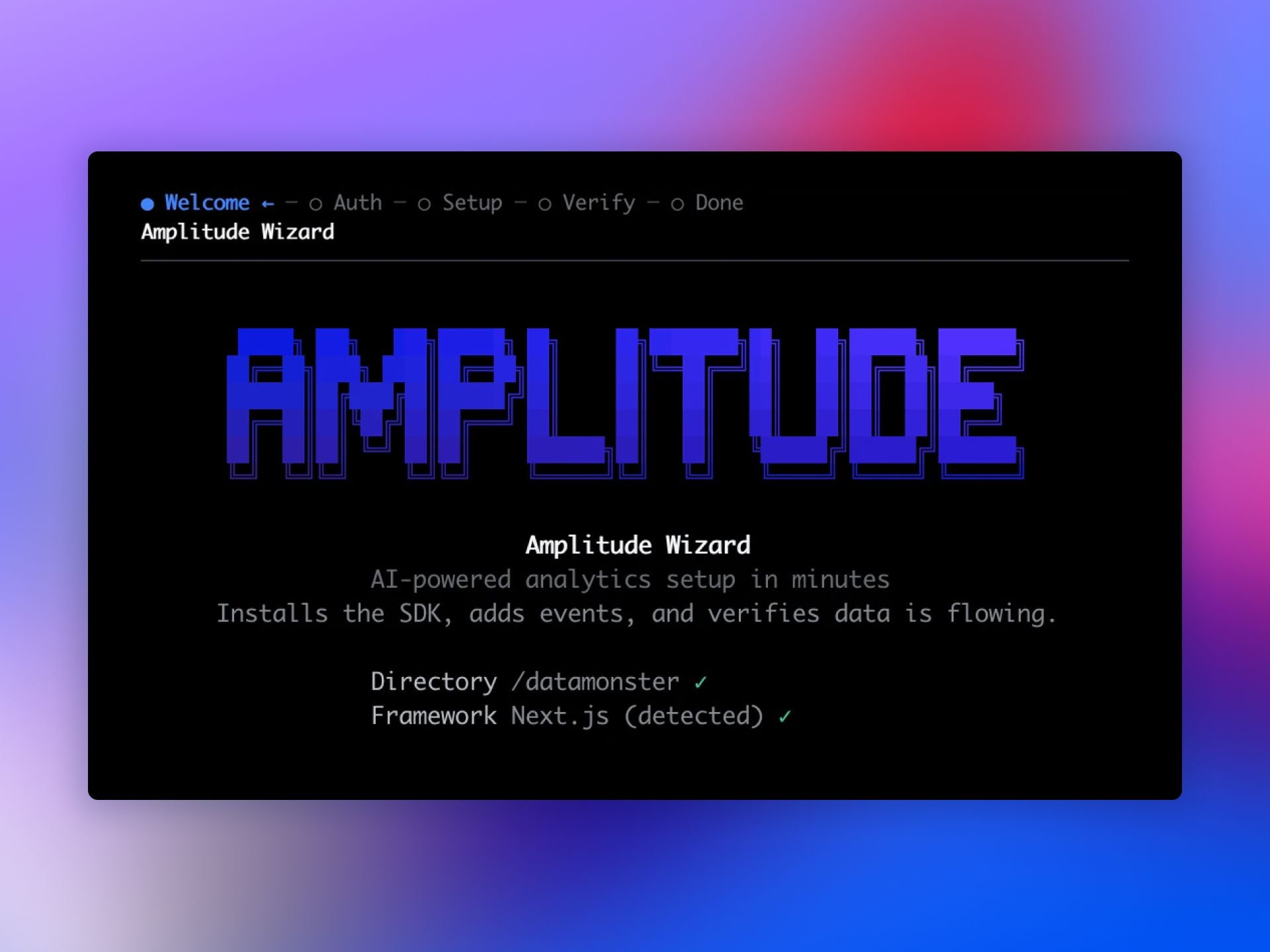
I’ve long believed that the fastest path to high-quality product decisions is eliminating friction between code and insight. That’s why the Amplitude Wizard CLI immediately grabbed my attention: it streamlines setup right where work happens—inside the codebase—so teams can start learning from real user behavior sooner.
Read about the new easiest way to set up Amplitude, the Wizard CLI: a one-command path to a fully instrumented Amplitude project, without leaving your terminal.
In practice, setting up analytics from the codebase means instrumentation travels with your source control, peer reviews, and CI/CD checks. This “docs-as-code” approach improves accuracy, preserves intent through pull requests, and keeps event definitions auditable over time. The result is cleaner behavioral analytics and fewer production surprises.
Developers benefit from staying in the terminal—no context switching, no brittle copy-paste steps. The workflow plugs into CI/CD, scales across environments, and supports observability from day one. For onboarding new engineers, a single command lowers cognitive load and standardizes how events are captured and named, which reduces drift as teams grow.
For product leaders, the payoff is speed and confidence. With Amplitude analytics instrumented in minutes, we can analyze behavioral analytics sooner, validate activation and retention hypotheses, and accelerate product-led growth. Because the setup aligns to a unified analytics platform, insights flow consistently across teams, and decisions reach parity with how quickly we ship.
My recommended rollout is simple: start in a feature branch, run the Wizard CLI, review the generated changes in a PR, and align naming with your event taxonomy. Gate merges with lightweight review from analytics owners, then promote via CI/CD. This keeps quality high without slowing delivery—and it makes the analytics layer as versionable and testable as the application itself.
If you’re aiming to cut time-to-first-insight, reduce setup risk, and empower engineers to own analytics instrumentation, the Wizard CLI is a pragmatic upgrade. One command, clear governance, and measurable impact on how quickly your team learns—exactly what effective product management demands.
Inspired by this post on Amplitude – Best Practices.






Leave a Reply