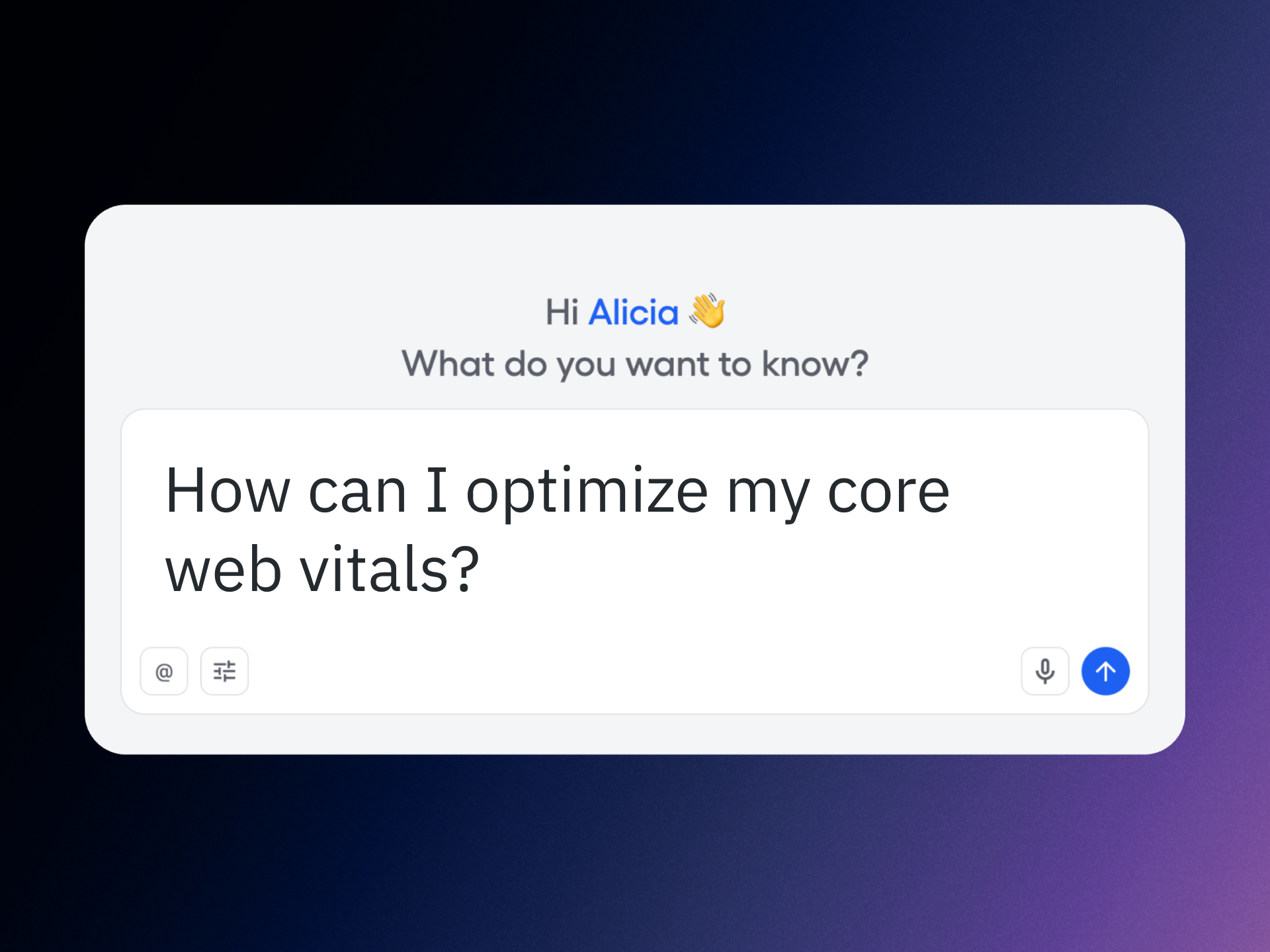
I measure product health by a simple equation: speed plus clarity equals trust. That’s why I prioritize Core Web Vitals and search performance together—because the fastest path to better UX and higher rankings is a closed loop between measurement, diagnosis, and action. Standardizing on Amplitude’s Global Agent with Amplitude AI Agents let my teams compress that loop from weeks to hours, and in many cases, to minutes.
Learn how to track your web vitals and page rankings faster with Amplitude AI Agents and improve your site’s user experience and SEO rankings. That goal sounds ambitious, but with the right instrumentation and analytics workflow, it becomes a repeatable operating rhythm rather than a one-off project.
Here’s what changed for us with Amplitude’s Global Agent: a single, consistent way to capture performance signals across pages and journeys, unified context for every session, and a lightweight footprint that doesn’t get in the way of speed. By centralizing measurement, we eliminated blind spots and gave product, growth, and engineering one shared truth for Core Web Vitals and behavioral analytics.
My practical playbook is straightforward: 1) Establish a performance baseline for Core Web Vitals on key templates and critical user paths. 2) Segment results by device, location, acquisition channel, and content type to surface where users actually feel the friction. 3) Connect those vitals to downstream behaviors—scroll depth, engagement, and conversion—so we prioritize fixes that move business outcomes, not just lab scores. 4) Use feature flags and A/B testing to ship improvements safely and quantify uplift. 5) Close the loop with Agent Analytics to keep learnings visible and actionable.
Operationally, we rely on anomaly detection to flag regressions early, CI/CD guardrails to prevent performance slips at deploy time, and observability plus session replay to accelerate root-cause analysis. This combination reduces mean time to resolution, protects page experience during fast iteration cycles, and helps us avoid trading UX for speed—or vice versa.
The strategic benefit is compounding: better Core Web Vitals improve user perception and increase engagement, which strengthens SEO signals and, ultimately, page rankings. With a unified analytics platform in place, we can spotlight the few improvements that create outsized gains, then scale those patterns across the site with confidence.
If your roadmap includes faster pages, stronger rankings, and happier users, align your teams around this simple loop: measure precisely, diagnose quickly, experiment safely, and learn continuously. Amplitude’s Global Agent and Amplitude AI Agents give you the instrumentation and insight to make that loop your competitive advantage.
Inspired by this post on Amplitude – Best Practices.
I’m getting sharper, more specific questions about scale from enterprise customers every quarter, and that’s exactly how it should be. Teams want to know how our platform behaves during their highest-volume moments — the Black Friday sales, the sporting events, the production incidents — and they want confidence their growth won’t outpace the systems they depend on.
We welcome those questions. They’re the right ones to ask of any critical component of your business.
Today, our systems handle serious scale. At daily peak, we see over 150,000 customer requests per second coming into the platform, with more than 70,000 asynchronous requests per second flowing through the background systems. During our busiest days of the week, we handle over five million conversations and more than 100 million comments being added across the platform.
We also design for individual customer spikes, not just aggregate platform traffic. We can handle a single customer workspace spiking with hundreds of comments per second, or around 100 new conversations per second. Sustained over a full day, that would map to millions of conversations from a single customer.
While those numbers matter, they age quickly. Every growing software company can publish a bigger number every year, month, week. What ultimately matters is whether the architecture has clear scaling levers, whether we understand the pressure points in the system, and whether we can add capacity before customers need it.
Every system has limits. Competence is knowing where they are, measuring them, and moving them before customers reach them.
Here’s how we do that in practice.
We build on boring foundations because at the edges, we try hard not to be clever. We use AWS for the infrastructure primitives AWS is very good at running. We do not want our engineers spending their best energy recreating S3, load balancers, queues, or commodity infrastructure patterns. We want that energy spent on the parts of the system that are specific to our customers and our product.
“That is a deliberate trade-off. It gives us fewer systems to understand, deeper expertise in the ones we do run, and more leverage when we need to scale.”
This extends a principle I’ve embraced for years: run less software. The point isn’t to minimize the stack for its own sake; it’s to compound expertise. When many teams build on the same small set of technologies, our tooling, observability, and operational practice all improve together. Boring technology choices aren’t a lack of ambition — they reserve our ambition for the nuanced scaling challenges that matter.
The source of truth is the hard part. You can scale stateless web traffic by adding machines, add queue consumers, and add cache. Those are real problems — just not the hardest ones. The source-of-truth database is where the most important data lives, where the hardest correctness guarantees exist, and where maintenance windows often come from. It has to be correct, fast, resilient to failover, capable of large migrations, and able to keep serving traffic while we improve it. As customers grow, it cannot require a full re-architecture every time the next ceiling appears.
That is why we moved to Vitess, managed by PlanetScale. The goals were clear: improve availability, reduce operational complexity, make large table migrations safer, simplify MySQL scaling, and eliminate customer downtime from routine database maintenance and failovers. When we first laid out this direction, the largest part of the migration was still ahead of us. We completed that migration in 2025, and the benefits are now part of how we operate the platform day to day.
Today, our highest-scale source-of-truth data is spread across 128 shards. The database layer handles around two million requests per second, with more than ten million cache reads per second in front of it. For the largest customers, we can isolate and scale database capacity independently, including dedicating a shard to a single customer when needed.
We have not come close to needing that, which is significant. The goal of architecture like this is not to run every system at the edge of its capacity, but rather to have room to move before customers need it. Vitess gives us native sharding, query routing, online schema change capabilities, connection pooling, and resharding primitives built for this kind of workload. Instead of application code carrying all of the sharding complexity, the database layer can do more of the work. That reduces cognitive load for engineers and removes whole classes of operational risk.
Ultimately, this gives us practical scaling options instead of hard architectural rewrites, and lets us do routine database improvement without planned customer-impacting maintenance windows.
Search is not a hidden bottleneck for us. Search underpins core product surfaces across the platform — from vector search in our AI features to realtime reporting — and if it’s slow or unhealthy, customers feel it. Scaling isn’t just adding more machines; often the better approach is making the product do less unnecessary work. Today, our Elasticsearch clusters support a much higher-throughput product than in the past, with more than 650TB of storage, more than 1.7 trillion documents, and peaks above 40,000 requests per second. We’re serving a larger product surface more efficiently, not just running a bigger cluster.
More importantly, when an index gets too large or traffic distribution turns unhealthy, we don’t want a high-risk, manual migration. We reshape Elasticsearch indexes online by partitioning by customer ID, dual-writing to old and new indexes, backfilling, validating, gradually moving customers with feature flags, and deleting the old index only when we’re confident. We’ve used this pattern for years to make large search migrations safer and more incremental — a core playbook in our platform scalability and SRE practices.
Fairness is non-negotiable in a multi-tenant system. A single customer’s high-volume moment should not quietly become everyone else’s latency problem. We design for this at multiple layers. For asynchronous work, we use overflow queues and queueing strategies that prevent one high-volume workload from consuming shared capacity in a way that hurts quieter tenants. AWS SQS fair queues are one example of a primitive we use extensively. They’re designed for exactly this class of problem. When one tenant creates a backlog in a shared queue, fair queues help reduce the dwell-time impact on other tenants.
We also build application-level guardrails so customer isolation doesn’t depend on every engineer remembering every rule in every code path. In a large multi-tenant Rails application, the safe path must be built into the system. The focus is primarily about correctness and customer data separation, but the broader operating principle is the same: important customer boundaries should be enforced by infrastructure and application frameworks.
The same thinking applies to scale. We want customer-specific load to be visible, attributable, and controlled. When a customer spike happens, we should be able to understand it as that customer’s workload, protect the rest of the platform, and add capacity where it’s actually needed.
Fin adds a new dimension to scaling. Our AI Agent Fin introduces a new set of infrastructure challenges. To provide reliable AI-powered support at scale, we need to operate across multiple model providers, route across them based on capacity and latency, and protect customer-facing workloads from lower-priority work. The details differ from traditional SaaS infrastructure, but the principle is the same: understand the bottlenecks, build clear scaling levers, and monitor the customer outcome. AI providers are not commodity storage systems, and we do not design as if they are.
That is why we have invested in Fin-specific reliability systems. Fin now fully resolves over two million conversations per week. At that scale, high availability cannot depend on a single model, a single provider, a single region, or a single pool of capacity. Our LLM routing layer supports cross-vendor failover, cross-model failover, latency-based routing, capacity isolation, and load testing. We also maintain buffer capacity with major providers, with headroom to handle 2x to 3x normal Fin traffic at any point. For enterprise customers, this matters because AI support volume can spike just like human support volume — and the AI layer must absorb that spike without relying on one fragile upstream path.
When customers depend on Fin to absorb a spike in support demand, the AI layer needs the same operational discipline as the rest of the platform.
Performance tests help, but production traffic is reality. Real customers use products in ways no synthetic test will perfectly predict: launches, incidents, seasonal patterns, gaming events, sudden changes in end-user behavior. Those moments give us data that no lab can fully reproduce. Often, a large customer event barely moves the platform-wide graphs because our customer base is broad enough that one industry’s peak aligns with another’s quiet period. Black Friday and Cyber Monday are good examples. Many ecommerce customers are at their busiest, while many B2B SaaS customers are quieter. At the aggregate platform level, the change can be much less dramatic than people expect.
“That does not mean those events are unimportant. It means we need to look at both levels: the health of the overall platform and the experience of the individual customer having the spike.”
Sometimes, these events teach us something specific. In one case, a very large customer used the Messenger in a way that exercised the full Messenger lifecycle even though the visible user experience did not require it. Under normal traffic, this was fine. During a major customer-side incident, their users refreshed aggressively, generating a much larger burst of Messenger traffic than the integration actually needed. The platform stayed available, but the event exposed unnecessary work in that integration path. We built a lighter-weight integration path that served the customer’s actual use case with far less work per request, making future spikes easier to absorb.
We treat large customer events this way even when there’s no broad customer impact. They’re opportunities to understand real scaling properties and make the next event safer — a habit that anchors our incident management, observability, and FinOps practices.
Scale is also an operating model. The infrastructure matters, but it’s not enough. You can have the right database architecture and still hurt customers if you detect issues late, recover slowly, communicate poorly, or fail to learn from incidents.
“That is why our operating model starts with customer outcomes. If the customer cannot do the job they came to do, the system is unhealthy. It does not matter how many dashboards are green.”
Heartbeat metrics tell us whether customers can do the core jobs they hire us to do. They cut through infrastructure noise and answer the question that matters most during an incident: are customers able to use the product successfully?
This shapes how we ship. Today, we average around 250 ships to production per workday, with an average merge-to-production time under 10 minutes. That isn’t a vanity metric — it’s part of the safety model. Smaller changes are easier to understand, easier to observe, and easier to roll back. Feature flags let us separate deployment from release. Automatic rollback and heartbeat-driven detection help us recover quickly when a change hurts customers. These are the very DORA metrics we hold ourselves to in order to balance CI/CD speed with stability.
“Fast shipping is not the opposite of reliability. Done properly, it is one of the ways you stay in control of change.”
The bar is high. Engineers are expected to understand the impact of their changes, watch them go live, and act quickly if something looks wrong. Resuming service is not the end of an incident. We expect teams to understand the root cause, fix the contributing systems, and prevent recurrence. That’s how scale stays safe over time.
Scheduled maintenance should be extraordinary. Historically, database maintenance was a main reason for maintenance windows: upgrading a database, changing instance sizes, performing failovers, or moving large tables could require customer-impacting downtime. With the move to Vitess and PlanetScale, we changed what routine database improvement looks like. We can upgrade, scale, and improve critical database infrastructure without turning that work into planned customer-impacting downtime — and we do this in practice, not just as a goal.
This matters because customers rely on our platform for live operations. If their support team, Messenger, Help Desk, or AI Agent is unavailable, the impact is immediate. Scheduled maintenance cannot be treated as a casual operational convenience.
“Our posture is simple: routine infrastructure improvement should not require planned customer-impacting downtime.”
Scheduled maintenance should be exceptional, non-routine, clearly communicated, and minimized in frequency, duration, and customer impact. That’s the practical benefit of the architecture work: better scaling is not only about handling more traffic, but also reducing the operational moments that might inconvenience customers.
What this means for customers is simple: be skeptical of vague scale claims. The question isn’t whether a vendor says they can scale — it’s whether they can explain how, where the limits are, what they measure, how they recover, and what they’ve changed after learning from production. We understand the scaling properties of our systems, have clear levers to add capacity at the right layers, design for customer isolation and fairness, monitor customer outcomes directly, and use real production events to make the next one safer. Scale is never finished. Every large customer event, traffic spike, migration, and incident teaches us something about the real behavior of the system — and we use that data to keep improving. That’s what you should expect from a platform you depend on during your busiest moments.
I just finished a standout conversation on AI engineering and product discovery that hit squarely at the questions I hear from product leaders every week: What does practical AI engineering actually look like for product managers, and how do we ramp without a traditional software background?
Listen to this episode on: Spotify | Apple Podcasts
Here’s the arc that resonated with me: a product leader goes from occasional tinkerer to spending 60% of her time on real engineering work—building AI-powered tools for continuous discovery, forming a licensing partnership with Vistaly, and quietly constructing "Teresa Bot," an AI discovery coach trained on everything she’s ever written. The journey is less about mastering every framework up front and more about structuring learning, tightening feedback loops, and shipping useful outcomes.
The most energizing throughline is the myth-busting: you don’t need a deep engineering pedigree to operate in this space. Curiosity, rigorous discovery habits, and eval-driven development will take you further than brute-force coding. As one moment put beautifully, "I know anything that I don't know how to do, Claude will teach me how to do. And Claude is infinitely patient." That captures the posture I expect modern PMs to adopt with LLMs and tools like Claude Code.
On the nuts and bolts, the discussion gets concrete about AI engineering in practice: context engineering, prompt writing, RAG, observability, and evals. This is the real stack—think retrieval-first pipeline design, prompt engineering guardrails, instrumentation for model drift, and continuous, automated evals to protect behavior as you iterate. If you’ve been dabbling with context window management but haven’t formalized your test harnesses or dashboards, this is your cue.
What I appreciated most is how directly discovery skills transfer. Framing assumptions, running tight customer interviews, mapping opportunity solution trees, and aligning stakeholders—these are precisely the muscles you need to shape problem spaces before you “vibe code” solutions. As one reflection nails it, "The moment I learned more about data science, all of my discovery work became so different." That’s the bridge from qualitative sense-making to measurable, model-centered learning.
The partnership with Vistaly is also a smart build vs buy case study. Rather than reinvent infrastructure, the choice to license purpose-built opportunity solution tree software keeps focus on the differentiated layer—learning systems and product outcomes. As it’s put plainly: "I don't want to build all that stuff. I don't really want to be a software company. I'm almost set up like an AI researcher." Product leaders should internalize this lens for platform choices across their AI roadmaps.
On "Teresa Bot," the implementation breadcrumbs are familiar and pragmatic: pair a solid retrieval-first pipeline (RAG) with clean content sources, keep prompts modular, enforce code review even for vibe coding, and stand up observability and evals early. I’ve had similar success using Claude Code for rapid iteration while treating every prompt and context change as a versioned artifact. That discipline pays dividends when you need to trace regressions or prove improvements.
If you’re a PM ready to lean in, start small and systematic. Pick one high-signal discovery workflow, model the knowledge you already have, and wire up basic evals before you scale. Keep a lab notebook, use programmatic tests to gate deployments, and measure outcome movement—not just model cleverness. This is where LLMs for product managers move from novelty to execution readiness.
Resources mentioned: Watch the episode on YouTube, Claude Code, Vistaly (opportunity solution tree software), Opportunity Solution Trees: Visualize Your Discovery to Stay Aligned and Drive Outcomes, Product Talk Academy, Just Now Possible Podcast, Vibe Coding Best Practices: Avoid the Doom Loop with Planning and Code Reviews, and the AI Evals for Engineers and PMs course on Maven.
What stood out to you—RAG design choices, eval frameworks, or the discovery-to-engineering mindset shift? Drop your thoughts below; I’d love to learn how you’re applying these patterns in your own product roadmaps.
We just launched Operator, an Agent for your customer operations that helps you understand, manage, and improve your entire customer experience. I’ve spent years shipping AI-driven products at production scale, and this one reflects the lessons I’ve learned the hard way about what it really takes to go from a flashy demo to a dependable system your team trusts.
To give you a clear view of just how powerful this Agent is, I want to share the technical infrastructure and engineering choices that make Operator work reliably at production scale across thousands of customer workspaces. My goal is to demystify the gap between a well-prompted LLM and a true, production-grade Agent—so you can make an informed build vs. buy decision.
If you’re a technical leader evaluating whether to build something like this yourself, or trying to understand the difference between a well-prompted LLM and a production Agent system, this is for you.
Escaping the “it’s just an LLM” trap
Most engineering teams in this space start the same way: a prototype. You take a foundation model, give it API access to your support data, add a system prompt with some domain context, and you’ve got something that queries your database, summarizes tickets, and generates reports that look right. It demos convincingly—and I’ve been there, impressed in the moment, only to watch it buckle under real-world complexity.
The problem with that prototype is that it obscures the scope of what’s actually required. It demonstrates the 10% of the system that’s straightforward to build, and it’s easy to assume the rest is just as straightforward. It isn’t. The gap between a working demo and a production system your team depends on daily is where most of the engineering investment lives. That’s precisely the gap we focused on closing.
With Operator, we’ve invested deeply in every layer: tooling, reasoning, how the Agent takes action, and the infrastructure that makes it reliable at scale. Here’s a closer look at the architecture and why it matters for agentic AI, platform scalability, and observability.
The tooling layer
The first thing we had to confront was that the obvious approach (giving a model access to your APIs and letting it figure things out) doesn’t hold up in production. The model makes reasonable decisions for simple queries, but operating across thousands of customer workspaces with different configurations, data models, and usage patterns, a “figure it out” approach isn’t nearly precise enough.
What you need is purpose-built tooling: tools that encode decisions about what data to fetch, how to structure it, what context to include, and what to leave out. Operator has over 50 of these tools and 10 skills.
A tool is a single action that Operator takes (search content, run a query, look up a conversation). A skill chains multiple tools together to complete a whole job, like debugging a conversation end-to-end, rolling out a content update across an entire help center, and identifying the next automation opportunity. This is where AI workflows move from abstract prompts to dependable, repeatable outcomes.
The difference between using thin wrappers around API endpoints and purpose-built tooling shows up in something as seemingly simple as a performance question. When you ask “how did Fin perform last week?”, a naive implementation runs a query and hands back a table. Operator runs a reporting tool that determines which metrics are relevant for your specific workspace, which are meaningful for your particular question, and what the numbers actually mean in context, giving you a much richer answer that you can do something tangible with.
Developing that behavior took months of engineering. Not because any individual piece is conceptually hard, but because getting it right across the full range of customer workspaces, configurations, and edge cases is an iterative process. You build it, you test it against real conversations, you find the cases where it breaks, you fix those, and you repeat. There’s no shortcut—and in practice, this is where most DIY efforts stall.
The intelligence layer
The tooling layer solves what to do, but beneath it is a harder problem: understanding what’s worth doing, and why. This is the layer that makes Operator understand your business rather than just query it. Three components go into it, and in my experience they’re non-negotiable for a reliable Agent.
1. Semantic search
Unlike solutions that rely on keyword matching, Operator uses a system that understands what content is about, not just what words it contains. When it searches your help center, it’s using the same semantic search engine we’ve spent years optimizing for Fin itself. This is a retrieval system that’s been tuned against millions of real support conversations, with precision and recall characteristics we’ve measured and improved continuously. This retrieval-first pipeline is the backbone of grounding and dramatically reduces hallucinations.
2. Attribute awareness
Operator has access to your data and knows what is meaningful for different questions. It knows which metrics are actually in use in your workspace, which custom attributes carry signals, and which fields are populated versus effectively empty. We’ve built specific skills that give Operator this meta-knowledge, so when it’s investigating a performance question, it’s looking at the right things, not hallucinating insights from sparse data.
3. Intelligent reasoning
A well-built Agent can answer your question and anticipate what you should ask next. If you ask Operator about escalations spiking, it doesn’t just say, “escalations increased 23% week-over-week.” It’ll continue on to tell you why this happened by examining the escalated conversations and identifying that a disproportionate number involved a specific product area, before moving on to check whether the relevant help content is up to date, and, if it isn’t, proposing an update. That chain of reasoning isn’t prompt engineering. It’s encoded in the skills we’ve built, refined against the patterns we see across our entire customer base.
The action layer
This is where the engineering complexity increases by an order of magnitude because instead of just analyzing problems and recommending solutions, Operator takes action to solve them itself. It can update Guidance rules, draft and publish help articles, create Procedures, configure data connectors, and modify your Fin configuration. Moving from read-only insights to write-capable actions is a fundamentally different class of product and infrastructure problem—one that demands rigorous SRE practices and rock-solid safeguards.
Every one of these actions has to be safe, reversible, and auditable. An analytics tool that occasionally returns a wrong number is frustrating. but an Agent that occasionally applies a wrong configuration change to a live support system is a different category of problem. To prevent this, we built a robust proposal system, whereby every change Operator suggests is presented as a reviewable diff. You see exactly what will change before anything is applied, with the option to accept, reject, or refine. Nothing goes live without your explicit approval.
What else sets Operator apart
A UI that’s both conversational and graphical, not one or the other. Operator blends conversational interaction with purpose-built graphical components. Proposal diffs show exactly what will change in an article. Inline charts visualize performance trends. Dashboards render directly inside the conversation thread. In practice, that means a knowledge manager reviews a structured diff—not a wall of LLM-generated text—and a team lead asking about weekly performance gets an accurate chart with context, not a paragraph approximating data.
Building this hybrid experience is extremely difficult outside of a native platform integration. In a chat interface or CLI, you’re limited to text output; in a standalone dashboard, you lose conversational context. Operator does both in the same thread, so every interaction is detailed and context-rich—and importantly, actionable in the flow of work.
It lives where your team already works. Operator is built into the same platform your team uses every day. It’s not a separate tool with a separate login, nor is it a Slack bot your engineer set up that only three people know about. It operates exactly where you are, alongside the conversations, help center articles, workflows, and data you’re working with. That tight integration closes the gap between finding a problem and fixing it: spot an outdated article while reviewing a Fin conversation, and Operator can surface the fix in the same session. Notice an escalation spike in the morning, and you can ask Operator to investigate without switching tools, waiting for a data pull, or filing a ticket.
The compounding advantage
Every customer using Operator teaches us something. We see which debugging approaches work across different types of support operations, learn which content structures perform better, and identify automation strategies that consistently land. Those patterns get encoded back into Operator’s skills and tools. When we discover that a particular sequence of investigation steps reliably identifies the root cause of a spike in escalations, we build that into Operator’s diagnostic skill. When we find that a specific way of structuring help articles leads to higher Fin resolution rates, we encode that into the content creation skill. Our engineering team is continuously shipping improvements based on what we observe across the entire customer base.
A custom-built solution gives you exactly what you built, meaning it doesn’t get smarter unless you invest engineering resources into making it smarter. And that usually means taking time and talent away from your core product. I’ve watched teams underestimate the ongoing cost of eval-driven development, model upgrades, and API churn—costs that only grow as your footprint expands.
We’re not locking the door
Some teams want to build their own Agents. Some of our most technical customers do this. But when you do, you’re working with raw APIs and building your own tooling on top of them. When you use Operator, you’re working with a system that already knows what questions to ask, understands your data, and encodes the best practices we’ve learned from thousands of support teams. We recently launched the Fin CLI, which means you can use third-party agents like Claude Code or Cursor to interact with your Fin data and configuration. That door is open. What I hope this post has clarified is everything that goes into the build of Operator: Over 50 tools and 10 skills, purpose-built for support operations. Years of investment in semantic search. Deep integration with every layer of Fin’s stack. The proposal system. The intelligence layer. The reliability infrastructure.
If you’d still like to move ahead with building a custom solution, here’s an honest assessment. You can build a useful read-only tool in weeks. It’ll query your data, summarize tickets, and generate reports, but turning it into a production system will take quarters. Reliability, security, edge case handling, multi-tenant data isolation, and graceful degradation are all important architectural decisions that you’ll need to get right from the start. The action layer is also where you might risk stalling out. Going from “here’s what’s wrong” to safely making changes in a production system is a fundamentally different engineering problem than analysis. Most DIY projects never get there. Finally, you’ll be maintaining it forever. Every model upgrade, API change, and new capability in your support platform means updating your custom tooling. We have a team dedicated to this. You’ll need one too.
The economics still favor buying when a vendor has invested more in the problem than you can justify internally. What I hope this post adds is a clearer picture of what that investment actually looks like from an engineering perspective—and why it compounds into a durable advantage for your support organization.
The investment is ongoing. The problems we’re solving at the infrastructure level today are harder than the ones we solved a year ago, and that trajectory isn’t slowing down. If you’re ready to see the difference a production-grade Agent can make, explore Operator.
When our cloud costs started outpacing growth, I knew we had to make a decisive call on “build vs buy.” Buying a FinOps platform would have been faster on paper, but it wouldn’t internalize our operational nuance. Building an agentic AI layer on top of our cost, telemetry, and product usage data promised not just dashboards—but compounding leverage. Less than a year later, our homegrown approach outperformed off‑the‑shelf alternatives on speed, precision, and organizational adoption.
The aspiration was clear from the outset: See how Amplitude scaled FinOps with AI agents—cutting manual work, accelerating insights, and turning a one-person function into a cost optimization engine. We set that as a bar for both outcomes and operating cadence, then translated it into a roadmap grounded in first principles.
Our build vs buy analysis hinged on three factors. First, cloud cost optimization is only as good as the context it carries; we needed deep hooks into our pricing, feature flags, and deployment frequency to reason about unit economics in real time. Second, we required agentic AI workflows that could detect anomalies, recommend actions, and close the loop—not just visualize waste. Third, governance mattered: privacy‑by‑design, data governance controls, and transparent decision logs were non‑negotiable under our AI Strategy and product management leadership standards.
We architected a retrieval‑first pipeline to blend billing exports, usage telemetry, and observability signals with product and GTM metadata. Agent workflows ran on top: one agent built driver trees that explained spend shifts by service, customer cohort, and environment; another specialized in anomaly detection with confidence scoring; a third agent proposed commitment strategy, rightsizing, and schedule adjustments. Each recommendation linked back to source data for auditability.
From a delivery standpoint, we treated the system like a product, not a tool. A product trio (PM, engineering, and FinOps) ran continuous discovery interviews with stakeholders, instrumented eval‑driven development for agent prompts, and shipped improvements via CI/CD weekly. We optimized prompt engineering for decision clarity over verbosity and codified acceptance criteria: time‑to‑insight, actionability, and measurable savings per recommendation.
The impact was immediate and then compounding. Manual effort on month‑end analysis shrank as agents pre‑triaged drift and surfaced root causes with suggested remediations. Insights arrived continuously, not as end‑of‑month surprises, which meant engineering could fold changes into regular sprints. What started as a one‑person FinOps function evolved into a cost optimization engine embedded across teams—product, SRE, and finance—all speaking a shared language of drivers, tradeoffs, and outcomes.
Along the way, we learned where building truly beats buying. If your architecture, pricing model, and growth loops are unique—and they usually are in consumption SaaS—agentic AI amplifies institutional knowledge in a way generic platforms can’t. Conversely, if you lack clean tagging, clear ownership, or basic observability, investing there first will raise ROI on any approach, built or bought.
My advice if you’re at this crossroads: define success in terms of decisions changed, not reports shipped. Start with a thin slice—anomaly detection plus one high‑leverage remediation path—then iterate. Keep humans in the loop for executive sign‑off until your confidence intervals and post‑action telemetry prove reliability. With the right guardrails and focus, in‑house AI FinOps can move faster than the market and pay for itself well within a year.
Inspired by this post on Amplitude – Perspectives.
Session replay should illuminate user behavior, not slow it down. That belief drove us to rebuild the delivery layer behind our Session Replay from the ground up so it’s lighter on your pages while capturing richer, more reliable signals for behavioral analytics and product insights.
Our objective was clear: preserve page performance and Core Web Vitals while improving data completeness under real-world conditions. We focused on reducing client-side overhead, smoothing network bursts, and scaling the pipeline so it performs consistently during long sessions, high-traffic spikes, and complex interactions—without compromising observability or user experience.
To get there, we redesigned how events flow from the browser to our edge and storage layers. We decoupled capture from delivery, introduced adaptive batching and backpressure-aware controls, tightened compression strategies, and prioritized critical events to reduce jitter and dropped packets. The result is a delivery path that’s resilient to network variance, efficient in payload size, and friendlier to the main thread—key ingredients for platform scalability and SRE-grade reliability.
Get a glimpse into how we overhauled Session Replay’s data delivery, and how you can expect more complete data, lower payload sizes, and more. In practice, that means steadier capture across long sessions, fewer gaps during rapid DOM changes, and leaner, faster uploads that respect the constraints of modern browsers and mobile networks. It’s an upgrade designed to protect page speed while strengthening the fidelity of what you see in replay.
These changes elevate how product teams, analysts, and support engineers diagnose issues and optimize funnels. With higher-fidelity replay and lighter page impact, you can connect the dots faster—from anomaly detection and conversion bottlenecks to subtle UX friction—within a unified analytics platform. It’s a meaningful step forward for data-driven product strategy and for keeping your observability toolkit both accurate and performance-aware.
While performance guided every decision, privacy and governance stayed first-class. Our delivery patterns work hand-in-hand with data governance practices to help teams maintain responsible capture boundaries while still achieving the completeness and granularity they need. This balance lets you scale replay confidently across surfaces and teams.
We’ll continue monitoring downstream impact across Web Vitals, long tasks, error rates, and event integrity—iterating as we learn. If you rely on session replay to inform roadmaps, triage incidents, or accelerate product-led growth, you should feel the difference: a lighter footprint on your page and a stronger foundation for trustworthy insights.
Inspired by this post on Amplitude – Best Practices.
I build products to translate noisy interaction data into clear, actionable decisions. Few capabilities deliver that clarity like session replay. It closes the gap between what analytics tells us and what users actually experience, empowering product, design, and SRE teams to learn faster, resolve issues sooner, and improve customer trust.
Lew Gordon is a Senior Staff Engineer at Amplitude focusing on Session Replay. He was formerly an engineer at Twilio.
In my practice, session replay complements Amplitude analytics and behavioral analytics by adding rich context to the unified analytics platform—turning charts into stories we can act on. When I can see the precise clicks, hesitations, and error states behind a spike or a drop, prioritization becomes straightforward and the path to product-market fit becomes easier to navigate.
Operationally, replay deepens observability. I correlate console errors, network traces, and layout shifts with user intent, then tie those signals to Web Vitals, performance budgets, and SRE workflows. The result is a tighter feedback loop from incident to insight—one that shortens mean time to resolution and raises the bar on reliability without guesswork.
Privacy-by-design is non-negotiable. I start with strong data governance: selective capture and redaction, explicit consent and retention policies, role-based access, and environment-aware sampling. These controls keep sensitive data protected while still providing the fidelity product and engineering need to diagnose issues and improve experiences responsibly.
Strategically, I deploy replay where it moves the needle most: onboarding and activation moments, high-friction conversion flows, and critical paths with outsized revenue or trust impact. I track signals like rage clicks, dead clicks, scroll depth, and error states to inform product strategy and reduce UX debt, while linking improvements to activation and retention analysis, time to resolution, and DORA metrics.
At scale, success requires platform scalability: efficient indexing, low-latency retrieval, and smooth playback across browsers and devices—all while maintaining tight CPU, memory, and bandwidth budgets. When integrated with CI/CD and experimentation, replay becomes a force multiplier for continuous discovery and confident, rapid iteration.
My takeaway: session replay is not just a debugging tool—it’s a shared language across product, engineering, and design. With the right guardrails and operating model, it elevates decision quality, accelerates learning, and builds the trust customers feel with every interaction.
Inspired by this post on Amplitude – Best Practices.
AI agents are getting remarkably good at scaffolding features and writing tests, yet when production issues surface, accountability still lands on me and my team. The last mile of quality—reproducing the issue, isolating the root cause, and validating a durable fix—remains a human responsibility, even in an era of agentic AI. That’s why I’ve built a repeatable debugging approach that blends behavioral analytics with agent-assisted coding to close the loop quickly and safely.
Investigate bugs directly in Claude or Cursor with Amplitude MCP. Learn two Session Replay workflows to debug faster.
The goal is simple: transform messy, anecdotal bug reports into actionable, prioritized work that my developers can resolve confidently. By pairing Session Replay with Amplitude analytics, I can quantify impact, capture precise reproduction steps, and feed rich context into Claude or Cursor. The result is a faster path from signal to solution—and fewer back-and-forth cycles with engineering, support, and product.
Here’s how I use Session Replay to tighten the feedback loop. First, I lean on behavioral analytics to detect anomalies and segment affected users, so I know whether we’re facing an edge case or a widespread degradation. Then I use the replay to see exactly what the customer experienced: the path they took, the UI state, the environment details that matter (device, browser, version), and the precise moment things went sideways. This contextual backbone lets me enter Claude or Cursor with high-signal inputs, rather than guesswork.
Workflow 1: From customer session to reproducible issue. I start with the offending Session Replay and capture the exact steps to reproduce, including state transitions and timestamps for any console errors or API failures. In Claude or Cursor, I provide those steps, reference the replay link, and ask the model to propose a minimal failing test and a hypothesis for root cause. With Amplitude MCP as the connective tissue, I can keep the model anchored to the relevant events and user path while it generates patches or targeted instrumentation. I validate the hypothesis locally, run the failing test, and then move the fix through CI/CD with feature flags so we can verify in production without overexposing risk.
Workflow 2: From code symptoms back to customer evidence. Sometimes I begin in the IDE or agent environment with a flaky test, a suspicious diff, or a performance regression. In that case, I ask Claude or Cursor to outline likely failure modes and the critical code paths. Then I pivot to Session Replay for corroboration: do real users hit these paths, under what conditions, and how often? Using Amplitude MCP to anchor the agent in actual user journeys helps separate theoretical fixes from changes that will meaningfully improve outcomes. I confirm with replays after the patch lands, monitor Web Vitals and related behavioral metrics, and only then ramp the flag.
Two practices make these workflows consistently effective. First, I frame prompts to keep the model tightly scoped: reproduction steps, expected vs. actual behavior, impacted segments, and any known constraints (e.g., rate limits, third-party dependencies). Second, I treat the agent as a proactive pair-programmer: it drafts hypotheses, tests, and diffs, while I provide ground truth from Session Replay and analytics. That division of labor keeps the LLM productive without letting it drift from the evidence.
Operationally, I also align this approach with our incident management and observability standards. For high-severity issues, SREs and product managers share the same replay artifacts, event timelines, and roll-forward criteria. We document root causes and guardrails as docs-as-code, then socialize them via developer evangelism so similar classes of bugs get caught earlier. Over time, this tightens our DORA metrics—particularly lead time for changes and deployment frequency—without compromising stability.
Privacy-by-design is non-negotiable. We ensure Session Replay redacts sensitive fields, enforces least-privilege access, and complies with our data governance policies. When I involve an agent, I include only the minimum data necessary to reach a fix and prefer structured artifacts (event IDs, stack traces, and test cases) over raw PII. These safeguards let us move quickly without trading away trust.
The takeaway is pragmatic: agents can accelerate creation, but accountability for quality still rests with us. By grounding Claude or Cursor in real user behavior via Amplitude MCP and Session Replay, I get faster reproduction, more accurate fixes, and cleaner rollouts. The combination turns “mysterious customer bug” into “verified hypothesis and passing test” in a fraction of the time—and that’s how we ship responsibly at speed.
Inspired by this post on Amplitude – Best Practices.
I’ve long believed that the fastest path to high-quality product decisions is eliminating friction between code and insight. That’s why the Amplitude Wizard CLI immediately grabbed my attention: it streamlines setup right where work happens—inside the codebase—so teams can start learning from real user behavior sooner.
Read about the new easiest way to set up Amplitude, the Wizard CLI: a one-command path to a fully instrumented Amplitude project, without leaving your terminal.
In practice, setting up analytics from the codebase means instrumentation travels with your source control, peer reviews, and CI/CD checks. This “docs-as-code” approach improves accuracy, preserves intent through pull requests, and keeps event definitions auditable over time. The result is cleaner behavioral analytics and fewer production surprises.
Developers benefit from staying in the terminal—no context switching, no brittle copy-paste steps. The workflow plugs into CI/CD, scales across environments, and supports observability from day one. For onboarding new engineers, a single command lowers cognitive load and standardizes how events are captured and named, which reduces drift as teams grow.
For product leaders, the payoff is speed and confidence. With Amplitude analytics instrumented in minutes, we can analyze behavioral analytics sooner, validate activation and retention hypotheses, and accelerate product-led growth. Because the setup aligns to a unified analytics platform, insights flow consistently across teams, and decisions reach parity with how quickly we ship.
My recommended rollout is simple: start in a feature branch, run the Wizard CLI, review the generated changes in a PR, and align naming with your event taxonomy. Gate merges with lightweight review from analytics owners, then promote via CI/CD. This keeps quality high without slowing delivery—and it makes the analytics layer as versionable and testable as the application itself.
If you’re aiming to cut time-to-first-insight, reduce setup risk, and empower engineers to own analytics instrumentation, the Wizard CLI is a pragmatic upgrade. One command, clear governance, and measurable impact on how quickly your team learns—exactly what effective product management demands.
Inspired by this post on Amplitude – Best Practices.
At Intercom, shipping is our heartbeat. We push code to production hundreds of times a day, and I’ve seen firsthand how that pace sharpens our product instincts and forces clarity in our CI/CD practices.
Engineers, engineering managers, designers, and PMs all contribute to this, safely. The average time from merging code to it running in production is 12 minutes. For me, that’s not just a vanity metric—it’s a DORA-style signal that our release pipeline and observability are aligned with the velocity our customers expect.
I’ve long held a belief that might sound counterintuitive: speed is not the enemy of safety. It’s a prerequisite for it. Accumulating code creates risk. Shipping small batches minimizes it. The faster you ship, the smaller each change is, and the easier it is to catch problems, and roll back when something goes wrong as the context is still fresh in your head. That small-batch discipline underpins how I approach AI workflows and risk management across product teams.
Today, over 93% of our pull requests (PRs) across our two main codebases are Agent-driven. And over 19% are auto-approved with no human reviewer in the loop. When I first saw those numbers at scale, I asked the same question you might be asking: are we trading rigor for speed? The answer lives in the data.
I want to focus on that second number, and why I think it makes us safer. Most people hear “AI is approving our pull requests” and think that’s reckless. I thought so once, too—until I looked at the outcomes that actually matter.
Last year, our CTO Darragh Curran set an explicit goal: double the productivity of our entire R&D organization within 12 months. Because the faster we can build and ship, the faster our customers get the capabilities they need. Ambitious? Absolutely. But the operational clarity that comes from such a target is invaluable for product leaders.
Nine months later, we did it. The results were significant across the board, but here’s the stat that crystallized it for me: downtime from breaking code changes dropped 35%, even as our deployments doubled. Shipping faster made us safer. As we modernize how we build and ship software, we systematically surface bottlenecks and tackle them. One of the biggest we found? PR review.
Humans simply don’t have the time or mental capacity to properly review the volume of AI-generated code we’re now producing. I’ve watched great engineers get stuck in review queues, or worse, feel pressure to rubber-stamp under time constraints—an anti-pattern I’ve battled in multiple orgs.
When an AI Agent can produce a working implementation in minutes, waiting hours or days for a human to review it is an impedance mismatch. The production line is moving faster than the quality gate can keep up. When that happens, one of two things follows: either the queue backs up and velocity drops, or, more dangerously, humans start rubber-stamping. Glancing at a diff, skimming the description, clicking approve. Some companies are drifting into this failure mode silently. We chose to confront it head-on and built a rigorous solution.
PR review, done properly, is complex. A good reviewer evaluates the problem statement, aligns the diff to intent, checks for safety and logical issues, applies deep product context, and scans for performance and anti-patterns. No single human can cover all of that on every PR at high deployment frequency. The truth—borne out by data—is that the human baseline we often assume is stronger than it really is.
AI is accelerating code reviews: our data shows median merge time drops from 75.8 minutes with human review to just 14.6 minutes with AI approval—about 5.2x faster—while maintaining strong safety checks.
So we asked ourselves: what if we could do better?
Our PR review Agent doesn’t treat code review as a single task. It decomposes it into separate sub-jobs, each handled by an independent sub-Agent. One assesses the quality of the problem description. Another checks whether the diff actually aligns with the stated intent. Another reviews for safety concerns. Another checks for logical correctness. Another reviews against best practices and known anti-patterns. And so on. As a product leader, this is exactly the kind of agentic AI architecture I look for: specialized, auditable steps that strengthen the overall control plane.
The result is that every PR is reviewed as if a dozen of our most tenured and knowledgeable engineers were all looking at it simultaneously, each bringing their own specialist lens. In the past, getting that breadth of review on a single PR was impossible. Now it’s the default. And unlike ad hoc human review, this system is consistent and tireless.
A human reviewer typically focuses on the actual code changes, the diff. Our Agent goes deeper. It traces execution paths, following the implications of a change through the codebase. This is something humans rarely had time to do, even when they wanted to.
While testing our new PR review Agent on a set of historical PRs, we found it flagging a one-line text copy change as incorrect. On the surface, it looked completely harmless, just a text update. We assumed it was a mistake, but it wasn’t. Our Agent caught that the new copy contradicted an existing validation mechanism elsewhere in the codebase. No human reviewer would have realistically found this unless they happened to have written that validation code very recently. Our Agent catches this kind of thing consistently, every time, because it’s always tracing execution.
The review isn’t generic either. It’s grounded in Intercom-specific guidance that our engineers have built and continue to refine, encoding the same context, standards, and product knowledge they’d apply if they were reviewing the PR themselves. When the Agent reviews a PR, engineers flag whether the review comments were helpful or not, and that feedback continuously sharpens the guidance. It’s a flywheel: the more our engineers invest in teaching the system how to think about our codebase, the better every subsequent review gets. This is eval-driven development in action.
Automated approval is also never forced. Any engineer can request a human review on any change, at any time. The system is a tool, not a mandate. At Intercom, shipping code doesn’t end at merge. The engineer who ships a change is expected to watch it go live, monitor its behaviour in production, and be ready to roll back if something isn’t right. AI approval doesn’t change that. The human who ships the code remains accountable for the outcome.
The naive take on AI-approved PRs is that it’s just a rubber-stamp LLM call so that humans don’t have to bother. A convenience feature. That misses what’s actually happening. Our Agent is strict. It won’t approve large PRs. If a change is too big, too complex, or too broad in scope, it flags it and requires it to be broken down. That design nudges engineers toward smaller, well-scoped changes—the safest way to ship, review, test, and, if needed, roll back.
This matters enormously for safety. Small changes are easier to review, easier to test, easier to understand, and, critically, easier to roll back when something goes wrong. This is the same principle that has always underpinned our shipping culture, but now the PR review Agent actively enforces it. As someone who’s owned incident management and SRE partnerships, I can’t overstate how powerful this is.
A snapshot of our code review results: AI-authored pull requests are reverted far less often than human-written ones—around 10x lower—across both stacks, with 0.53% vs 5.39% in backend and 0.22% vs 2.00% in frontend, signaling safer merges.
It’s tempting to look at a goal like “>50% AI-approved PRs” and worry we’re optimizing for a metric rather than an outcome. I see it differently. The real goal is to remove a bottleneck that, if left unchecked, pushes people toward rubber-stamping. By elevating the review bar and keeping batch sizes small, we protect both speed and stability.
We didn’t assume AI review would be good enough; we actively ran an experiment. Our hypothesis was that AI review could match or outperform human review quality, measured by outcomes: were the changes correct? Did they cause problems in production? How quickly were they reviewed and approved?
We started with a controlled pilot of over 100 PRs through the AI approval pipeline. The results: zero reverts of AI-approved PRs, and a 6–16x improvement in time-to-approval at the 75th percentile. Since then, the system has scaled significantly. In the first four weeks of broader rollout, 497 PRs went fully autonomous, with Claude writing the code and our AI approval system reviewing, approving, and shipping to production.
Beyond the approval pipeline itself, we also looked more broadly at how AI-authored code performs in production compared to human-authored code. AI-authored backend code had a revert rate of 0.53%, compared to 5.39% for human-authored. On the frontend, it was 0.22% versus 2.00%.
AI-authored code, reviewed and approved through our automated pipeline, is being reverted at a fraction of the rate of human-authored, human-approved code. I don’t expect that to stay at zero forever, but the evidence shows the quality bar our Agent holds is at least as high as the one humans were holding, and in many cases higher. And here’s the humbling perspective: the product changes that caused outages in the past? They were all reviewed and approved by humans. Human review is not a guarantee of safety. It never was.
Everything I’ve described—the sub-Agent architecture, the traceability, the labeling, the data—wasn’t just built for speed. It was built for auditability. Every AI-approved PR is labelled, logged, and queryable. The review comments, the approval decision, the test results, the merge event: all recorded. The evidence an auditor expects to see is the same whether a human or an AI approved the change. The “who” may change, but the “what” doesn’t. That’s how you meet SOC 2, HIPAA, ISO 27001, ISO 42001, and AIUC-1 without compromising agility.
We engaged our auditors, Schellman, early, before we scaled. We proactively worked with them to confirm that our automated review processes and the evidence they produce meet the requirements of our compliance frameworks, including SOC 2, HIPAA, ISO 27001, ISO 42001, and AIUC-1, among others. We think AI-driven change management can meet and exceed the standards that human-driven processes set, and we want to help prove that. In my experience, when you build for safety, compliance follows—never the other way around.
You can only go so far with PR review as a safety mechanism, no matter how good the reviewer is, human or AI. Only in production do you discover the unknown unknowns. The majority of Intercom’s largest outages weren’t even caused by changes to product code at all. They were infrastructure issues, unanticipated customer usage patterns, or third-party outages. PR review, whether human or AI, was never going to catch those. That’s why, in parallel, we’re also working on an Agent that proactively diagnoses issues in production. We’ll share more on this soon.
Speed has always been at the core of how we build at Intercom, not in spite of safety, but because of it. And we’re getting even faster with AI. It’s easy to assume that AI-approved PRs would lead to a drop in quality and safety but our data proves otherwise. Our heartbeat is just getting stronger. For product leaders, this is the blueprint: pair agentic AI with small batches, robust observability, and clear accountability, and you make shipping both faster and safer.
Over the past quarter, I’ve been obsessed with a simple question: how do real people actually prompt AI agents when the stakes are high and the clock is ticking? We analyzed 27K sessions with Amplitude's Global Agent using our Agent Analytics tool. Here's what we found out about how real users are prompting our agent. That single line belies months of careful instrumenting, qualitative review, and product debates—and it forever changed how I design agent experiences.
The clearest pattern I saw: users don’t craft “perfect” prompts—they co-create with the agent. Most sessions began with a broad intent, then tightened through rapid, iterative turns. The winning structure emerged as context, command, and constraints. When our agent acknowledged context first, clarified the command, and reflected constraints back, users responded with noticeably more confidence. It reinforced what great prompt engineering already teaches, but grounded in lived behavior across thousands of journeys.
Trust was the next breakthrough. People wanted transparency on capabilities, a concise first answer, and an easy path to deeper detail and sources. They frequently asked the agent to show its work, summarize trade-offs, or restate assumptions in plain language. Instrumenting observability into the agent’s reasoning artifacts—without overwhelming the user—proved foundational for building credibility session by session.
On task complexity, users fared best when the agent orchestrated a few small, verifiable steps rather than one heroic leap. Retrieval-first pipeline patterns consistently reduced confusion and rework, especially when paired with strong context window management. The more the agent proactively chunked the problem, validated intermediate outputs, and offered next-best actions, the smoother the journey—and the more reusable the prompts became.
UX nudges mattered as much as model quality. Inline examples (“Try this”), one-click refinements (“Shorter,” “Add a table,” “Cite sources”), and lightweight guardrails kept momentum high without boxing users in. When the agent made uncertainty explicit and offered safe fallbacks, abandonment dropped and users explored more ambitiously. The experience felt less like “querying a model” and more like collaborating with a capable teammate.
From a product management lens, these insights shape how I prioritize agentic AI. I’m doubling down on: scaffolded prompts that lead with context and constraints; transparent citations and assumptions; multi-step plans that the user can edit; and evaluation loops that A/B test prompt templates, tool strategies, and response formats. I’m also investing in analytics that connect session patterns to activation, speed-to-value, and retention so we can run eval-driven development, not opinion-driven debates.
If you’re building agents into a core product workflow, start by designing for iterative co-creation, not one-shot brilliance. Offer progressive disclosure, keep the first answer tight, and make verification effortless. Shape the model with retrieval-first strategies, manage your context window like a scarce resource, and treat observability as a feature, not a debug tool. Most of all, let real usage guide your roadmap—these 27K sessions reminded me that the best agent UX is learned alongside our users, not imagined in isolation.
Inspired by this post on Amplitude – Perspectives.
In my role leading product management at HighLevel, I study the architectures and operating models behind high-velocity learning. I often reference "Amplitude's MCP server and its experimentation platform" as a benchmark for how to operationalize scale, reliability, and speed of insight across complex product ecosystems. That lens informs how I design processes, data flows, and decision loops that turn ambiguity into measurable outcomes.
Experimentation is the heartbeat of eval-driven development. In practice, that means running disciplined A/B testing, deploying targeted feature flags to de-risk rollouts, and sizing experiments with a clear minimum detectable effect (MDE) so we avoid vanity wins. When teams internalize these habits, we shift from opinion-led debates to evidence-led decisions—and that’s where product-led growth compounds.
I'm an AI enthusiast, so I think a lot about how experimentation accelerates AI roadmaps. The same rigor that validates UI changes should govern prompts, retrieval strategies, and policy settings for LLM-backed features. By treating AI behaviors as first-class experiment surfaces—and tying them to user activation, retention analysis, and value proposition metrics—we move faster without compromising safety, privacy-by-design, or customer trust.
Making this work in production demands clean instrumentation and a unified analytics platform. I look for stacks that combine Amplitude analytics with robust observability and CI/CD to ensure we can ship, measure, and iterate continuously. When platform scalability and data governance are baked in from the start, product trios can focus on product discovery rather than firefighting pipelines or reconciling metrics.
My playbook is straightforward: define decision-worthy questions, map them to crisp success metrics, run right-sized experiments with feature flags, and use consistent analytics to close the loop. Do this well, and you create a durable advantage—faster learning cycles, sharper product positioning, and a culture that lives by outcomes over output. That’s the real lesson I take from platforms that execute experimentation at scale: process and technology are table stakes; what wins is the discipline to learn relentlessly.
Inspired by this post on Amplitude – Perspectives.