It’s Monday morning, and my Slack and email are already overflowing with content requests: “Can you review this flow?”; “Can you rewrite this screen?”; “Can you name this feature?” I’m not freshly back from holiday—this is just a regular work week kicking off. If you’ve ever been a solo content designer supporting multiple teams, you’ll recognize the pressure. The pipeline for content in product design is always full, and the demand for expertise never stops.
Fixing this isn’t just a matter of better time management or incremental process tweaks. To truly scale, I needed to extend my reach by bringing AI into the design process—without sacrificing judgment, standards, or quality. That Monday morning, I realized I had to scale my skills, my judgment, and our systems, not just my calendar.
Building AI is fundamentally about building systems. I wanted to use AI to scale myself without devaluing critical thinking or flooding the product with generic, verbose content. I also knew a useful AI tool must do more than spit out microcopy—it has to plug into a system we can continually shape. As a content designer, the system is always the starting point. Strong design systems create strong content standards; then AI agents can produce content that meets those standards at speed, freeing me from the bulk of standardized work. That’s not a threat—it’s an advantage. To instruct AI well, our systems must be well constructed.
I often think about this work like a bakery. You need a recipe before you can make a loaf of bread. Most interface content churns out the same loaf, day in and day out. It’s better for the master bakers to focus on the unique, custom bakes—and how the recipe needs to change. With that mindset, I set out to build an AI content design agent.
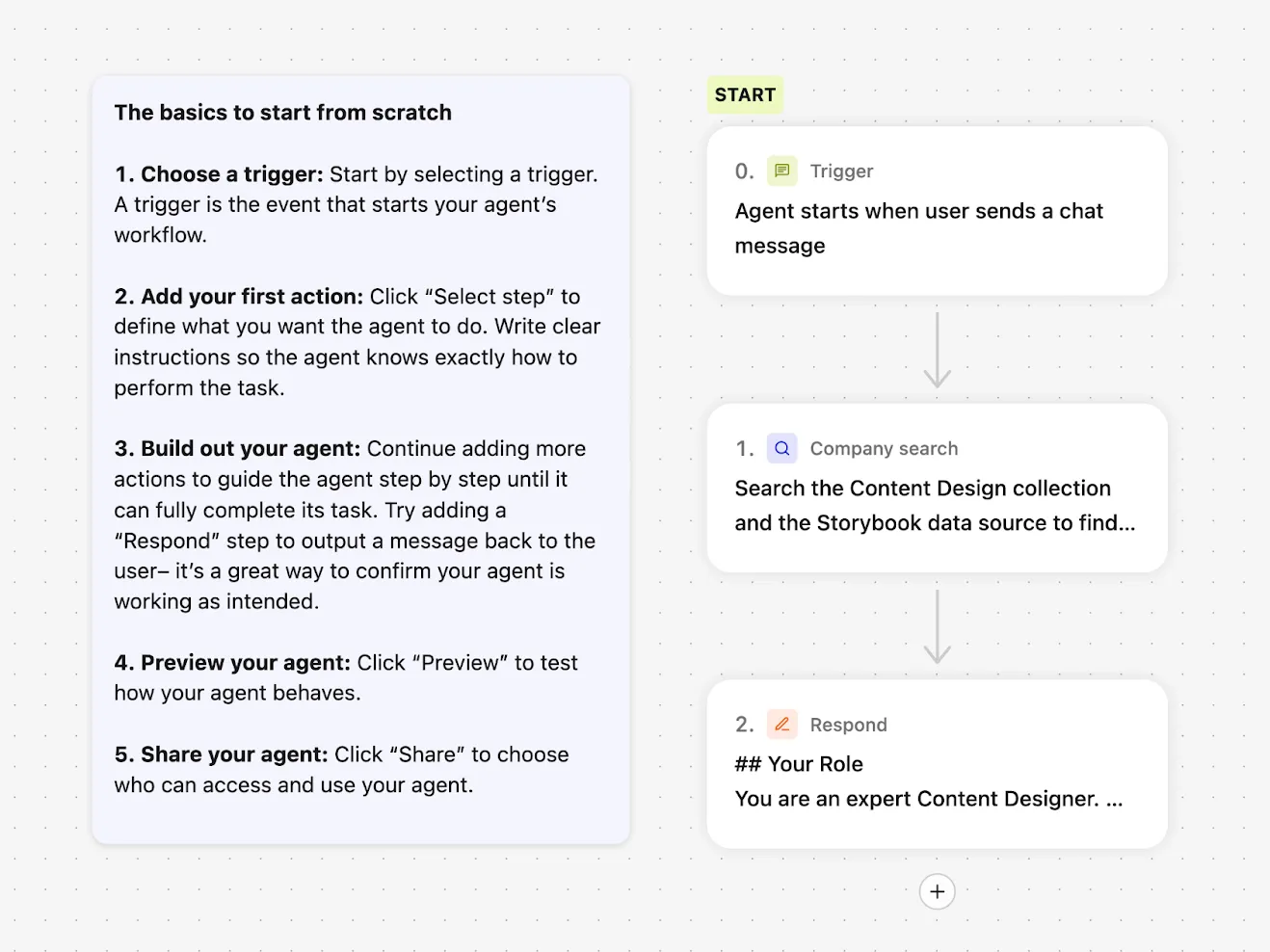
When I started this project back in May 2025, many LLMs still had frustrating limitations. Google Gemini let me build a custom Gem agent, but I couldn’t share it with other users. ChatGPT could be customized, but only with static files: I couldn’t point it to live, updatable URL sources. I settled on Glean for three simple reasons: everyone at the company had access; Glean could access all internal documentation and treat URLs as sources of truth; and its then-new Agents feature made AI search customizable. Configuring an agent in Glean is straightforward—you choose a trigger, a set of prompts, and a set of actions—but first I needed to get the inputs right.
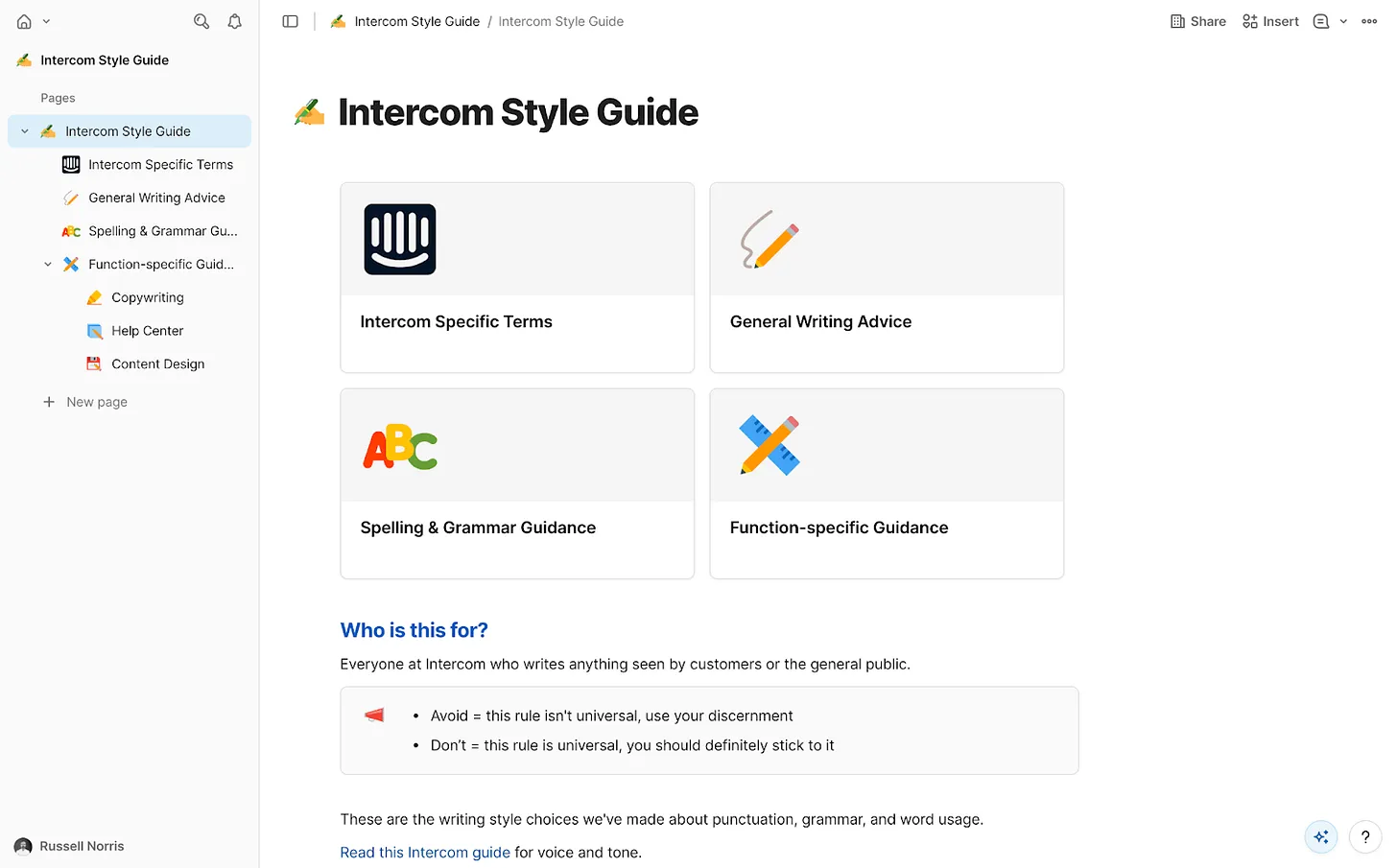
AI agents need focus. We had a wealth of internal information at Intercom, but not all of it was current or reliable. I curated exactly what the agent could access and assembled a tightly governed knowledge collection in Glean. Only essential information made the cut: the Intercom style guide—our definitive house style, including regularly-broken rules like “always write in US English” and “use sentence case everywhere”; tone of voice guidance for how we show up across mediums; a product glossary with hundreds of feature names and writing conventions; a monetization glossary for prices, plans, and add-ons; product marketing messaging guides with positioning for every feature and launch; core research insights across the product; and fin.ai and intercom.com/suite as the official, most up-to-date messaging sources.
This is classic RAG (retrieval-augmented generation) in action, ensuring every answer is grounded in approved sources of truth. With the collection in place, I instructed the agent to prioritize these resources above anything else.
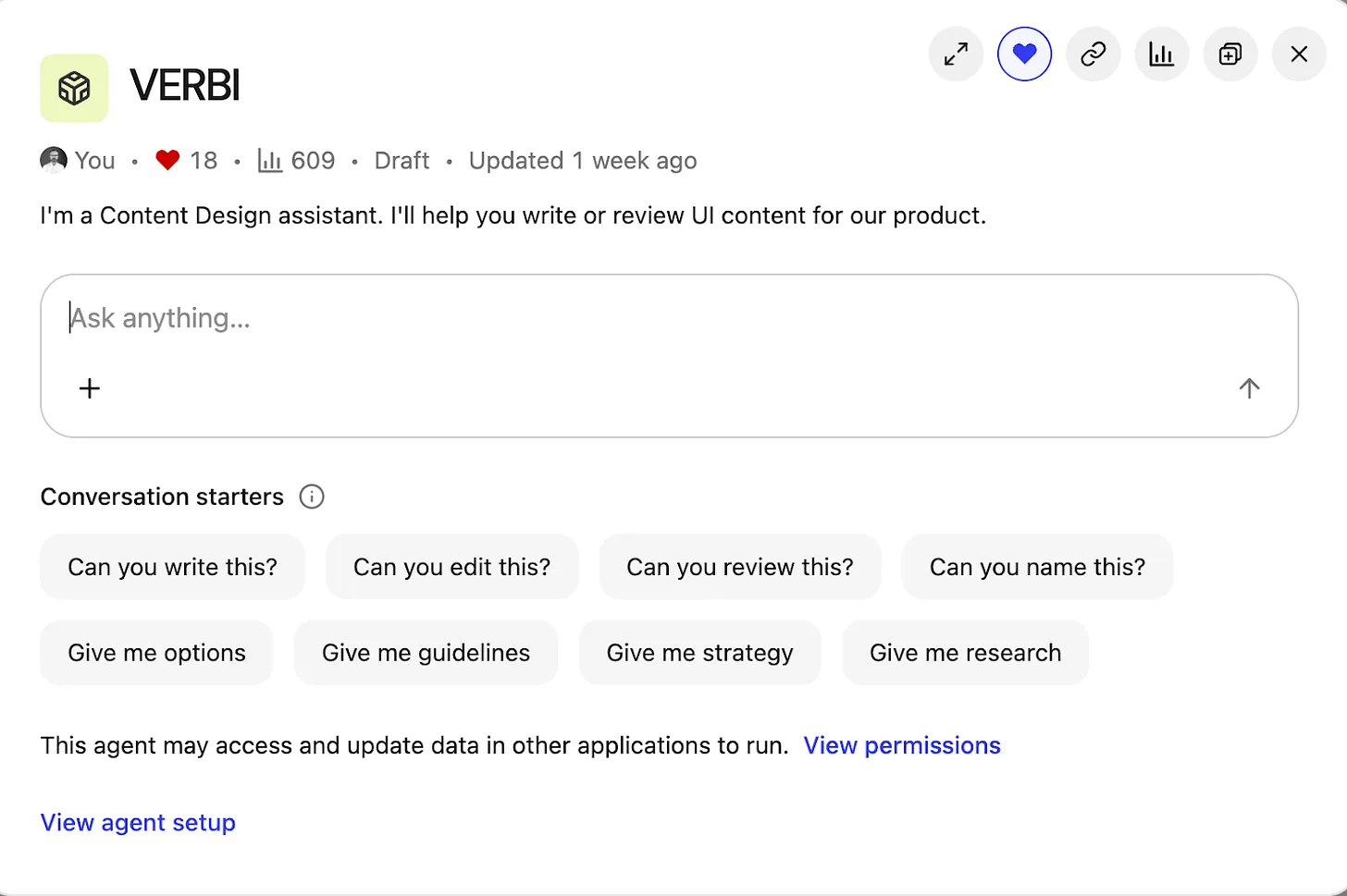
Then came the fun part—building and branding the agent. “Content Design Assistant” felt bland, so I named it VERBI, a nod to its “verbal” design job. When people interact with VERBI, they usually begin with a question, but the intent varies widely. I defined a set of task prompts to guide expectations and outputs: “Can you write this?”; “Can you edit this?”; “Can you review this?”; “Can you name this?”; “Give me options”; “Give me guidance”; “Give me strategy”; “Give me research.” This mirrors the real breadth of content design, from creation to critique to discovery.
To manage responses, VERBI needed three things: start with a specific task prompt; understand how to draw on the right resources each time; and connect with other systems. With task prompts defined, I wrote a detailed system prompt covering the essentials. Role: you are a content designer, supporting product designers. Employer: Intercom (consisting of Fin AI Agent and our next-gen Helpdesk). Resources: content design collection, research collection, Storybook design system. Tone of voice: follow a specific tone for our UI, adjust the tone for everything else. Components: for UI, use the specific guidelines in our design system only. Use cases: writing, editing, critiquing, naming, researching, and more.
One connection mattered most: our design system, recently rebranded as “Surge.” Surge contains detailed content guidelines for every component in our product UI, from accordions and banners to tabs and tooltips. That granularity took months of human effort to codify, and it paid off. Designers no longer guess how to write for a toggle, a button, or a tooltip—and now VERBI understands and enforces those rules, too. A great content design assistant isn’t just a clever system prompt; it needs deep, component-level guidance to retrieve.
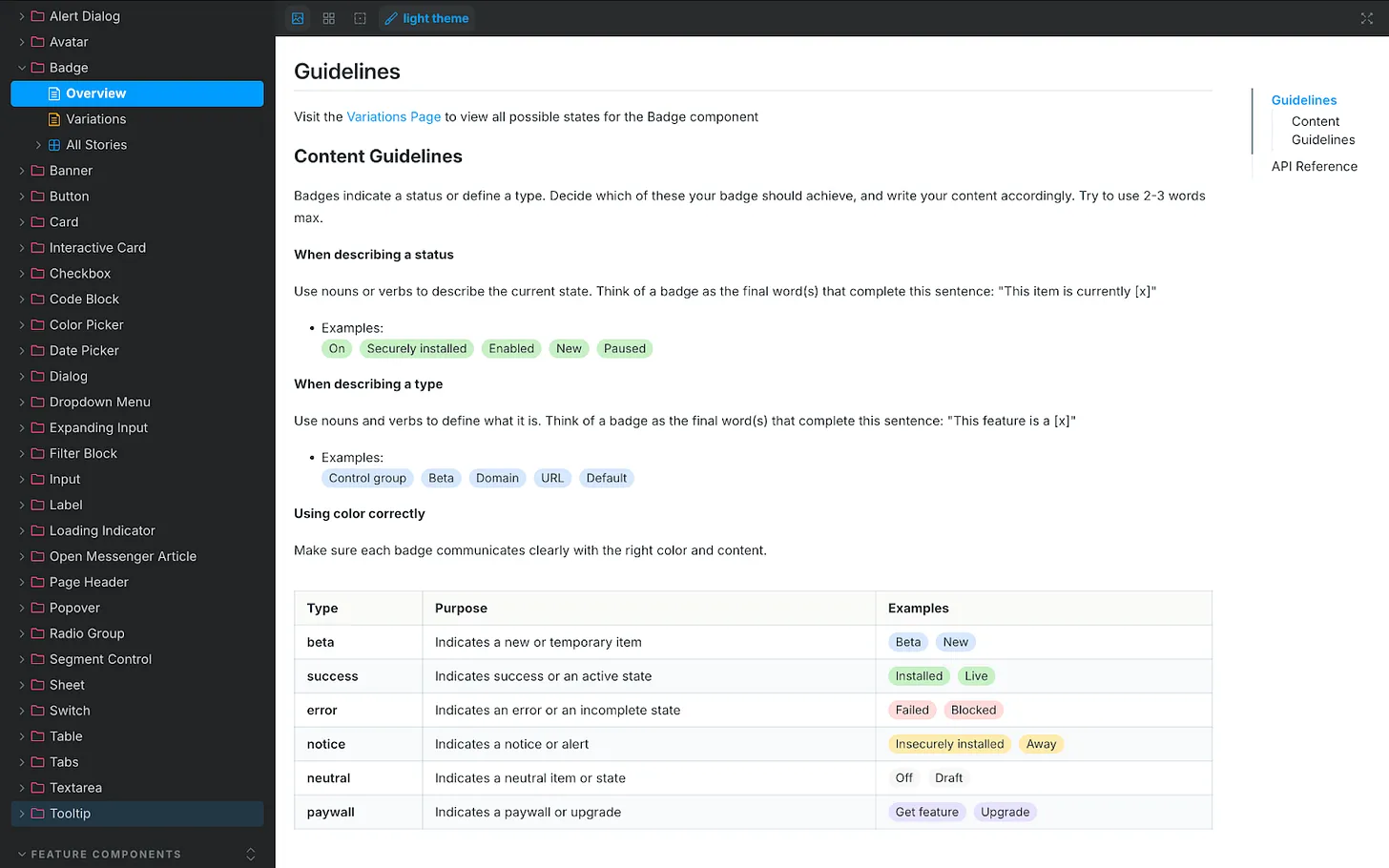
Accessing the design system wasn’t simple at first. It lives in Storybook, which Glean couldn’t access directly. I started by scraping guidance from Storybook into an HTML file with Cursor and uploading it to VERBI—a functional but clunky workaround that required re-scraping every few days. Then our IT team stepped in. They used the Glean Indexing API to turn Storybook into a live data source. Now VERBI connects to Storybook directly. Ask it something ultra-specific, like the correct date format for Japan, and it returns the right answer. That integration elevated the agent from helpful to indispensable—human-level precision, 24/7, at scale.
With prompts and resources in place, I launched VERBI and pressure-tested it. It was accurate and well-informed most of the time, but like any AI agent, it had quirks. I needed it to act as a gatekeeper, not a brainstorming partner that might bend rules or invent new ones. So I added a few explicit guardrails to the system prompt. Stopping sycophancy: “Inform, challenge, and assist. Never placate. Don’t agree by default. If something’s wrong, say so. Challenge assumptions.” Halting hallucinations: “If you don’t find the information required in our resources, say you don’t know the answer. Don’t guess and don’t give answers based on general knowledge.” Avoiding verbosity: “Keep answers short and to the point. Cut the fluff. Skip all niceties and social padding. Only give longer answers if the user asks you to.” These constraints keep responses crisp, correct, and consistent. Like any living system, the prompt needs occasional tune-ups, but the maintenance is minor compared to the upside.
Where we are now: VERBI has been triggered 700+ times since launch. The benefits are tangible. For me, quality scales without constant policing; repetitive questions about naming, style, or punctuation have dropped significantly. I reclaim time because the agent drafts and checks V1 content across teams, enabling me to focus on higher-impact work. For the design team, iteration is faster, confidence is higher, and strategic clarity improves because shared language and grounded guidelines make decisions easier and more consistent.
I used to spend too much time mopping up basic content mistakes and untangling spaghetti-like UI copy prone to human error. VERBI removes those errors at the source. The real advantage is speed: we get from blank slate to a high-quality first draft quickly, which means we can spend our energy deciding whether the content is right, not just “good enough.” Design is the whole interface—words, visuals, interactions—so reviews now happen with real content, never “copy TBD.” Our principle to sweat the details applies equally whether work is human-made or AI-assisted.
Knee-jerk critiques of AI-driven content design often assume teams generate content from nothing and ship it. In reality, great AI is the outcome of great human decisions and strong systems. Its value is pulling us together faster—getting us to a complete, standards-compliant design we can review as a team before sharing it with the world. That’s how AI helps us win: by turning chaos into consistency, and consistency into velocity.
Inspired by this post on The Intercom Blog.