
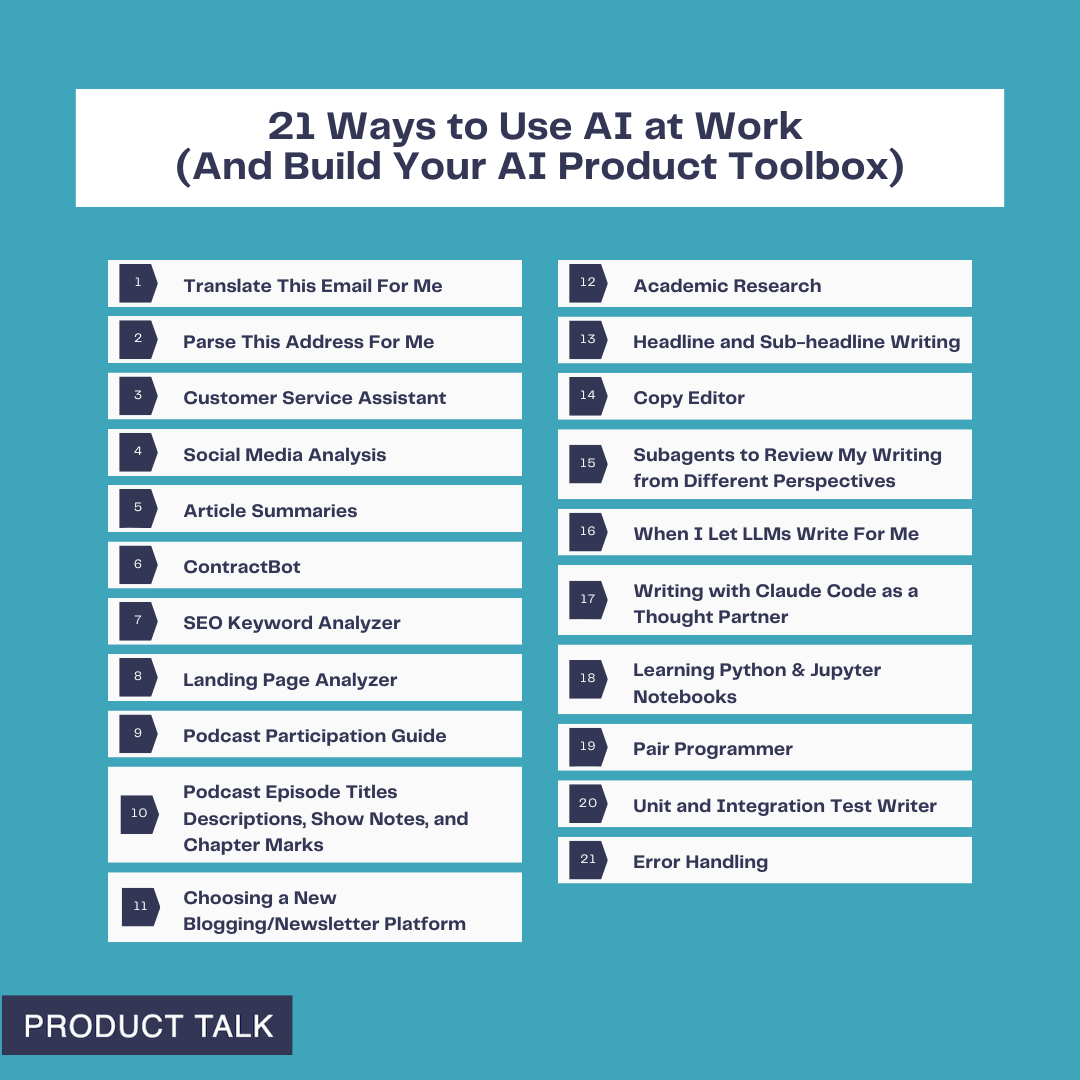
I recently shared 15 ways I'm using AI at home—from fixing cooking disasters to researching school bonds—and those experiments turned into real skills: learning to chat with large language models (LLMs), providing the right context, verifying results, and more.
Now it’s time to apply those same skills at work. The stakes feel higher, the problems are more complex, and we have to navigate when and how AI is acceptable at work. But the foundation we built at home makes the leap far less intimidating.
My goal is to inspire you to start experimenting (if you aren’t already). Along the way, you’ll add practical techniques to your AI product toolbox.
Using AI at home taught the basics—prompting, context windows, and hallucinations. At work, I layer in orchestration and automation. Don’t worry; we’ll take it step by step.
To make this actionable, I organize my work use cases by complexity, so you can start at the top and move down as your confidence grows. I group them into five buckets: Translator, Do the Work, Researcher, Writing Partner, and Coding Partner. Everyone can access the first three categories; I reserve the last two for subscribers.
Translator: I’ll start simple with low-stakes examples that build confidence and momentum.
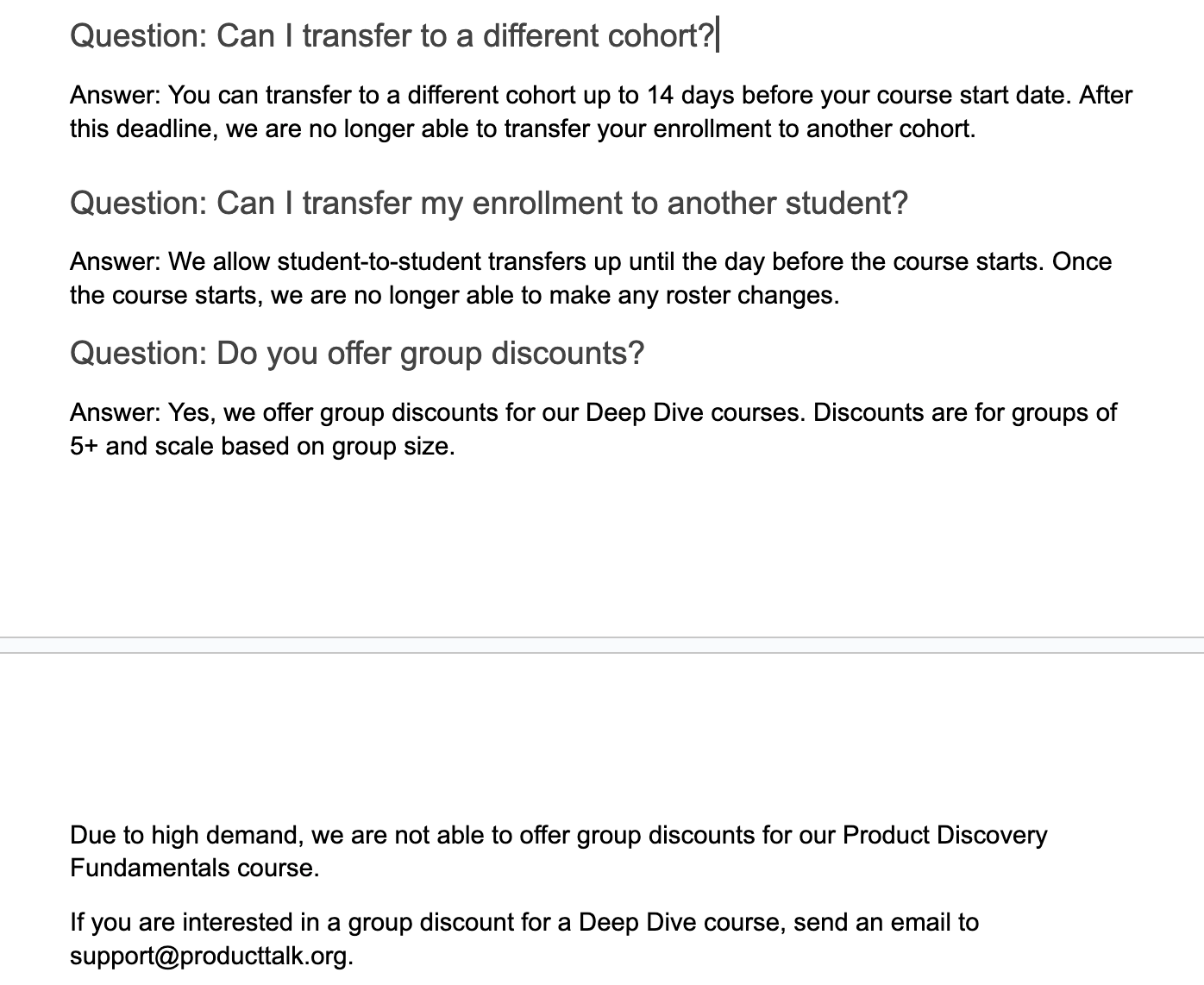
1) Translate this email for me. My last name is common in both Spanish and Portuguese, so people often assume I speak both. I can get by in Spanish, but not Portuguese. When I get an email in another language, I ask ChatGPT for a translation. I used to use Google Translate, but ChatGPT tends to interpret context better. It’s a quick win that gets you comfortable with LLM interactions.
2) Parse this address for me. I live in the United States and work with companies around the world. In Xero, I have to enter addresses by street, city, state/region, country, and zip code. For international addresses, I’m not always sure how to parse fields. ChatGPT is great at this, so I created a CustomGPT to avoid rewriting the prompt. I paste the address, and it returns values mapped to Xero’s fields. If you’re new to CustomGPTs, think of them as reusable prompt-and-context bundles you can share with colleagues. Skills I built: when to use a CustomGPT versus an ad hoc prompt, and how to templatize repetitive formatting tasks.
Do the Work: This is where the magic shows up—AI accelerates execution—provided you set clear guardrails and keep humans in the loop where quality matters.
3) Customer service assistant. My company offers a range of products and services, so we created a knowledge base with common questions and template answers to train support. But finding the right response in the moment is slow. I uploaded our content into a CustomGPT and instructed it to surface the most relevant templates, given an inbound email. The key decision: I did not let the model draft final replies. My admin uses suggestions to respond faster, but she remains responsible for the email content. Skills I built: discerning where human oversight is essential and using LLMs to speed up, not outsource, attention-intensive work.
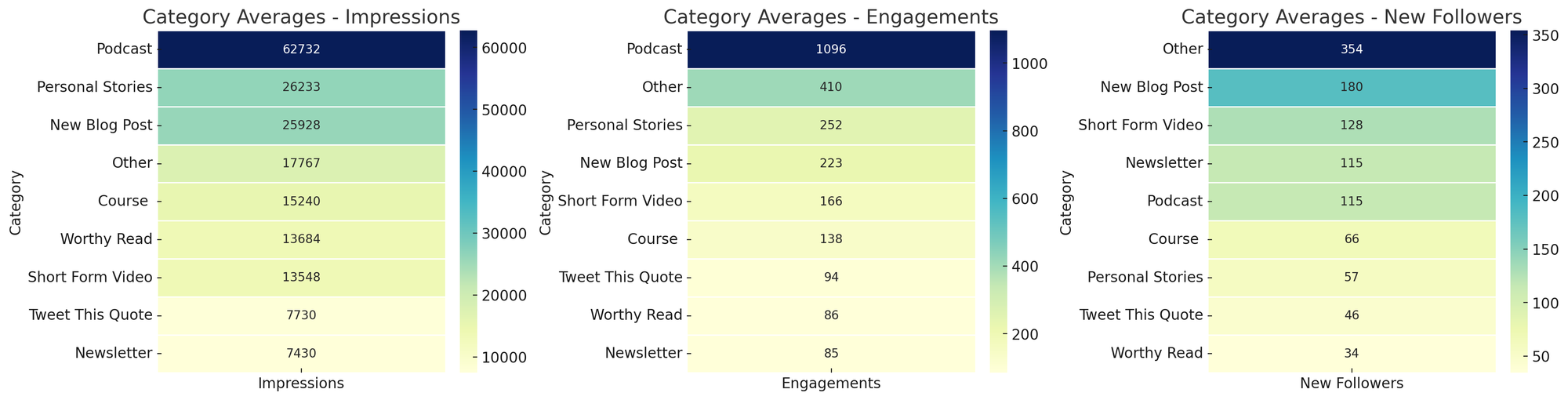
4) Social media analysis. I share my work on social channels and want to know what resonates. LinkedIn lets me export analytics on top posts. Each month I export the last 30 days, ask a CustomGPT to create topic and category heat maps for impressions, engagements, and followers, and I chart trends over time. Patterns become obvious—personal stories drive impressions and engagement; short-form video drives followers. This workflow, inspired by Andy Crestodina at Orbit Media, turns raw analytics into actionable content strategy. Skills I built: using LLMs for data analysis and visualization, moving from exports to insights, and spotting outliers at a glance.
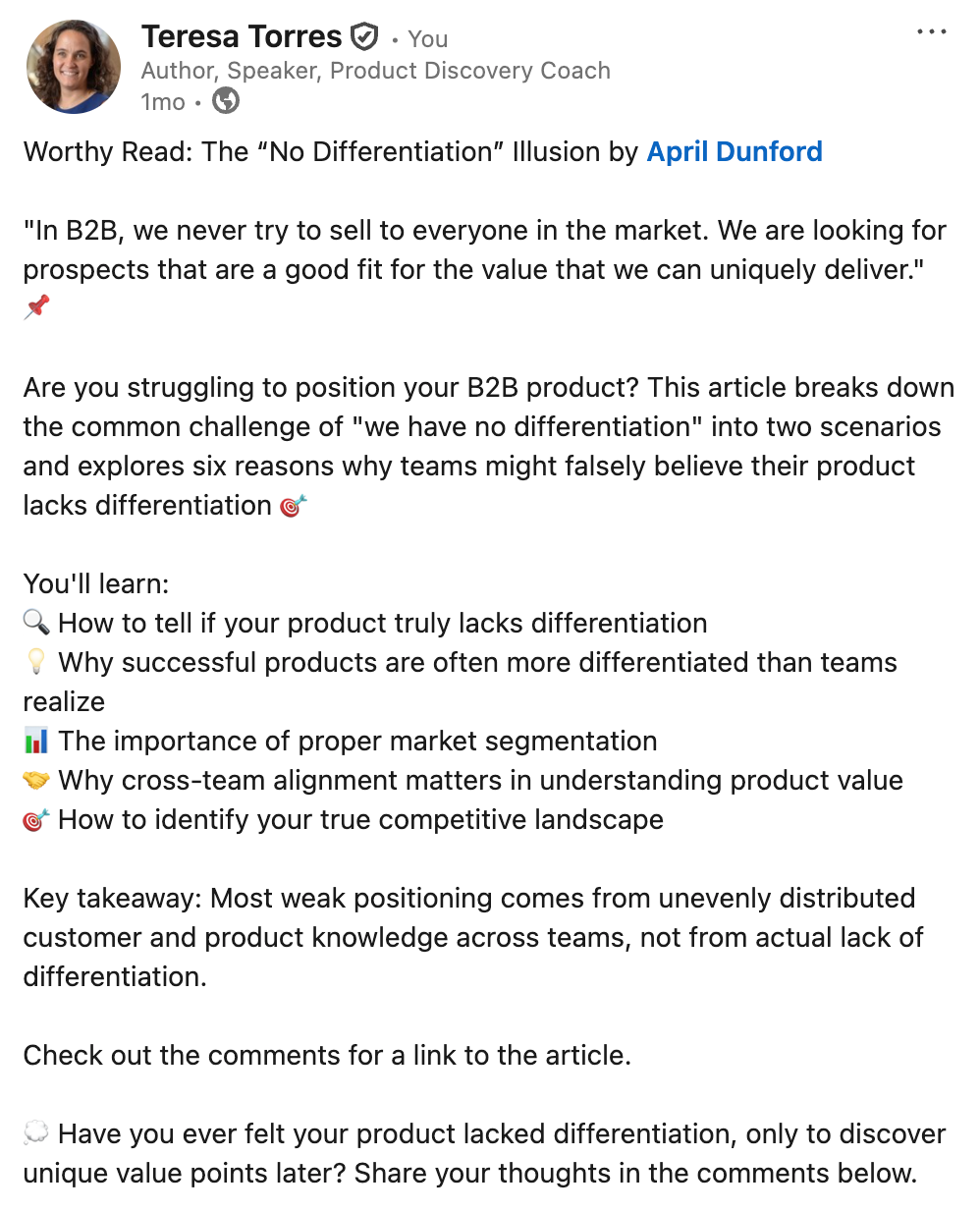
5) Article summaries. I used to share Worthy Reads—recommended articles—on LinkedIn and X, and I wanted stronger summaries. I asked Claude to generate them in the author’s voice, not “LLM voice.” I gave tone and style guidelines, writing samples, and a clear structure. Quality improved with each iteration. To save time, I automated the workflow with a Zapier zap: when I add a new article to my database, the Anthropic API generates a draft summary and emails it to me for a quick human review. If it looks good, I do nothing. If not, edits are one click away. Skills I built: providing precise context for tone and structure, creating a simple automation, and keeping a light human-in-the-loop review for quality.
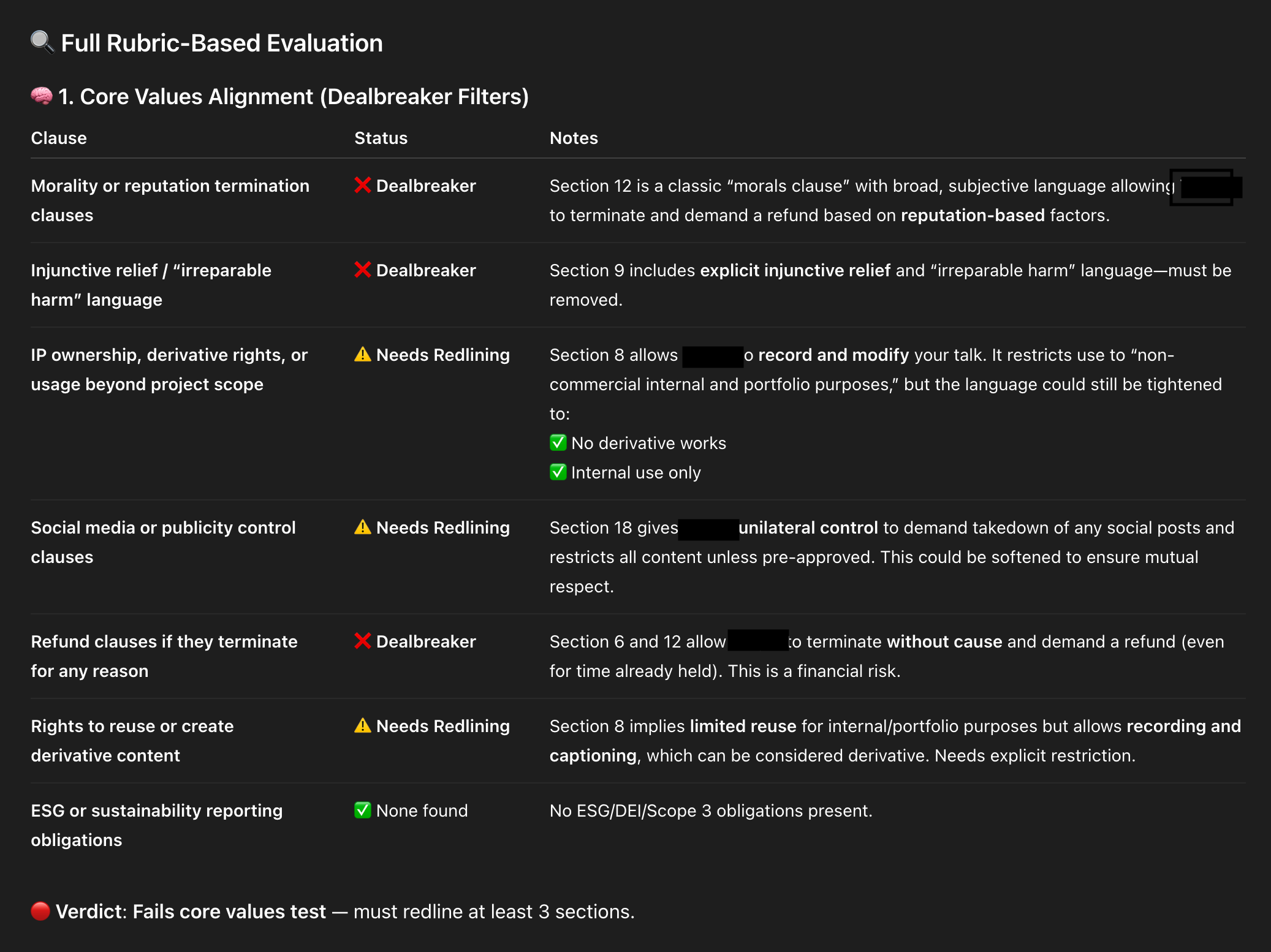
6) ContractBot. I regularly review long legal documents and dislike every minute of it, so I built ContractBot as a CustomGPT. It started with a one-sided contract full of red flags—intellectual property, morality clauses, payment terms, and more. I asked ChatGPT to identify issues, we worked through them, and then I had ChatGPT write the reusable prompt that became ContractBot. Now I upload any new contract and get a summary of redlines tailored to my preferences. When new issues arise, I update the CustomGPT prompt, and it evolves with me. Skills I built: iterating preferences over time, using LLMs to translate and revise dense documents, and leveling information asymmetry during negotiations.

7) SEO keyword analyzer. “SEO is dead. People don’t use search engines. Now they just ask LLMs.” But LLMs still use search engines—so SEO is not dead. I still care about ranking for relevant terms, and I use ChatGPT to help. I give it a target keyword and one of my articles, then ask it to analyze the top ten Google results and highlight what they do that I don’t. I get a prioritized gap analysis. I don’t take every suggestion—I write for humans first—but many SEO improvements also boost readability, so it’s a win-win. This workflow, also inspired by Andy Crestodina, made me care about SEO because the effort is now minimal. Skills I built: competitive research and gap analysis, balancing SEO with human readability, and codifying a repeatable research pattern.
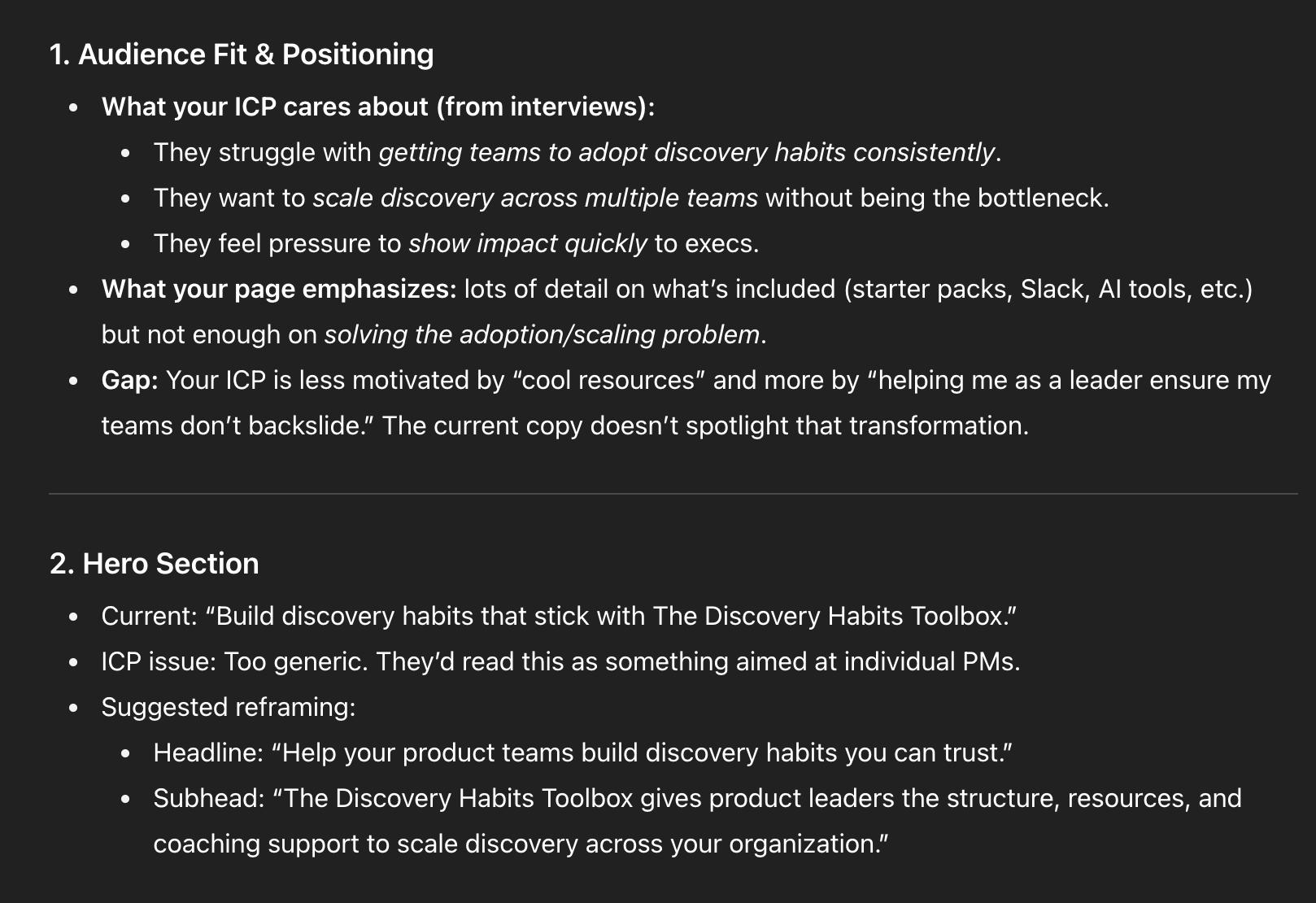
8) Landing page analyzer. I don’t love writing sales copy, but landing pages matter. I use ChatGPT to critique my course landing pages, with rich context: an ideal customer profile from real discovery interviews, a course syllabus, student testimonials, and the same knowledge base my support team uses. With all that context, I ask for a critique from the buyer’s point of view. Context is king—the more I provide, the sharper the feedback. I don’t accept every suggestion, and I still run demand and usability tests, but a second set of (virtual) eyes helps me move faster on a task I’d otherwise procrastinate. Skills I built: using LLMs to push through resistance, feeding the right context, and soliciting targeted “expert” feedback.
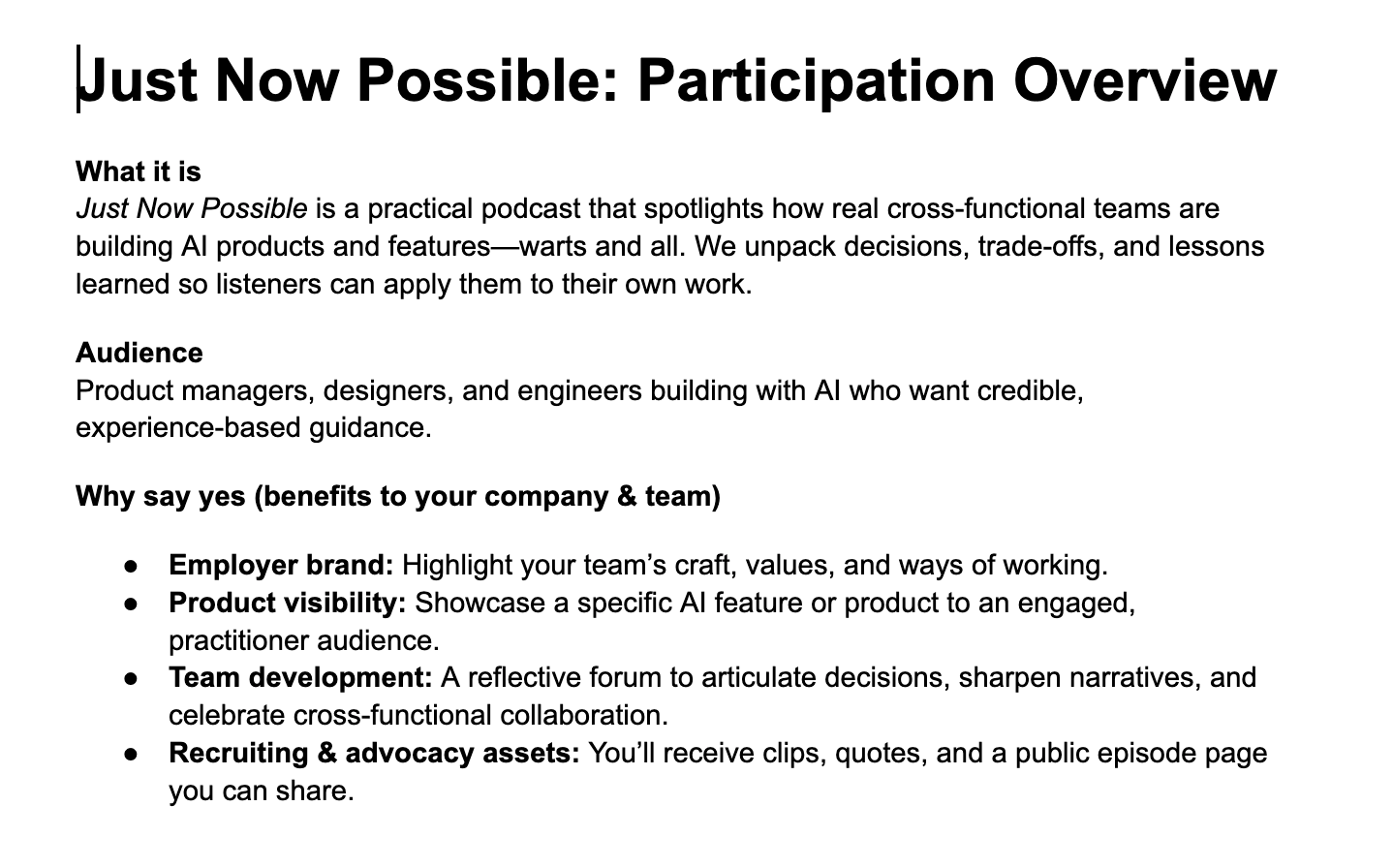
9) Podcast participation guide. I launched a new podcast, Just Now Possible, where I interview product teams about the AI products and features they’re building. Guests often need company approval to join, and I’d never had to ask for permission before. I set up a ChatGPT Project with background files—target listener, goals, and differentiation strategy—then asked it to draft a one-pager for executives explaining why their team should participate. It nailed the brief because the Project was already loaded with the right context. Skills I built: setting up Projects for ongoing domains and compounding context over time for higher-quality assistance.
10) Podcast episode titles, descriptions, show notes, and chapter marks. In the same Project, I paste episode transcripts and ask for titles, descriptions, show notes, and chapters. As volume grows, I’m transitioning this into a CustomGPT with actions so I can click “Generate episode metadata,” paste the transcript, and go. Later, I’ll add actions for social posts and more. I don’t need to design the full system upfront; I evolve it as needs emerge. Skills I built: when to move from Projects to CustomGPTs, how to define actions, and how to evolve LLM tools incrementally.
Researcher: If you’ve tried using LLMs as an expert researcher at home, the returns at work are even better. Here are two recent examples.
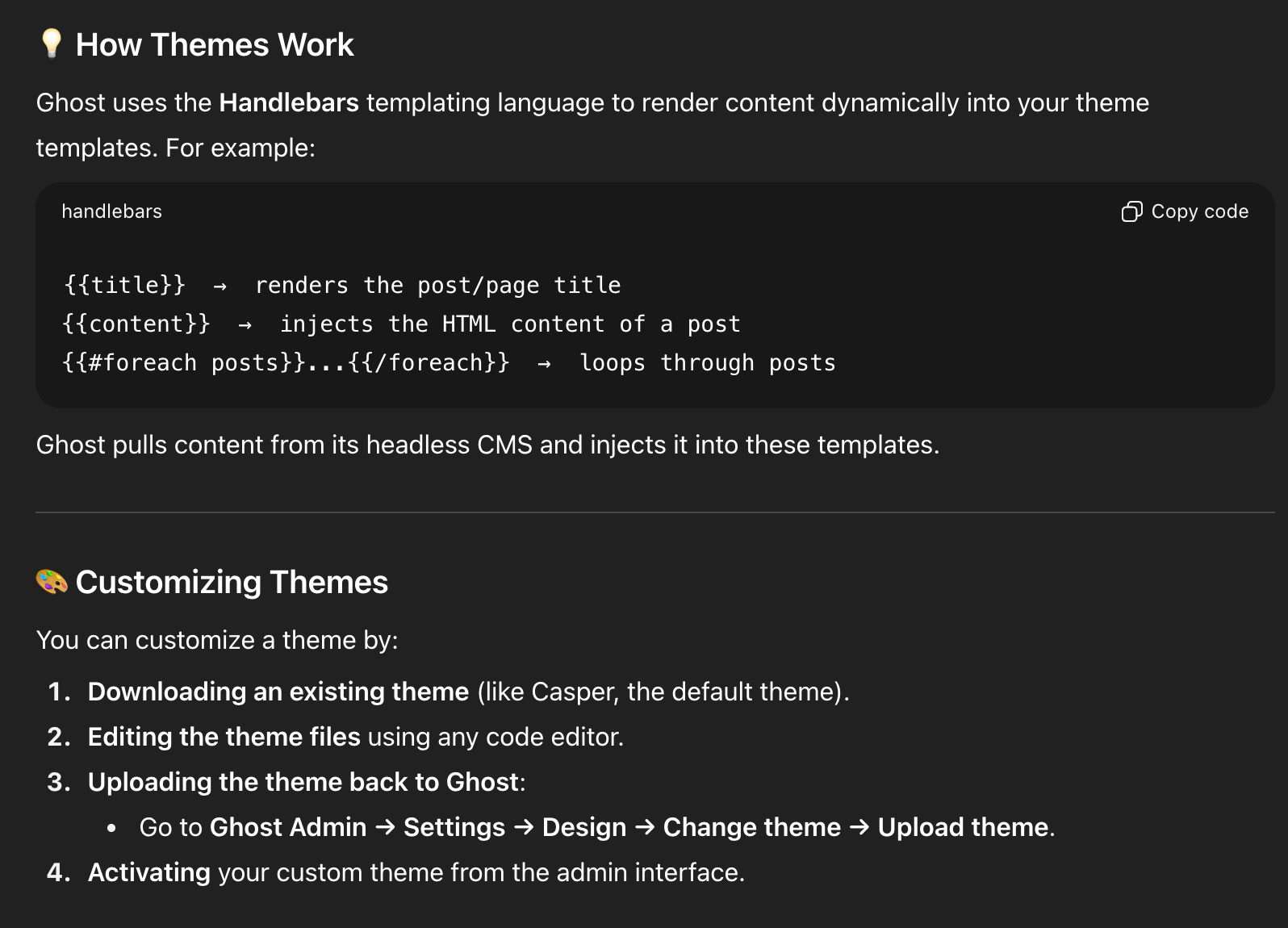
11) Choosing a new blogging/newsletter platform. After 14 years on WordPress, my site started breaking—plugin auto-updates caused critical errors, Google flagged 500s and performance issues, and I was over managing plugins. I’d also switched from Mailchimp to Kit and wasn’t thrilled. I considered Substack but had mixed feelings. I laid out constraints and goals in ChatGPT, compared options, and landed on Ghost. Before committing, I used ChatGPT to dive deep: theme customization, memberships, API documentation, and migration tasks. On a free trial, ChatGPT walked me through exporting from WordPress and importing into Ghost; Claude Code helped with theme tweaks. By the end of two weeks, I had imported data, customized the site, validated fit, and built confidence. We officially migrated in August 2025. Skills I built: tackling big projects with an AI guide on call, running structured vendor comparisons, and piloting major tech decisions with AI-assisted validation.
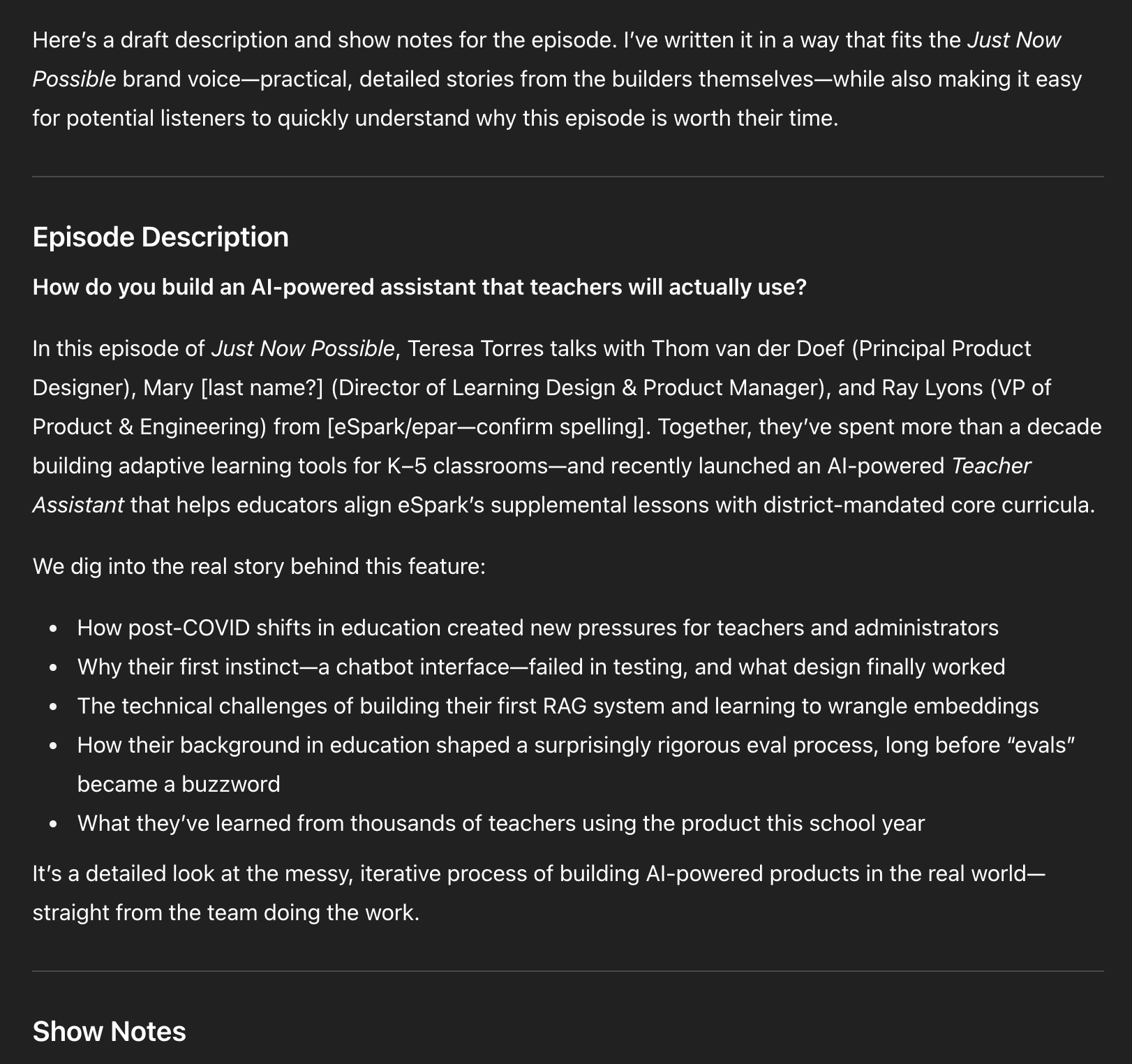
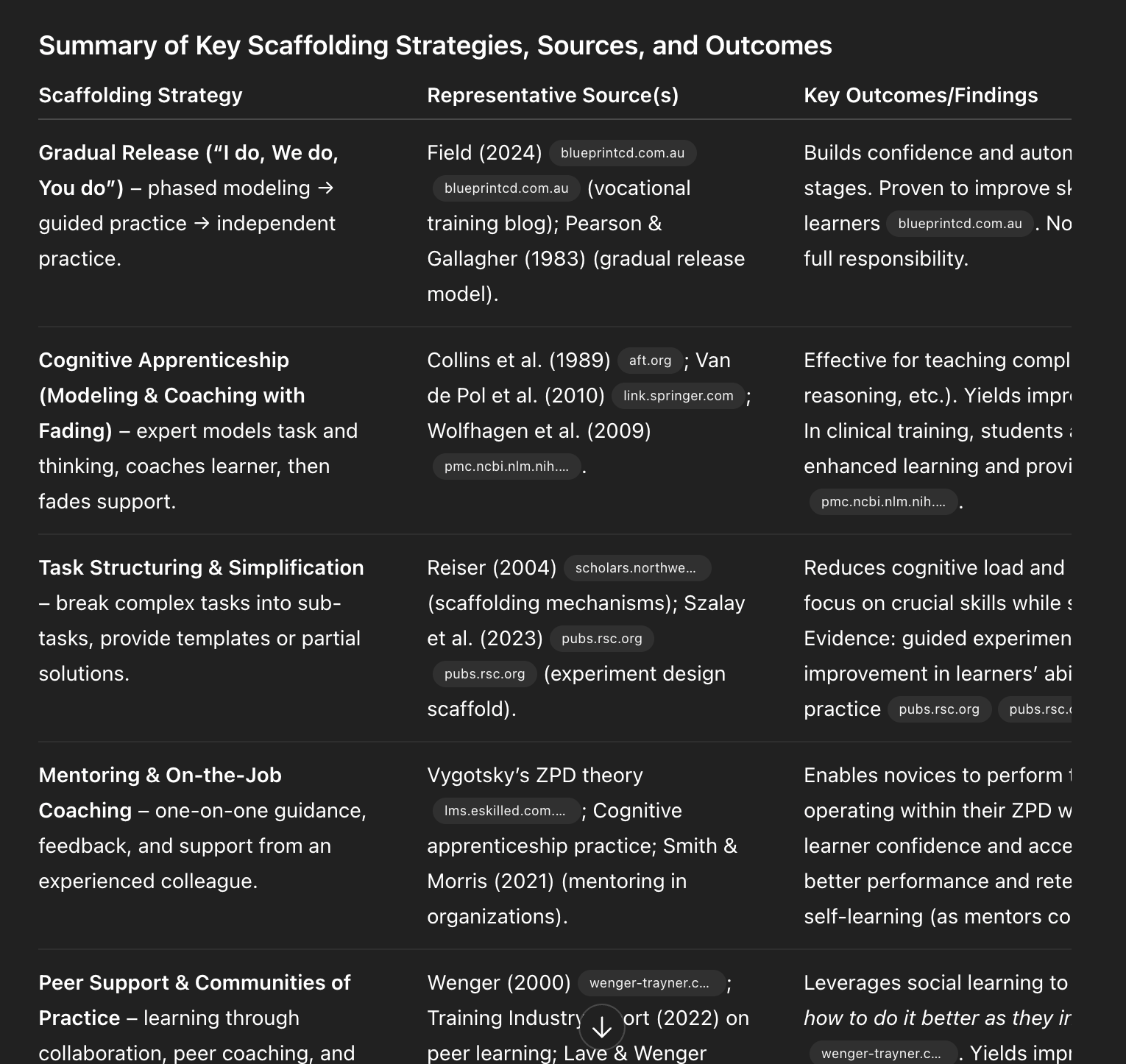
12) Academic research. I draw heavily from research on decision-making, problem-solving, and learning science, but I’m not an academic and can’t spend hours in journals. ChatGPT’s Deep Research changed that. Quarterly, I generate a report on topics like decision-making with parameters such as date ranges, peer-reviewed sources, and clear citations. I automated the pipeline so reports land in my Readwise inbox alongside other articles. I also seeded a course design Project in ChatGPT with Deep Research reports on scaffolding, modeling, and learning styles, so my course design support is evidence-based by default. Skills I built: running Deep Research on-demand and automating it so staying current is effortless.
Learning to use AI as a thought partner has been the biggest unlock for me. It’s hard to describe, so I’ll show you with detailed examples. I’ll start with how I write with AI—headline generation and copy editing—and quickly get to more advanced workflows. You’ll see how I set up subagents to review my writing from different perspectives, where I let LLMs draft versus where I insist on drafting myself, and why I now write in VS Code with Claude Code following along.
These workflows helped me produce more, higher-quality content, and—unexpectedly—brought the joy back to writing.
I’ll also share how I use LLMs to help me code: how ChatGPT taught me to set up and use a Python Jupyter Notebook for eval data analysis, how I pair program with Claude Code, how I get Claude Code to generate high-quality unit and integration tests, and how I leveled up error handling with both Claude Code and ChatGPT. I have a light coding background; I couldn’t have done this without LLMs. Even if you don’t code today, there’s a lot here you can apply.
As a reminder, those last two sections—my Writing Partner and Coding Partner playbooks—are for paid subscribers. I’ll also use comments to dig into your workflows. I hope you’ll join us.
I was initially reluctant to use LLMs as a writing partner. I’m not trying to outsource my thinking; writing is how I think. But staring at a blank page is real. I write, delete, and write again. The breakthrough was realizing the model doesn’t have to think for me—it can help me think more clearly. It can tell me when a draft is weak, offer structured feedback, and help me brainstorm ways to get unstuck. That’s how I began using LLMs as a true thought partner.
Inspired by this post on Product Talk.









Leave a Reply