I love being a builder. It feels like a superpower I can’t stop using, and lately I’ve been channeling it into better workflows, faster experimentation, and sharper product thinking.
I tinker with my Claude Code workflows to make every day more effortless. I’m having a blast creating AI-generated interview snapshots and opportunity solution trees for Vistaly. I also spend time digging into traces and iterating on the AI coaches I use for our discovery courses.
Then the recent wave of malicious software spreading through the open-source community popped my bubble. It hit companies big and small—names like OpenAI, PostHog, and Zapier. As I dug in, I realized what many cybersecurity experts have long known: this is a deep rabbit hole. If I want to build responsibly, I have to get significantly better at protecting my devices, credentials, and code. And if you’re building with AI or modern tooling, you likely do, too.
Here’s why. We all rely on open-source software. Most modern applications assemble tried-and-true components—parsing a PDF, handling dates across time zones, visualizing spreadsheet data, connecting to an API—rather than reinventing them. The same is true for agent skills and MCP servers; they accelerate how we get value from models. This is overwhelmingly a good thing. But it also creates an attack surface that bad actors exploit.
We don’t need to abandon third-party code. We do need to understand the mechanisms attackers use and consistently defend against them.
On May 11th, I started seeing tweets about a TanStack hack. At that time, I didn’t know what TanStack was. But apparently, it’s a popular set of JavaScript libraries that are used by a lot of React sites. At first, I didn’t pay much attention. Then I learned the packages were compromised by a worm—malicious software that self-replicates—and it spread quickly. Within hours, dozens of packages were implicated; by day’s end, it was in the hundreds. That’s when I knew I had to lean in.
If you’ve explored safe development practices with coding agents before, you’ve seen the basics of package safety. A package is a bundle of reusable code shared through registries, and nearly every app you use depends on them. The unfortunate twist with this specific hack, known as the Mini Shai-Hulud worm, is that it shows prior “safe enough” heuristics aren’t sufficient. Popularity and trust signals don’t guarantee safety. We have to do more.
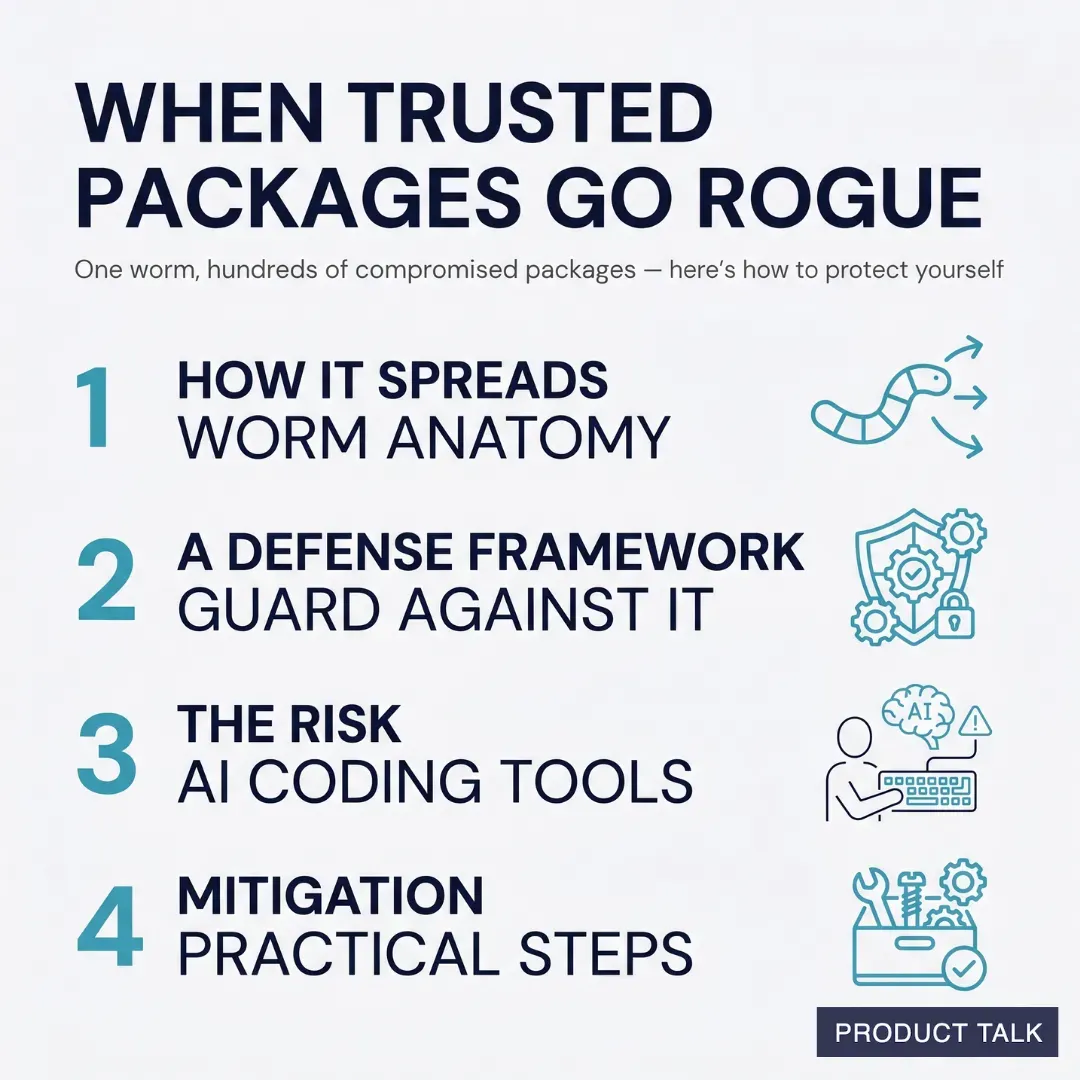
So here’s what I’ll cover today: how malicious software typically works, a practical framework for guarding against it, the specific risks of using Cowork to write and run code, and concrete steps to mitigate that risk. My goal is simple: help you keep building—despite the risks—while protecting your data and your business.
Quick disclaimer: I’m not a security expert. I’m sharing my personal journey and what I’ve learned through research and hands-on work. Please use your best judgment when applying any of this.
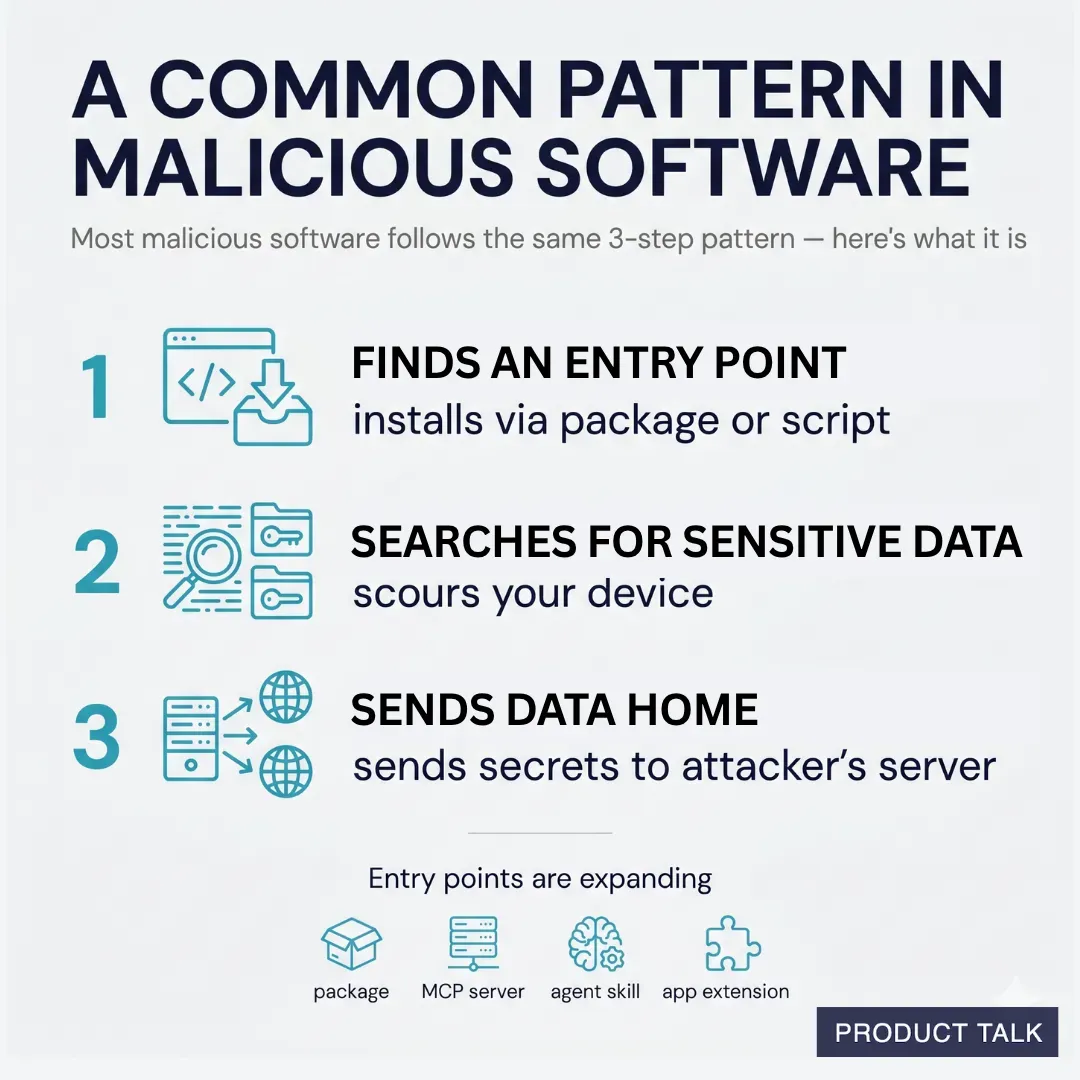
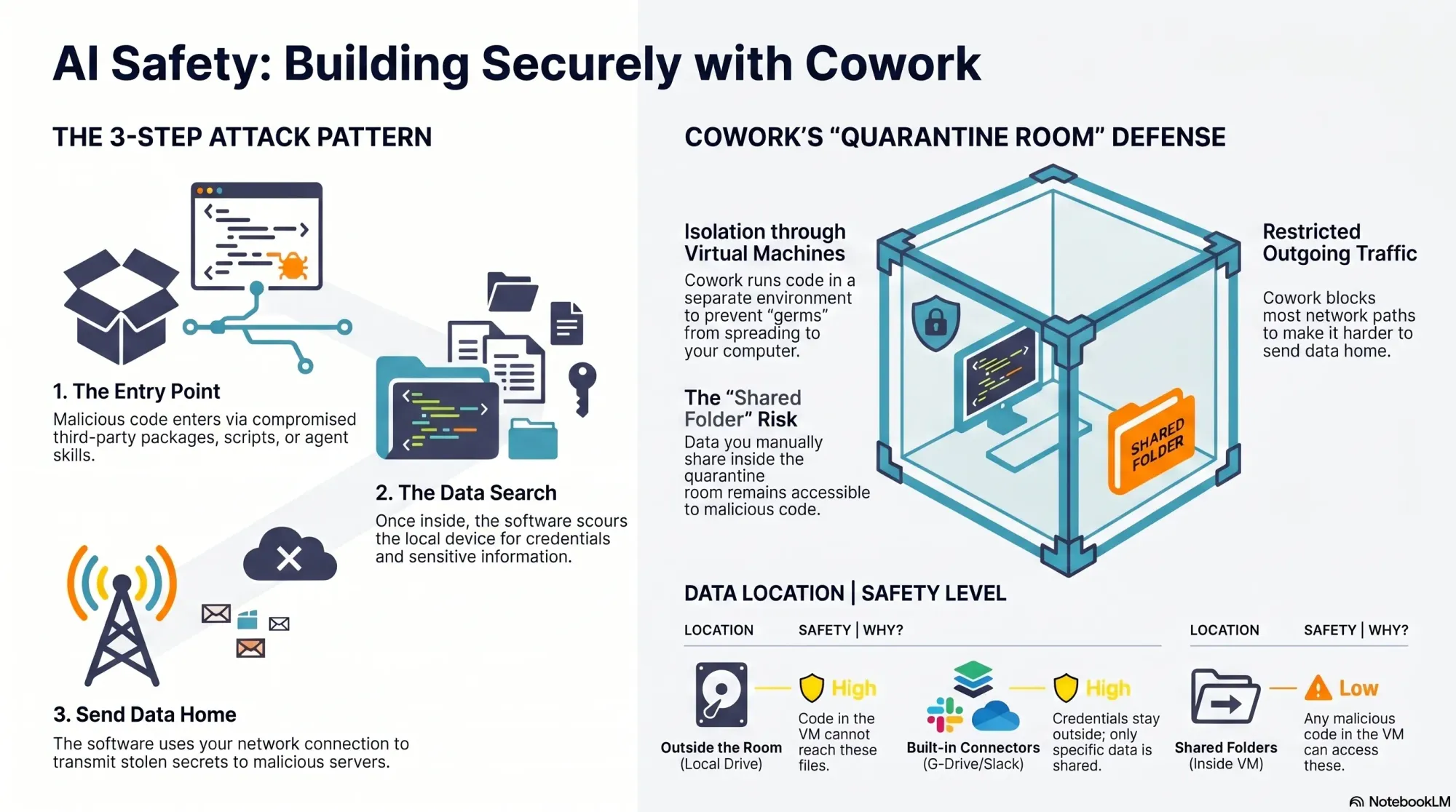
An agent recently scoured over 230,000 malicious software incidents and found that most malicious software follows a similar pattern. First, it needs an entry point onto your computer. Once installed, it scours your device for sensitive data, and then it uses your network connection to send that data to its own servers. The Mini Shai-Hulud worm spreads via malicious package install scripts that run at download time, then searches the device for credentials (including package publishing rights), poisons additional packages to continue replicating, and uses multiple channels—including the victim’s own GitHub public repos—to distribute secrets.
In practice, most attacks boil down to three steps: 1) It finds an entry point to your device. 2) It searches your device for sensitive data. 3) It sends that data to its own server. The good news: this pattern also tells us how to defend. We can harden entry points, minimize what code and agents can access, and constrain outgoing network traffic.
Keep in mind that install scripts aren’t the only entry vector. Any code that runs on your machine could contain malicious payloads: third-party packages, agent skills, MCP servers, browser or desktop extensions—the list is long. As coding agents and “vibe coding” tools become mainstream, more non-engineers are exposed to the same risks engineers have managed for years.
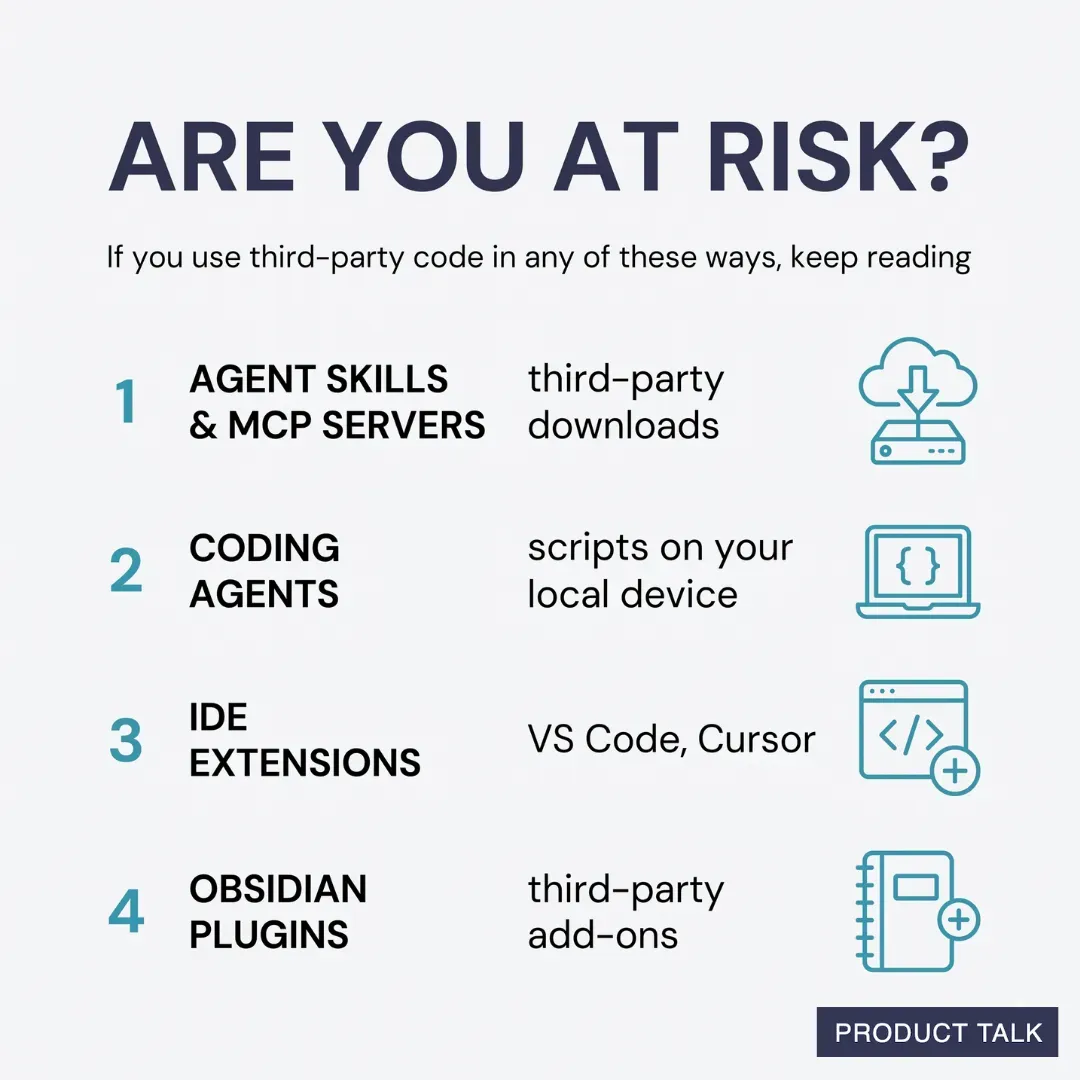
You might be at elevated risk if you do any of the following: you download and use third-party skills or MCP servers; you let Claude Code, Codex, or other coding agents write scripts that run locally and use third-party packages; you use an IDE like VS Code or Cursor with third-party extensions; or you install third-party extensions in tools like Obsidian. This isn’t an exhaustive list, but if any of these apply, it’s worth tightening your approach.
The “safest” approach would be to avoid installing third-party software on your local device entirely. That’s not realistic. We all depend on third-party components in our stack. So I’ll start with one of the most common paths for non-engineers writing and running code today: Cowork.
Evaluating Cowork’s safety was eye-opening. Cowork offers meaningful protection—more than running code directly on your machine—but it isn’t bulletproof. There’s a notable gap you should understand.
Here’s how Cowork helps. It runs code inside a virtual machine, which isolates the execution environment from your real device—a quarantine room for code. While Cowork doesn’t fully control what comes into the room (that part is on you), if malicious code gets in, it’s contained and cannot reach the rest of your filesystem. Cowork also limits outbound network traffic from the virtual machine, which helps disrupt data exfiltration. However, it’s not foolproof.
Because Claude can install packages inside Cowork, it remains susceptible to malicious code like the Mini Shai-Hulud worm. And GitHub is on the allow list so Cowork can read and write to your repos. Since the Mini Shai-Hulud worm uses GitHub to publish secrets, this creates exposure. The crucial mitigation: if you never give Cowork access to sensitive data, there’s nothing for an attacker to steal.
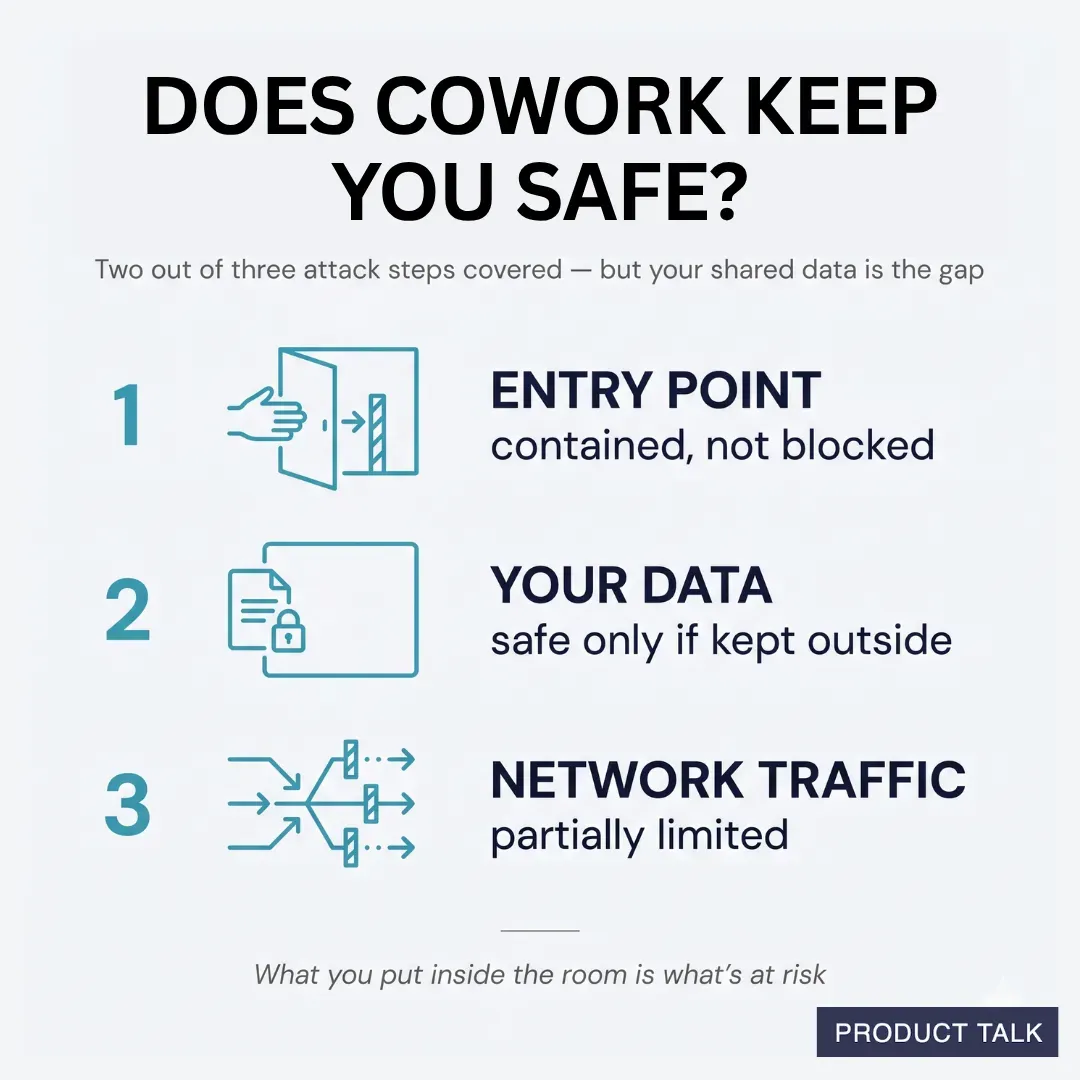
Your responsibility is straightforward but critical: your data is only safe if it stays outside the virtual machine. When you mount folders into Cowork, those folders become accessible to any code running inside the VM. That includes malicious scripts. Before sharing, ask two questions: do the folders contain any credentials or secrets, and do they include proprietary data that would be harmful if accessed?
It’s common for code to need credentials. That’s why Cowork includes connectors to third-party sources like Google Drive and Slack. Credentials configured for these connectors never enter the VM—they remain outside the quarantine room—so they’re not exposed to malicious code. But if your code requires additional credentials inside the VM, scope them tightly and assume they could be compromised.
You can also use custom MCP servers you create yourself with Cowork. Those credentials stay outside the VM as well, provided the MCP servers are remote (hosted on a web server, not downloaded locally). It’s more work than dropping in a local server, but it keeps secrets out of reach from VM-executed code.
Beyond credentials, scrutinize the actual content you share with Cowork, including anything accessed through connectors. Least privilege is the rule: grant only what’s absolutely necessary for the task, and nothing more.

What about skills? Cowork supports skills, and you can add third-party skills inside the quarantine room. If you’re not placing your own data in that room, you can afford more risk. The moment you add sensitive or proprietary data, be selective. Skills can include third-party code, and bad actors use skill directories to distribute malicious payloads. Personally, I never use third-party skills as-is. If one looks useful, I read through the files, then ask Claude to recreate it so I understand what it does and maintain control. If I were to use third-party skills, I’d do it in Cowork and keep their data access to the minimum necessary.
Overall, Cowork is a solid, “safe-ish” option if you’re disciplined about what you share. The challenge is that utility often requires access to real data—exactly what we’re trying to protect. In an upcoming deep dive, I’ll outline strategies to keep malicious code out in the first place. While I’ll focus on local development, the same patterns can extend to Cowork with a bit of setup.
One more important clarification: don’t confuse Cowork with the Code tab in the Claude Desktop app. Cowork runs code inside a virtual machine. The Code tab does not. If you ask Claude to write and execute code from the Code tab, that code runs on your local device and you’re fully responsible for security. There is one exception: the Code tab can run code in Anthropic’s cloud; I’ll cover that approach when we get into moving development off the local machine.
To summarize Cowork’s protections against the attacker’s three-step pattern: installs and scripts still run, but they’re contained inside an isolated virtual machine instead of your real device; access to sensitive data is strongly limited to the specific folders you mount, leaving the rest of your filesystem (including unrelated credentials) out of reach; data exfiltration is partially constrained because Anthropic limits outbound network traffic from the VM—helpful, but not absolute. By contrast, local Code tab sessions offer no isolation, no filesystem restrictions, and no network limits—so any malicious install scripts run directly on your machine with full access and open egress.
My takeaways so far: I still love building with AI, but I’m doing it more cautiously. Cowork offers meaningful containment when used deliberately. I still prefer the flexibility of Claude Code, and I’ve reconfigured my setup to reduce risk. Even so, “safer” isn’t “safe,” which is why I’m increasingly shifting development off my local device to more controlled environments. I’ll share the practical details—tools, configs, and scripts—in the next installments.
If this perspective is useful, let me know. I want builders to move fast—and safely—through this new era of agentic AI. Until then, stay safe out there.
Inspired by this post on Product Talk.