I’m excited to share a resource I recommend to every product and growth team I mentor: the Amplitude Quickstart Series. It’s a concise, approachable way to build confidence in “Amplitude analytics” and turn behavioral data into decisions that actually move the needle.
Discover user-friendly videos that walk you through Amplitude’s most essential products and features.
In my role leading product teams, I’ve seen how a clear, opinionated path through a “unified analytics platform” reduces time-to-insight from weeks to days. The Quickstart format makes it easy for product managers, analysts, and marketers to align on a common language for “behavioral analytics,” so we spend less time debating definitions and more time shipping value.
What I appreciate most is how quickly these lessons translate into outcomes: crisper instrumentation practices, cleaner dashboards, and sharper questions that drive “product-led growth.” That foundation accelerates “user activation,” improves “retention analysis,” and ultimately leads to better prioritization and stronger roadmap bets.
My recommended workflow: watch the entire series once to map the mental model, then revisit each segment as you operationalize it. Pair the guidance with a lightweight tracking plan, establish clear event naming conventions, and document your first key use cases (e.g., activation funnel, onboarding drop-off, core feature adoption). This cadence helps teams institutionalize good habits without over-engineering.
For cross-functional leaders, the series is also a powerful alignment tool. Ask product, data, design, and customer success to watch the same modules, then run a joint working session to define success metrics and accountability. When everyone sees the same “north-star” dashboards, decision-making speeds up and the quality of trade-offs improves.
As your practice matures, amplify the impact by pairing insights with action: connect findings to experiments, “feature flags,” and iterative product tours; complement quantitative patterns with “session replay” for richer context. This closed-loop approach helps you move from reporting to repeatable, insight-to-execution cycles.
If you’re new to Amplitude or scaling a growing practice, this Quickstart Series is the shortest path I know from curiosity to competence. Watch it, implement one improvement per week, and share progress broadly—momentum compounds.
Inspired by this post on Amplitude – Best Practices.
Churn isn’t just a retention problem—it’s a product, go-to-market, and strategy signal that shows up everywhere in the customer journey. Over the past few years, I’ve evaluated and implemented churn prediction tools across high-growth SaaS environments, and the difference between reactive firefighting and proactive, data-driven retention is night and day.
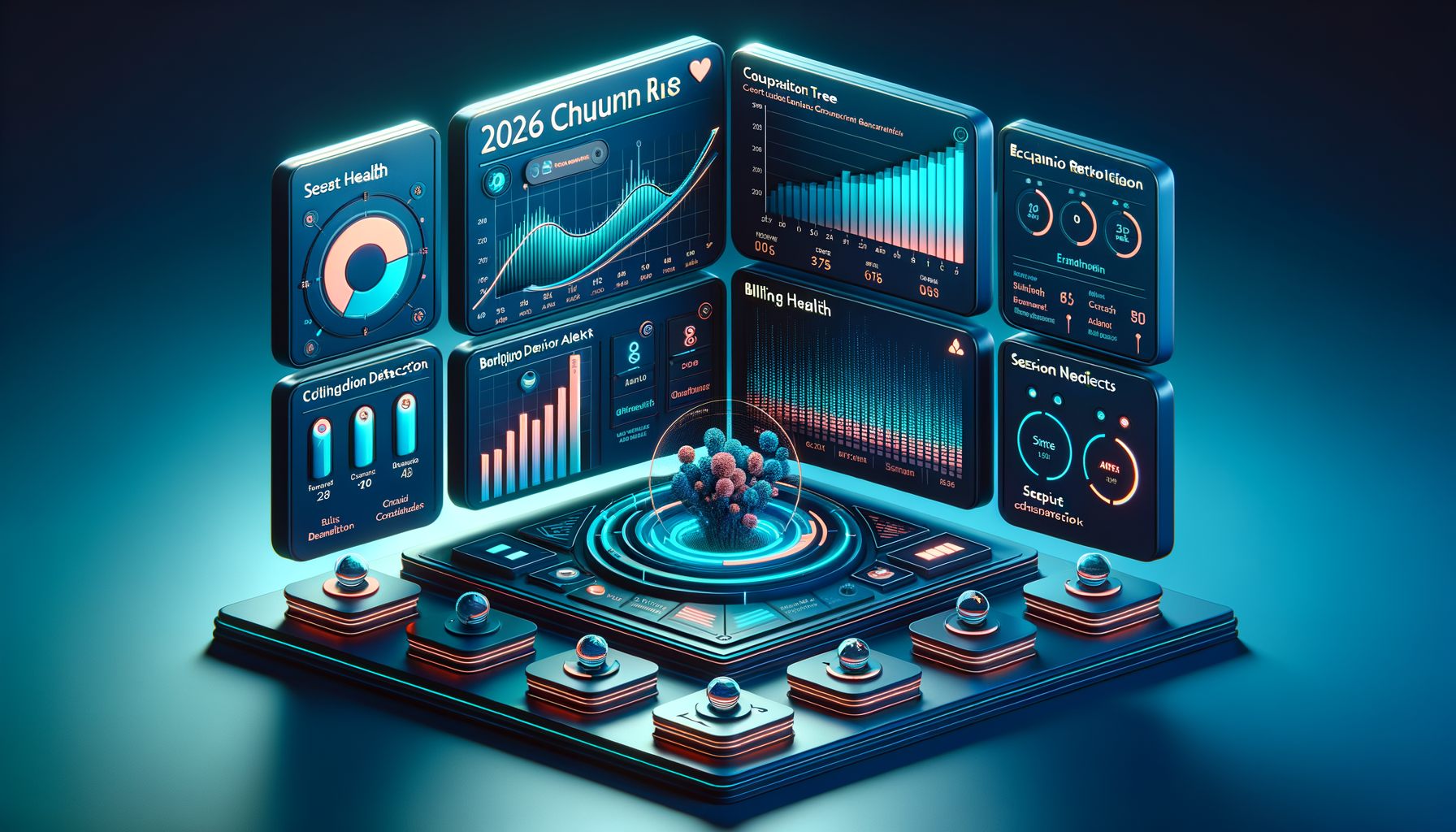
Compare the top 8 churn prediction tools for SaaS teams. Features, use cases, and how each stacks up, so you can act before customers quietly leave.
When I assess churn prediction tools for product-led growth, I start with a simple question: will this help my team see risk early enough—and clearly enough—to intervene with precision? The best platforms combine behavioral analytics, retention analysis, and anomaly detection to surface leading indicators before Net Recurring Revenue (NRR) takes a hit.
First, signal coverage matters. Strong churn models draw from product usage events, CRM integration, support tickets, billing health, and even session replay to capture real-world behavior. I look for native connectors to systems like Intercom, Pendo, and Amplitude analytics, plus flexible ingestion for custom events. Without comprehensive signals, even the smartest models will miss critical moments such as stalled onboarding, shrinking active seats, or feature disengagement.
Second, I require transparent risk scoring and clear drivers. Black-box scores erode trust with Customer Success and Product teams; explainability builds alignment. Tools that expose driver trees, cohort-based retention analysis, and segment lift help me translate insights into prioritized experiments. When possible, I tie predicted churn segments to A/B testing with a thoughtful minimum detectable effect (MDE) so we can quantify impact quickly and avoid overfitting to noise.
Third, actionability is non-negotiable. Predictions must trigger targeted AI workflows, in-app guides, and product tours—not just dashboards. My ideal setup routes high-risk cohorts to tailored journeys (e.g., an onboarding rescue path) while notifying the right owner in CRM and Customer Success. Playbooks should be easy to operationalize, measurable, and reversible if the signals change.
Fourth, I evaluate platform scalability, data governance, and privacy-by-design. Enterprise readiness means clear role-based access, auditability, robust SLAs, and an architecture that can evolve into a unified analytics platform as the product and data footprint grows. I also weigh total cost of ownership, implementation time, and maintenance burden against expected gains in NRR and expansion.
In my experience, the winning tools are the ones that make it simple to connect predictions to outcomes: reduce onboarding drop-off, increase user activation, prevent seat contraction, and accelerate expansion. They align Product, Customer Success, and Growth around shared metrics, shorten time-to-value, and make proactive retention part of the operating rhythm—not a last-ditch effort at renewal.
In this 2026 comparison, I’ll outline how each tool handles data breadth, model quality, explainability, and workflow automation. I’ll also share implementation checklists and decision criteria so you can choose the right fit for your stage, stack, and motion—whether you’re primarily product-led growth, sales-led, or hybrid.
If you’ve ever felt like customers “quietly leave” despite solid top-of-funnel metrics, this guide will help you turn churn signals into concrete actions—and convert at-risk accounts into durable advocates.
Our outcome-based pricing model hinges on one principle: you pay when Fin delivers value.
As Fin takes on new roles, that principle doesn’t change, but the definition of value does.
Fin for Sales qualifies leads, engages prospects, and routes high-intent buyers to your sales team. The value it creates isn’t a resolved query, but a pipeline of qualified opportunities. So we price accordingly: $10 per qualified lead. And you, the customer, define what “qualified” means, not Fin.
This is the first outcome-based pricing model for an AI Agent for sales. Here’s why I believe it’s the right approach and how I’ve seen it change the way teams think about SaaS pricing and ROI.
Over the years, I’ve learned that the fastest way to earn trust with sales and finance leaders is to align pricing with outcomes they actually report on. The core finding from our research was unambiguous: zero buyers preferred paying for activity. They wanted to pay for results.
That insight shaped how we priced Fin for its service role, $0.99 per resolution, where a resolution means the customer’s issue is fully solved without human intervention. More recently, we evolved that model to outcomes, reflecting the broader ways Fin delivers value across complex workflows. We believe pricing should be aligned with value delivery, and the vendor should carry risk when the product doesn’t perform. In sales, the best unit of value is pipeline.
Most sales teams today are overwhelmed by leads. Early in my career, I watched reps spend hours chasing form fills that looked promising but went nowhere. That experience cemented a lesson I still use: volume is vanity; qualification is sanity.
Ensuring the right opportunities promptly reach your sales team is what makes a difference. When a prospect visits your site, engages with Fin, answers qualifying questions, and is directed to a sales rep, Fin is identifying whether the opportunity is worth your team’s time and delivering value.
Charging per conversation would penalize businesses for every curious visitor who asks a question but isn’t a buyer. And charging per token, well, that’s always been a model that protects the vendor, not the customer.
We needed a metric that captures the actual value Fin creates in a sales context: qualified leads.
The purest version of outcome-based pricing for Fin’s sales role would be a percentage of closed revenue. Fin qualifies the lead, a rep closes the deal, and we take a cut. On paper, it looks elegant; in practice, I found it breaks down for two reasons that matter to operators.
First, attribution. Between the moment Fin qualifies a lead and the moment a deal closes, dozens of things can impact the final result. The quality of human-led demos can differ, products can have outages, prospects’ budgets can get cut. Tying Fin’s price to the final outcome holds it accountable for variables entirely outside its control.
Second, measurement. To track closed revenue, we’d need deep integration into every customer’s CRM, tracking each opportunity from qualification through to close. That’s a significant implementation burden that slows time to value, which is the opposite of what we want.
So we asked: what’s the most honest proxy for the value Fin delivers, where Fin is clearly the one creating it?
A qualified lead is that proxy. It represents the moment Fin has done its job. It has engaged the prospect, gathered the relevant information, evaluated them against your criteria, and determined they’re qualified. Everything up to that point is Fin’s work. Everything after it is the rep’s. At $10 per qualified lead, the pricing reflects this boundary.
There are two key components to how this pricing model works.
First, the customer defines success. With Fin’s sales role, the customer sets their own qualification criteria based on their business context. A company with high average contract values might set a lower bar because they can’t afford to miss anyone. A company where rep time is scarce and deal sizes are smaller might set a much higher bar, filtering aggressively to only surface the most promising prospects. The criteria flex to match the business.
Second, the economics are different by design. As a Customer Agent, Fin can switch between roles like sales and service. So if you’ve deployed Fin for Sales, it can still handle support queries like prospects asking a product question. Those queries are charged at $1 per resolution, consistent with our service pricing. Disqualifications, where Fin determines a prospect doesn’t meet the criteria, are also $1. The $10 price point for qualified leads reflects the higher value of pipeline creation compared to issue resolution.
The ROI speaks for itself. Early customers are reporting significant returns using Fin for Sales. One shared a perspective that mirrors what I hear in executive QBRs:
“I would say it’s at least 10 times the value. You’re now giving the business exactly what it needs as opposed to just activity. We say this expression in sales leadership all the time – ‘I don’t pay my sales team for activity. I pay them for results.’ I want my AI engine to be the same way.”
When you compare the cost of a qualified lead from Fin against the fully loaded cost of an SDR—salary, benefits, tooling, ramp time—the economics are compelling. For many businesses, particularly those that never had SDRs in the first place, Fin for Sales isn’t just replacing headcount, but creating an entirely new capability that wasn’t economically viable before.
This pricing model came from extensive customer research—qualitative interviews and quantitative studies—exploring how buyers want to pay for AI in a sales context. We tested multiple concepts: per-conversation, per-token, per-seat, revenue share, and per-qualified-lead. The research consistently pointed to outcome-aligned pricing as the preferred model, with the qualified lead emerging as the metric that best balances value alignment, measurability, and practical implementation.
Outcome-based pricing is still rare in AI, but we think that will change. For Sales Agents, we’re the first to do it. Transparency is part of the model. If you understand why we price the way we do, you can evaluate whether it works for your business.
In my work with product, operations, and support leaders, I’m often asked to help make sense of Agent Analytics—what to track, how to attribute outcomes, and where to invest. After reviewing countless dashboards and running experiments across human agents and AI agents, I’ve learned that some of the most common measurement beliefs are precisely the ones that lead teams astray.
What comes up in conversation with leaders about Agent Analytics, and why not everything is what it seems.
Below, I unpack four pervasive myths I encounter and share the data-centered practices I use to replace them. My goal is simple: help you upgrade the way you measure performance so you can improve customer outcomes, accelerate learning, and scale impact with confidence.
Myth 1: “Lower average handle time (AHT) means higher performance.” AHT is useful but incomplete. When teams optimize solely for speed, they often push complexity into repeat contacts, reopens, or escalations. In the data, that shows up as a weak or negative relationship between lower AHT and durable outcomes like first contact resolution (FCR), customer effort, or revenue per conversation.
Reality and what I measure instead: I right-size speed by pairing AHT with intent-level resolution and recontact rate. For simple intents (password reset, billing address update), shorter is usually better. For complex intents (tiered troubleshooting, multi-step verification), “right-speeding” wins—slightly longer interactions that prevent rework. Practically, that means segmenting by intent complexity using behavioral analytics, tracking weighted “intent resolution rate,” and monitoring repeat-contact windows (24–168 hours) to catch downstream pain.
Myth 2: “AI agent containment tells the whole story.” A high containment rate can mask failure modes such as unresolved intent, silent abandonment, or low-quality handoffs that frustrate customers and spike human workload later.
Reality and what I measure instead: I break containment into three parts for voice and chat flows: (1) intent resolution without escalation, (2) graceful handoff quality when escalation is necessary, and (3) post-handoff efficiency and satisfaction. For voice AI agent experiences, I also track escalation clarity (did the transcript summarize history and intent?), time-to-human, and customer satisfaction on the combined interaction. This provides a fuller view of customer support ai strategy effectiveness and avoids over-crediting automation for partial wins.
Myth 3: “Quality is subjective, so it can’t be measured at scale.” Teams often default to sporadic QA because they assume it can’t be standardized across channels or agent types. The result is noisy feedback loops and stalled coaching.
Reality and what I measure instead: Quality becomes measurable when it’s grounded in observable behaviors linked to outcomes. I use a rubric anchored in behavioral analytics (e.g., verified customer need, correct resolution path, policy compliance, empathy markers) and validate it via correlation with FCR, recontact, and retention analysis. To scale, I combine calibrated human reviews with AI-assisted scoring, check inter-rater reliability weekly, and use driver trees to connect quality levers to business results. This creates a consistent, coachable signal for both human agents and AI flows.
Myth 4: “If the dashboard is green after launch, we’ve won.” Early wins can reflect novelty effects, cherry-picked routing, or short-term incentives that don’t persist. Declaring victory too soon locks in fragile gains and hides regressions across cohorts.
Reality and what I measure instead: I treat go-live as the start of learning. I use A/B testing with a clear minimum detectable effect (MDE), stagger ramps, and hold out stable control cohorts for at least one full demand cycle. I track outcomes vs output OKRs—focusing on intent resolution, customer effort, and revenue/customer health over vanity metrics. I also monitor seasonality and channel mix shifts inside a unified analytics platform to ensure improvements generalize beyond the first week.
How I operationalize this day to day: (1) define intents and complexity upfront, (2) unify journey data across channels, (3) instrument resolution and recontact rigorously, (4) apply driver trees to isolate what actually moves outcomes, and (5) iterate via disciplined experiments rather than sweeping changes. This approach aligns product and operations, speeds up coaching, and ensures AI investments compound rather than decay.
If you’re rethinking your Agent Analytics stack, start by replacing each myth with a sharper metric: pair AHT with intent-level resolution, pair containment with handoff quality and satisfaction, pair QA with outcome-linked rubrics, and pair green dashboards with robust experiments. The payoff is a measurement system that earns trust, guides better decisions, and consistently improves customer and business results.
Today, I’m thrilled to share Fin’s next leap as a Customer Agent: ecommerce. When we launched Fin for Sales, Fin expanded further across the customer journey — and now we’re bringing that same intelligence to product discovery, checkout conversion, and post‑purchase support for Shopify merchants.
Fin for Ecommerce is a new role purpose-built for Shopify merchants that combines shopping assistance and ecommerce support. Fin is already the best Agent for customer service, resolving over a million queries a week for 8,000+ businesses. Now, it also guides shoppers to the right product, addresses concerns in the moment, and converts browsing into buying — all in one fluid experience.
Here’s what’s new and why it matters for conversion rate, average order value (AOV), and lifetime value:
A leading mattress retailer shares how Fin for Ecommerce acts like an expert associate—asking about sleep style and firmness, then recommending the best-fit product to boost confidence and drive conversions.
Fin helps shoppers find the right product. It asks thoughtful questions, narrows options across large catalogs, and compares products based on what the shopper actually needs — like a great in‑store assistant, at scale.
Fin helps increase order value. It recommends relevant add‑ons and higher‑value alternatives based on conversation context, keeps carts effortless to update, and guides shoppers smoothly into checkout when they’re ready.
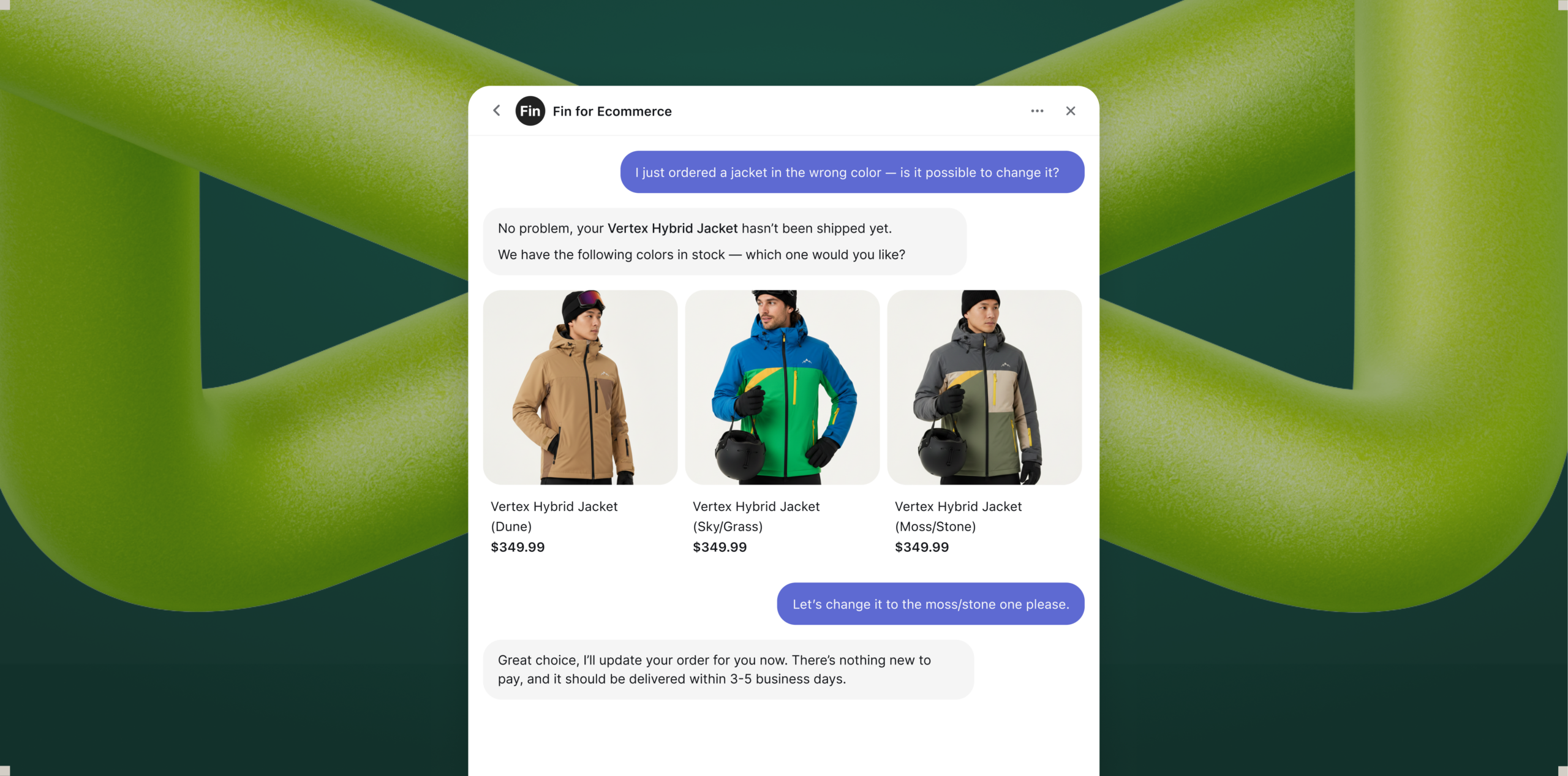
See Fin for Ecommerce in action: a Product Discovery card curates three high-performance ski jackets with images, names, and prices, revealing how the customer agent guides shoppers and accelerates confident purchases.
Fin handles support without losing the sale. Returns, refunds, and order changes happen in the same conversation; once resolved, Fin brings shoppers right back to browsing so momentum isn’t lost.
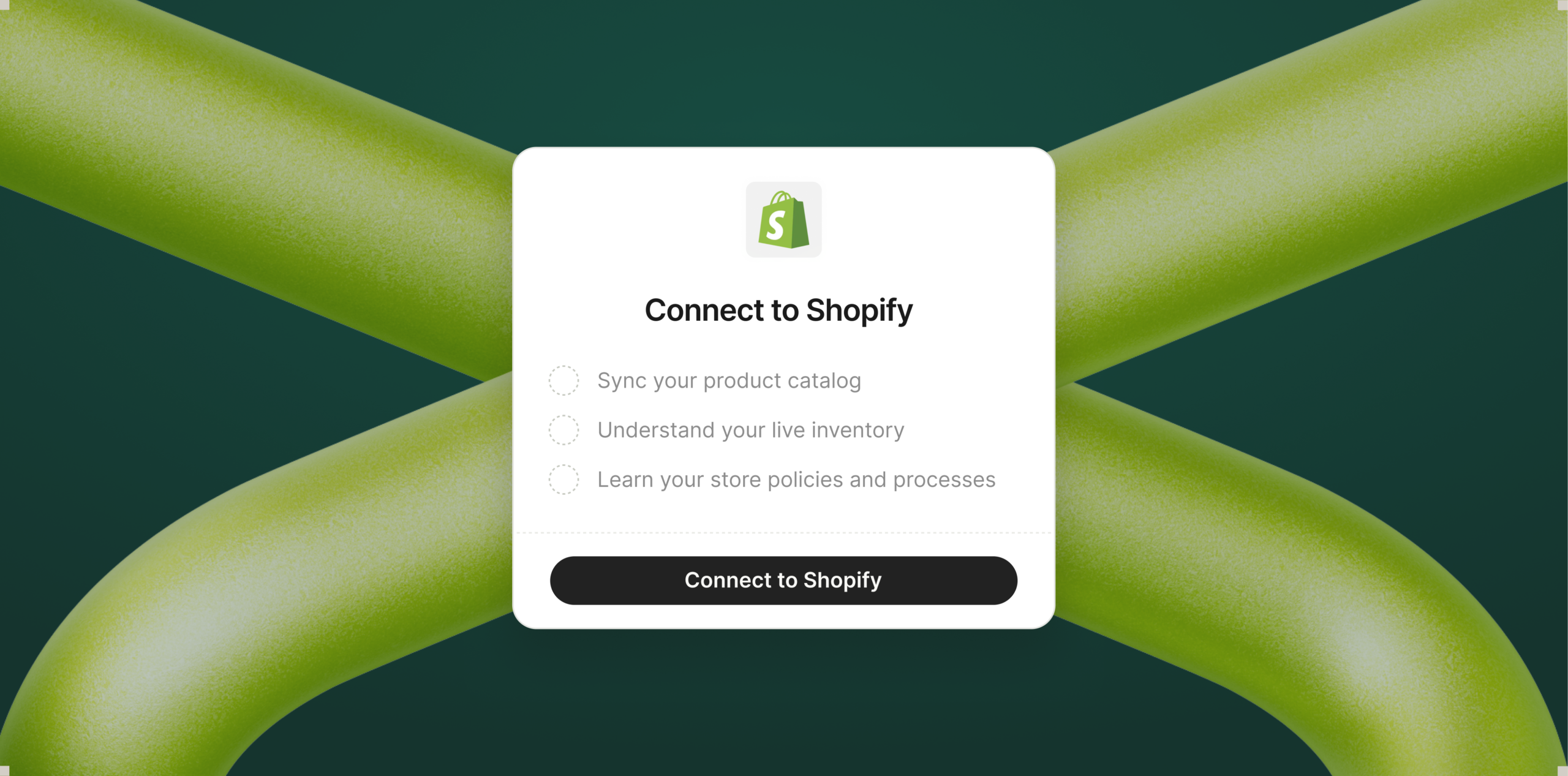
Fin is integrated with Shopify. Connect your store and Fin syncs your catalog, order data, and APIs in minutes — no manual training or complex setup.
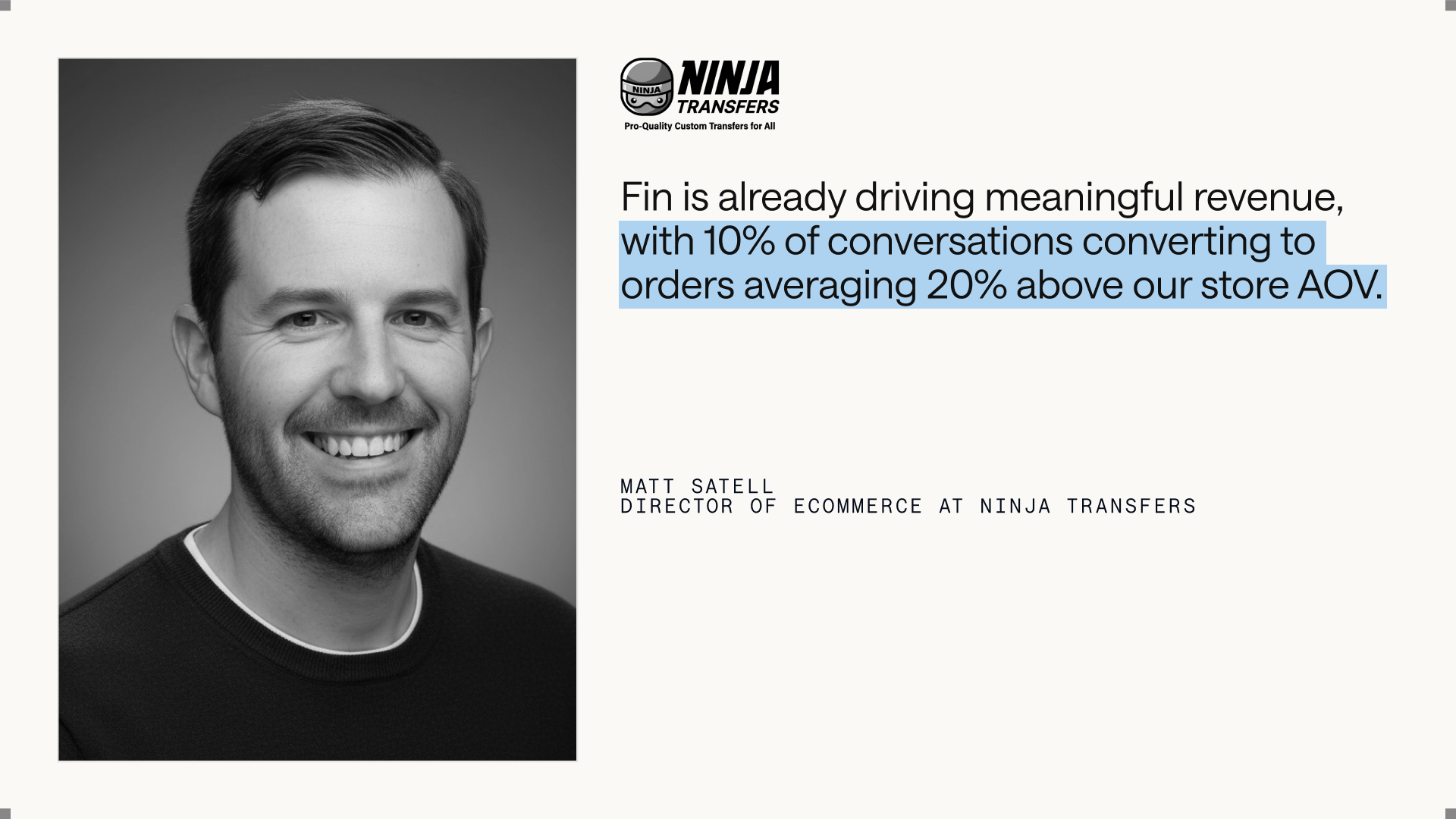
A customer spotlight from Ninja Transfers shows Fin for Ecommerce boosting sales: 10% of support chats convert, with order values 20% above average—proof that an AI customer agent can drive revenue while improving service.
In a great retail store, an attentive associate changes everything: they ask what you’re looking for, understand your preferences, answer the questions that matter, and walk you to checkout — and when you return, they remember you. That level of proactive, human‑quality assistance has never truly made it online.
Most ecommerce still looks like it did a decade ago: filters, FAQs, and self‑serve flows that assume the customer already knows what they want. Ecommerce offers scale and 24/7 convenience, but it’s passive — it can’t understand a shopper’s intent and actively guide them to a product that fits.
Fin for Ecommerce acts like a customer agent—checking shipping status, surfacing in‑stock color variants, and updating the order in the same thread—turning a jacket mix‑up into a quick, seamless experience.
Fin for Ecommerce changes that by bringing high‑quality shopping assistance to Shopify stores.
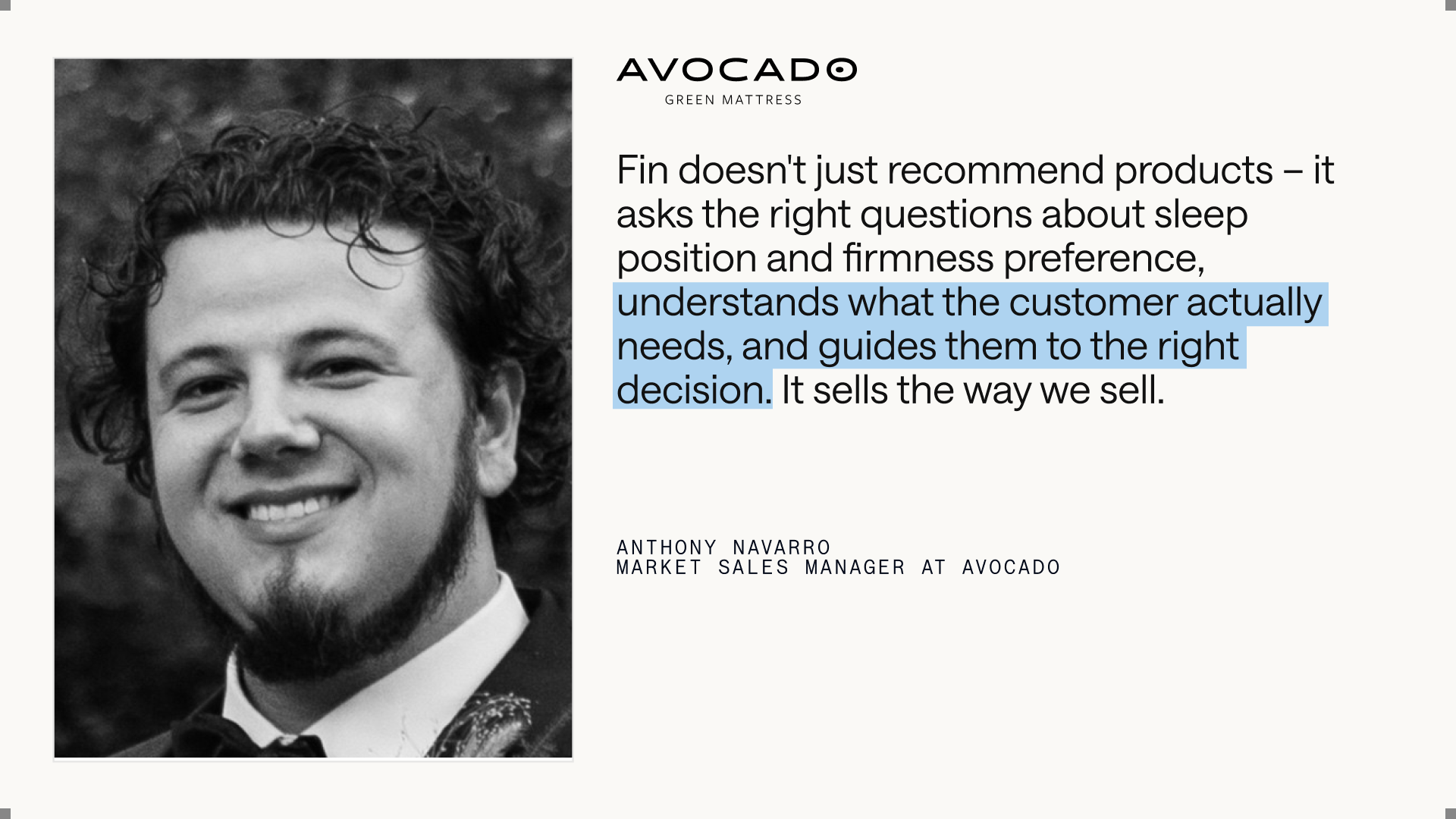
"Fin doesn't just recommend products — it asks the right questions about sleep position and firmness preference, understands what the customer actually needs, and guides them to the right decision. It sells the way we sell." Anthony Navarro, Market Sales Manager at Avocado
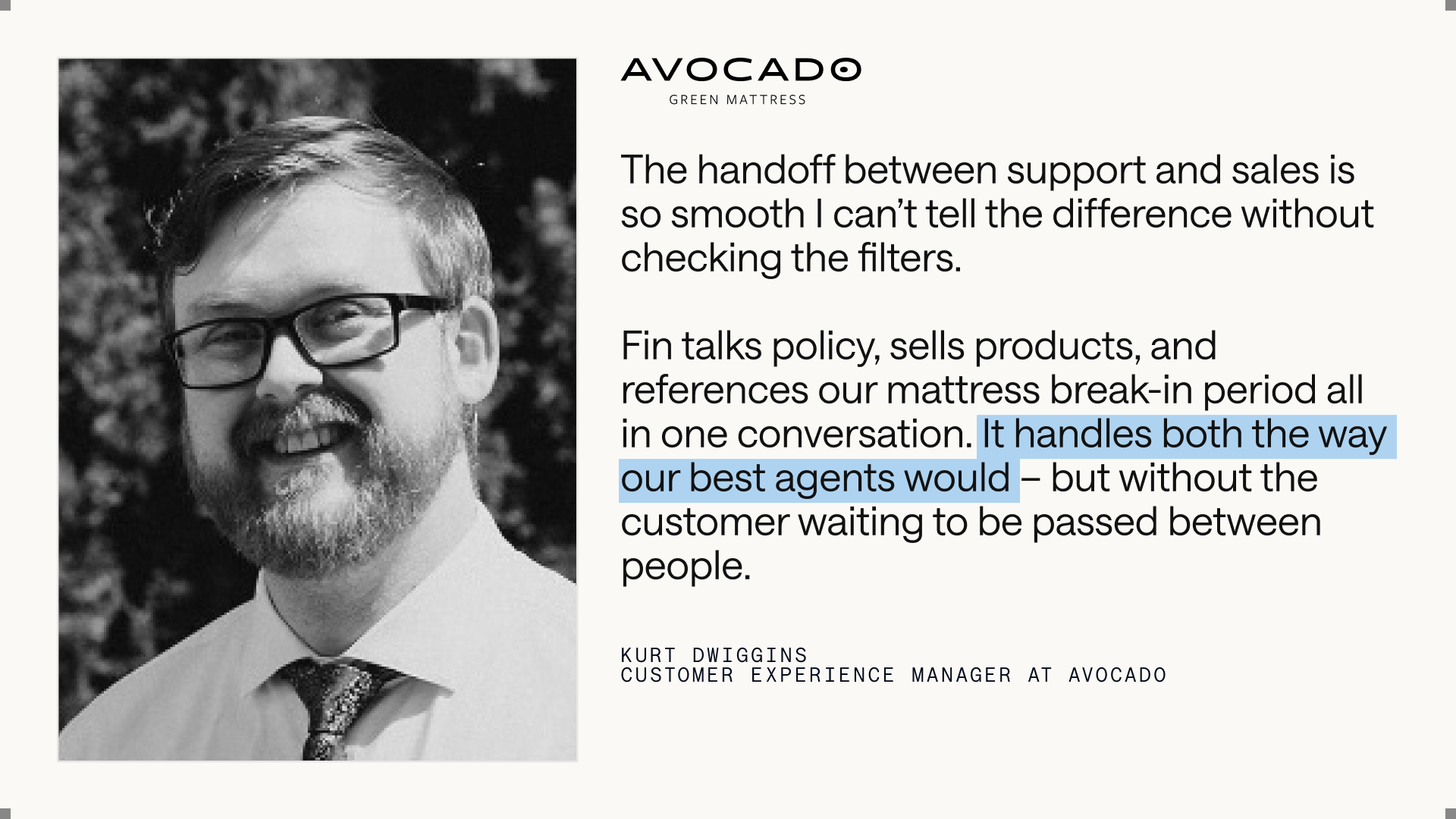
An Avocado Green Mattress customer experience leader shares how Fin for Ecommerce unifies support and sales—answering policies, selling products, and explaining the mattress break-in period—so shoppers get instant, agent-level help.
Here’s how it works in practice. When a shopper says "I need a gift for my partner" or asks "what running shoes work for trail and road?," Fin doesn’t dump them on a search results page — it starts a conversation. It asks about preferences, incorporates live browsing context, surfaces the most relevant options, and compares them based on what the shopper cares about.
This is powered by Fin Apex 1.0, the best-performing model for customer service, combined with a retrieval engine purpose-built for ecommerce. It handles vague, exploratory shopping questions and large product catalogs, helping shoppers find the right fit, faster.
Seamlessly connect Fin to your Shopify store. With one click, sync your product catalog, pull live inventory, and import store policies so your customer agent can answer questions and resolve orders faster.
In practical terms, this is agentic AI meeting ecommerce: Fin plans, retrieves, and reasons through complex product questions and next best actions to move the shopper forward confidently.
Based on the conversation, Fin recommends complementary or higher-value options, keeps carts easy-to-update, and guides shoppers into checkout when they’re ready.
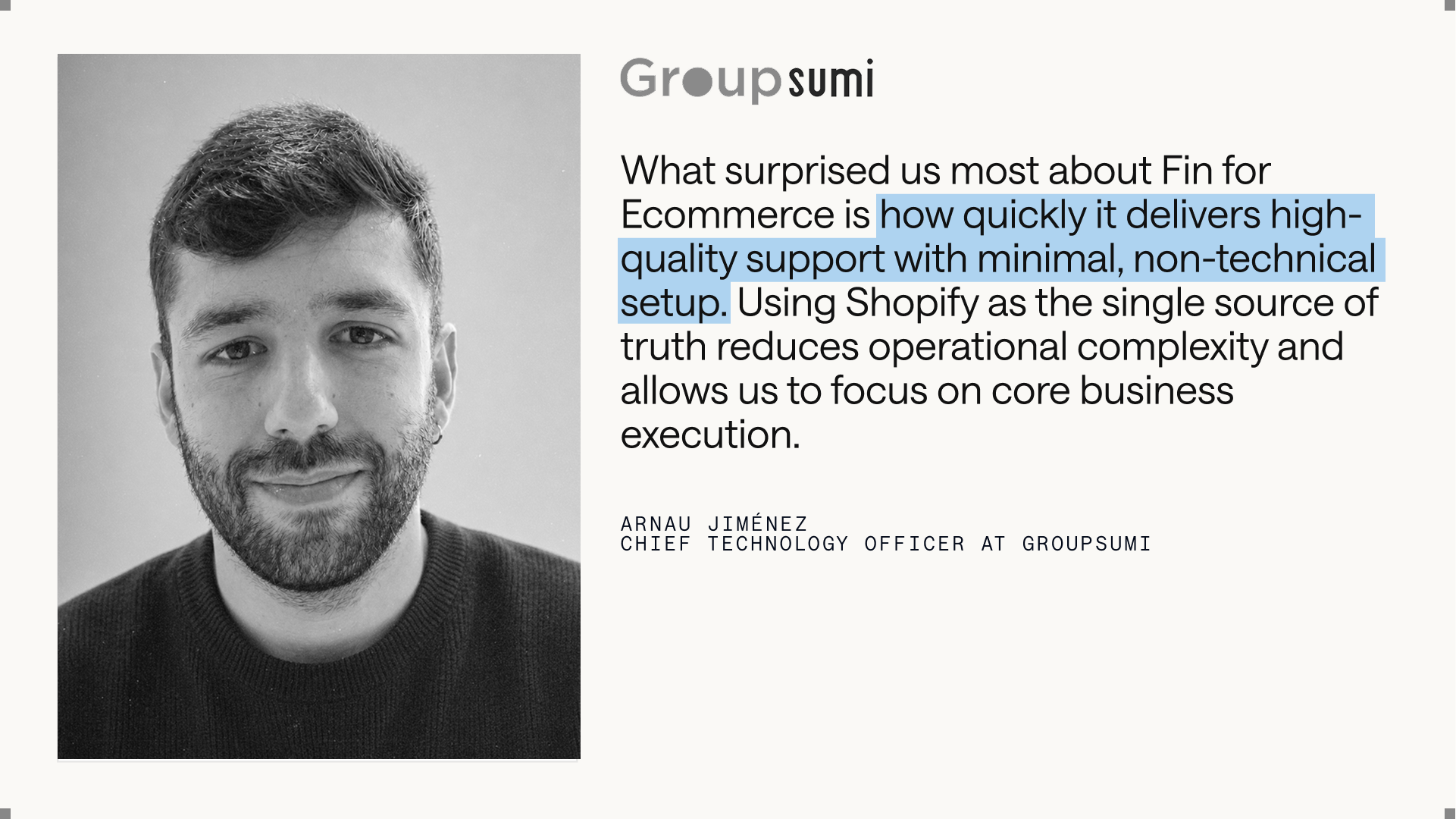
Customer testimonial from Groupsumi spotlights Fin for Ecommerce: rapid, high-quality support with minimal setup, powered by Shopify as the single source of truth, helping teams cut complexity and focus on growth.
"Fin for Ecommerce is already driving meaningful revenue, with 10% of conversations converting to orders averaging 20% above our store AOV." Matt Satell, Director of Ecommerce, Ninja Transfers
Fin for Ecommerce is built on the same AI platform that powers Fin for Service. Fin understands whether a conversation requires shopping assistance, support, or both, and moves between them seamlessly without the customer noticing.
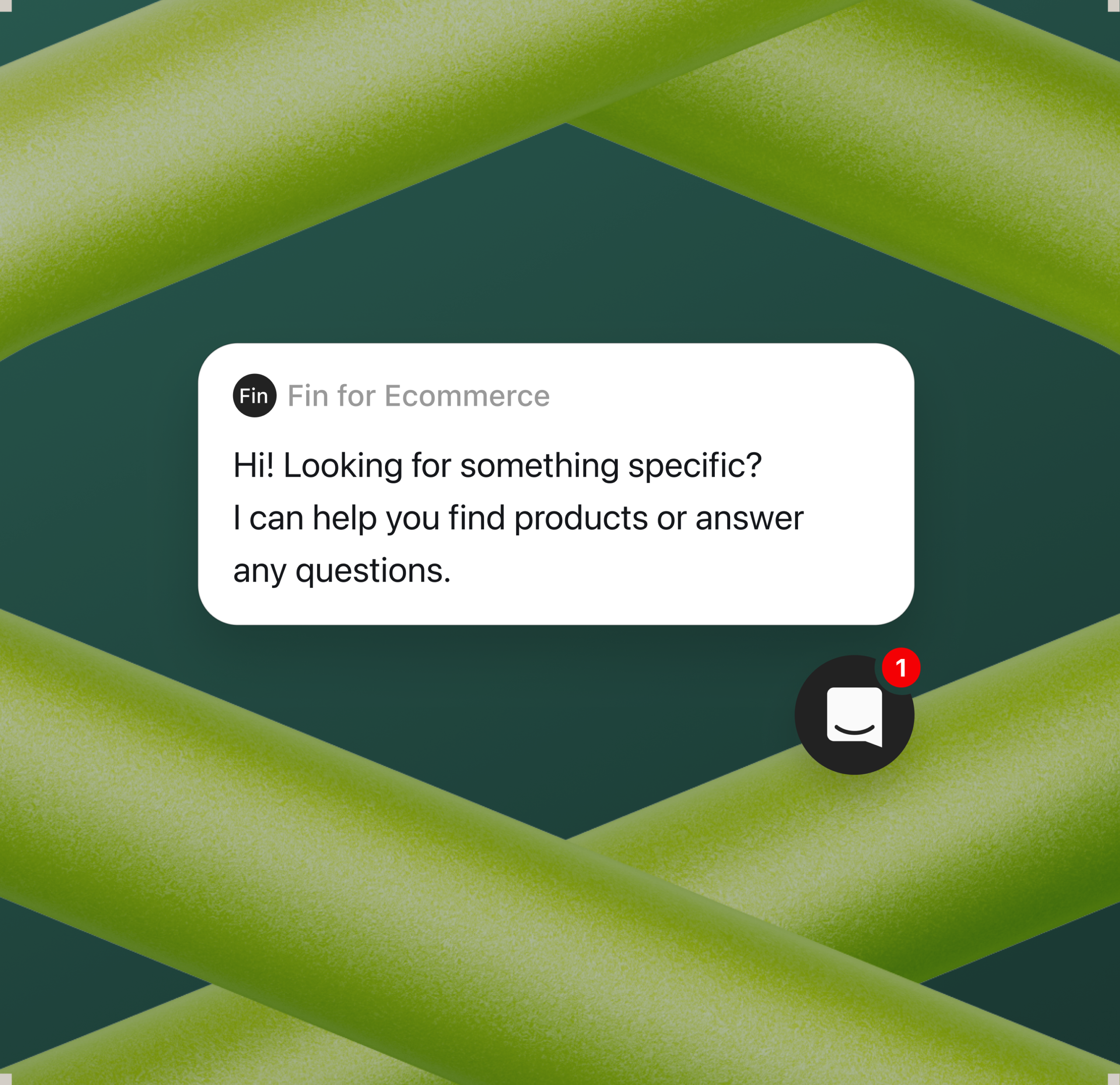
Meet Fin for Ecommerce, your always‑on customer agent. This bold hero invites you to add Fin to your store so shoppers get instant answers, higher confidence at checkout, and fewer support tickets.
This means the same Agent that helps shoppers buy also handles the hard and complex post‑purchase work including refunds, exchanges, order changes, tracking, and shipping questions. It can make changes in real time, within the same conversation, using the same context and data.
"The handoff between support and sales is so smooth I can't tell the difference without checking the filters. Fin talks policy, sells products, and references our mattress break-in period all in one conversation. It handles both the way our best agents would — but without the customer waiting to be passed between people." Kurt Dwiggins, Customer Experience Manager at Avocado
Fin for Ecommerce is purpose-built for Shopify merchants. Connect your Shopify store and Fin establishes a live connection to your entire catalog – products, variants, content, and order data – ensuring every response reflects your latest inventory and shoppers only see what’s actually available.
You can add the Messenger to your store and set Fin live in minutes without any manual training or technical expertise. When connected to Shopify’s API, Fin can handle even your most complex customer requests like tracking orders, processing returns, and updating subscriptions via Procedures. Fin automatically drafts Procedures for common ecommerce support queries based on your Shopify account and customized to your company policies.
You review, adjust, and publish, allowing Fin to start handling real queries in minutes.
"What surprised us most about Fin for Ecommerce is how quickly it delivers high-quality support with minimal, non-technical setup. Using Shopify as the single source of truth reduces operational complexity and allows us to focus on core business execution." Arnau Jiménez, Chief Technology Officer, GroupSumi
Fin is now a Customer Agent, with multiple roles that work seamlessly across the customer lifecycle. When a single Agent can guide a shopper from "I need a gift for my partner" to checkout, and handle a return weeks later without losing context, that’s a fundamentally better customer experience. It’s one Agent that deeply understands your products and your customers, and supports them throughout their entire journey with your business.
Leading ecommerce brands, including Avocado, WHOOP, Shutterstock, Flaviar, Carvana, Nuuly, MPB, Pure Electric, and Goodbuy Gear, already trust Fin to create standout experiences for their shoppers. I’m excited to continue expanding Fin’s roles as a Customer Agent and share more soon.
Ready to see it in action? Visit fin.ai/ecommerce and add Fin to your Shopify store today.
Session replay should illuminate user behavior, not slow it down. That belief drove us to rebuild the delivery layer behind our Session Replay from the ground up so it’s lighter on your pages while capturing richer, more reliable signals for behavioral analytics and product insights.
Our objective was clear: preserve page performance and Core Web Vitals while improving data completeness under real-world conditions. We focused on reducing client-side overhead, smoothing network bursts, and scaling the pipeline so it performs consistently during long sessions, high-traffic spikes, and complex interactions—without compromising observability or user experience.
To get there, we redesigned how events flow from the browser to our edge and storage layers. We decoupled capture from delivery, introduced adaptive batching and backpressure-aware controls, tightened compression strategies, and prioritized critical events to reduce jitter and dropped packets. The result is a delivery path that’s resilient to network variance, efficient in payload size, and friendlier to the main thread—key ingredients for platform scalability and SRE-grade reliability.
Get a glimpse into how we overhauled Session Replay’s data delivery, and how you can expect more complete data, lower payload sizes, and more. In practice, that means steadier capture across long sessions, fewer gaps during rapid DOM changes, and leaner, faster uploads that respect the constraints of modern browsers and mobile networks. It’s an upgrade designed to protect page speed while strengthening the fidelity of what you see in replay.
These changes elevate how product teams, analysts, and support engineers diagnose issues and optimize funnels. With higher-fidelity replay and lighter page impact, you can connect the dots faster—from anomaly detection and conversion bottlenecks to subtle UX friction—within a unified analytics platform. It’s a meaningful step forward for data-driven product strategy and for keeping your observability toolkit both accurate and performance-aware.
While performance guided every decision, privacy and governance stayed first-class. Our delivery patterns work hand-in-hand with data governance practices to help teams maintain responsible capture boundaries while still achieving the completeness and granularity they need. This balance lets you scale replay confidently across surfaces and teams.
We’ll continue monitoring downstream impact across Web Vitals, long tasks, error rates, and event integrity—iterating as we learn. If you rely on session replay to inform roadmaps, triage incidents, or accelerate product-led growth, you should feel the difference: a lighter footprint on your page and a stronger foundation for trustworthy insights.
Inspired by this post on Amplitude – Best Practices.
I build products to translate noisy interaction data into clear, actionable decisions. Few capabilities deliver that clarity like session replay. It closes the gap between what analytics tells us and what users actually experience, empowering product, design, and SRE teams to learn faster, resolve issues sooner, and improve customer trust.
Lew Gordon is a Senior Staff Engineer at Amplitude focusing on Session Replay. He was formerly an engineer at Twilio.
In my practice, session replay complements Amplitude analytics and behavioral analytics by adding rich context to the unified analytics platform—turning charts into stories we can act on. When I can see the precise clicks, hesitations, and error states behind a spike or a drop, prioritization becomes straightforward and the path to product-market fit becomes easier to navigate.
Operationally, replay deepens observability. I correlate console errors, network traces, and layout shifts with user intent, then tie those signals to Web Vitals, performance budgets, and SRE workflows. The result is a tighter feedback loop from incident to insight—one that shortens mean time to resolution and raises the bar on reliability without guesswork.
Privacy-by-design is non-negotiable. I start with strong data governance: selective capture and redaction, explicit consent and retention policies, role-based access, and environment-aware sampling. These controls keep sensitive data protected while still providing the fidelity product and engineering need to diagnose issues and improve experiences responsibly.
Strategically, I deploy replay where it moves the needle most: onboarding and activation moments, high-friction conversion flows, and critical paths with outsized revenue or trust impact. I track signals like rage clicks, dead clicks, scroll depth, and error states to inform product strategy and reduce UX debt, while linking improvements to activation and retention analysis, time to resolution, and DORA metrics.
At scale, success requires platform scalability: efficient indexing, low-latency retrieval, and smooth playback across browsers and devices—all while maintaining tight CPU, memory, and bandwidth budgets. When integrated with CI/CD and experimentation, replay becomes a force multiplier for continuous discovery and confident, rapid iteration.
My takeaway: session replay is not just a debugging tool—it’s a shared language across product, engineering, and design. With the right guardrails and operating model, it elevates decision quality, accelerates learning, and builds the trust customers feel with every interaction.
Inspired by this post on Amplitude – Best Practices.
Our retention curve had flattened even as activation ticked up, and that disconnect told me we were missing a leading indicator buried in our AI agent telemetry. I set out to connect our AI evals directly to product retention, not as an academic exercise, but as the basis for focused roadmap bets and stronger product-led growth.
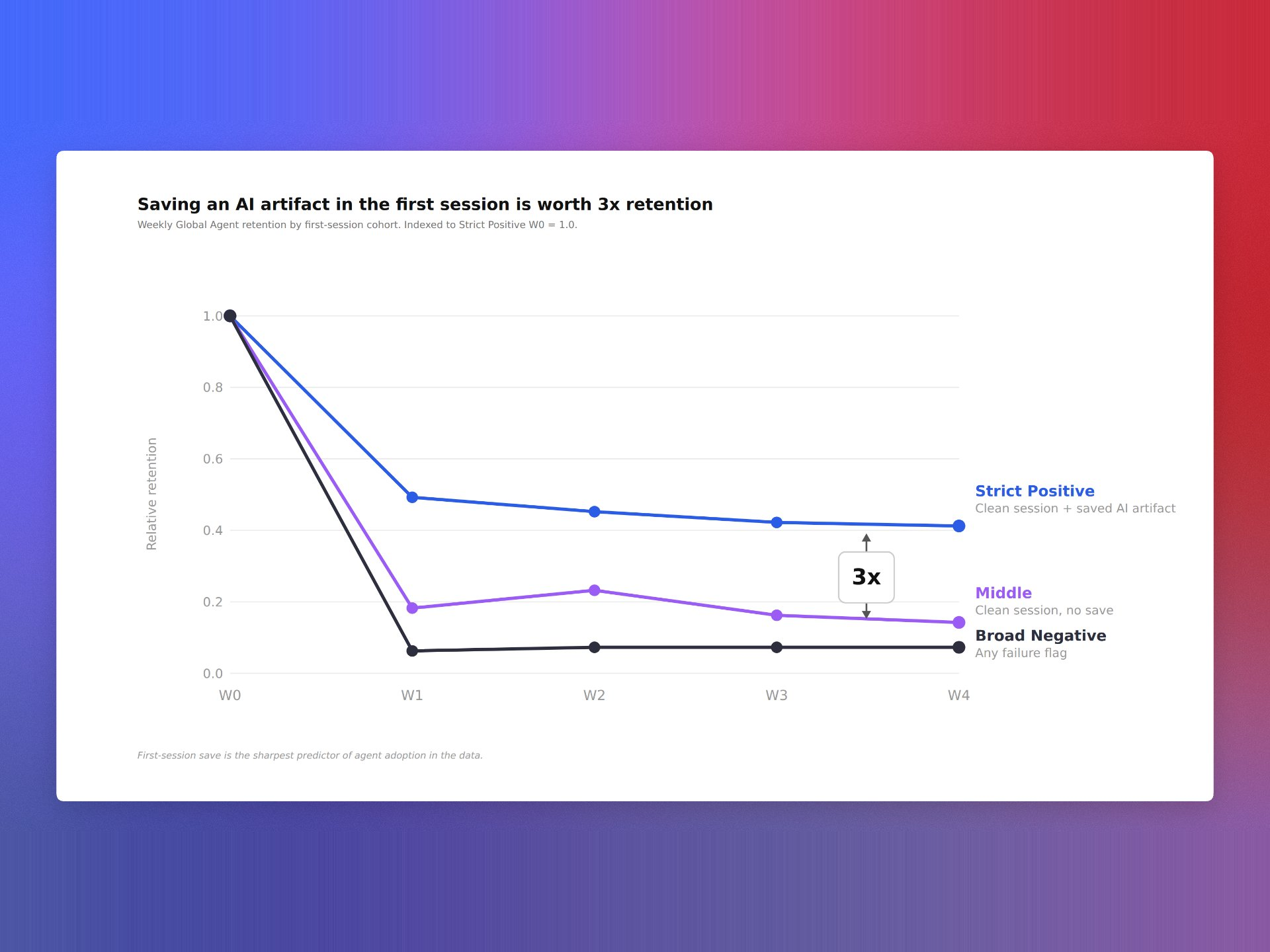
"Learn how we used Agent Analytics to discover an eval signal that predicts 3X higher user retention."
Connecting AI evals to retention analysis is deceptively hard. Evals often live in ad-hoc notebooks while behavioral analytics and cohort retention live elsewhere. IDs drift. Signals are noisy. Teams gravitate to fast output over outcome clarity. I leaned into eval-driven development to close that gap and make our AI workflows accountable to business results.
We began with crisp hypotheses: for example, that higher semantic accuracy and lower escalation rates would correlate with repeat usage. We enumerated a concise eval taxonomy—accuracy, containment, safety, latency, and UX friction—and used Agent Analytics to compute per-user and per-tenant features on a daily cadence. That gave us a reliable, unified analytics platform for AI-specific signal generation.
Next, we joined those features to our product telemetry in Amplitude analytics using clean user and account identifiers. With that foundation, we created weekly and monthly cohorts, ran retention analysis, and used driver trees alongside simple logistic models to control for plan type, segment, region, and acquisition channel. The goal wasn’t perfection—it was directional clarity strong enough to inform product strategy.
One eval metric separated itself from the pack. When users hit a specific threshold early in their journey, the model predicted 3X higher user retention compared to peers who didn’t. I still remember overlaying that signal on our cohort chart—the lift was impossible to unsee, and it immediately reframed our activation and onboarding priorities.
From there, we operationalized. We built in-app guides that nudged new users toward the eval threshold, added a health score to customer success workflows, and put feature flags on model changes until they improved the eval. We validated the effect size with A/B testing and set up anomaly detection to catch regressions before they touched real users.
If you want a repeatable playbook: define your north-star retention window, shortlist 3–5 eval candidates tied to real user value, ensure rock-solid identifiers across systems, compute daily features in Agent Analytics, model uplift against retention cohorts in Amplitude analytics, then translate the winning signal into onboarding nudges, product tours, and success playbooks. Track second-order outcomes too—support tickets, NPS, and Net Recurring Revenue (NRR)—so you don’t optimize a proxy at the expense of experience.
I also learned what to avoid. Watch for sample-size traps and label leakage, and remember that segment mix can masquerade as model improvement. Use minimum detectable effect (MDE) calculations to size experiments, add risk scoring to gate launches, and keep a tight feedback loop between product, data science, and customer success.
The payoff is far more than a tidy dashboard. By grounding our AI strategy in behavioral analytics and measurable retention lift, we turned an abstract eval into a concrete growth lever—and gave our product teams the confidence to move faster with clarity.
Inspired by this post on Amplitude – Perspectives.
AI agents are getting remarkably good at scaffolding features and writing tests, yet when production issues surface, accountability still lands on me and my team. The last mile of quality—reproducing the issue, isolating the root cause, and validating a durable fix—remains a human responsibility, even in an era of agentic AI. That’s why I’ve built a repeatable debugging approach that blends behavioral analytics with agent-assisted coding to close the loop quickly and safely.
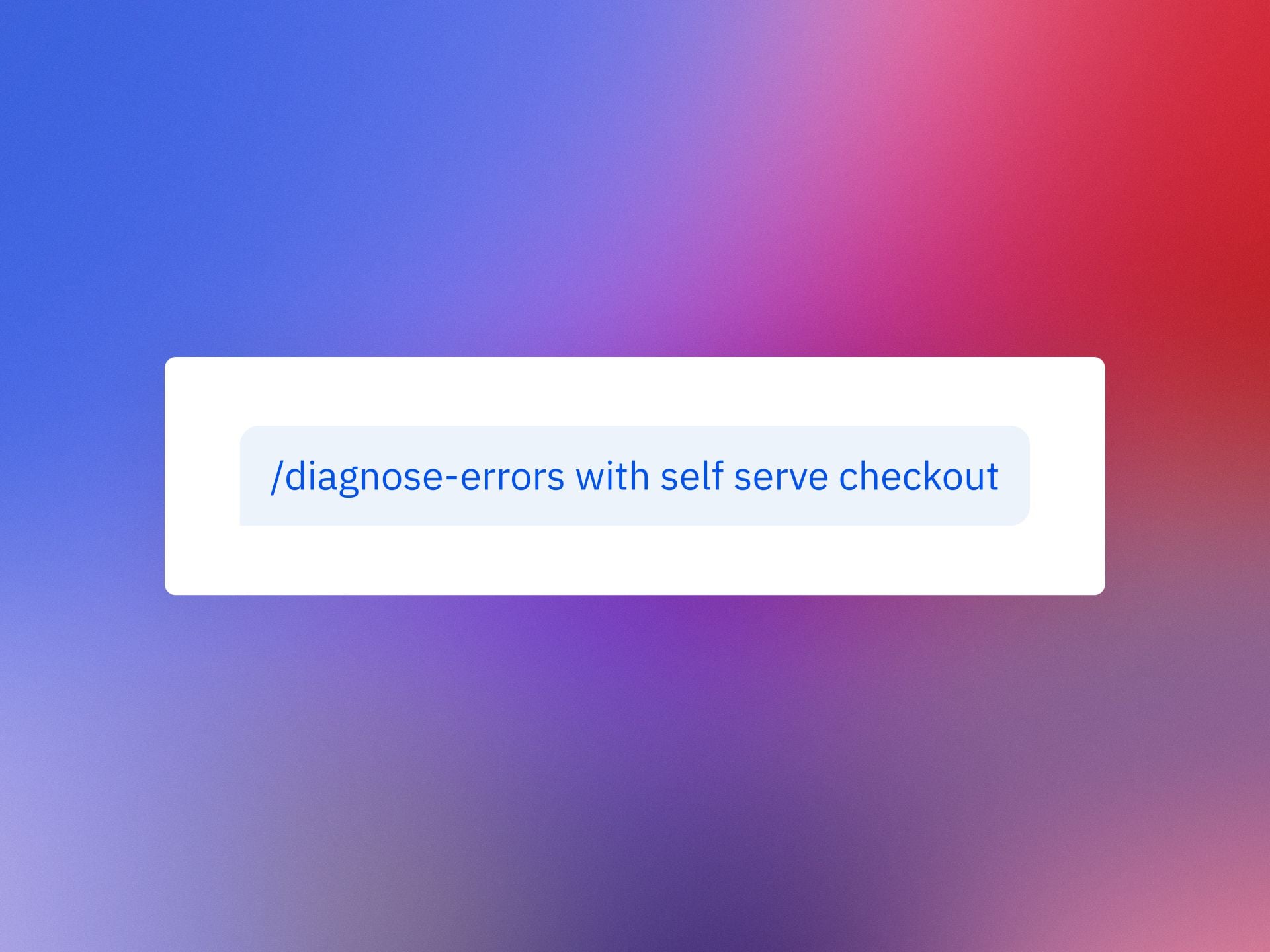
Investigate bugs directly in Claude or Cursor with Amplitude MCP. Learn two Session Replay workflows to debug faster.
The goal is simple: transform messy, anecdotal bug reports into actionable, prioritized work that my developers can resolve confidently. By pairing Session Replay with Amplitude analytics, I can quantify impact, capture precise reproduction steps, and feed rich context into Claude or Cursor. The result is a faster path from signal to solution—and fewer back-and-forth cycles with engineering, support, and product.
Here’s how I use Session Replay to tighten the feedback loop. First, I lean on behavioral analytics to detect anomalies and segment affected users, so I know whether we’re facing an edge case or a widespread degradation. Then I use the replay to see exactly what the customer experienced: the path they took, the UI state, the environment details that matter (device, browser, version), and the precise moment things went sideways. This contextual backbone lets me enter Claude or Cursor with high-signal inputs, rather than guesswork.
Workflow 1: From customer session to reproducible issue. I start with the offending Session Replay and capture the exact steps to reproduce, including state transitions and timestamps for any console errors or API failures. In Claude or Cursor, I provide those steps, reference the replay link, and ask the model to propose a minimal failing test and a hypothesis for root cause. With Amplitude MCP as the connective tissue, I can keep the model anchored to the relevant events and user path while it generates patches or targeted instrumentation. I validate the hypothesis locally, run the failing test, and then move the fix through CI/CD with feature flags so we can verify in production without overexposing risk.
Workflow 2: From code symptoms back to customer evidence. Sometimes I begin in the IDE or agent environment with a flaky test, a suspicious diff, or a performance regression. In that case, I ask Claude or Cursor to outline likely failure modes and the critical code paths. Then I pivot to Session Replay for corroboration: do real users hit these paths, under what conditions, and how often? Using Amplitude MCP to anchor the agent in actual user journeys helps separate theoretical fixes from changes that will meaningfully improve outcomes. I confirm with replays after the patch lands, monitor Web Vitals and related behavioral metrics, and only then ramp the flag.
Two practices make these workflows consistently effective. First, I frame prompts to keep the model tightly scoped: reproduction steps, expected vs. actual behavior, impacted segments, and any known constraints (e.g., rate limits, third-party dependencies). Second, I treat the agent as a proactive pair-programmer: it drafts hypotheses, tests, and diffs, while I provide ground truth from Session Replay and analytics. That division of labor keeps the LLM productive without letting it drift from the evidence.
Operationally, I also align this approach with our incident management and observability standards. For high-severity issues, SREs and product managers share the same replay artifacts, event timelines, and roll-forward criteria. We document root causes and guardrails as docs-as-code, then socialize them via developer evangelism so similar classes of bugs get caught earlier. Over time, this tightens our DORA metrics—particularly lead time for changes and deployment frequency—without compromising stability.
Privacy-by-design is non-negotiable. We ensure Session Replay redacts sensitive fields, enforces least-privilege access, and complies with our data governance policies. When I involve an agent, I include only the minimum data necessary to reach a fix and prefer structured artifacts (event IDs, stack traces, and test cases) over raw PII. These safeguards let us move quickly without trading away trust.
The takeaway is pragmatic: agents can accelerate creation, but accountability for quality still rests with us. By grounding Claude or Cursor in real user behavior via Amplitude MCP and Session Replay, I get faster reproduction, more accurate fixes, and cleaner rollouts. The combination turns “mysterious customer bug” into “verified hypothesis and passing test” in a fraction of the time—and that’s how we ship responsibly at speed.
Inspired by this post on Amplitude – Best Practices.
I’m energized by the momentum I’m seeing at the intersection of behavioral analytics and AI workflows. "Chanaka is an AI Engineer at Amplitude, where he’s building the MCP server that brings Amplitude’s behavioral context directly into your AI tools." That single sentence captures a strategic inflection point for product organizations: AI that finally understands user behavior at the moment of decision.
Why does this matter? When behavioral analytics flow natively into our AI tools, we move from generic assistants to product-savvy copilots. Instead of prompting blind, I can ground my questions in Amplitude analytics—segment performance, cohort trends, and event funnels—so AI answers reflect real customer journeys, not hypotheticals. The result is sharper prioritization, faster discovery, and tighter feedback loops that directly support product-led growth.
From a technical standpoint, an MCP server becomes a clean, secure interface for LLMs to access behavioral analytics as-needed. That enables a retrieval-first pipeline that reduces hallucinations, improves context window management, and elevates prompt engineering quality. It also unlocks agentic AI patterns—where the assistant autonomously requests the right behavioral context to diagnose activation drops, spot anomalies, or recommend experiments. In short, it’s a unified analytics platform meeting LLMs for product managers where we actually work.
In day-to-day product management, this translates into practical wins. I can ask, “Which onboarding step is blocking user activation for the SMB segment?” and get an answer grounded in behavioral analytics with relevant visualizations or funnels. I can explore retention analysis by cohort without switching tools, then iterate on hypotheses and next-best actions inside the same AI-driven workflow. These tighter loops materially improve decision quality and team velocity.
There are governance considerations, of course. I advocate clear data access policies, strong privacy-by-design controls, and well-defined scopes for what the MCP server can retrieve. Start with high-value, low-risk datasets, pilot with a focused team, and instrument eval-driven development to measure accuracy, latency, and business impact. When done right, the AI Strategy becomes an execution engine—not just a slide.
My playbook: begin with one or two high-impact questions (e.g., activation blockers or churn drivers), wire them into the MCP-powered AI workflow, and quantify time-to-insight and decision quality improvements. As wins accumulate, expand to roadmap shaping, opportunity sizing, and experiment generation. The promise here is compelling—AI that doesn’t just talk about the product, but truly understands how customers use it, and helps us build the right things faster.
Inspired by this post on Amplitude – Best Practices.
I just finished listening to "Taste – All Things Product Podcast with Teresa Torres & Petra Wille," and as a product leader shipping AI-powered capabilities at HighLevel, Inc., I wanted to pressure-test the sudden obsession with "taste."
If you're curious, you can listen to this episode on Spotify or Apple Podcasts.
The core question landed perfectly for our moment: Is "taste" the must-have skill of the AI era — or just the latest tech buzzword in a world where AI is eating through design, delivery, and discovery?
Teresa pushes back hard, highlighting how slippery the term can be. "It's just this month's flavor of founder mode." She points out that "taste" is rarely defined, can't be easily taught, and too often becomes shorthand for "my preference trumps yours." Just as importantly, "It's not about your taste. It's about your customer's taste."
Petra adds needed nuance from years in the craft: pattern-recognition is real, and some people do develop sharper product sense over time. As she put it, "I am a strong believer that you develop product sense and taste over time. It's never finished."
Both threads lead back to familiar roots in product: product sense, founder mode, and the enduring myth of the lone visionary. They even grapple with the big question on everyone’s mind—Will AI Eat Taste Too?—and where that leaves product teams navigating GenAI, LLMs for product managers, and evolving product strategy.
Here’s my take. "Taste" can be useful as a personal north star, but it is not a decision system. In my teams, we bias toward evidence: continuous discovery, customer interviews, discovery synthesis with opportunity solution trees, and tight collaboration in product trios. Opinion can start the conversation, but evidence should end it.
Practically, that means investing in the skills that compound: Discovery skills — understanding customers, matching solutions to real needs. Human-to-human interaction skills. Learning to collaborate with AI effectively. Critical thinking and judgment grounded in evidence.
On AI collaboration specifically, we treat GenAI as a force multiplier, not a decider. We prototype with AI to explore breadth, then narrow with qualitative and quantitative signals, ablation-style experiments, and clear success criteria. The bar I hold myself to is simple: taste without evidence is just opinion.
Three lines I underlined from the conversation:
"It's just this month's flavor of founder mode." — Teresa Torres
"It's not about your taste. It's about your customer's taste." — Teresa Torres
"I am a strong believer that you develop product sense and taste over time. It's never finished." — Petra Wille
If you want to go deeper, these references are helpful for sharpening judgment without falling into the "great man" theory trap.
Follow Teresa Torres: https://ProductTalk.org
Follow Petra Wille: https://Petra-Wille.com
Founder mode
Marty Cagan: Founder-Style Leadership
Vercel/v0 CEO Guillermo Rauch on building taste: from Lenny Rachitsky’s Linkedin post
Continuous discovery (Read Teresa’s Everyone Can Do Continuous Discovery—Even You! Here’s How
The "great man" theory
Steve Jobs and the myth of the lone product visionary
Have thoughts on this episode? Leave a comment below and share how your team balances product sense with evidence in the age of AI.
Weekly product reviews are where strategy meets execution, and over the past year I’ve turned them into a high-signal, low-friction ritual by leaning on agentic AI. As VP of Product Management at HighLevel, Inc., I’ve standardized a set of agent skills that compress preparation time, surface the right insights, and keep PMs, engineers, and designers focused on decisions—not document wrangling.
"Learn how our teams use agent skills with claude, cursor and codex to run product reviews as PMs, engineers, and designers. Here are 5 killer use cases for builder."
Below, I walk through the five skills I rely on most in our weekly cadence—each one mapped to a clear product management outcome. They’re simple to set up, easy to govern, and aligned with core practices like continuous discovery, product roadmapping and sprint planning, and eval-driven development.
Skill 1 — Backlog triage with signal extraction: I point an agent at fresh tickets, customer notes, and experiment results to cluster themes, tag impact, and flag regressions. Using a retrieval-first pipeline and Agent Analytics, the assistant ranks items by value, effort, and risk so our meeting starts with a prioritized, explainable shortlist instead of a raw queue.
Skill 2 — PRD and spec synthesizer: Ahead of the review, an agent drafts a one-page PRD update from design diffs, git history, and decision logs. With Claude Code and Cursor, it highlights interface changes, acceptance criteria, and open questions, linking back to sources. The result is a crisp, auditable brief that keeps product trios aligned without re-litigating context.
Skill 3 — Experiment and metrics analyzer: An analytics agent pulls A/B testing readouts, checks minimum detectable effect assumptions, and annotates anomalies. It turns raw telemetry into a narrative: what moved, by how much, and whether we trust it. This makes our discussion about tradeoffs, not spreadsheets, and speeds commitments on next steps.
Skill 4 — Voice-of-customer synthesizer: The assistant clusters interviews, support threads, and NPS verbatims into jobs-to-be-done and pain themes. It proposes opportunity solution tree updates and calls out places where our roadmap diverges from customer signal. That keeps continuous discovery alive in the room—even when time is tight.
Skill 5 — Roadmap and sprint planning co-pilot: After decisions, an agent converts outcomes into scoped backlog items, engineering tasks, and stakeholder updates. It drafts sprint goals, flags dependency risks, and aligns work to objectives. Because it’s grounded in the meeting record, it preserves intent while removing ambiguity.
Under the hood, prompt engineering patterns and guardrails keep these workflows predictable: a retrieval-first pipeline for context, eval-driven development for quality checks, and role-specific prompts for PMs, engineers, and designers. With Claude Code I generate structured diffs and test scaffolds; with Cursor I accelerate code-review summaries; and with codex I bootstrap utility scripts that keep the loop tight between insights and implementation.
The payoff is tangible: higher decision velocity, fewer meetings to “re-clarify,” and clearer accountability across the product organization. Just as important, governance and privacy-by-design are built in—every agent logs rationale, cites sources, and respects data boundaries—so leaders can scale AI workflows confidently.
If you’re looking to level up your product reviews, start with these five skills, measure impact with Agent Analytics, and iterate. Small automations compound quickly, and the more consistently you run them, the more your team’s attention shifts from preparing content to making better product decisions.
Inspired by this post on Amplitude – Perspectives.