Tag: gen ai

  • 2026 Support Capacity Playbook: Bold AI Automation, Smarter Staffing, Zero‑Surprise SLAs

    Capacity planning has always been a high-stakes exercise in customer service, and when you miss, the signal shows up fast in backlogs and SLAs. I’ve lived that pressure across multiple cycles, and 2026 will reward teams that plan differently. AI fundamentally changes capacity planning because it changes the work. It resolves the bulk of your volume, speeds up execution, and elevates the complexity and value of what humans handle. The consequence is simple: planning models must evolve. This is the final installment in my 2026 customer service planning series, and I’m focusing on the tension every leader feels right now—be ambitious about automation, but avoid the trap of understaffing if your assumptions don’t hold. My goal is to share how AI changes the logic of capacity planning, what I’ve learned implementing these practices with my team and with customers, and the common traps to avoid. Traditional planning rests on relatively stable assumptions: volume grows predictably, work types stay consistent, handle times don’t swing dramatically, and productivity improves slowly with better tools and training. In an AI-first model, none of that is guaranteed, and the fundamentals flip. The mix of work changes as AI absorbs a growing share of simpler conversations, leaving humans with deeper, more time-consuming issues that demand human-to-human connection. Demand can actually increase when you remove friction, so AI can both resolve more and attract more volume. Human time splits differently as teammates solve customer problems and also review AI behavior, give feedback, improve content, and support system-level work. Performance becomes dynamic, not fixed—automation rate isn’t a one-time number; it can rise with care and fall with neglect. If you plan for 2026 using a pre-AI model—assuming similar productivity, similar work mix, and a linear relationship between volume and headcount—you will underestimate what it now takes to run a high-performing support organization. There are many metrics you can track, but the one to put at the center is automation rate (AI Agent involvement rate × AI Agent resolution rate). This single construct tells me what share of total volume AI actually resolves, how much work remains for humans, how much additional demand humans can absorb, and how ambitious I can be with headcount. Early in the journey, I prioritize raising involvement—getting the AI involved in more conversations. Once involvement is high, I shift to resolution on the hardest remaining work, where each additional 1% of automation can represent several people’s worth of capacity. In my 2026 plans, automation rate sits alongside projected inbound volume, average “output” per person for the more complex work that remains, and occupancy—how much time is allocated to customer-facing interactions versus operational and strategic work. Together, those inputs give a realistic picture of how many people you need and where they should spend their time. First, plan boldly on automation, but match it with investment. I do not cap automation assumptions at 40–50% “because AI is new.” Many teams are already modeling 60%, 70%, even 80%+ for 2026—when they invest in AI ownership and content. The investment is non-negotiable: named ownership for AI performance (AI ops, knowledge management, conversation design), clear automation targets by work type (e.g., informational vs. personalized vs. actions vs. deep troubleshooting), realistic expectations for what’s easy to automate and what’s not, and a concrete plan to raise automation over time in monthly or quarterly steps rather than a single jump. To decide where to invest first, I dig into the data. I start with the biggest volume drivers, separate content-led issues from those dependent on data or complex procedures, assume higher resolution potential for content-led topics once the knowledge base is in shape, and set more modest initial resolution expectations for system-dependent flows. Then I stair-step improvements as the systems, data contracts, and workflows mature. In short, bold automation goals only work when paired with the team structure, content, and systems required to reach them—and the discipline to iterate. Second, expect human “output” per person to go down. That’s a mindset shift. Historically, we assumed individual productivity would stay flat or tick up as tools improved. In an AI-first model, humans handle fewer conversations but more complex, cross-functional issues—and create more value despite lower case counts. I model a lower “cases closed per person” than prior-year baselines, explicitly assume the remaining work is more complex and time-consuming, and redefine productivity to include system-level work like AI Agent improvements, content updates, and policy or workflow change management. I also report “capacity created” from automation alongside human outputs, so leadership sees the full picture. Third, rethink occupancy: more time off the queues, on higher-value work. Traditional occupancy splits time between inbox and training, meetings, and breaks. Now there’s an expanding “out-of-inbox” portfolio that directly affects AI performance and overall capacity: reviewing AI-handled conversations, improving AI Agent triaging and handovers, contributing to content and procedures, feeding insights to product and engineering, and supporting system changes that reduce future volume. I set lower inbox occupancy targets than before and make the rationale explicit. People aren’t working less—they’re working differently. In planning, I assume more time spent on improvement and system work, make it visible (for example, X% in inbox and Y% on AI and system improvement), and treat this as critical, not a “nice to have.” If you don’t proactively allocate it, it won’t happen—and your automation and performance targets will suffer. Fourth, work with the finance team early, and treat your plan as a set of assumptions. Capacity planning with AI is a set of bets across automation rate, human output, demand growth, occupancy, and where surplus capacity (if any) goes. I bring finance in early, show that the plan is dynamic and directly tied to AI performance, and label every lever as an assumption with ranges. I commit to a quarterly review cadence with finance to compare assumptions versus reality and adjust headcount, targets, and investment as needed. The risks are real: if automation grows slower than expected and you stop backfilling too early, you’ll be understaffed for months. Hiring and onboarding take time, so course-correcting late creates strain. If you do produce surplus capacity, have a clear strategy to reallocate those teammates to higher-value work—improving systems, feeding insights back to product, supporting new channels, and driving proactive CX—rather than defaulting to reductions. I also set explicit guardrails—if automation rate misses by five points for two consecutive months, we pause planned reductions and revisit hiring gates. If it over-performs, we shift people into backlog eradication, content upgrades, or proactive outreach, so we bank compounding value. To set your team up for success in 2026, anchor your plan on automation rate, be honest that humans will handle fewer but harder conversations, and protect time for system improvements. Partner early and often with finance, avoid shrinking too fast, and design a plan for surplus capacity so you’re never caught flat-footed. If AI is going to handle the majority of your customer conversations, your plan has to be designed to help it do that well and to keep your team set up for meaningful, sustainable work. A 2026 plan built on adaptable assumptions—not fixed predictions—will hold up as your work, your systems, and your customers’ expectations continue to change. If you’d like future editions like this, subscribe and stay close—I’ll keep sharing what’s working, what isn’t, and how to tune your customer support AI strategy in real time.

    Inspired by this post on The Intercom Blog.


    Book a consult png image
  • AI in Product Design: My Proven Playbook, Real Use Cases, and the Tools That Win Faster

    AI in Product Design: My Proven Playbook, Real Use Cases, and the Tools That Win Faster

    In product design, AI has shifted from novelty to non-negotiable. I’ve watched teams accelerate discovery, compress prototyping cycles, and turn ambiguous ideas into validated experiences faster than ever—without sacrificing quality or customer trust.

    AI in product design has quickly moved from new to necessary. Here are the AI product design tools and approaches you need to stay relevant in this decade.

    From my vantage point leading product teams, “necessary” means AI is woven throughout the product lifecycle—discovery, prioritization, prototyping, validation, and iteration—not bolted on. The goal isn’t to chase hype; it’s to build durable advantage with clear AI Strategy, disciplined execution, and measurable outcomes.

    First, anchor the work in strategy. Tie every AI initiative to a specific customer problem and value proposition, then express that linkage with outcomes vs output OKRs. This keeps teams focused on real impact and avoids feature-chasing. It also sharpens product positioning and clarifies where AI can deliver competitive differentiation versus simple points of parity.

    Second, upgrade discovery. I rely on AI workflows to synthesize interviews, cluster themes, and surface insights at scale. A retrieval-first pipeline—grounding models in our own data—improves factuality and reduces hallucinations. Combine this with strong data governance and privacy-by-design so insights are trustworthy and compliant from day one.

    Third, make quality measurable. Adopt eval-driven development: define evaluation sets and acceptance thresholds that reflect real user tasks before you ship. Pair that with A/B testing and minimum detectable effect (MDE) discipline, so you learn quickly and confidently. Add safety guardrails (red-teaming prompts, content filters, and bias checks) to manage AI risk without slowing the pace.

    Fourth, enable empowered product teams. Product trios (PM, design, engineering) should co-create prompts, prototypes, and evaluation criteria. Give designers and PMs practical tools—LLMs for product managers, structured prompt templates, and reusable components—so AI-augmented work becomes the default, not a special project.

    Where does AI shine in product design today? Concept exploration and market scans, turning fuzzy opportunity spaces into crisp problem statements. Rapid wireframes and interaction ideas, using gen ai for product prototyping to explore multiple design directions in minutes. UX writing that adapts tone and reduces friction across onboarding, tooltip design, and microcopy.

    It also excels at guided experiences. I’ve seen strong lifts in user activation when we pair in-app guides and product tours with context-aware suggestions. For support and education use cases, a retrieval-grounded assistant can deflect tickets, shorten time-to-value, and reinforce the product’s value proposition at the exact moment a user needs help.

    Voice is another frontier. A well-scoped voice AI agent can accelerate complex workflows (think data entry or multi-step configurations) when hands-free is faster or more intuitive. Just be intentional about when agentic AI adds net value versus when a simple UI tweak would do.

    On the tooling side, my AI product toolbox is pragmatic and modular. For analytics and learning loops, Amplitude analytics and Pendo help quantify behavior changes and retention analysis. For in-product engagement and feedback routing, Intercom and HubSpot integrate cleanly with LLM-driven tagging and summarization. For ideation and automation, I use a ChatGPT connector and Claude Code for quick scripts, data wrangling, and prompt experiments. The constant: a retrieval-first pipeline that grounds models in approved knowledge and maintains context window management at scale.

    Risk management is built in, not bolted on. Set clear AI risk management policies, catalog model and data dependencies, and document decisions. Align with regulatory compliance requirements early, and keep an audit trail of prompts, datasets, and eval results. That’s how you move fast without breaking trust.

    If you’re getting started, begin small: pick one high-friction workflow, add a retrieval-grounded copilot, and measure the lift. Use the results to inform product roadmapping and sprint planning, then scale to adjacent use cases. With disciplined discovery, sharp evaluation, and the right tooling, AI becomes a force multiplier for product teams and a clear win for customers.


    Inspired by this post on Product School.


    Book a consult png image
  • From Concierge to AI Marketing Engine: Inside Mowie’s Document Hierarchy Playbook

    From Concierge to AI Marketing Engine: Inside Mowie’s Document Hierarchy Playbook

    I’m constantly asked by SMB owners: What if your small business could have a full marketing team—automated content calendars, customer segmentation, and channel-specific posts—without the headcount? That question is no longer hypothetical; it’s precisely the promise behind Mowie, and the way they got there is a masterclass in practical AI product development.

    I recently listened to Chris O'Connor (CEO) and Jessica Valenzuela (Co-Founder) of Mowie, an AI marketing platform built for small and medium-sized businesses in restaurants, retail, and e-commerce. Their story starts with a concierge marketing service—doing the work by hand for overwhelmed owners—and evolves into a fully automated AI product.

    They walk through their "document hierarchy" approach: how Mowie crawls the web to build a "dossier" about each business, infers customer segments and marketing pillars, and generates quarterly content calendars with channel-specific posts. As a product leader, this is the kind of retrieval-first pipeline that consistently outperforms naive prompt chaining because it builds durable context before generation.

    They also unpack the technical challenges of structuring unstructured data and the evolution from rigid schemas to loosely structured markdown. In my experience with LLMs for product managers, markdown becomes a flexible intermediate representation that’s easy to diff, trace, and feed back into models without brittle parsing.

    Equally important, they use customer feedback—from calendar approvals to regeneration requests—as their primary evaluation signal. That’s eval-driven development in practice: close the loop with lightweight evals that reflect genuine user intent, not proxy metrics.

    The planning model is elegant: the three mini-calendars—public events, business-specific events, and recommended campaigns—roll up into a coherent plan that eliminates the blank-page problem and enables steady, predictable execution.

    Crucially, they’re building traceability so customers can see which context documents influenced their content. This kind of transparency increases trust, accelerates edits, and supports governance in regulated categories where auditability matters.

    Onboarding and data collection stay pragmatic: let the system crawl first, ask humans only for deltas, and progressively profile over time. It’s a pattern I advocate in continuous discovery and AI workflows—keep humans in the loop without overwhelming them, and make the right action the easy action.

    Early on, they used Simon Sinek's Golden Circle framework to validate demand and sharpen messaging. Framing the "why" before the "what" helps teams maintain a crisp value proposition and tighten their go-to-market strategy.

    Performance measurement goes beyond vanity metrics by connecting marketing performance back to point-of-sale data for attribution. The ability to tie campaigns to revenue events is the bridge from clever content to accountable outcomes.

    What’s next is equally compelling: deeper attribution, omnichannel expansion, and digital out-of-home displays. For SMBs, that points to a unified analytics platform spanning email, social, and in-store touchpoints—exactly where modern marketing is headed.

    My takeaways for builders: invest in a retrieval-first pipeline with a resilient document hierarchy; prefer loosely structured markdown over rigid JSON when dealing with messy inputs; design human-in-the-loop controls that double as evals; and always connect activity to business outcomes. That’s how you turn an idea into a repeatable system that scales.

    If you want to explore further, start here: Mowie AI — AI marketing platform for SMBs. For early validation and storytelling, revisit Simon Sinek's Golden Circle.


    Inspired by this post on Product Talk.


    Book a consult png image
  • Automated Insights for Product Teams: Uncover Causal ‘Aha’ Moments in Minutes, Not Weeks

    Automated Insights for Product Teams: Uncover Causal ‘Aha’ Moments in Minutes, Not Weeks

    I’ve spent countless cycles guiding teams through the maze of dashboards, SQL pulls, and ad‑hoc analyses—only to watch truly meaningful patterns emerge far too late. Automated insights are the next frontier in product analytics: a shift from manual exploration to AI that proactively surfaces what matters most. When we let the system do the heavy lifting, we accelerate discovery, reduce bias, and give product trios the clarity to act.

    Finding causal connections in product data involves exhaustive searches and tests. We trained our AI to find “aha” moments in minutes instead of weeks.

    Here’s what that means in practice for product management: the platform continuously scans events, cohorts, and segments; prioritizes signals linked to activation, conversion, and retention; and highlights likely causes behind meaningful movements in your core KPIs. Instead of sifting through endless funnels and cohorts, I get ranked hypotheses I can validate with targeted A/B testing and minimum detectable effect (MDE) guardrails.

    This approach turns analytics into action. Automated insights reduce time-to-learning, tighten our discovery loops, and make continuous discovery tangible—especially when we’re aligning roadmaps, designing experiments, and refining onboarding. Whether you’re using tools like Amplitude analytics or instrumenting a unified analytics platform, the value is the same: faster, clearer paths to customer impact.

    I’ve seen teams unlock retention analysis breakthroughs by spotting counterintuitive patterns—like a specific feature combination or an overlooked step in onboarding—well before they would have surfaced through manual analysis. With AI workflows scanning the noise and elevating the signal, we can focus on decisions: ship or iterate, scale or sunset, double down or pivot. That’s empowered product teams in action.

    If you’re building for product-led growth, this is the leverage you’ve been waiting for. Automated insights transform how we prioritize, test, and communicate strategy—bringing us from gut feel and lagging indicators to explainable, causal narratives we can stand behind. The outcome is simple: more confident bets, less waste, and a faster path to durable product-market fit.


    Inspired by this post on Amplitude – Best Practices.


    Book a consult png image
  • Own Your AI: 4 Essential Roles to Supercharge Support and Prevent Performance Drift by 2026

    Own Your AI: 4 Essential Roles to Supercharge Support and Prevent Performance Drift by 2026

    AI doesn’t fail because the model is bad, it fails because ownership is missing.

    When someone truly owns your AI, everything changes. Resolution and automation rates climb, the system self-improves, and the customer experience transforms in ways a dashboard alone will never show you.

    This is part three of our five-part series on customer service planning for 2026. We’ll be sharing all five editions on our blog and on LinkedIn.

    If you’d rather have them emailed to you directly as they’re published, drop your details here.

    Last week, we introduced the four roles that make AI actually work in a support organization. These roles are already showing up inside the teams who are scaling AI the fastest, and this week, we get closer to the ground.

    Here’s what these roles look like in practice — what they do, how they work, and why your AI performance will inevitably drift without them.

    AI operations lead — owns AI performance, every day. I think of this person as the air-traffic controller for our AI Agent. I treat the AI as a living system that needs ongoing supervision, evaluation, and tuning. This role is accountable for what leaders care about most: quality, reliability, and continuous improvement.

    The AI ops lead sees the whole picture: conversation quality, missing knowledge, flawed assumptions, unexpected failures, new opportunities for automation, and the subtle signals that the system is beginning to drift. In practice, that vigilance is the difference between steady gains and slow decline.

    Day-to-day, here’s what I expect from this role.

    1. Reviews AI conversations and surfaces performance patterns. The AI ops lead monitors the AI Agent’s behavior — the tone shift after a product launch, a sudden dip in resolution for a specific intent, or conversation clusters revealing new customer behavior. They scan for anomalies, trends, and early warnings, with an emphasis on what’s happening right now, not last week. Without this intentional ownership, I’ve watched a 2% dip turn into a 10% drop in days.

    2. Prioritizes fixes and improvements. Once patterns emerge, they triage fixes like a product team handles bugs. Missing or incorrect content? They route it to the knowledge manager. Behavioral issues? They adjust guidance and guardrails. Action or system issues? They partner with the automation specialist. This connective tissue turns individual fixes into compounding improvements.

    3. Defines and maintains AI guardrails. Leaders everywhere worry about AI doing things it shouldn’t. This role answers that fear by establishing clarification logic, escalation rules, “never answer” policies, and safety boundaries. The goal is predictable behavior that protects customer trust — an essential pillar of any AI Strategy and AI risk management practice.

    4. Aligns reporting with leadership. The AI ops lead reports on resolution rate, CX Score, CSAT, automation coverage, and hours saved — making the economic impact visible. That visibility is a foundational step in any credible customer support ai strategy.

    Why this role exists now. AI systems are dynamic and require constant tuning. A small dip in quality quickly becomes an operational issue, and no existing role naturally owns that. When someone does, teams feel the benefit almost immediately.

    Knowledge manager — builds and maintains the structured knowledge AI depends on. I hear the same thing from leaders again and again: AI is only as good as the content you give it. This role is rapidly evolving from classic knowledge management into knowledge strategy — part content designer, part systems thinker, part information architect. Their job is to build the knowledge scaffolding that lets AI answer accurately, consistently, and safely.

    Here’s how the knowledge manager creates leverage.

    1. Writes, maintains, and improves support knowledge — continuously. After every product change, they update articles, remove duplication, resolve contradictions, and pay down “knowledge debt” that quietly erodes accuracy. The upkeep is shaped by AI performance; when patterns expose gaps, they fix the source.

    2. Structures knowledge for AI, not for browsing. Traditional help centers are for humans skimming pages. AI needs clean intent signals, crisp formatting, and clearly structured language. The knowledge manager designs that structure as intentionally as the content itself.

    3. Works hand-in-hand with AI ops. Many performance issues stem from missing or unclear knowledge. When the AI ops lead surfaces recurring misunderstandings or low-resolution categories, the knowledge manager resolves the root cause at the source.

    4. Ensures accuracy and compliance at scale. As AI handles more sensitive situations, the knowledge manager safeguards correctness, currency, and compliance — critical for data governance and regulatory alignment.

    5. Develops a cross-functional knowledge strategy. The role creates a canonical, cross-functional source of truth that product, engineering, product marketing, go-to-market, and support (AI and human) can all rely on.

    Why this role exists now. This is one of the highest-leverage positions in an AI-first support org. Teams like Rocket Money and Anthropic are hiring knowledge managers because AI accuracy depends on the quality of knowledge feeding it. Without this role, resolution rate caps out early and never climbs.

    Conversation designer — designs how the AI speaks, clarifies, and interacts. AI isn’t just a tool customers use; it’s a representative they interact with. Tone, clarity, pacing, and conversational structure matter, especially in voice. Every word affects perceived expertise, trustworthiness, and brand. The conversation designer ensures the AI feels human-friendly without pretending to be human — the sweet spot that builds trust without misleading customers.

    In my experience, staffing conversation design early accelerates results. It changes not only how we tune AI, but how we understand the end-to-end customer experience.

    Here’s what great conversation design looks like.

    1. Shapes the AI’s tone, voice, and communication style. This role refines phrasing, tunes politeness, adjusts how confusion is handled, and shapes micro-interactions that determine whether customers feel cared for or dismissed. On voice channels, natural cadence is make-or-break.

    2. Designs flows for high-value conversations. They design how the AI clarifies intent, branches, communicates uncertainty, verifies details, escalates, hands off, and returns to the main thread without feeling mechanical — treating customer experience as a product with language as the interface.

    3. Translates procedures and complex workflows into natural language and logic. As AI runs structured procedures and actions, this role becomes a conversational system architect, translating SOPs into conditional logic with exceptions and fallbacks. For example, in Intercom, our conversation designer uses Simulations to run simulated conversations to see where the AI Agent gets confused, over-confident, or awkward, and refine flows until the interaction feels effortless end-to-end.

    4. Ensures transitions to humans feel smooth and respectful. Handoffs should provide clear context to the human agent and maintain continuity so customers never feel dropped.

    Why this role exists now. As AI becomes the primary interface, conversation design directly influences trust, brand perception, and operational outcomes. It’s a core competency for any Generative AI and LLMs for product managers program.

    Support automation specialist — builds the backend actions that allow AI to do real work. If the conversation designer shapes expression, this role shapes capability. They transform AI from an answering machine into an outcome engine by bridging AI and the systems it must safely and deterministically act on.

    Support teams increasingly expect AI to do what a human would do: refund a charge, adjust a subscription, verify an identity, update an account setting, or pull relevant data. That expectation creates a new technical role at the edge of support, ops, and engineering.

    What I rely on this specialist to deliver.

    1. Creates and maintains backend workflows the AI executes. This includes building and maintaining: Fin Tasks. Fin Procedures with embedded steps. Action flows that call internal and external APIs. Automations that span billing systems, user identity layers, CRM objects, subscription entitlements, refund tools, and more. They ensure the AI can act compliantly and predictably — the playbooks that turn intent into action.

    2. Owns the integrations required for advanced automation. Many problems require data elsewhere — billing platforms, internal databases, systems of record. The specialist ensures the AI can retrieve, validate, and use that information safely, often partnering closely on CRM integration and internal services.

    3. Partners closely with product and engineering. Some workflows require new endpoints, permission layers, safety gates, or deterministic fallbacks. This role drives those changes across the stack.

    4. Ensures reliability and safety at every step. Guardrails, validation logic, exception handling, safe execution paths — all are essential. They confirm that the AI has access to the correct data, the action matches policy, edge cases are accounted for, risky flows have deterministic constraints, and every action is auditable and reversible.

    Why this role exists now. Customers don’t want answers, they want outcomes. AI can now deliver those outcomes, but only with the right backend scaffolding. This role modernizes operational architecture and unlocks end-to-end automation.

    How these roles work together — the new operating loop. These roles aren’t silos; they’re interdependent parts of one system. The AI ops lead identifies patterns and performance gaps. The knowledge manager resolves inaccuracies or missing content. The conversation designer improves clarity, tone, and flow. The automation specialist expands the system’s ability to take action. Each improvement compounds the next, moving you from early automation to transformational resolution rates through continuous refinement.

    This loop is what separates teams that plateau early from teams that scale AI into a reliable, high-performing system — the essence of a durable AI Strategy.

    How to get started (even if you can’t hire all four roles today). Most teams phase into this model: assign partial ownership, formalize responsibilities, then specialize as AI volume grows. Here’s the progression I recommend.

    Phase 1: Assign ownership. Give each role’s core responsibilities to someone who can devote five to 10 hours weekly. Early on, support ops, enablement, senior ICs, and technically inclined teammates can anchor the work.

    Phase 2: Formalize the responsibilities. As AI resolves more queries, optimization becomes core operational work. Formalizing ownership prevents performance drift and knowledge debt.

    Phase 3: Specialize and hire. Once AI handles 50–70% of incoming volume, these responsibilities become full-time roles. Investing in specialization becomes essential infrastructure for the next scale stage.

    The bottom line. AI changes the shape of your support team. These four roles — AI operations lead, knowledge manager, conversation designer, and support automation specialist — form the backbone of the AI-first support organization. They bring order to a constantly changing environment and enable AI to deliver the outcomes leaders and customers expect heading into 2026.

    Next week, we’ll continue the 2026 planning series with a deep dive into org design models for AI-first support teams — how to structure people, workflows, and accountability in a world where AI resolves most conversations before a human ever sees them.

    To follow along with the series and have each new edition emailed to you directly, drop your details here.


    Inspired by this post on The Intercom Blog.


    Book a consult png image
  • AI vs. Human Judgment in Customer Interviews: The Hard‑Won Lessons That Changed My Mind

    AI vs. Human Judgment in Customer Interviews: The Hard‑Won Lessons That Changed My Mind

    I recently revisited a topic I once pushed back on: using AI to analyze (and maybe even synthesize) customer interviews. After six months of real-world experiments and countless conversations with seasoned product leaders, I’ve evolved my perspective. There is meaningful value here—but only when we’re clear about where AI helps and where it quietly erodes the hard-won customer understanding that powers great product decisions.

    If you want to experience the conversation that sparked this reflection, you can listen to the episode on Spotify or Apple Podcast, and watch the discussion here: YouTube. It’s a candid, practical exploration of AI’s role in continuous discovery, and it mirrors what I’m seeing on the ground with product trios and empowered product teams.

    Here’s the crux: AI raises the floor for beginners but accelerates experts even more. That matches my experience—early-career PMs get structure, momentum, and a confidence boost, while experienced interviewers can move faster without sacrificing nuance. But there’s a catch. If your interviewing skills aren’t solid yet, AI can create a veneer of insight that masks shallow understanding. In other words, it can help you go wrong more efficiently.

    The conversation makes an important distinction between analysis and synthesis. Analysis is about extracting signals from the interview. Synthesis is about building meaning—connecting patterns, weighing contradictions, and deciding what to do next. AI can speed up the former with summaries and highlights. The latter—true synthesis—still demands expert judgment, context, and empathy.

    One line from the episode stuck with me: your unpolished interview skills matter more than any shiny new AI workflow. I’ve felt that firsthand. When interview quality is uneven, dropping transcripts into an LLM won’t save you. You still need to synthesize every interview individually so the signals remain traceable and credible. That discipline keeps teams aligned, prevents overfitting to noise, and builds the organizational memory that fuels better bets.

    We also explored the operational reality most teams face: interviews pile up. Backlogs grow. Leaders want speed. This is where “expert + AI” shines. With the right prompts, templates, and context, tools like ChatGPT and Claude can help transform raw transcripts into structured artifacts you can trust—provided a strong interviewer sets the frame and makes the calls. That balance preserves both velocity and quality.

    What changed my mind most was the evidence from experiments—running sets of interviews through different LLMs and comparing outcomes. The patterns were consistent: beginner + AI is usually better than nothing, but the real performance gains come from expert + AI. When experts guide the process, AI becomes an accelerant rather than a crutch.

    A favorite story in the episode takes a detour into building a gaming PC—an unexpected but perfect metaphor for AI’s limits. You can get great step-by-step guidance from a model, but when context shifts or edge cases appear, expertise is what keeps you from making expensive mistakes. Customer interviews are like that. Empathy comes from human interaction; AI can’t replace the experience of talking directly to your customers.

    My practical guidance for teams integrating AI into continuous discovery: start with interviewing fundamentals, separate analysis from synthesis, and standardize how you capture single-interview learnings. If you need a tight template for this, refer to “The Interview Snapshot: How to Synthesize and Share What You Learned from a Single Customer Interview.” Use AI for summaries, clustering, and draft artifacts—but have an expert finalize the narratives, evaluate trade-offs, and document assumptions.

    If you’re scaling this across an organization, invest in training first, then in workflows. Build a lightweight operating system for discovery: consistent interview guides, “story-based” techniques, and a shared library of prompts. Consider resources like “The Interview Coach,” as well as practical write-ups such as “Customer Interview Analysis: Where AI Helps and Hurts.” These help teams avoid common pitfalls and make better use of AI in high-judgment moments.

    My bottom line: AI isn’t magic. It can help, but only if your interviews are strong and you provide the right context. Customer understanding is a competitive moat; outsourcing it entirely will cost you in the long run. Use AI to accelerate—not replace—the human judgment that makes product discovery work.

    Resources and links worth exploring: ChatGPT, Claude, The Interview Snapshot: How to Synthesize and Share What You Learned from a Single Customer Interview, The Interview Coach, and Customer Interview Analysis: Where AI Helps and Hurts.

    I’d love to hear how your team is using AI in discovery. What’s working, what’s risky, and where do you draw the line between automation and judgment? Share your experiences in the comments—our community learns faster when we compare notes.


    Inspired by this post on Product Talk.


    Book a consult png image
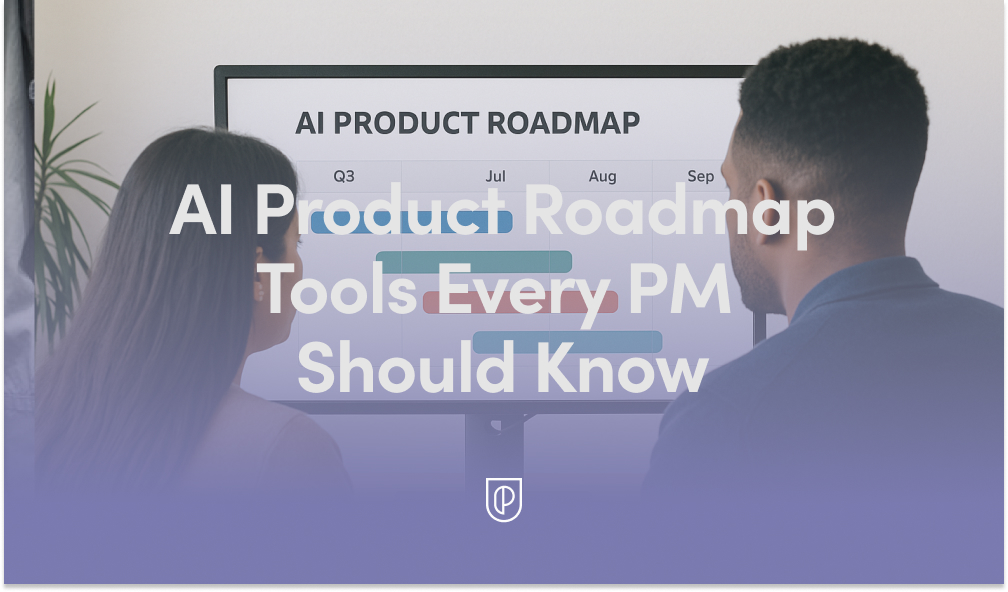
  • Unlock AI Product Roadmaps: Essential Tools Every PM Needs to Prioritize and Ship Faster

    Unlock AI Product Roadmaps: Essential Tools Every PM Needs to Prioritize and Ship Faster

    In my role leading product teams, the AI product roadmap isn’t just a plan—it’s the operating system for how we discover value, prioritize with rigor, and ship with confidence. The pace has changed, the stakes are higher, and the best product managers are now orchestrating AI capabilities, data, and customer insight in near-real time.

    Master the evolving art of the AI product roadmap. Prioritize smarter, turn data into direction and insight into action, only much faster.

    When I say “AI product roadmap,” I’m talking about a living system that blends strategy, discovery, and delivery. It’s less about dates and more about outcomes, risk reduction, and sequencing learning. In practice, that means combining AI Strategy with product roadmapping and sprint planning, then validating each bet with real customer signals.

    For prioritization, I anchor on outcomes vs output OKRs and connect them to measurable signals across the funnel. Continuous discovery keeps insights flowing, while a unified approach to analytics and retention analysis tells me where the lift is. This lets me rank initiatives not just by impact and effort, but by how quickly we can learn, iterate, and compound value.

    On discovery, product trios are non-negotiable. We prototype early with gen ai and LLMs for product managers to accelerate concept validation and reduce ambiguity. When customers can co-create through in-app guides or lightweight product tours, we turn vague needs into crisp problem statements and testable hypotheses far faster.

    On delivery, I pair tight feedback loops with experimentation. A deliberate cadence of A/B testing and strong instrumentation ensures we’re learning every sprint, not just launching. The goal is to de-risk decisions quickly, keep momentum high, and translate signals into roadmap movement without thrash.

    Under the hood, the AI stack matters. I rely on a retrieval-first pipeline to ground models in trusted data, and I’m intentional about privacy-by-design and data governance from day one. As agentic AI patterns emerge, I put evaluation workflows in place so we can ship confidently—and safely—without slowing down innovation.

    Finally, alignment is the multiplier. Clear narrative roadmaps tied to customer outcomes help stakeholders see trade-offs, while crisp interfaces with go-to-market and CRM integration close the loop from roadmap to revenue. When everyone can trace a line from AI strategy to shipped value, prioritization becomes easier and trust grows.

    If you’re feeling the acceleration, you’re not alone. With the right AI product toolbox—rooted in discovery, grounded in data, and delivered through tight feedback loops—you can move faster, learn smarter, and build products your customers can’t live without.


    Inspired by this post on Product School.


    Book a consult png image
  • How We Built an AI Sleep Coach: CBTI, Voice AI, and a Product Playbook for Better Rest

    How We Built an AI Sleep Coach: CBTI, Voice AI, and a Product Playbook for Better Rest

    What if your morning started with a helpful check-in from a voice AI that actually improves your sleep—using the same core principles that typically cost thousands of dollars and come with year-and-a-half waitlists? That idea energizes me as a product leader, because it blends clinical-grade outcomes with consumer-grade accessibility. Recently, I dug into how the team at Rest built an AI sleep coach inspired by Cognitive Behavioral Therapy for Insomnia (CBTI), and why their method offers a repeatable blueprint for complex, personal AI products.

    The origin story is a classic product discovery moment. Rest’s team noticed that a meaningful slice of users in their podcast app were using audio to fall asleep. Although it represented only about 10% of users, that group showed a high willingness to pay. That signal pushed them to explore a dedicated sleep solution, moving from a general audio app to a targeted sleep experience—and eventually toward an AI-powered coach as LLMs matured.

    Through jobs-to-be-done research, they identified a clear, underserved segment: “DIY sleep hackers.” These are motivated users who want agency, structure, and results without navigating clinical systems. Choosing CBTI (a clinically proven approach with 80% efficacy) gave the product a strong evidence-based foundation while remaining accessible as a wellness tool. It’s the kind of strategic choice I look for: credible, measurable, and aligned with user motivation.

    The product evolution moved in smart, incremental steps. Rest started with a basic text chatbot before graduating to a voice-first experience—using Vapi for voice and OpenAI for reasoning. Voice changed the relationship dynamic: it increased intimacy, lowered friction for daily check-ins, and made behavioral coaching feel human without pretending to be. The team built a memory system that tracks context (like traveling or having a dog) with time-based relevance, which keeps conversations fresh, respectful, and genuinely personalized.

    Daily engagement is driven by dynamic agendas that adapt based on sleep data, the user’s stage in the program, and their recent compliance. I love this mechanic: it operationalizes behavior change by sequencing the right intervention at the right time. In parallel, they developed text via OpenAI Assistants while building voice with Vapi, which let them ship value while learning in two modes. They also moved from massive system prompts to RAG for general sleep knowledge, keeping personal user context in the prompt—reducing brittleness while improving scalability.

    Because sleep sits close to healthcare, the team drew a firm line between wellness and medical positioning. They implemented clear guardrails: no diagnosis, no medication advice, and strong boundaries on scope. Weekly error analyses with domain experts (sleep therapists) tightened quality and tone, and they adopted LLM-powered evals to enforce safety boundaries. For observability and evaluations, they leveraged Langfuse, and they experimented with Hamming for voice testing to refine the experience end-to-end.

    Under the hood, this is a great example of “one bite of the apple at a time” product building in AI. Start with a simple interface, anchor on an evidence-based method, layer personalization with memory, formalize program structure with dynamic agendas, and shift to RAG when general knowledge outgrows prompt engineering. As a product leader, I see strong echoes of agentic patterns here—goal-oriented orchestration, stateful memory, and adaptive planning—shipped in pragmatic increments rather than as a monolithic platform rewrite.

    A few takeaways I’m applying with my teams: First, segment deeply and pick a high-intent niche (those “DIY sleep hackers” were the right beachhead). Second, let modality fit the job—voice is not a gimmick when it boosts compliance and empathy. Third, design safety and scope from day one if you’re anywhere near health. Finally, invest early in evals and observability so you can improve with confidence, not hope.

    If you want to explore the full conversation and product decisions, you can listen here: Spotify | Apple Podcasts.

    Resources & Links:

    Rest – AI sleep coach app

    Vapi – Voice agent platform Rest uses

    Langfuse – Observability and evals platform

    Hamming – Voice testing platform

    AI Evals Maven Course by Hamel Husain and Shreya Shankar

    Bottom line: Rest demonstrates how to take a clinically grounded method like CBTI, translate it into a daily voice-first experience, and ship it with rigor. If you’re building in AI, this is a model worth studying—practical, safe, and deeply user-centered.


    Inspired by this post on Product Talk.


    Book a consult png image
  • High-Quality Data, High-Velocity AI: My Product Playbook for Governance, Trust, and Scale

    High-Quality Data, High-Velocity AI: My Product Playbook for Governance, Trust, and Scale

    Every breakthrough we ship in AI reinforces a simple truth I live by: "Companies that prioritize data quality, governance, and structure will accelerate their AI initiatives the fastest." That statement captures the difference between flashy demos and durable, scalable products. In my experience, the strongest AI Strategy starts with the discipline to treat data as a product, not an afterthought.

    When teams rush to production with generative AI or LLMs, the first issues rarely come from the model itself—they come from the data. Poor lineage leads to hallucinations, inconsistent schemas inflate costs, and weak access controls erode trust. For LLMs for product managers, this is the gap between a compelling prototype and a reliable system customers depend on every day.

    Let me clarify what I mean by data quality, governance, and structure. Quality is completeness, accuracy, freshness, and consistency across sources. Governance is policy, ownership, and accountability—privacy-by-design, regulatory compliance, and AI risk management built in from day one. Structure is the architecture: clear data contracts, standardized schemas, metadata and lineage, and role-based access that keeps sensitive signals protected while enabling speed.

    Here’s the product playbook I use to operationalize this. First, map critical sources and define data contracts at the edges so producers and consumers can move independently. Second, standardize schemas and entity resolution to eliminate ambiguous joins. Third, enforce privacy-by-design with policy-as-code and automated redaction. Fourth, converge analytics into a unified analytics platform so definitions, freshness, and observability are shared. Fifth, instrument end-to-end lineage and quality SLAs with alerting. Finally, close the loop with human feedback and labeling to continuously improve model performance.

    For generative AI workloads, a retrieval-first pipeline is essential. Unify trusted sources (product analytics, CRM, support, docs), embed and index them with guardrails, and focus on context window management to keep prompts lean, relevant, and cost-effective. This approach improves response quality, reduces token spend, and makes updates near-real-time—without retraining the base model every week.

    Measure what matters. Tie model outcomes to product metrics through rigorous A/B testing, and size experiments with minimum detectable effect (MDE) so you can ship confidently. Use product analytics to verify that better data actually improves activation, retention, and support deflection. When teams can trace an AI improvement back to a specific data-quality fix, they invest in governance with conviction.

    Culture closes the gap. Empowered product teams and product trios (PM, design, engineering) make crisper decisions when data stewards are embedded and accountable. Clear ownership, shared definitions, and transparent dashboards reduce friction with security and compliance while speeding up delivery. This is how product management leadership sustains velocity without trading away trust.

    The bottom line: if we want faster, safer, and more scalable AI, we start with the data. Build strong foundations, treat governance as enablement, and structure every step so improvements compound. With that in place, Generative AI stops being a science experiment and becomes a durable competitive advantage.


    Inspired by this post on Amplitude – Perspectives.


    Book a consult png image
  • How I Use ChatGPT to Supercharge PM: Smart Workflows, Killer Prompts, and Real-World Wins

    How I Use ChatGPT to Supercharge PM: Smart Workflows, Killer Prompts, and Real-World Wins

    Every week, I lean on ChatGPT to cut through noise, reduce rework, and move faster with more confidence. It’s not a silver bullet, but it has become an unfair advantage in my day-to-day leadership of product strategy, discovery, and delivery. Unlock workflows, prompts, and real PM tips showing how ChatGPT quietly reshapes product management behind the scenes.

    Here’s my stance: ChatGPT doesn’t replace product judgment. It amplifies it. Used well, it accelerates product discovery, clarifies roadmaps, sharpens positioning, and strengthens stakeholder management. Used poorly, it creates noise and risk. What follows are the specific workflows and prompts that reliably save me hours while protecting quality and trust.

    Discovery and research are where I see the biggest upside. I use ChatGPT to draft interview guides, transform raw notes into theme clusters, and generate “Jobs to Be Done” problem statements—then I validate them with customers. I anonymize inputs to protect privacy and follow privacy-by-design and data governance commitments; AI risk management matters more than ever when we’re handling real user data.

    When I move from insight to definition, ChatGPT helps me spin up crisp PRDs and user stories. I provide context about our users, constraints, and success metrics and ask for structured outputs: goals, non-goals, acceptance criteria, and risks. This keeps our product trios aligned and focused on outcomes vs output OKRs, not just shipping features.

    For competitive analysis and positioning, I feed in public information and ask for points of parity, points of differentiation, and potential messaging angles. I treat the output as a starting point for my value proposition and battlecards—not the final word. It’s a fast way to surface hypotheses and pressure-test our product-led growth narrative.

    Roadmapping and sprint planning also benefit. I use ChatGPT to map dependencies, draft milestone narratives, and transform epics into well-formed backlogs. When we align quarterly plans, I ask for risk scenarios and contingency options so we can make trade-offs explicit before we commit.

    On analytics and experiments, ChatGPT is my drafting partner. It helps me define A/B testing plans, clarify the minimum detectable effect (MDE), and outline instrumentation requirements. I still verify numbers in our analytics stack, but the scaffolding is done in minutes, not hours—freeing me to focus on retention analysis and activation levers.

    Stakeholder communication is where the time savings compound. I use ChatGPT to produce executive summaries, QBRs vs OKRs comparisons, and board-ready narratives that highlight outcomes, risks, and next steps. It’s a powerful way to stay crisp and consistent across leadership updates without losing the nuance that matters.

    Prompt patterns make or break results. I keep four rules: set the role, provide rich context, define constraints, and specify the output format. For example: “You are a senior PM advisor. Context: [user, market, problem]. Constraints: [privacy, timeline, budget]. Output: PRD with goals, acceptance criteria, and risks.” With larger inputs, I use context window management by chunking content and asking for summaries before synthesis.

    For internal knowledge, I lean on a retrieval-first pipeline. Instead of pasting long docs, I reference curated, approved sources so answers track to current reality. CustomGPT workflows and a simple ChatGPT connector help with governance: they increase speed while reducing the chance of hallucinations and stale information.

    Guardrails are non-negotiable. We never paste sensitive data into prompts; we redact PII, spot-check against source-of-truth systems, and red-team important outputs. AI risk management isn’t just a checkbox—it’s how we maintain trust while scaling productivity with gen ai.

    Finally, enablement turns personal productivity into team capability. I run short playbooks for empowered product teams: discovery synthesis, PRD drafting, roadmap storytelling, and stakeholder-ready updates. The result is higher-quality thinking, faster cycles, and fewer meetings to align on the essentials.

    ChatGPT for product managers isn’t hype; it’s a practical edge when you apply discipline. Start with one workflow that drains your time, add a prompt template, and measure the outcome. In a week, you’ll have proof. In a quarter, you’ll have a new operating system for how your team learns, decides, and ships.


    Inspired by this post on Product School.


    Book a consult png image
  • Taming 1,000+ Vendor Emails: How Xelix’s AI Helpdesk Delivers Fast, Confident Answers

    Taming 1,000+ Vendor Emails: How Xelix’s AI Helpdesk Delivers Fast, Confident Answers

    Chaos in vendor communications is a problem I see across finance operations: sprawling accounts payable inboxes, slow response times, and missed context. That’s why this build caught my attention—not just because it’s GenAI, but because it’s a disciplined product strategy that converts email overload into measurable outcomes.

    Accounts payable inboxes can see 1,000+ vendor emails a day. Xelix’s new Helpdesk turns that chaos into structured tickets, enriched with ERP data, and pre-drafted replies—complete with confidence scores.

    I dug into the end-to-end approach with the team—Claire Smid — AI Engineer, Xelix; Emilija Gransaull — Back-End Tech Lead, Xelix; Talal A. — Product Manager, Xelix—focusing on how they scoped the problem, iterated fast, and de-risked AI in production.

    Their product thesis is refreshingly pragmatic. They prototyped with “daily slices” (Carpaccio-style) and built a retrieval-first pipeline that matches vendors, links invoices, and drafts accurate responses—before a human ever clicks “send.” That framing matters: enrichment and matching take center stage, with the model amplifying precision instead of improvising.

    We unpacked the tricky bits that make or break an AI helpdesk at scale: vendor identity matching, Outlook threading, UX pivots from “inbox clone” to ticket-first views, and the metrics that prove real impact (handling time, stickiness, auto-closed spam). The pipeline architecture and email processing choices were grounded in operational realities, not just AI aspirations.

    Several takeaways are worth pinning to any AI product roadmap. “Start narrow to win: pick high-volume, high-cost requests (invoice status & reminders).” “Enrichment > magic: accurate replies come from great retrieval/matching, not just a bigger LLM.” “Design for adoption: familiar inbox view helps onboarding, but a ticket-first UI unlocks AI features.” These are the kinds of decisions that drive adoption, trust, and ROI.

    Data enrichment challenges dominated early learning curves: stitching ERP context into tickets, handling vendor identification at scale, managing email thread continuity, and calibrating response generation for accuracy. On the generation side, the team emphasized precision over verbosity—clean responses that reflect system-of-record truth—then instrumented the experience to “Evaluate System Performance” with production-grade telemetry.

    Trust was treated as a product feature. “Measure outcomes, not vibes: track ‘messages sent from Helpdesk’, % auto-resolved.” And critically, “Confidence builds trust: show match quality and response confidence so humans know when to edit.” By surfacing match quality and confidence scores, they shortened coaching loops and made human-in-the-loop supervision feel natural, not burdensome.

    What’s next is equally compelling: “targeted generation, multiple specialized responders, and more agentic routing.” That direction aligns with agentic AI patterns I recommend for operations-heavy workflows—route first, retrieve deeply, then generate with intent. It’s a scalable path from assistive AI to autonomous resolution while maintaining governance and auditability.

    If you want a quick map of the journey, the conversation flowed from 0:00 Meet the Team: Claire, Emilija, and Talal, 00:36 Introduction to Xelix and Its Products, 01:08 Understanding Accounts Payable Teams, 01:37 Help Desk Product Overview, 03:11 Challenges Faced by Accounts Payable Teams, 04:03 AI Integration in Help Desk, 05:47 Automating Reconciliation Requests, 07:45 Development Methodology: Carpaccio, 09:11 Prototyping and Beta Testing, 12:00 Manual Tagging and Data Collection, 16:39 Focusing on High-Impact Use Cases, 18:55 User Experience and Interface Design, 24:56 Pipeline Architecture and Email Processing, 28:21 Data Enrichment Challenges, 29:04 Handling Vendor Identification, 33:33 Email Thread Management, 36:15 Generating Accurate Responses, 40:48 Evaluating System Performance, 49:20 Future Developments and Goals.

    My takeaway for product leaders: when the domain is high-volume and rules-heavy (like AP), retrieval-first beats model-first. Start with the narrowest, costliest intents; prove lift with “messages sent from Helpdesk” and “% auto-resolved”; then graduate UX from familiar to AI-native (ticket-first) once trust is earned. That’s how you turn vendor chaos into answers—reliably, scalably, and fast.


    Inspired by this post on Product Talk.


    Book a consult png image
  • AI Won’t Replace Engineers—Engineers Using AI Will: A Practical Playbook for Your Next Move

    AI Won’t Replace Engineers—Engineers Using AI Will: A Practical Playbook for Your Next Move

    Will AI replace software engineers or reshape their roles? Explore risks, opportunities, and alternative career paths in tech.

    I’m often asked whether AI will make software engineers obsolete. My short answer: AI is already automating tasks, not eliminating the role. The engineers who learn to orchestrate models, systems, and stakeholders will create more value—not less. The real shift is from keystrokes to judgment, from writing code to designing socio-technical systems that deliver outcomes.

    Today’s gen ai assistants—think Claude Code and ChatGPT connector—excel at unit test scaffolding, boilerplate generation, refactoring, docstrings, and code search. When integrated into CI/CD, they can open draft pull requests, annotate diffs, and propose fixes. This lifts developer productivity and frees time for higher-leverage work: problem framing, architecture decisions, and customer discovery.

    What changes in the role? We spend more cycles on product discovery, privacy-by-design, and AI Strategy, and fewer on repetitive implementation. We design agentic AI workflows that combine retrieval, tools, and guardrails; we evaluate trade-offs that blend performance, cost, and safety; and we partner with empowered product teams to ship the smallest valuable slice, learn, and iterate.

    Measure what matters. If AI is working, DORA metrics should improve: higher deployment frequency, shorter lead time for changes, stable change failure rate, and faster MTTR. Pair that with outcomes vs output OKRs to avoid gaming the system—shaving seconds off a build is meaningless if it doesn’t move activation, retention, or revenue. A unified analytics platform can help connect engineering signals to business impact.

    Risk is real—and manageable. AI risk management and data governance are now core competencies, not afterthoughts. Protect IP with robust access controls, context window management, and red-teaming. In production, instrument threat detection and response to catch prompt injection, data leakage, and model drift. Treat this like any other reliability discipline alongside SRE.

    If parts of coding get automated, where can great engineers thrive? Several high-impact paths are emerging: platform engineering for LLMs (tooling, evals, observability), SRE for AI-infused systems, developer evangelism and education, product management for AI-native experiences, security engineering focused on model and data threats, and forward deployed engineers who pair with customers to solve messy, real-world problems.

    How to upskill fast: build an AI product toolbox and ship small. Prototype gen ai features end-to-end—retrieval, function calling, human-in-the-loop QA—and connect them to your CRM integration or support stack. Use A/B testing with a clear minimum detectable effect (MDE) to validate impact. Leverage CustomGPT workflows for internal enablement and in-app guides or product tours to onboard users safely.

    Here’s a pragmatic 90-day plan. Week 0–2: audit your top 10 engineering tasks by time spent; identify 3 that are ripe for AI augmentation. Week 3–6: pilot inside CI/CD with explicit guardrails; track DORA metrics and developer sentiment. Week 7–10: productionize the wins; document runbooks; add incident management paths. Week 11–12: share learnings with product trios, refine your value proposition, and set next-quarter OKRs.

    AI won’t replace software engineers; engineers who master AI will outpace those who don’t. If we embrace the shift—toward systems thinking, responsible governance, and customer outcomes—we’ll build better products faster and open new, rewarding career paths. The opportunity is here and compounding.


    Inspired by this post on Product School.


    Book a consult png image