When I guide teams building agentic AI features, I’ve seen a single prompt turn Amplitude Global Agent into either a world-class analyst or a well-meaning rambler. The difference isn’t magic—it’s method. With the right structure and iteration, we consistently get faster, clearer insights that stand up to product and analytics scrutiny.
AI has gotten really good, but success still depends on the quality of your prompts. Explore three best practices for prompting in Amplitude Global Agent.
Tip 1 — Define the role, goal, and guardrails. I begin every prompt by stating the agent’s role (for example: “You are a product analyst”), the business objective (“identify activation drop-offs by cohort”), and the boundaries (“use only Amplitude analytics events and properties provided; return JSON with metric, segment, timeframe”). This simple pattern reduces ambiguity, improves context window management, and yields outputs I can compare across runs.
Tip 2 — Ground the model with concrete context and examples. Agent outputs improve dramatically when I supply the exact data it should reference: event names, properties, segments, filters, and timeframes. I often include a short example—one ideal question and one ideal answer—to anchor tone, structure, and depth. Think retrieval-first pipeline: feed the agent authoritative snippets (definitions, dashboards, prior queries) rather than hoping it guesses. That’s how I cut hallucinations and make results reproducible for LLMs for product managers.
Tip 3 — Iterate with measurement, not vibes. I version prompts, A/B test variants, and log inputs/outputs so I can score quality with lightweight evals (accuracy against known answers, clarity, and actionability). Over time, a small library of “winning” prompts emerges for common AI workflows—activation analysis, retention cohorts, anomaly detection—so the team can move from tinkering to repeatable performance. This is where Agent Analytics practices pay off: we inspect outcomes, not just outputs.
A practical starter structure I use: Role and Audience; Objective and Success Criteria; Data Context (events, properties, segments, timeframe); Constraints (sources, methods, privacy); Output Format (tables/JSON, fields, length); Examples (one good Q/A); and Fallbacks (what to do when data is insufficient). Even written as plain language, that scaffold reliably steers Amplitude Global Agent to precise, defensible answers.
The emotional arc here is familiar: when the agent nails a complex funnel question in one pass, the team gets that “oh wow” moment; when it meanders, morale dips. Clear prompting turns those spikes of delight into a steady cadence of wins—less rework, faster learning loops, and cleaner handoffs from discovery to delivery. In short, invest in prompt engineering once, and you compound gains across every analysis session.
If you’re just getting started, pick one critical question (for example, activation or retention), apply the three tips above, and commit to two to three prompt iterations with scoring. Within a single sprint, you’ll have a robust template you can reuse and adapt—helping Amplitude Global Agent deliver trustworthy insights at the speed your product strategy demands.
Inspired by this post on Amplitude – Perspectives.
Most mornings I wake up to a to-do list that’s already been updated—because my always-on team of agentic AI assistants has been working while I sleep. I rely on Claude to orchestrate these agents so routine prep, follow-ups, and retrospectives never slip through the cracks.
When a podcast recording hits my calendar, my podcast-manager agent (powered by Claude) automatically creates a podcast-interview-prep task with a concise summary of who I’m interviewing and what they are building. It also creates a transcript review document with the correct share settings. After the recording, it adds a task to my to-do list to share the transcript with the podcast participants.
For sales, my sales-admin agent (also powered by Claude) prepares a sales-meeting-prep task with notes on who I’m meeting with, where they are in the sales process, and what I need to move the deal forward. After the call, it generates clear next-step tasks so momentum doesn’t stall.
Every week, my coding-manager agent (still powered by Claude) compiles a report from my prior week’s coding sessions and offers targeted tips. It flags recurring mistakes or dead ends, shows how to avoid them, and suggests ways to work better with Claude. It’s the retrospective I never skip.
In this walkthrough, I’ll explain how I get Claude to complete tasks for me while I’m away from the computer—and how I designed the system to balance power, safety, and cost control.
I first explored this approach after seeing the rapid growth of OpenClaw. OpenClaw is an open-source "agent harness" that lets you configure personalized agents to act on your behalf. It’s incredibly promising, but the early wave of enthusiasm also revealed pitfalls: complex safety configuration, overly broad machine access (browser, terminal, files, credentials), third-party skills of varying quality, and surprise usage bills.
After hearing one too many horror stories about wasted hours and unexpected charges, I set out to design a safer, more predictable way to capture the benefits of OpenClaw while managing risk and spend. That’s what led to my current agent setup.
For transparency: I’m a long-time practitioner and a genuine fan of Claude Code. I have not received any compensation from Anthropic for writing about my approach. If that ever changes, I will disclose it—both because it’s required by the FTC in the U.S. and because it’s simply the right thing to do.
An Overview of How My Agent Team Works
Today, I run three specialized agents: a podcast manager, a sales admin, and a coding manager. As I invest more, I expect this team to grow—because the pattern scales cleanly across use cases.
This system runs on four core components that keep everything reliable, auditable, and cost-aware.
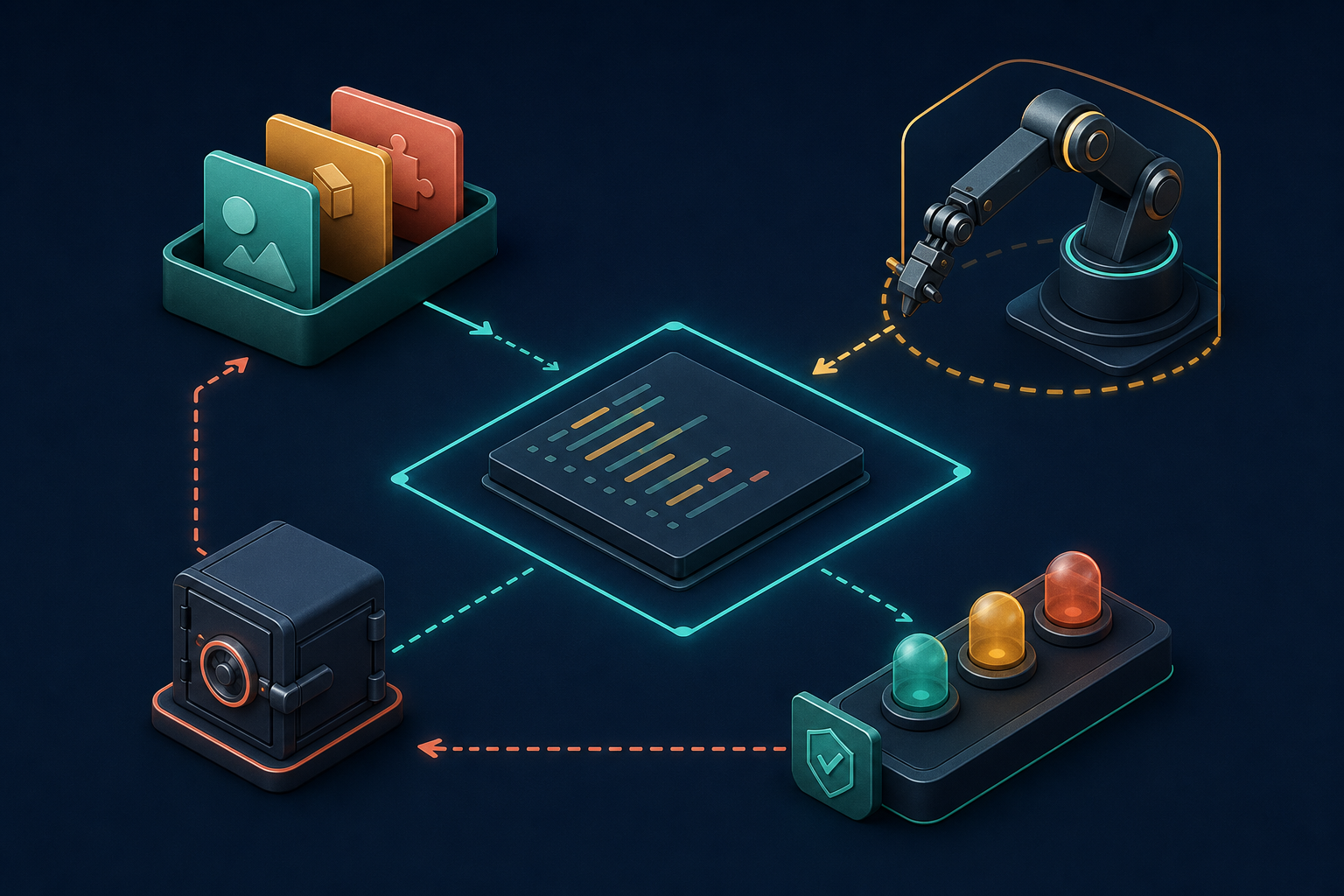
First, agent identity. I use a simple but powerful convention: an identity markdown file that tells the agent who it is, where its task folder lives, and provides context for the types of tasks it will do. This keeps scope tight and intent explicit—critical for safety and predictable automation.
Second, the scheduler. I’m using MacOS’s built-in scheduler (via LaunchAgents). This is like cron, but runs with all your user permissions on Mac. That means I can run all of this under my Claude Code Max subscription or my ChatGPT/Codex subscription. The result is a dependable heartbeat for my AI workflows without relying on fragile cloud glue.
Third, tasks. Each agent owns a dedicated folder of tasks. A task is a markdown file with frontmatter. That structure makes work items easy to create, parse, review, and version—perfect for repeatable automation with a human-in-the-loop safety net.
Fourth, scripts. Each agent has its own scripts folder with utilities it can call on demand or that run on a schedule. These scripts are small, composable, and transparent—so I can evolve capabilities without ballooning risk or complexity.
Agent identity, tasks, and scripts are saved in Obsidian—not Claude Code skills or agents. The scheduler runs on my always-on Mac Mini. The benefit of this is it just works across all of my devices and I can seamlessly switch between Claude Code, Codex—or any other coding CLI—as I need to. All it takes is updating my script that the scheduler uses.
In practice, this architecture delivers exactly what I want from agentic AI: clarity of responsibility, strong guardrails, and outcomes that compound. My podcast manager keeps interviews buttoned up, my sales admin removes administrative drag, and my coding manager turns lessons learned into steady skill gains—all while I focus on higher-leverage product management work.
If you’re considering a similar setup, start with a single agent and a narrow task, then expand. Keep identities crisp, scripts small, and schedules explicit. With that foundation, you’ll get the benefits of automation and delegation—without surrendering control.
I’m energized by the momentum I’m seeing at the intersection of behavioral analytics and AI workflows. "Chanaka is an AI Engineer at Amplitude, where he’s building the MCP server that brings Amplitude’s behavioral context directly into your AI tools." That single sentence captures a strategic inflection point for product organizations: AI that finally understands user behavior at the moment of decision.
Why does this matter? When behavioral analytics flow natively into our AI tools, we move from generic assistants to product-savvy copilots. Instead of prompting blind, I can ground my questions in Amplitude analytics—segment performance, cohort trends, and event funnels—so AI answers reflect real customer journeys, not hypotheticals. The result is sharper prioritization, faster discovery, and tighter feedback loops that directly support product-led growth.
From a technical standpoint, an MCP server becomes a clean, secure interface for LLMs to access behavioral analytics as-needed. That enables a retrieval-first pipeline that reduces hallucinations, improves context window management, and elevates prompt engineering quality. It also unlocks agentic AI patterns—where the assistant autonomously requests the right behavioral context to diagnose activation drops, spot anomalies, or recommend experiments. In short, it’s a unified analytics platform meeting LLMs for product managers where we actually work.
In day-to-day product management, this translates into practical wins. I can ask, “Which onboarding step is blocking user activation for the SMB segment?” and get an answer grounded in behavioral analytics with relevant visualizations or funnels. I can explore retention analysis by cohort without switching tools, then iterate on hypotheses and next-best actions inside the same AI-driven workflow. These tighter loops materially improve decision quality and team velocity.
There are governance considerations, of course. I advocate clear data access policies, strong privacy-by-design controls, and well-defined scopes for what the MCP server can retrieve. Start with high-value, low-risk datasets, pilot with a focused team, and instrument eval-driven development to measure accuracy, latency, and business impact. When done right, the AI Strategy becomes an execution engine—not just a slide.
My playbook: begin with one or two high-impact questions (e.g., activation blockers or churn drivers), wire them into the MCP-powered AI workflow, and quantify time-to-insight and decision quality improvements. As wins accumulate, expand to roadmap shaping, opportunity sizing, and experiment generation. The promise here is compelling—AI that doesn’t just talk about the product, but truly understands how customers use it, and helps us build the right things faster.
Inspired by this post on Amplitude – Best Practices.
Turning a rambling stream of consciousness into a clean task list while someone is still talking has been a longtime product dream of mine. With Ramble, Todoist brought that dream to life by using live audio AI to capture tasks in real time—no transcription step required. The result is a voice-to-task flow that feels natural, fast, and surprisingly disciplined.
As I listened to the Doist team—Ernesto Garcia (Front-end Product Engineer), Thomas Jost (Backend Software Engineer), and Hugo Fauquenoi (Product Manager)—walk through their approach, I heard a blueprint for building pragmatic GenAI features. What began as a two-to-three month AI exploration became one of their most technically deliberate releases: a “Gemini-powered pipeline that makes tool calls while the user is still speaking, surfacing tasks on screen in real time without any text output from the model.”
The breakthrough started with user research. People weren’t merely dictating tasks; they were doing a “brain dump” first—often into pen and paper or even ChatGPT voice—and only then committing items to Todoist. Meeting users where they already are reframed the problem: don’t force structure upfront; capture fluid thought and translate it into actionable tasks instantly.
That insight led to a bold architectural choice: skip transcription entirely and process raw audio directly with a Gemini live audio model. By removing the brittle middleman of text, the team reduced latency and kept the model focused on one job—turning intent into structured actions. It’s a crisp example of AI workflows designed for reliability over novelty.
The real magic is in the real-time “tool calls.” As the user speaks, the model triggers add task, edit task, and delete task operations immediately. For high-friction contexts like driving, they paired visual task cards with subtle sound effects as confirmation cues. It’s thoughtful conversation design that respects attention and safety without sacrificing speed.
Teaching the model to capture tasks literally—without over-interpreting or trying to complete the work—required careful prompt engineering for voice and temperature tuning. Drawing a bright line between “capture versus do” kept the experience trustworthy. In my own AI Strategy work, I’ve found that establishing explicit agentic guardrails early prevents unintended autonomy later.
Dates were the sleeper challenge. The team had to inject the current date, normalize to days vs. months, and always output dates in English for the natural language parser—while preserving the user’s original language for everything else. If you’ve ever shipped date handling across locales, you’ll appreciate how many edge cases hide in “Taming Dates and Time.”
Quality didn’t hinge on intuition alone. They built an LLM-judge eval system using real employee recordings from 100+ people across 35 countries in 20+ languages to catch prompt regressions. That’s eval-driven development done right: representative data, repeatable scoring, and tight feedback loops as models and prompts evolve.
For project and label matching, they chose direct context injection over RAG. Instead of building a retrieval pipeline, they injected the full project/label list into the system prompt. With smart context window management and a sharply constrained task schema, this was both simpler and more accurate. Sometimes the fastest path to product-market fit is removing moving parts, not adding them.
One product principle stood out: easy correction beats perfect first-time accuracy. Natural language interfaces earn trust when users can fix misfires in a tap or two. That bias toward quick recovery over false precision is how you ship AI that feels useful from day one.
Looking ahead, the roadmap is compelling: multimodal task capture from images and text blobs, Apple Watch support, and automation integrations. As voice AI agent patterns mature, this “tool-only architecture” sets a solid foundation for going from capture to coordinated execution—without losing the simplicity that makes Ramble shine.
If you want to hear the full conversation, you can listen on Spotify or Apple Podcasts. It’s a masterclass in building focused GenAI features that trade cleverness for clarity—and still delight.
Resources & Links: Todoist • Doist • Google Vertex AI (Gemini)
Over the past quarter, I’ve been obsessed with a simple question: how do real people actually prompt AI agents when the stakes are high and the clock is ticking? We analyzed 27K sessions with Amplitude's Global Agent using our Agent Analytics tool. Here's what we found out about how real users are prompting our agent. That single line belies months of careful instrumenting, qualitative review, and product debates—and it forever changed how I design agent experiences.
The clearest pattern I saw: users don’t craft “perfect” prompts—they co-create with the agent. Most sessions began with a broad intent, then tightened through rapid, iterative turns. The winning structure emerged as context, command, and constraints. When our agent acknowledged context first, clarified the command, and reflected constraints back, users responded with noticeably more confidence. It reinforced what great prompt engineering already teaches, but grounded in lived behavior across thousands of journeys.
Trust was the next breakthrough. People wanted transparency on capabilities, a concise first answer, and an easy path to deeper detail and sources. They frequently asked the agent to show its work, summarize trade-offs, or restate assumptions in plain language. Instrumenting observability into the agent’s reasoning artifacts—without overwhelming the user—proved foundational for building credibility session by session.
On task complexity, users fared best when the agent orchestrated a few small, verifiable steps rather than one heroic leap. Retrieval-first pipeline patterns consistently reduced confusion and rework, especially when paired with strong context window management. The more the agent proactively chunked the problem, validated intermediate outputs, and offered next-best actions, the smoother the journey—and the more reusable the prompts became.
UX nudges mattered as much as model quality. Inline examples (“Try this”), one-click refinements (“Shorter,” “Add a table,” “Cite sources”), and lightweight guardrails kept momentum high without boxing users in. When the agent made uncertainty explicit and offered safe fallbacks, abandonment dropped and users explored more ambitiously. The experience felt less like “querying a model” and more like collaborating with a capable teammate.
From a product management lens, these insights shape how I prioritize agentic AI. I’m doubling down on: scaffolded prompts that lead with context and constraints; transparent citations and assumptions; multi-step plans that the user can edit; and evaluation loops that A/B test prompt templates, tool strategies, and response formats. I’m also investing in analytics that connect session patterns to activation, speed-to-value, and retention so we can run eval-driven development, not opinion-driven debates.
If you’re building agents into a core product workflow, start by designing for iterative co-creation, not one-shot brilliance. Offer progressive disclosure, keep the first answer tight, and make verification effortless. Shape the model with retrieval-first strategies, manage your context window like a scarce resource, and treat observability as a feature, not a debug tool. Most of all, let real usage guide your roadmap—these 27K sessions reminded me that the best agent UX is learned alongside our users, not imagined in isolation.
Inspired by this post on Amplitude – Perspectives.
I spend a meaningful portion of my week helping teams operationalize AI workflows, and one theme comes up over and over: how to share context files and skills seamlessly across devices and with colleagues. Hosting Claude Code office hours has only reinforced it—sharing context and skills is the single biggest blocker to reliable, repeatable outcomes.
I hear from leaders driving AI adoption who have built robust, high-signal context systems and carefully crafted skills. Their challenge isn’t creating value—it’s distributing it. They need a way to make the same trusted workflows available to teammates and to keep everything in sync across laptops, desktops, and phones.
I hit the same wall myself. I work across multiple devices (a Mac Mini for day-to-day, a MacBook Air on the road, and an iPhone) and I collaborate with a full-time admin. I wanted my context and skills to be consistent everywhere, for both of us. In this piece, I’ll share my setup—what I store where, how I share it across devices and with my team, the trade-offs of each option, and how I keep everything current. We’ll cover four different syncing services: git/GitHub, Obsidian Sync, Dropbox and iCloud.
If you’re new to this series, this is the eighth installment. Earlier pieces provide foundational context: Claude Code: What It Is, How It's Different, and Why Non-Technical People Should Use It; Stop Repeating Yourself: Give Claude Code a Memory; How to Use Claude Code Safely: A Non-Technical Guide to Managing Risk; How to Choose Which Tasks to Automate with AI (+50 Real Examples); How to Build AI Workflows with Claude Code (Even If You're Not Technical); How to Use Claude Code: A Guide to Slash Commands, Agents, Skills, and Plug-ins; and Context Rot: Why AI Gets Worse the Longer You Chat (And How to Fix It).
The day it really hit me was right before my interview with Claire Vo on How I AI. I was staying in an AirBnB with only my laptop, and I planned to demo my /today command along with my context file structure. Minutes before the session, I realized the latest version of my /today command wasn’t on that machine. I was able to remote into my Mac Mini and grab it—crisis averted—but it was a wake-up call. I needed a more reliable, shareable approach for syncing context and skills across devices and with my admin.
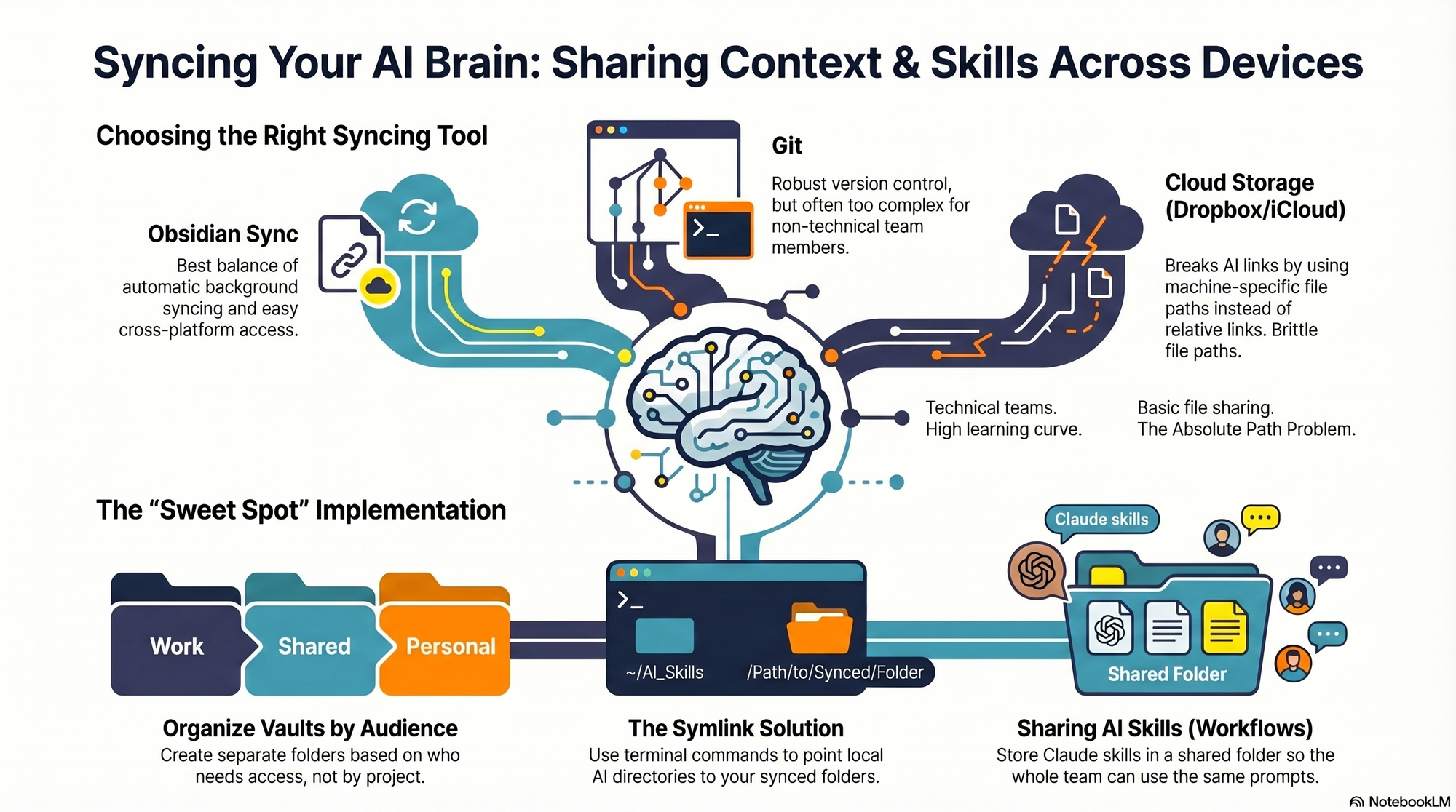
I started by testing the tools I already used—Dropbox, iCloud, and GitHub—to see what might fit. Each got me partway there, but each also introduced friction that mattered in daily use.
First, absolute file paths don’t travel well. I began with Dropbox but quickly ran into cross-linking headaches. Good context systems rely on rich interlinking—index files point to other context files, and those context files link to each other. When Claude creates a link from one context file to another, it tends to use the full file path: /Users/ttorres/Library/CloudStorage/Dropbox. That worked on my Mac Mini and MacBook (same user name), but not on my phone—and not for my admin. I tried to force relative links (~/Dropbox), but couldn’t get Claude to do it consistently, which led to broken links. This isn’t unique to Dropbox; Claude prefers full paths because they’re reliable on a single machine, but they’re brittle across devices and useless when sharing with colleagues. Claude is trained to use relative file paths when working within a git repository, but I struggled to get it to work reliably in Dropbox.
Second, skills live in a user directory by default. By default, skills live in ~/.claude/skills. Most sync services aren’t designed to share your ~/ folder. iCloud is the exception, but then you’re limited to Apple devices—no Windows or Android. There is a workaround: set up a claude folder in Dropbox and create a symlink from ~/.claude to your synced claude folder, so all skills, commands, and settings live in Dropbox. Then, on each device (yours or a colleague’s), you set up a symlink to that folder so Claude can find the files. This works, but I was running into another limitation that made Dropbox a poor fit.
Third, Obsidian on iOS doesn’t sync cleanly with Dropbox. I rely on Obsidian’s file browser alongside my notes to navigate context quickly. Storing vaults in Dropbox gave me parity across my Mac Mini and MacBook Air, but I couldn’t get the iOS Obsidian app to reliably load my Dropbox vaults. That friction was a dealbreaker for on-the-go work.
At that point, I explored git/GitHub. GitHub is cloud storage for git repositories. A git repository is a folder of shared files used so engineers can collaborate on the same code base. Each person clones a local copy, works locally, then pushes changes back to the hosted repo on GitHub; others pull to update. Git’s merge and conflict tooling is excellent. Git is the powerhouse of file syncing and version control. It easily handles syncing context and skills, Claude behaves better with relative links in a git repo, and I can open the repo in my IDE with a clean file browser. For me, that checked all the boxes—until I factored in my admin. Git has a learning curve, requires manual pull/push hygiene, and often assumes an IDE workflow. That overhead was too heavy for a non-technical collaborator.
The turning point was Obsidian Sync. A colleague suggested it, and it ended up being the sweet spot. Obsidian is a markdown reader; files are stored locally in a normal folder you can open in Finder or File Explorer. There’s no proprietary format—you can read files with any text editor, and Claude can access them via bash commands. Obsidian Sync is simpler than git: open a note and it syncs in the background. I can access the same vaults across my Mac Mini, MacBook Air, and iPhone, and I can share a vault with my admin so we can both create and access notes.
Because we’re in different time zones and rarely edit the same note simultaneously, limited conflict handling hasn’t been an issue. Obsidian’s internal link notation also means one note can link to another and those links just work across devices. Claude can follow these links, so the brittle file path problem disappears.
Here’s where I landed. After a lot of trial and error, I have a setup that works across my devices and for my admin, who uses both a Windows desktop and a Mac laptop. I keep my core context in Obsidian vaults synced with Obsidian Sync, which preserves portability, link integrity, and ease of use. For skills, I avoid scattering files in machine-specific locations and instead centralize what Claude needs to reference in shared, human-readable folders. If you require advanced version control with branching and reviews, git/GitHub is excellent. If your priority is low-friction, cross-device access for non-technical teammates, Obsidian Sync is a practical, reliable choice. And if you must use Dropbox or iCloud, consider symlinks and be vigilant about relative paths—just know that absolute paths won’t travel well.
I believe the future of product design isn’t about replacing designers—it’s about giving every team access to one. That’s why Banani grabbed my attention. It’s an AI product designer that doesn’t just generate code—it generates design. For solo founders, stretched design teams, and early-stage startups, that shift matters: it raises the design floor without lowering the creative ceiling.
I spent time with Vlad Solomakha (CEO & Co-founder), Vova Kovalchuk (CTO & Co-founder), and Vlad Ostapovats (Founding Growth) to unpack how they took Banani from a Figma plugin proof-of-concept to a canvas-first AI design tool generating hundreds of thousands of designs per week. Vlad brings a decade of design experience and a precise north star: AI should produce beautiful, tasteful design rather than average, undifferentiated UI.
The architectural choices stood out. They engineered their agent to handle parallel screen edits, manage per-screen context across canvases with hundreds of frames, and make surgical edits without regenerating entire screens. This is the kind of agentic AI work that product leaders have been waiting for: concrete advances in context window management, tool orchestration, and prompt engineering that translate into higher throughput without sacrificing quality.
Equally important is how they addressed the "gulf of specification"—the mismatch between how designers think visually and how agents understand text. Banani’s canvas-first approach acknowledges that design is spatial, hierarchical, and iterative. Rather than forcing a chat-first UX, they center the canvas and let the agent do production work while keeping the designer firmly in control. In practice, this narrows intent ambiguity, speeds up iteration, and preserves taste.
The team made another pivotal bet: Why Banani doesn’t compile running applications — just HTML/CSS mockups — and how that shapes everything. By decoupling the design artifact from runnable code, they optimize for velocity, taste, and exploration. In my experience, this separation is the right product strategy for early discovery and gen ai for product prototyping—move fast on aesthetics and flows, then converge on implementation once you’ve validated the direction.
I also appreciated their pragmatic evaluation approach. Instead of traditional evals, they spin up 10 screens from one prompt to compare models. It’s hands-on, outcome-based, and aligned with eval-driven development in real product environments. They’re relentlessly discerning about when to work around model limitations versus when to wait for the models to improve—an essential discipline when building at the edge of what’s possible.
Under the hood, context engineering and specialized agent tools do the heavy lifting. Per-screen history with shared project context enables precise, reversible changes across large canvases. The result: fewer destructive regenerations, more reliable design intent preservation, and a workflow that feels like collaborating with a strong mid-level designer who’s exceptionally fast and consistent.
If you want a quick tour, I recommend jumping to a few highlights: 20:13 Product Tour Canvas First AI, 33:40 Gulf of Specification, 42:54 Agent Architecture Under Hood, 48:48 State History Context Tricks, and 56:04 Navigating Busy Canvases. Each segment reveals a different layer of the system design and product thinking behind Banani’s canvas-first UX.
For product leaders, this is a compelling blueprint for raising the design floor while protecting the last mile of craft. It aligns with empowered product teams, continuous discovery, and LLMs for product managers who need leverage without losing judgment. If you’re exploring agentic AI in design, this is a thoughtful, execution-focused model worth studying and trialing on your next product tour or redesign.
Resources worth exploring: Banani and TL Draw. To hear the full conversation, you can listen on Spotify or Apple Podcasts. Then, pressure-test the approach inside your own product development lifecycle and see how a canvas-first AI designer reshapes your team’s velocity and quality bar.
I’ve wanted my product analytics to follow me into every conversation, doc, and code review. Now they do—and it changes how quickly I can move from question to insight to decision.
Pendo is now available as an MCP (Model Context Protocol) server, easily accessible in Claude, ChatGPT, and Cursor.
Practically, this means my core product analytics, segments, and qualitative feedback can be surfaced right where I plan sprints, refine opportunity solution trees, and write specs. Fewer context switches, tighter feedback loops, and faster product decisions.
Here are five ways I put Pendo MCP to work across my day-to-day workflows—grounded in product management leadership habits and built for speed and clarity.
1) Daily triage and decision support: In ChatGPT or Claude, I quickly query product analytics to spot anomalies, usage spikes, or drop-offs by segment. Prompts like “Highlight top features by week-over-week growth and flag statistically notable anomalies” help me focus standups on what matters, tightening the loop between observability and action.
2) Continuous discovery prep: Before customer interviews, I pull recent NPS verbatims, feature adoption by persona, and journey mapping signals. In seconds, I have a concise brief that blends behavioral analytics with customer interviews, so I can ask sharper questions and validate assumptions faster—without leaving my AI workspace.
3) Evidence-based prioritization: When shaping the roadmap, I bring in retention analysis, user activation metrics, and cohort views to weigh impact vs. effort. Using Pendo MCP inside Claude or ChatGPT, I translate insights into driver trees and a clear product strategy narrative that aligns stakeholders around outcomes, not output.
4) Product-led growth and onboarding: I review onboarding funnels, identify friction in first-run experiences, and draft in-app guides and tooltip copy that meets users at the exact drop-off points. With Pendo MCP, the context for product tours and in-app guides is right where I’m writing, so iteration cycles stay tight and data-informed.
5) Customer success and QBR prep: For account health and QBRs vs OKRs alignment, I generate succinct summaries of feature adoption, sentiment, and value realization—ready to paste into email, decks, or a CRM integration. This keeps sales-led and product-led growth motions unified, with a single source of truth visible in ChatGPT, Claude, or when I’m coding in Cursor.
The net effect: higher-quality decisions, faster. By bringing product analytics into my AI workflows, I reduce context switching, improve context window management, and keep my team anchored to real user behavior. Wherever I’m working—ideating in Claude, drafting in ChatGPT, or reviewing code in Cursor—my Pendo context is right there with me.
If you’re leading empowered product teams, this is a pragmatic way to operationalize continuous discovery, speed up alignment, and turn insights into outcomes. It’s a simple shift with outsized leverage.
Every week, I coach product and documentation teams on a simple truth I keep pinned above my desk: "AI is reading your documentation! Learn tips from the Amplitude docs team about how to structure your documentation for both human and AI audiences." That line captures the shift we’re all living through—our docs must now serve customers, support engineers, and increasingly, LLMs powering chat, search, and in‑product help.
My AI strategy for documentation starts with intent. I map the core questions users ask at activation, onboarding, escalation, and renewal, then shape information architecture to reduce ambiguity. This helps humans find answers faster and helps LLMs retrieve the right chunks with higher precision—a win for UX writing, product-led growth, and support deflection.
Structure beats style when AI is in the loop. I rely on semantic headings (H1–H3), consistent slugs, stable anchors, and one‑topic pages that can stand alone. Short paragraphs, scannable summaries, and canonical references reduce duplication and improve retrieval quality. Treat docs-as-code with CI/CD so changes are reviewed, versioned, and shipped reliably—documentation deserves the same rigor as product releases.
Chunking matters for LLMs. I design content for context window management: one concept per section, tight procedures with numbered steps, and FAQs that mirror real queries. Glossaries define canonical terms and accepted synonyms so retrieval-first pipelines match user language without fragmenting meaning. Error messages and parameter names appear verbatim to strengthen search and grounding.
Metadata is a multiplier. I add clear titles, descriptions, last‑updated dates, product area tags, and audience labels (admin, developer, analyst) to boost SEO and machine readability. Stable IDs for components, examples, and API objects improve deep linking and evaluation. Where appropriate, I include structured examples that align with prompt engineering best practices so AI assistants can extract inputs, outputs, and constraints cleanly.
Quality is measured, not hoped for. I pair content audit checklists with analytics to see what’s searched, where users pogo‑stick, and which articles drive successful task completion. Tools like Amplitude analytics reveal gaps and dead‑ends, while lightweight evals (answer accuracy, grounding rate, latency) ensure LLMs retrieve the right doc chunks at the right time.
Consistency is a feature. I standardize terminology across UI, API, and docs, and I avoid synonym sprawl that confuses both readers and LLMs. Page intros state the job-to-be-done; conclusions link to adjacent tasks; and deprecation notes are explicit with forward paths. This coherence lowers cognitive load and improves both RAG performance and human trust.
Governance keeps it scalable. I assign owners per section, define SLAs for updates, and automate checks for broken links, orphaned pages, and outdated screenshots. Redirect rules avoid 404s, and version banners prevent LLMs from mixing deprecated guidance into current answers—small details that cumulatively protect customer experience.
If you’re just getting started, begin with three moves: clarify intents, restructure pages into atomic, linkable units, and add metadata that reflects how customers actually search. From there, tighten your retrieval-first pipeline and run regular evals. The payoff is durable: faster time to value for users, lower support load, and AI assistants that answer accurately, confidently, and consistently.
Inspired by this post on Amplitude – Perspectives.
What if AI could help reduce the 10-plus years it takes to get a new drug to market? That question has shaped much of my own product strategy thinking, and it’s exactly why I was drawn to Medable’s bold move with Agent Studio. It’s a rare look inside an enterprise AI platform built for one of the most regulated industries in the world—and a team that’s still figuring it out in real time.
In this episode of Just Now Possible, Teresa Torres talks with four members of the Medable team: Luke Bates (Product Leader, Agent Studio), Jen Brown (Product Manager), Matt Schoolfield (Product Designer), and Fiachra Matthews (Principal Architect). Listening through a product management lens, I focused on how their choices reflect a modern agentic AI strategy that balances speed, safety, and scale.
Medable does something uniquely hard: enabling global clinical trials across 100+ languages and accelerating drug-to-market timelines. That scope demands more than clever prompts—it requires a durable platform approach. Their answer is Agent Studio, a no-code/low-code platform for configuring and deploying agents across the clinical trial lifecycle.
What impressed me most was how clearly the platform’s primitives map to repeatable value: models, skills, knowledge bases, MCP connectors, versioning, and trigger types. In my experience, platforms win when these building blocks are composable, governed, and observable—exactly the direction Medable is taking.
You’ll also hear about the two agents they’ve built on top of it: an ETMF agent that automates document classification across 80,000-plus documents per year, and a CRA agent that monitors patient safety and data quality across 13 different clinical systems. For a domain where errors carry real human consequences, this is the right mix of automation and oversight.
Under the hood, their architecture choices echo what I’ve seen work in other high-stakes environments. They walk through RAG approaches at scale: embeddings vs. markdown hierarchies vs. just-in-time MCP retrieval, and explain Why they built custom MCPs with an authentication and credentialing wrapper. They also detail Context window management with sub-agents and automatic tool filtering—critical to keep agents focused and reliable as complexity grows.
Data alignment is often the unsung hero of agent reliability. I appreciated how they described How they built a unified ontology layer to map terminology across 13 different clinical data systems. Equally important, they show their paper trail: How they document agent intent → specification → test evidence to satisfy regulatory bodies. In a GXP context, this kind of lineage isn’t “nice to have”—it’s the price of admission.
Discover how Medable's Agent Studio reimagines clinical operations, shrinking drug-to-market timelines from a decade to a year with no-code agents, automated eTMF document classification, unified data monitoring, and human-in-the-loop validation.
Strategically, I love that Medable chose a platform approach to agents instead of one-off builds. They outline Three deployment models: Medable-built products, services-led custom builds, and self-serve platform access. This mirrors a healthy platform business model: prove value with first-party solutions, extend via services for complex needs, and unlock scale with self-serve—while keeping governance centralized.
Reliability is a theme throughout. They describe Evaluation design in a GXP-regulated environment: golden datasets, production monitoring, and the challenge of human feedback as ground truth. We also get a concrete picture of what human-in-the-loop really looks like when clinical decisions are on the line—tight feedback cycles, auditable interventions, and clear escalation paths.
Looking forward, they don’t shy away from ambition. The "full self-driving" vision for clinical trials and what it would take to get there is both provocative and grounded. My read: the path runs through stronger domain ontologies, standardized interfaces (MCP done right), eval-driven development, and relentless simplification of agent skills.
If you’re a product leader building in regulated spaces, this discussion is a masterclass in balancing innovation with compliance. The takeaways map cleanly to AI Strategy: define platform primitives, invest in retrieval-first pipeline patterns, design for context window management, lean into eval-driven development, and operationalize regulatory compliance from day one.
To dive deeper, listen to the conversation on Spotify or Apple Podcasts, and explore Medable’s broader platform work at medable.com. I left both inspired and practically equipped—an uncommon combo in today’s AI noise.
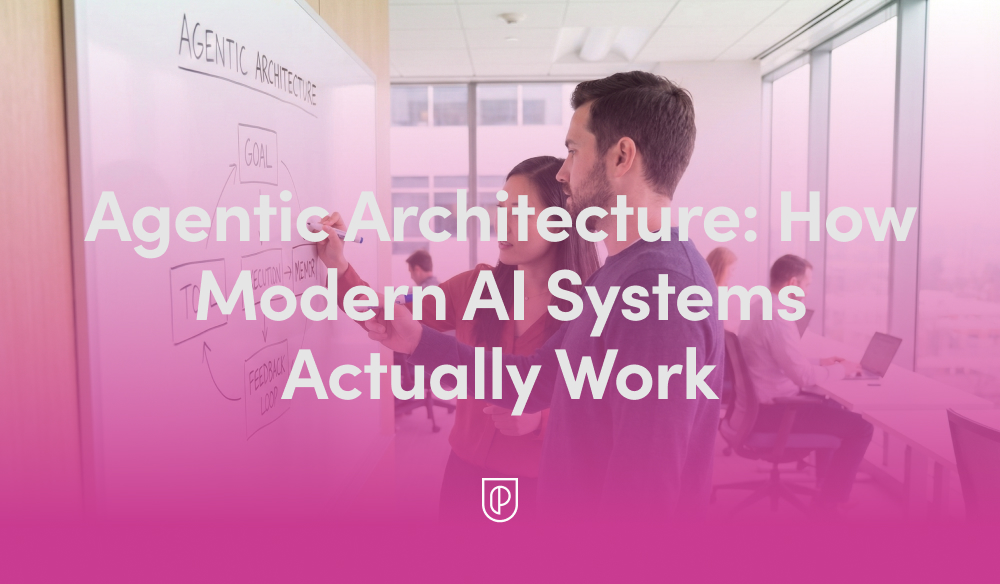
In my role leading product teams at HighLevel, I’m often asked to explain what’s really happening behind the scenes of today’s AI products. The short answer is that modern systems are built on "Agentic Architecture: How Modern AI Systems Actually Work"—not just a single model, but a coordinated loop of planning, tool use, memory, and evaluation. Once you see that pattern, the design decisions snap into focus and the roadmap becomes far easier to prioritize.
At its core, agentic AI treats the model as a reasoning engine embedded within an AI workflow. The agent interprets intent, plans steps, calls the right tools and APIs, grounds itself in trusted data, and then evaluates outcomes before deciding to continue or stop. This loop creates reliability, reduces hallucinations, and enables the system to operate in real-world, multi-step scenarios.
Here’s the practical lifecycle I rely on. A user provides intent (a goal or request). We run a retrieval-first pipeline to ground the model in accurate, current data. Prompt engineering structures the task and primes the agent with constraints and success criteria while managing context window management. The agent generates a plan, executes steps by calling tools or services, evaluates intermediate results, reflects or revises as needed, and only then returns a final answer with clear citations or evidence.
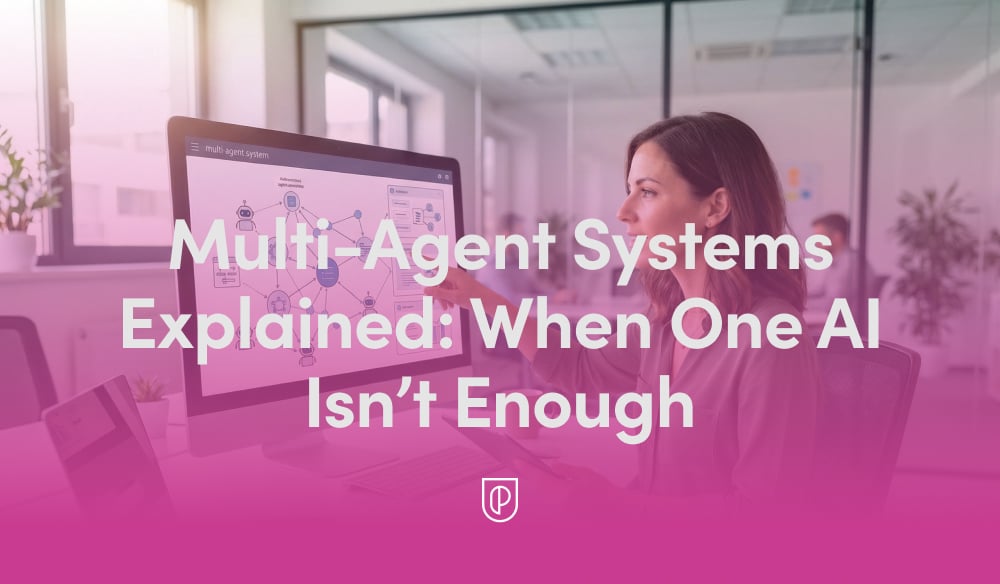
For more complex work, I orchestrate multiple specialized agents—commonly a planner, a solver, and a critic—coordinated by a lightweight controller. This multi-agent pattern reduces single-agent blind spots, encourages self-checking, and mirrors how empowered product teams collaborate. Whether it’s conversation design for support flows or a voice AI agent driving hands-free tasks, orchestration is the difference between a clever demo and a dependable product.
Memory is the second pillar. Short-term working context sits in the prompt, while long-term memory lives in vector stores or databases to track past interactions, preferences, and outcomes. Retrieval augments the model with the right facts at the right time, and tight context window management ensures the agent stays focused on signal, not noise. The result is faster responses, lower costs, and far better accuracy.
Reliability is earned through eval-driven development and robust AI risk management. I define offline and online evaluations, guardrails, and human-in-the-loop checkpoints before scaling traffic. These evaluations become living, automated tests that protect against regressions as prompts, models, and tools evolve. The payoff is real: fewer escalations, higher trust, and measurable improvements to quality over time.
From a product strategy perspective, I resist over-engineering. Start with a simple retrieval-first pipeline and a single agent; prove value; then layer in multi-agent orchestration only where it moves key metrics. Instrument everything—latency, cost, grounding coverage, and outcome quality—and build Agent Analytics dashboards so teams can diagnose issues and iterate with confidence.
If you’re looking for a practical playbook, here’s mine: clarify the user intent and success criteria; design the tools the agent can call; ground with authoritative data; write prompts that constrain scope and define termination conditions; add reflection and automated evaluations; and ship behind feature flags for safe, staged rollout. Each step compounds reliability without killing velocity.
The diagram and the video above bring these patterns to life. If you watch closely, you’ll see the same loop—plan, retrieve, act, evaluate—show up in every effective implementation, regardless of domain. That repetition isn’t accidental; it’s the backbone of agentic architecture and a blueprint you can adapt to your own stack.
Ultimately, what matters is outcomes. When we build around agentic AI, we create systems that are explainable to stakeholders, maintainable by engineers, and genuinely helpful to customers. That’s how we move past hype to durable impact—shipping AI products that plan, learn, and execute at scale.
When people ask me about "LLM vs AI Agents: What Product Teams Must Get Right," I start with a simple truth: an LLM is a powerful prediction engine, while an AI agent is a productized workflow that plans, takes actions with tools, remembers, and closes the loop on an outcome. That difference sounds academic until you’re on the hook for reliability, cost, and customer trust.
In my role, I’ve shipped LLM copilots that delight users and piloted agents that automate complex workflows. The pattern that never fails is this: start assistive, then graduate to autonomy. Copilots accelerate people; agents own outcomes. When we respect that gradient, adoption climbs, incidents fall, and we earn the right to expand scope.
The first decision point is use-case fit. If the task benefits from human judgment, high-context nuance, or brand voice, I frame it as a copilot with strong guardrails and crisp UX. If the task is well-bounded, tool-heavy, and verify‑able, I consider an agent—but only after we can measure end‑to‑end task success with eval-driven development.
Architecture matters. I reach for a retrieval-first pipeline to keep responses grounded in authoritative data, then add tool use for actions (search, write, schedule, transact) with deterministic scaffolding to prevent thrashing. Good prompt engineering is table stakes, but context window management and a clean memory strategy (short‑term scratchpad, long‑term facts, and policy) separate demos from durable systems.
Agents amplify both value and risk. I build safety in layers: role and scope definition, tool whitelists, unit limits, human‑in‑the‑loop checkpoints at irreversible steps, and privacy-by-design data governance. We log every decision token-for-token because auditability isn’t optional once agents touch customers, money, or data.
Measurement is non‑negotiable. For LLM features, I track time‑to‑first‑token, response latency, groundedness, and user satisfaction. For agents, I add Agent Analytics: task success rate, number of steps per task, tool error rate, loop detection, guardrail triggers, escalation to human, cost per successful task, and containment rate. If we can’t see it, we can’t ship it.
My delivery playbook mirrors modern software ops. We use feature flags, gated betas, and canary rollouts; we version prompts like code; we set incident management paths for model outages and tool drift; and we rehearse fallbacks so the experience degrades gracefully, not catastrophically. Dull operations build dazzling products.
On roadmapping, I thin‑slice value. We introduce a minimal viable copilot that handles a single, frequent job-to-be-done with high success. Only after continuous discovery confirms product‑market fit do we grant more autonomy, one capability at a time. Outcomes vs output OKRs keep us honest: if the customer’s job gets done faster, cheaper, and with fewer errors, we scale; if not, we fix fundamentals before adding scope.
Build vs buy is rarely binary. I tend to buy the undifferentiated heavy lifting—observability, prompt versioning, red‑teaming, and policy enforcement—while building the proprietary workflows, data modeling, and UX that encode our defensible advantage. The litmus test: if it’s part of our unique value proposition, we own it; if not, we integrate the best‑in‑class and move.
Go‑to‑market must be as rigorous as the tech. We position clearly (assistant vs agent), price to value with transparent consumption SaaS pricing, and communicate risk posture in plain language. Customers don’t buy models; they buy confidence that a job gets done reliably within their constraints.
Common failure modes repeat: shipping autonomy before instrumentation, treating prompts as magic instead of software, skipping data governance, and ignoring the human experience. The antidote is disciplined AI Strategy rooted in empowered product teams, tight feedback loops, and relentless evaluation.
If you take nothing else: choose the right paradigm for the job (copilot first, agent when proven), ground with a retrieval-first pipeline, instrument with eval-driven development and Agent Analytics, and operationalize like a mission‑critical system. Do that, and you’ll turn LLM capabilities into durable product outcomes.