Tag: AI workflows

  • Fin for Ecommerce: The Shopify-native AI Agent transforming product discovery and sales

    Fin for Ecommerce: The Shopify-native AI Agent transforming product discovery and sales

    Today, I’m thrilled to share Fin’s next leap as a Customer Agent: ecommerce. When we launched Fin for Sales, Fin expanded further across the customer journey — and now we’re bringing that same intelligence to product discovery, checkout conversion, and post‑purchase support for Shopify merchants.

    Fin for Ecommerce is a new role purpose-built for Shopify merchants that combines shopping assistance and ecommerce support. Fin is already the best Agent for customer service, resolving over a million queries a week for 8,000+ businesses. Now, it also guides shoppers to the right product, addresses concerns in the moment, and converts browsing into buying — all in one fluid experience.

    Here’s what’s new and why it matters for conversion rate, average order value (AOV), and lifetime value:

    Black-and-white employee portrait beside the Avocado Green Mattress logo and a testimonial explaining that Fin asks about sleep position and firmness preferences to guide shoppers to the right mattress.
    A leading mattress retailer shares how Fin for Ecommerce acts like an expert associate—asking about sleep style and firmness, then recommending the best-fit product to boost confidence and drive conversions.

    Fin helps shoppers find the right product. It asks thoughtful questions, narrows options across large catalogs, and compares products based on what the shopper actually needs — like a great in‑store assistant, at scale.

    Fin helps increase order value. It recommends relevant add‑ons and higher‑value alternatives based on conversation context, keeps carts effortless to update, and guides shoppers smoothly into checkout when they’re ready.

    AI ecommerce UI with a Product Discovery card recommending three ski jackets—blue/green, orange, and yellow/cream—showing item names and prices on a dark green background with lime diagonal bands.
    See Fin for Ecommerce in action: a Product Discovery card curates three high-performance ski jackets with images, names, and prices, revealing how the customer agent guides shoppers and accelerates confident purchases.

    Fin handles support without losing the sale. Returns, refunds, and order changes happen in the same conversation; once resolved, Fin brings shoppers right back to browsing so momentum isn’t lost.

    Fin is integrated with Shopify. Connect your store and Fin syncs your catalog, order data, and APIs in minutes — no manual training or complex setup.

    Monochrome headshot beside a branded quote card for Ninja Transfers, highlighting Fin for Ecommerce performance: 10% of conversations convert to orders and average order value runs 20% above store AOV.
    A customer spotlight from Ninja Transfers shows Fin for Ecommerce boosting sales: 10% of support chats convert, with order values 20% above average—proof that an AI customer agent can drive revenue while improving service.

    In a great retail store, an attentive associate changes everything: they ask what you’re looking for, understand your preferences, answer the questions that matter, and walk you to checkout — and when you return, they remember you. That level of proactive, human‑quality assistance has never truly made it online.

    Most ecommerce still looks like it did a decade ago: filters, FAQs, and self‑serve flows that assume the customer already knows what they want. Ecommerce offers scale and 24/7 convenience, but it’s passive — it can’t understand a shopper’s intent and actively guide them to a product that fits.

    Chat interface titled Fin for Ecommerce helps a shopper change a jacket color, showing three Vertex Hybrid Jacket variants with prices, presented in a clean UI over a green abstract 3D background.
    Fin for Ecommerce acts like a customer agent—checking shipping status, surfacing in‑stock color variants, and updating the order in the same thread—turning a jacket mix‑up into a quick, seamless experience.

    Fin for Ecommerce changes that by bringing high‑quality shopping assistance to Shopify stores.

    "Fin doesn't just recommend products — it asks the right questions about sleep position and firmness preference, understands what the customer actually needs, and guides them to the right decision. It sells the way we sell." Anthony Navarro, Market Sales Manager at Avocado

    Black-and-white headshot next to an Avocado Green Mattress testimonial about Fin for Ecommerce, highlighting smooth support-to-sales handoffs, product and policy guidance, and customer resolutions.
    An Avocado Green Mattress customer experience leader shares how Fin for Ecommerce unifies support and sales—answering policies, selling products, and explaining the mattress break-in period—so shoppers get instant, agent-level help.

    Here’s how it works in practice. When a shopper says "I need a gift for my partner" or asks "what running shoes work for trail and road?," Fin doesn’t dump them on a search results page — it starts a conversation. It asks about preferences, incorporates live browsing context, surfaces the most relevant options, and compares them based on what the shopper cares about.

    This is powered by Fin Apex 1.0, the best-performing model for customer service, combined with a retrieval engine purpose-built for ecommerce. It handles vague, exploratory shopping questions and large product catalogs, helping shoppers find the right fit, faster.

    Modal titled Connect to Shopify with Shopify bag logo, showing a checklist to sync product catalog, understand live inventory, and learn store policies, plus a black Connect to Shopify button.
    Seamlessly connect Fin to your Shopify store. With one click, sync your product catalog, pull live inventory, and import store policies so your customer agent can answer questions and resolve orders faster.

    In practical terms, this is agentic AI meeting ecommerce: Fin plans, retrieves, and reasons through complex product questions and next best actions to move the shopper forward confidently.

    Based on the conversation, Fin recommends complementary or higher-value options, keeps carts easy-to-update, and guides shoppers into checkout when they’re ready.

    Black-and-white headshot beside a Groupsumi testimonial about Fin for Ecommerce, praising fast, high-quality support with minimal, non-technical setup and Shopify-based single source of truth.
    Customer testimonial from Groupsumi spotlights Fin for Ecommerce: rapid, high-quality support with minimal setup, powered by Shopify as the single source of truth, helping teams cut complexity and focus on growth.

    "Fin for Ecommerce is already driving meaningful revenue, with 10% of conversations converting to orders averaging 20% above our store AOV." Matt Satell, Director of Ecommerce, Ninja Transfers

    Fin for Ecommerce is built on the same AI platform that powers Fin for Service. Fin understands whether a conversation requires shopping assistance, support, or both, and moves between them seamlessly without the customer noticing.

    Black hero banner with the headline 'Add Fin to your' centered above a lime‑green 3D Fin logo on a dark background, a minimalist brand visual introducing Fin’s AI customer support agent.
    Meet Fin for Ecommerce, your always‑on customer agent. This bold hero invites you to add Fin to your store so shoppers get instant answers, higher confidence at checkout, and fewer support tickets.

    This means the same Agent that helps shoppers buy also handles the hard and complex post‑purchase work including refunds, exchanges, order changes, tracking, and shipping questions. It can make changes in real time, within the same conversation, using the same context and data.

    "The handoff between support and sales is so smooth I can't tell the difference without checking the filters. Fin talks policy, sells products, and references our mattress break-in period all in one conversation. It handles both the way our best agents would — but without the customer waiting to be passed between people." Kurt Dwiggins, Customer Experience Manager at Avocado

    Fin for Ecommerce is purpose-built for Shopify merchants. Connect your Shopify store and Fin establishes a live connection to your entire catalog – products, variants, content, and order data – ensuring every response reflects your latest inventory and shoppers only see what’s actually available.

    You can add the Messenger to your store and set Fin live in minutes without any manual training or technical expertise. When connected to Shopify’s API, Fin can handle even your most complex customer requests like tracking orders, processing returns, and updating subscriptions via Procedures. Fin automatically drafts Procedures for common ecommerce support queries based on your Shopify account and customized to your company policies.

    You review, adjust, and publish, allowing Fin to start handling real queries in minutes.

    "What surprised us most about Fin for Ecommerce is how quickly it delivers high-quality support with minimal, non-technical setup. Using Shopify as the single source of truth reduces operational complexity and allows us to focus on core business execution." Arnau Jiménez, Chief Technology Officer, GroupSumi

    Fin is now a Customer Agent, with multiple roles that work seamlessly across the customer lifecycle. When a single Agent can guide a shopper from "I need a gift for my partner" to checkout, and handle a return weeks later without losing context, that’s a fundamentally better customer experience. It’s one Agent that deeply understands your products and your customers, and supports them throughout their entire journey with your business.

    Leading ecommerce brands, including Avocado, WHOOP, Shutterstock, Flaviar, Carvana, Nuuly, MPB, Pure Electric, and Goodbuy Gear, already trust Fin to create standout experiences for their shoppers. I’m excited to continue expanding Fin’s roles as a Customer Agent and share more soon.

    Ready to see it in action? Visit fin.ai/ecommerce and add Fin to your Shopify store today.


    Inspired by this post on The Intercom Blog.


    Book a consult png image
  • AI Agents Can Ship Code, But You Own the Bugs: Debug Faster in Claude or Cursor with Amplitude MCP

    AI Agents Can Ship Code, But You Own the Bugs: Debug Faster in Claude or Cursor with Amplitude MCP

    AI agents are getting remarkably good at scaffolding features and writing tests, yet when production issues surface, accountability still lands on me and my team. The last mile of quality—reproducing the issue, isolating the root cause, and validating a durable fix—remains a human responsibility, even in an era of agentic AI. That’s why I’ve built a repeatable debugging approach that blends behavioral analytics with agent-assisted coding to close the loop quickly and safely.

    Investigate bugs directly in Claude or Cursor with Amplitude MCP. Learn two Session Replay workflows to debug faster.

    The goal is simple: transform messy, anecdotal bug reports into actionable, prioritized work that my developers can resolve confidently. By pairing Session Replay with Amplitude analytics, I can quantify impact, capture precise reproduction steps, and feed rich context into Claude or Cursor. The result is a faster path from signal to solution—and fewer back-and-forth cycles with engineering, support, and product.

    Here’s how I use Session Replay to tighten the feedback loop. First, I lean on behavioral analytics to detect anomalies and segment affected users, so I know whether we’re facing an edge case or a widespread degradation. Then I use the replay to see exactly what the customer experienced: the path they took, the UI state, the environment details that matter (device, browser, version), and the precise moment things went sideways. This contextual backbone lets me enter Claude or Cursor with high-signal inputs, rather than guesswork.

    Workflow 1: From customer session to reproducible issue. I start with the offending Session Replay and capture the exact steps to reproduce, including state transitions and timestamps for any console errors or API failures. In Claude or Cursor, I provide those steps, reference the replay link, and ask the model to propose a minimal failing test and a hypothesis for root cause. With Amplitude MCP as the connective tissue, I can keep the model anchored to the relevant events and user path while it generates patches or targeted instrumentation. I validate the hypothesis locally, run the failing test, and then move the fix through CI/CD with feature flags so we can verify in production without overexposing risk.

    Workflow 2: From code symptoms back to customer evidence. Sometimes I begin in the IDE or agent environment with a flaky test, a suspicious diff, or a performance regression. In that case, I ask Claude or Cursor to outline likely failure modes and the critical code paths. Then I pivot to Session Replay for corroboration: do real users hit these paths, under what conditions, and how often? Using Amplitude MCP to anchor the agent in actual user journeys helps separate theoretical fixes from changes that will meaningfully improve outcomes. I confirm with replays after the patch lands, monitor Web Vitals and related behavioral metrics, and only then ramp the flag.

    Two practices make these workflows consistently effective. First, I frame prompts to keep the model tightly scoped: reproduction steps, expected vs. actual behavior, impacted segments, and any known constraints (e.g., rate limits, third-party dependencies). Second, I treat the agent as a proactive pair-programmer: it drafts hypotheses, tests, and diffs, while I provide ground truth from Session Replay and analytics. That division of labor keeps the LLM productive without letting it drift from the evidence.

    Operationally, I also align this approach with our incident management and observability standards. For high-severity issues, SREs and product managers share the same replay artifacts, event timelines, and roll-forward criteria. We document root causes and guardrails as docs-as-code, then socialize them via developer evangelism so similar classes of bugs get caught earlier. Over time, this tightens our DORA metrics—particularly lead time for changes and deployment frequency—without compromising stability.

    Privacy-by-design is non-negotiable. We ensure Session Replay redacts sensitive fields, enforces least-privilege access, and complies with our data governance policies. When I involve an agent, I include only the minimum data necessary to reach a fix and prefer structured artifacts (event IDs, stack traces, and test cases) over raw PII. These safeguards let us move quickly without trading away trust.

    The takeaway is pragmatic: agents can accelerate creation, but accountability for quality still rests with us. By grounding Claude or Cursor in real user behavior via Amplitude MCP and Session Replay, I get faster reproduction, more accurate fixes, and cleaner rollouts. The combination turns “mysterious customer bug” into “verified hypothesis and passing test” in a fraction of the time—and that’s how we ship responsibly at speed.


    Inspired by this post on Amplitude – Best Practices.


    Book a consult png image
  • How Amplitude’s MCP Server Supercharges AI Workflows with Behavioral Context for Product Teams

    How Amplitude’s MCP Server Supercharges AI Workflows with Behavioral Context for Product Teams

    I’m energized by the momentum I’m seeing at the intersection of behavioral analytics and AI workflows. "Chanaka is an AI Engineer at Amplitude, where he’s building the MCP server that brings Amplitude’s behavioral context directly into your AI tools." That single sentence captures a strategic inflection point for product organizations: AI that finally understands user behavior at the moment of decision.

    Why does this matter? When behavioral analytics flow natively into our AI tools, we move from generic assistants to product-savvy copilots. Instead of prompting blind, I can ground my questions in Amplitude analytics—segment performance, cohort trends, and event funnels—so AI answers reflect real customer journeys, not hypotheticals. The result is sharper prioritization, faster discovery, and tighter feedback loops that directly support product-led growth.

    From a technical standpoint, an MCP server becomes a clean, secure interface for LLMs to access behavioral analytics as-needed. That enables a retrieval-first pipeline that reduces hallucinations, improves context window management, and elevates prompt engineering quality. It also unlocks agentic AI patterns—where the assistant autonomously requests the right behavioral context to diagnose activation drops, spot anomalies, or recommend experiments. In short, it’s a unified analytics platform meeting LLMs for product managers where we actually work.

    In day-to-day product management, this translates into practical wins. I can ask, “Which onboarding step is blocking user activation for the SMB segment?” and get an answer grounded in behavioral analytics with relevant visualizations or funnels. I can explore retention analysis by cohort without switching tools, then iterate on hypotheses and next-best actions inside the same AI-driven workflow. These tighter loops materially improve decision quality and team velocity.

    There are governance considerations, of course. I advocate clear data access policies, strong privacy-by-design controls, and well-defined scopes for what the MCP server can retrieve. Start with high-value, low-risk datasets, pilot with a focused team, and instrument eval-driven development to measure accuracy, latency, and business impact. When done right, the AI Strategy becomes an execution engine—not just a slide.

    My playbook: begin with one or two high-impact questions (e.g., activation blockers or churn drivers), wire them into the MCP-powered AI workflow, and quantify time-to-insight and decision quality improvements. As wins accumulate, expand to roadmap shaping, opportunity sizing, and experiment generation. The promise here is compelling—AI that doesn’t just talk about the product, but truly understands how customers use it, and helps us build the right things faster.


    Inspired by this post on Amplitude – Best Practices.


    Book a consult png image
  • 5 Proven Agent Skills I Use to Automate Weekly Product Reviews with Claude, Cursor, and Codex

    5 Proven Agent Skills I Use to Automate Weekly Product Reviews with Claude, Cursor, and Codex

    Weekly product reviews are where strategy meets execution, and over the past year I’ve turned them into a high-signal, low-friction ritual by leaning on agentic AI. As VP of Product Management at HighLevel, Inc., I’ve standardized a set of agent skills that compress preparation time, surface the right insights, and keep PMs, engineers, and designers focused on decisions—not document wrangling.

    "Learn how our teams use agent skills with claude, cursor and codex to run product reviews as PMs, engineers, and designers. Here are 5 killer use cases for builder."

    Below, I walk through the five skills I rely on most in our weekly cadence—each one mapped to a clear product management outcome. They’re simple to set up, easy to govern, and aligned with core practices like continuous discovery, product roadmapping and sprint planning, and eval-driven development.

    Skill 1 — Backlog triage with signal extraction: I point an agent at fresh tickets, customer notes, and experiment results to cluster themes, tag impact, and flag regressions. Using a retrieval-first pipeline and Agent Analytics, the assistant ranks items by value, effort, and risk so our meeting starts with a prioritized, explainable shortlist instead of a raw queue.

    Skill 2 — PRD and spec synthesizer: Ahead of the review, an agent drafts a one-page PRD update from design diffs, git history, and decision logs. With Claude Code and Cursor, it highlights interface changes, acceptance criteria, and open questions, linking back to sources. The result is a crisp, auditable brief that keeps product trios aligned without re-litigating context.

    Skill 3 — Experiment and metrics analyzer: An analytics agent pulls A/B testing readouts, checks minimum detectable effect assumptions, and annotates anomalies. It turns raw telemetry into a narrative: what moved, by how much, and whether we trust it. This makes our discussion about tradeoffs, not spreadsheets, and speeds commitments on next steps.

    Skill 4 — Voice-of-customer synthesizer: The assistant clusters interviews, support threads, and NPS verbatims into jobs-to-be-done and pain themes. It proposes opportunity solution tree updates and calls out places where our roadmap diverges from customer signal. That keeps continuous discovery alive in the room—even when time is tight.

    Skill 5 — Roadmap and sprint planning co-pilot: After decisions, an agent converts outcomes into scoped backlog items, engineering tasks, and stakeholder updates. It drafts sprint goals, flags dependency risks, and aligns work to objectives. Because it’s grounded in the meeting record, it preserves intent while removing ambiguity.

    Under the hood, prompt engineering patterns and guardrails keep these workflows predictable: a retrieval-first pipeline for context, eval-driven development for quality checks, and role-specific prompts for PMs, engineers, and designers. With Claude Code I generate structured diffs and test scaffolds; with Cursor I accelerate code-review summaries; and with codex I bootstrap utility scripts that keep the loop tight between insights and implementation.

    The payoff is tangible: higher decision velocity, fewer meetings to “re-clarify,” and clearer accountability across the product organization. Just as important, governance and privacy-by-design are built in—every agent logs rationale, cites sources, and respects data boundaries—so leaders can scale AI workflows confidently.

    If you’re looking to level up your product reviews, start with these five skills, measure impact with Agent Analytics, and iterate. Small automations compound quickly, and the more consistently you run them, the more your team’s attention shifts from preparing content to making better product decisions.


    Inspired by this post on Amplitude – Perspectives.


    Book a consult png image
  • Supercharge Claude and Cursor with Amplitude Plug and Play: Your AI Analytics Expert in One Install

    Supercharge Claude and Cursor with Amplitude Plug and Play: Your AI Analytics Expert in One Install

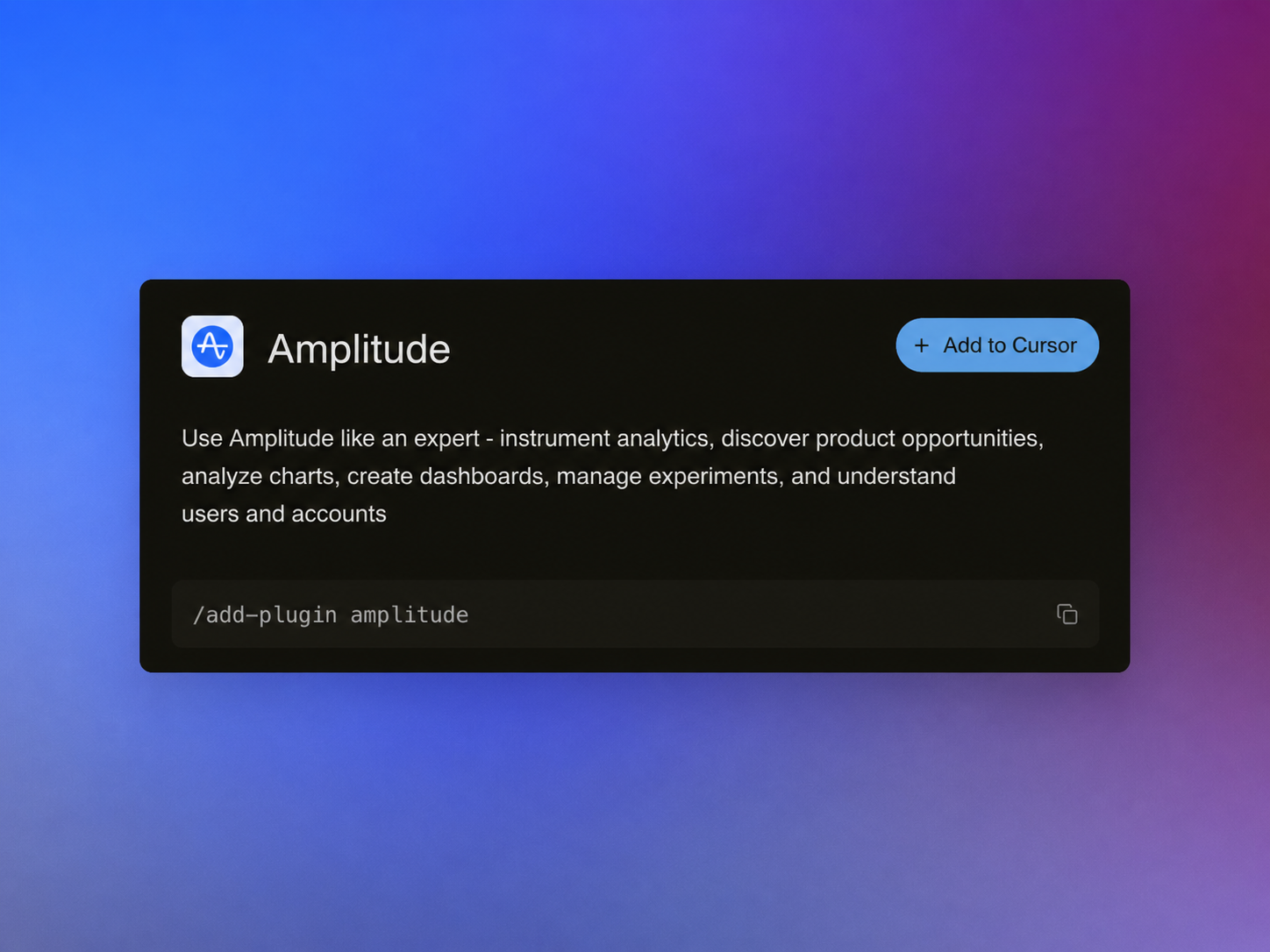
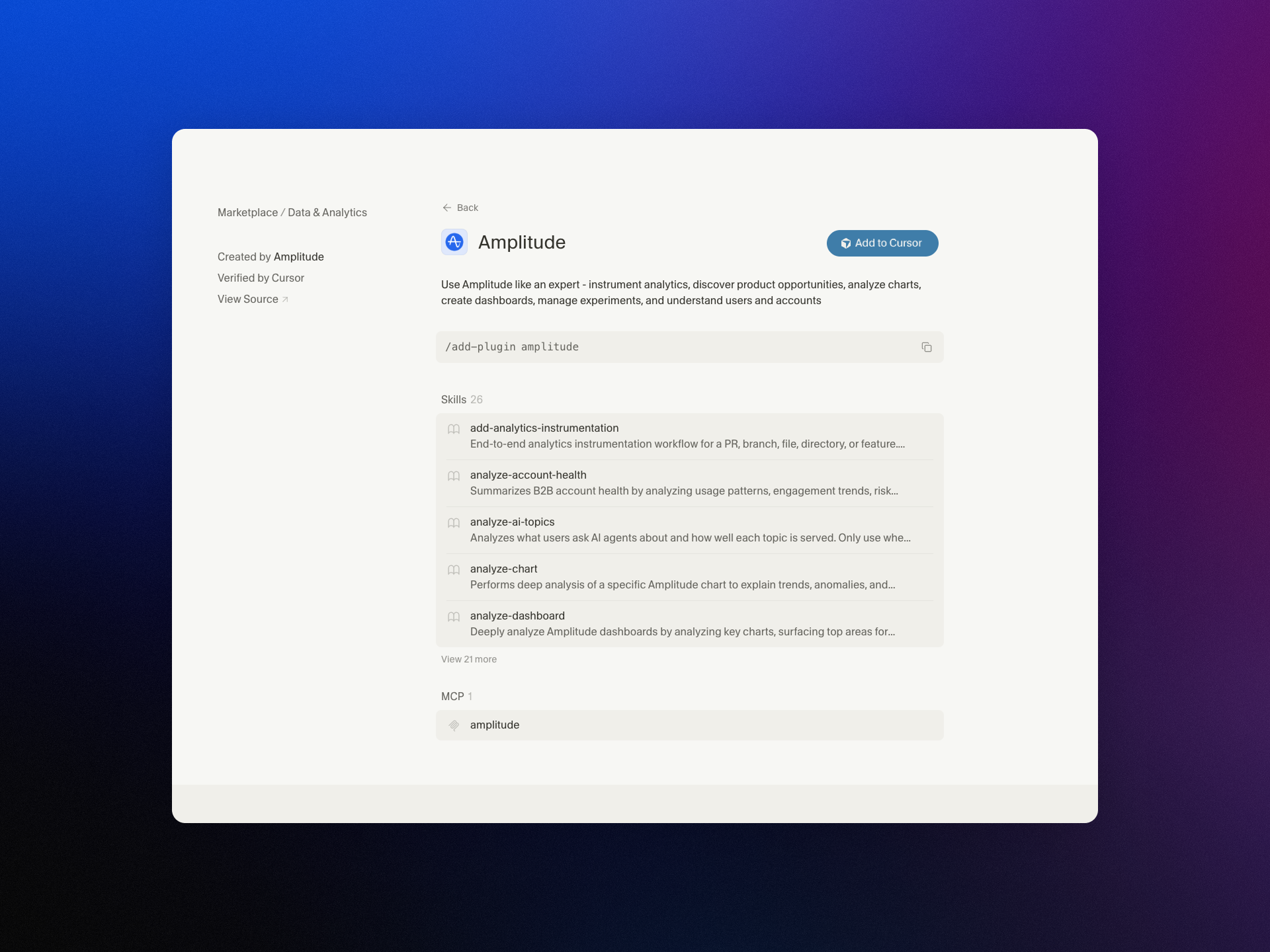
    I’m excited to share that we’ve brought Amplitude Plug and Play to the Claude and Cursor marketplaces—a lightweight way to infuse your everyday prompts with serious product analytics context and speed.

    "Learn more about our new AI plugin, the easiest way to turn your favorite AI client into an analytics expert with a single-install."

    For years, I’ve watched teams lose momentum hopping between dashboards, docs, and spreadsheets just to answer simple questions like “What changed in activation last week?” or “Which cohort is driving retention?” With Amplitude analytics and behavioral analytics at the core, Amplitude Plug and Play collapses that friction by bringing the answers to where you already think and build—inside Claude and Cursor.

    In practice, this means I can ask natural-language questions such as “Show me the funnel from signup to activation by region,” “Compare retention week over week for new users from our latest release,” or “Summarize our last A/B testing results on onboarding” and get structured, context-aware responses. The goal is to keep me in flow while still honoring the rigor of a unified analytics platform.

    What I love most is how this elevates both discovery and delivery. Product managers can accelerate continuous discovery by querying cohorts, drivers, and anomalies mid-conversation. Engineers working in Cursor or with Claude Code can validate event definitions, sanity-check metrics, and spot regressions without leaving their IDE. The result is tighter feedback loops and better decision quality.

    Just as importantly, the experience is designed for clarity and consistency. When I ask about activation, I expect the same canonical definition every time. When I explore a retention analysis, I want clear assumptions and transparent logic. By anchoring responses to well-defined metrics and event taxonomies, the plugin helps reinforce good data governance while keeping the interaction fast and conversational.

    Getting started takes only a few minutes. Open the Claude or Cursor marketplace, search for Amplitude Plug and Play, complete the single-install flow, and connect to your Amplitude analytics workspace. From there, start prompting as you normally would—only now your AI client can reason with product context.

    This launch is part of how I see gen ai reshaping AI workflows for product teams: less context switching, more signal per prompt, and a shared, accessible understanding of what’s really moving the business. If you’re ready to turn your AI assistant into a trusted partner for product insight, Amplitude Plug and Play is a powerful next step.


    Inspired by this post on Amplitude – Best Practices.


    Book a consult png image
  • Inside AITropos: Lightning-Fast AI Employees for Hospitality That Take Orders on WhatsApp

    Inside AITropos: Lightning-Fast AI Employees for Hospitality That Take Orders on WhatsApp

    I’ve been closely tracking how agentic AI reshapes frontline operations, and few case studies are as instructive as AITropos. Their north star is deceptively simple: take a food order over WhatsApp — correctly, every time, fast enough that customers can’t tell it’s not a person. That’s the challenge Santi Marchiori and Juan Haedo embraced, and it’s a masterclass in product strategy, conversation design, and systems engineering.

    What they’ve built is an AI order-taking agent that handles the full flow — menu recommendations, modifiers, delivery zones, payment links, and status updates — entirely inside WhatsApp. Choosing the customer’s preferred channel wasn’t just a UX decision; it set the bar for speed, reliability, and trust. In hospitality, seconds matter. Latency becomes brand.

    Their path to this solution reflects disciplined continuous discovery. They spent two years exploring hundreds of startup ideas before finding the niche of AI-powered order taking in hospitality, then iterated through three product forms — hardware for waiters, a waiter app, and finally a customer-facing WhatsApp agent — before landing on the right form factor. In my experience, this is what real product-market fit lessons look like: follow the problem, not the artifact.

    Under the hood, the hardest problem is translating "non-deterministic human conversation" into structured "POS-compatible order data." To hit real-time response speed requirements, they chose a "tools-based architecture" over "MCP" or pipelines. That decision minimizes orchestration overhead and keeps the agent focused on the shortest path from intent to action — a pragmatic approach I recommend when SLAs are tight and context changes fast.

    They also engineered for throughput and precision. A parallelized pipeline searches for multiple products simultaneously and pre-fetches product context before the agent even calls a tool. Complementing that, smaller, fast sub-agents assemble an "immediate system prompt" that injects relevant data into each turn without extra tool calls. Think of it as a retrieval-first pipeline designed to slash latency while preserving accuracy — a pattern every team building AI workflows should study.

    Focus is evident in their KPIs. They identified order item identification accuracy as their single most important KPI. Picking one metric that truly governs customer trust is a hallmark of strong product management; it clarifies trade-offs in model selection, prompt engineering, and fallback behavior.

    Quality assurance is equally rigorous. Before going live in any new venue, they test with thousands of agent-simulated customer conversations overnight. This approach de-risks deployment, surfaces edge cases early, and provides the data backbone for Agent Analytics and iteration. It’s a practical blueprint for teams operationalizing LLMs for product managers who need both scale and safety.

    Operationally, the payoff shows up in onboarding. They reduced new customer onboarding from three months to a few weeks — and continue to shrink it as they build domain templates. Standardizing schemas, prompts, and flows for repeatable segments is exactly how you turn bespoke wins into a scalable go-to-market engine.

    Stepping back, a few lessons stand out for product leaders building agentic AI in high-velocity environments: meet customers where they already are (WhatsApp), pick an architecture that serves your latency constraints (tools over complex workflows), pre-inject context to reduce tool calls, simulate at scale before launch, and anchor teams around one trust-defining KPI. Do these consistently, and you transform AI from a novelty into an always-on employee your customers actually prefer to use.


    Inspired by this post on Product Talk.


    Book a consult png image
  • Break the Headcount Ceiling: How AI Agents Create Net-New Pipeline at Scale

    Break the Headcount Ceiling: How AI Agents Create Net-New Pipeline at Scale

    I’ve been through enough planning cycles to know the impossible math sales leaders juggle. Every year, we’re asked to deliver more pipeline, and the expectation is that the team will somehow hit the target—whether headcount follows or not. In a good year you close some of the gap, but the underlying constraint remains: your pipeline ceiling is tied to your headcount. The ask gets bigger, but the resources rarely keep pace. There’s never been a convincing answer to “how do I grow pipeline by 30% without 30% more people?”

    For the first time in my 20-year sales career, there’s a real answer, and it comes from how we’re using our Customer Agent—internally nicknamed “Fin”—for inbound sales. What changed my perspective wasn’t faster execution on the same tasks; it was recognizing that an Agent can generate its own pipeline, consistently and at scale.

    Most conversations about AI in sales focus on efficiency—do the same work, just faster. That’s helpful but incomplete. In practice, the Agent is producing net-new, attributable pipeline. It’s not simply an efficiency layer inside the SDR team; it’s a distinct source that deserves its own targets, its own owner, and clear visibility in our pipeline analytics.

    Here’s how we run it. Fin has dedicated performance metrics but is held to the same outcomes as any rep: meetings booked, pipeline created, and revenue generated. On live chat, we track qualified, disqualified, and dropped conversations, then follow those cohorts through to opportunity and close. When you fold the Agent’s numbers into the team’s aggregate, you lose the crucial signal of what the Agent is actually doing. Reframing this with explicit attribution changes the boardroom conversation from “efficiency gains” to “a new, incremental source of pipeline.” Last month was our highest pipeline month from Fin to date—stronger than when live chat was handled by humans alone.

    The template for this transformation came from customer service. Before we operationalized AI for sales, I partnered closely with our support organization. They built the organizational architecture we’re applying today: clear ownership of the AI motion, Agents and humans running in parallel, and a continuous optimization loop that treats the Agent as a living system, not a set-and-forget tool. The workflows in support and sales are more similar than people expect—qualify the need, guide to the right solution, and move decisively toward an outcome.

    “The right benchmark is matching a high-performing rep on that channel, consistently and at scale”

    When the Agent reliably meets that benchmark, the gains compound. The team wins back time for work where relationships truly matter—multi-threading across stakeholders, tailoring value narratives, and navigating complex buying processes. That is where human judgment shines.

    The most common question I hear is what this means for SDRs. If the Agent owns the frontline, what are SDRs actually doing? The answer is: higher-leverage work. The Agent handles frontline inbound—engaging instantly, qualifying, routing high-intent prospects to the right team, and keeping lower-intent visitors warm by directing them to self-serve resources or remembering their context until they’re ready for a real conversation. It does this 24/7, across languages, without the capacity constraints that come with a human-only model.

    What changes is where SDRs’ time goes. For us, that’s phone-based qualification, where we still see the strongest conversion. It’s also deeper relationship-building across multiple stakeholders in an account—the kind of multi-threaded engagement that takes time and judgment. Trials are a great example: rather than treating a trial as a conversion mechanism, SDRs can help prospects get real value from it through guided setup and outcome-oriented check-ins.

    Minimalist hero graphic with the headline 'Add Fin to your sales team today,' a glossy 3D blue spiral at center, and a black 'Start free trial' button, promoting Fin for Sales as an AI customer agent.
    Introduce Fin for Sales to your team with this clean hero banner: bold headline, signature blue spiral, and a clear 'Start free trial' call to action—inviting readers to explore an AI customer agent built for revenue.

    “That’s work they rarely have capacity for right now, because too much of their time goes to the frontline. Fin changes that”

    I want to be direct about one thing: replacing your SDR function entirely with AI is a mistake. SDRs are the talent pipeline for closing teams. The reps who become your best AEs are, more often than not, people who came up through an SDR role. That’s where they learn to qualify and build relationships at speed. Eliminating that function to reduce cost creates fragility further up the funnel that can take years to surface.

    Across the market, many sales organizations are still early in this journey. Startups and smaller teams are ahead—they’re building AI-first motions from the ground up and deliberately designing to avoid scaling headcount in the traditional way. Larger, more established sales development functions are mostly still running standard workflows. That makes sense—transforming a mature org is harder than building anew—but complexity isn’t a reason to wait. Momentum is building, and the gap is widening between teams leaning in and those holding back.

    What’s emerging now is dedicated AI ownership within sales. It requires someone with program-level responsibility for how the Agent actually performs, rather than bolting AI tools onto an existing job description. We created that role – it’s called “AI SDR program lead.” This role owns the strategy, implementation, and optimization of Fin within the inbound SDR motion, ensuring it drives pipeline growth and integrates well across our systems and workflows. It’s a new career opportunity that came directly from the AI motion, with one of our existing managers moving into it.

    The long-held assumption that pipeline growth requires proportional headcount growth is no longer a fixed law. AI-generated pipeline is real, measurable, and improvable with the same rigor we apply to any other part of the function. Treating it as its own source—with explicit targets, attribution, and dedicated ownership—is the difference between marginal efficiency gains and truly breaking the link between pipeline growth and headcount.

    The constraint hasn’t disappeared; it has moved. It’s no longer just about how many people you can hire. It’s about how well the Agent understands your product, your customers, and your qualification logic—and how quickly your team can iterate the workflows, knowledge, and guardrails around it. For the first time, the pipeline ceiling can be higher than your headcount allows.

    If you’re standing up this motion now, start with three moves: give the Agent its own KPIs and attribution, put a single owner in charge of performance and iteration, and reorient SDR time toward high-conversion conversations and multi-threaded account development. That’s how you scale pipeline with AI Strategy and sales-led growth—without scaling headcount in lockstep.


    Inspired by this post on The Intercom Blog.


    Book a consult png image
  • Scale Support with Heart: How AI Makes Every Customer Interaction Faster and More Human

    Scale Support with Heart: How AI Makes Every Customer Interaction Faster and More Human

    Every day at HighLevel, I talk with support leaders who are balancing two imperatives that can feel at odds: scaling service efficiently while deepening empathy in every interaction. My product lens is simple—use AI to clear the path for humans to do what only humans can do: listen, understand, and solve nuanced problems with care.

    Discover how AI helps support teams deliver faster, more empathetic experiences. Automate the repetitive, so agents can focus on what matters: the customer.

    That principle anchors our customer support AI strategy. We deploy AI workflows that handle the heavy lift—classification, intent detection, summarization, knowledge retrieval, and next-best-action—so agentic AI can triage, resolve routine issues, and hand off the right context when a human touch is needed. The result is a queue that moves faster, with more signal and less noise, and a team freed to bring empathy and judgment to the moments that matter most.

    On the front line, a voice AI agent or chat interface deflects repetitive requests, while conversation design ensures the experience feels respectful, transparent, and helpful. Inside the console, Agent Analytics surface what leaders care about: which topics spike, where customers get stuck, how sentiment and CSAT shift, and which playbooks actually shorten time to resolution. When an agent steps in, AI-assisted replies, real-time summarization, and suggested macros reduce cognitive load—so attention goes to the customer, not the keyboard.

    Shipping these capabilities responsibly requires rigor. My playbook pairs LLMs for product managers with a retrieval-first pipeline that grounds responses in audited knowledge, backed by privacy-by-design and data governance. We use eval-driven development to measure safety and quality, and A/B testing to quantify impact before broad rollout. This isn’t just about automation; it’s about trust, reliability, and continuous discovery with real customers.

    Context is king, so CRM integration is non-negotiable. By unifying tickets, purchase history, prior conversations, and lifecycle stage, agents walk in with empathy already loaded. Whether the channel is Intercom, HubSpot, or native chat, a unified analytics platform connects signals across journeys, enabling proactive outreach, smarter product tours, and in-app guides that prevent avoidable tickets in the first place.

    The outcome is a support organization that scales without sacrificing humanity. AI handles the repetitive; people handle the relational. Teams spend less time searching and more time solving. Leaders coach with data instead of guesswork. And customers feel heard—because they are. That’s how we make human support more human, at scale.


    Inspired by this post on Amplitude – Perspectives.


    Book a consult png image
  • What’s New with Amplitude Agents: Faster Releases, Smarter Insights, and Must‑Try Upgrades

    What’s New with Amplitude Agents: Faster Releases, Smarter Insights, and Must‑Try Upgrades

    I’ve been deep in the work of turning agentic AI from a promising idea into reliable, measurable outcomes. Today, I want to share a concise, practitioner’s update on what’s new with Amplitude Agents—and, more importantly, how to get real value fast using proven product management techniques.

    We launched AI Agents a few weeks ago. We’ve been shipping pretty fast since then, so we wanted to loop you in on what’s new and what’s worth trying.

    Rapid releases only matter if they translate into user value. My approach is to treat every agent improvement as a learning opportunity: instrument it, set clear success metrics, run controlled experiments, and iterate. This eval-driven development mindset keeps us honest about what’s truly working in the wild.

    If you’re trying Amplitude Agents now, start with a narrowly scoped, high-signal workflow where success is unambiguous—think a single journey with a clear “done” state. Connect the experience to your unified analytics platform so you can see the full picture across events, funnels, and cohorts. In practice, I lean on Amplitude analytics and Agent Analytics to make this visibility effortless.

    Define how you’ll measure impact before you ship. Identify activation and completion events, baseline them, and then A/B test your agentic AI flow against the status quo. Behavioral analytics will show whether users are discovering the agent, sticking with it, and returning for more. When the story in the data is clean, it’s much easier to scale the win.

    Hardening matters as much as headlines. As you expand use, apply sensible guardrails—input validation, clear prompts, and transparent handoffs to deterministic flows when confidence is low. Pair this with observability so you can spot anomalies early and recover gracefully. These practices reduce risk while preserving the speed and creativity that make AI workflows powerful.

    Once the basics are working, dig into adoption patterns: segment by cohort, study user activation paths, and run retention analysis to find where the agent is truly changing behavior. These insights shape roadmap priorities and help you invest in the moments that drive durable value.

    We’ll keep shipping quickly and sharing practical guidance. If you have feedback, experiments to showcase, or questions about instrumentation, send them our way—I use that signal to refine our next set of improvements and learning agendas. Expect more short, focused updates and deeper dives on evaluation frameworks, prompt strategies, and rollout playbooks.

    In short: keep it scoped, instrument everything, test deliberately, and let the data guide your next move. That’s how Amplitude Agents becomes not just new, but indispensable.


    Inspired by this post on Amplitude – Best Practices.


    Book a consult png image
  • AI Agents That Truly Help Product Teams: A Practical Framework for When—and When Not—to Use Them

    AI Agents That Truly Help Product Teams: A Practical Framework for When—and When Not—to Use Them

    Every week, I field the same question from product leaders and engineers: should we deploy an AI agent here, or are we overfitting the problem to a shiny solution? Learn when AI Agents actually help product teams—plus a simple framework to decide when not to use them.

    When I say “AI agents,” I’m talking about autonomous or semi-autonomous systems that can perceive context, plan steps, and take actions across tools and data sources with minimal supervision—what many now call agentic AI. In product management terms, they’re not just another feature; they’re an operating model shift. Used well, they compound team leverage. Used poorly, they add invisible complexity, new failure modes, and governance headaches.

    To make the call with confidence, I use a straightforward VITAL framework that my team can apply in minutes. It keeps us honest about where AI agents are a force multiplier—and where a simpler automation, rule, or in-product UX is the better choice.

    V is for Volume. Agents shine where there’s sustained, repetitive, high-throughput work: triaging inbound support, cleansing CRM records, orchestrating QA checks, or synthesizing weekly research summaries. If the workflow happens rarely or ad hoc, an agent is often overhead in disguise.

    I is for Instructions. Can I specify success in clear, testable terms? Strong instructions include measurable acceptance criteria and constraints. If I can’t articulate what “good” looks like without hand-waving, the task likely needs product discovery, not autonomy.

    T is for Tolerance. What is the blast radius if the agent makes a wrong call? Low-stakes, reversible actions with tight guardrails are ideal. If the tolerance for error is near zero (e.g., irreversible financial transactions or sensitive regulatory actions), favor human-in-the-loop, stronger approvals, or defer agents entirely.

    A is for Access. The agent needs the right data, tools, and permissions, with privacy-by-design and data governance in place. If telemetry is sparse, integrations are brittle, or you can’t enforce least-privilege access, you’ll fight fragility more than you’ll gain leverage.

    L is for Learning loop. Agents require eval-driven development, Agent Analytics, and continuous feedback to stay accurate as reality shifts. If you can’t measure quality, latency, and cost per outcome—or you lack a retrieval-first pipeline to ground responses—expect drift and stakeholder distrust.

    Now, the counterweight. Don’t use agents when the problem is novel or strategically ambiguous and you still need exploratory research; when outcomes are unmeasurable or subjective without heavy context; when stakes are high and the acceptable error rate is effectively zero; when data is siloed, stale, or legally constrained; when the work is one-off or low-volume; or when your team can’t commit to instrumentation, evaluations, and ongoing maintenance. In these cases, a simpler rules engine, a clearer UX, or a well-defined workflow usually beats agentic complexity.

    Here’s how this plays out in practice. We’ve seen agents materially improve customer support triage (categorization, priority, and next-best-action suggestions), CRM hygiene (deduplication, enrichment, and routing), and release QA (regression check orchestration with human sign-off). Conversely, we avoid agents for nuanced pricing decisions, sensitive risk scoring without robust datasets, or any workflow where “explainability” and auditability trump speed.

    Operationalizing agents is a product problem before it’s an ML problem. Start narrow with a retrieval-first pipeline and rigorous prompt engineering, define success metrics upfront (quality, latency, cost per task), and run head-to-head evaluations against human baselines. Ship behind feature flags, monitor with Agent Analytics, and graduate from assisted to autonomous modes only after you’ve proven stability. Align this with product roadmapping and sprint planning so the work lands as durable capability, not a lab demo.

    Finally, be honest about build vs buy. If the workflow is a point of parity, consider buying and focusing your team on integration quality and governance. If it’s a potential source of competitive differentiation, invest in a modular architecture with clear context window management, strong observability, and a feedback loop tightly coupled to your empowered product teams.

    The bottom line: AI agents unlock leverage when there’s volume, clarity, tolerance, access, and a learning loop. If any of those pillars is missing, pause. Your best next move is likely better instrumentation, sharper problem framing, and continuous discovery—not more autonomy. That discipline is how product teams turn agentic AI from hype into habit.


    Inspired by this post on Product School.


    Book a consult png image
  • AI Data Security for Product Teams: Protect Sensitive Product Data Without Slowing Innovation

    AI Data Security for Product Teams: Protect Sensitive Product Data Without Slowing Innovation

    Protecting product data has never felt more urgent. Every week, my teams experiment with gen ai prototypes and LLM-powered capabilities, and I’m accountable for ensuring our innovation never compromises cybersecurity, privacy, or customer trust. The goal is not to slow down—it's to build in the right guardrails so speed and safety reinforce each other.

    Understand AI data security risks in product teams, what product data is most exposed, and how to use AI tools responsibly without slowing innovation.

    When I assess AI risk with product managers, I start with how data moves. The biggest threats usually come from prompt and context leaks, unsafe logging of sensitive inputs or outputs, permissive access controls, unmanaged third-party model usage (shadow AI), and unclear data-retention policies. For LLMs for product managers, I emphasize that every step in AI workflows—from collection to processing to storage—must assume adversarial conditions.

    In my experience, the product data most exposed includes customer PII and payment identifiers, internal strategy documents and roadmaps, analytics and behavioral telemetry tied to users, feature flags and configuration values, embeddings and vector stores that can reveal sensitive patterns, and the prompts or contexts themselves. Even “harmless” evaluation datasets can contain inferred identities. Treat all of this as high-value assets in your data governance model.

    I apply privacy-by-design from the first discovery conversation: minimize data by default, redact or tokenize before any external model call, and separate identities from content wherever possible. A retrieval-first pipeline helps keep raw customer data within our boundary while still enabling relevant context. We combine deterministic safeguards (policy-based redaction, allow/deny lists) with runtime observability to detect anomalous prompts, outputs, or access patterns.

    To keep velocity high, we operationalize risk rather than debate it ad hoc. A lightweight risk scoring rubric classifies each capability (e.g., internal-only, customer-facing, regulated data adjacent) and dictates controls: redaction requirements, human-in-the-loop thresholds, eval-driven development gates, and incident response readiness. These controls live in CI/CD so product teams get fast, automated feedback without waiting on meetings.

    Partnership is essential. I bring Security, Legal, and Data partners into the product trios early to align on regulatory compliance and threat modeling while scoping solutions that meet outcome goals. We maintain a shared catalog of approved providers and architectures, document data flows, and version our policies just like code—so everyone can see what changed and why.

    Vendor diligence is non-negotiable. I ask LLM providers about data retention and training usage, encryption at rest and in transit, key management, regional data controls, audit posture (SOC 2, ISO 27001, HIPAA where needed), and support for private networking. We restrict scopes with least-privilege access and instrument robust observability for threat detection and response across the full path, not just the API call.

    Culture makes the biggest difference. I coach teams on prompt hygiene, secret handling, and context window management; we publish redaction patterns, approved libraries, and clear do/don’t examples. When incidents happen, we treat them as learning opportunities, run blameless reviews, and update our playbooks, guardrails, and training materials accordingly.

    The outcome I aim for is confidence with speed: we ship AI features that customers love while protecting the data they entrust to us. With a clear risk model, strong data governance, and embedded controls, product teams can innovate boldly—without compromising on security or trust.


    Inspired by this post on Product School.


    Book a consult png image
  • The AI PM One-Pager: Radical prototyping requirements for speed, clarity, and truth

    The AI PM One-Pager: Radical prototyping requirements for speed, clarity, and truth

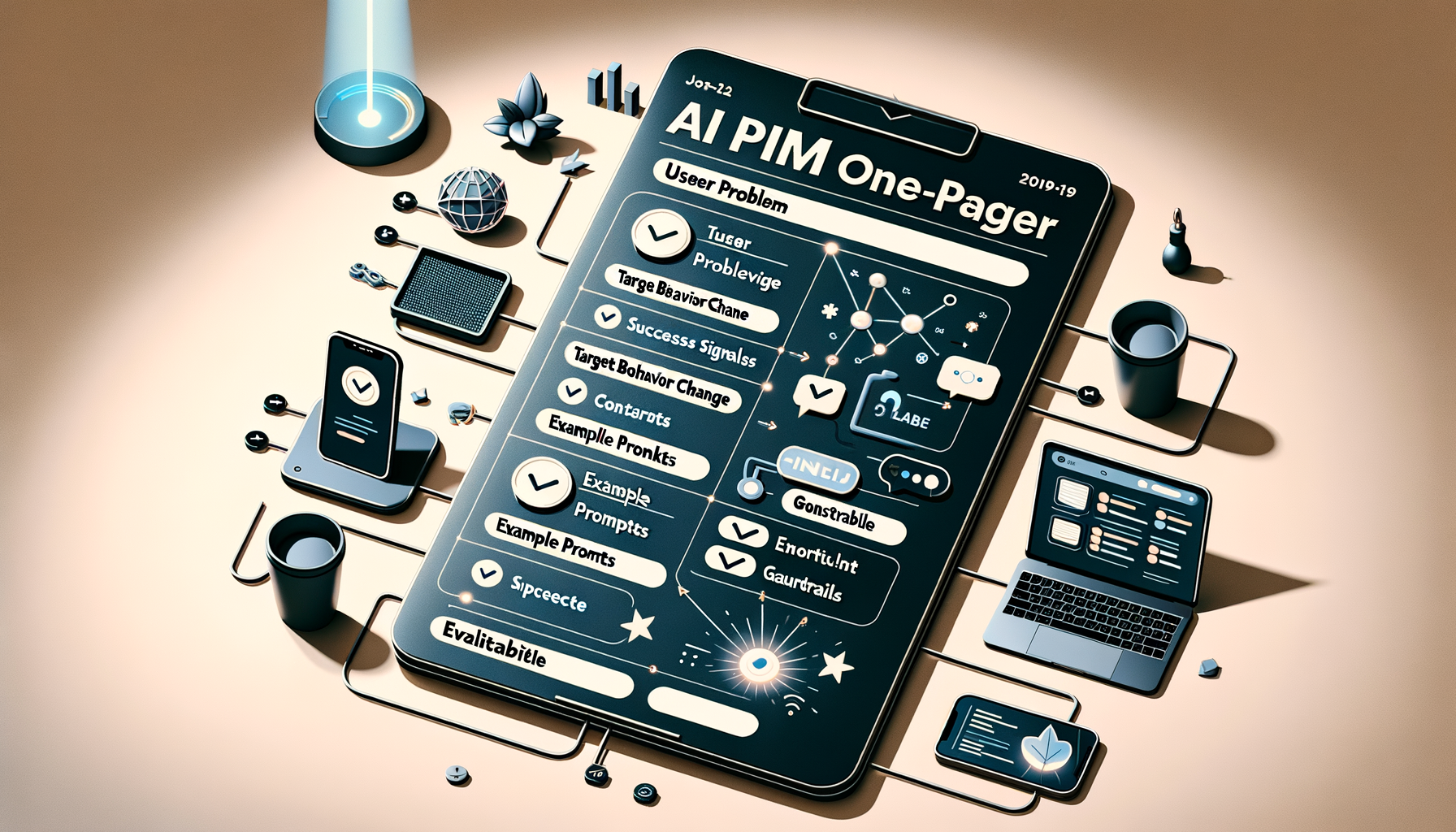
    I move fastest in Generative AI when I strip work down to its essential signals. At HighLevel, I rely on a single-page format—”Prototyping Requirements: The One-Pager for AI PMs”—to turn ideas into testable artifacts within hours, not weeks. This approach reinforces AI Strategy, minimizes coordination overhead, and keeps Product Management focused on learning over ceremony.

    “Prototyping requirements go rogue: one page, zero bureaucracy, built for AI. Shape concepts fast, prompt tools directly, and get to the truth sooner.”

    In practice, my one-pager captures only what’s required to run an immediate experiment: the user problem, the target behavior change, success signals, core constraints, intended AI workflows, and the smallest realistic path to an evaluable demo. I also include example prompts, guardrails, and evaluation criteria so the team can apply prompt engineering and LLMs for product managers without guessing.

    This is eval-driven development in action. I document a minimal hypothesis, concrete inputs/outputs, and a quick plan for metrics, including qualitative signals from product discovery and continuous discovery. By prompting tools directly, we expose assumptions early, shorten feedback loops, and build an AI product toolbox that compounds learning sprint after sprint.

    I run this with a product trio to ensure we balance feasibility, usability, and value. We align on risks, dependencies, and what “good” looks like, then we integrate the learnings into product roadmapping and sprint planning. The result: fewer meetings, tighter collaboration, and empowered product teams delivering sharper outcomes with less friction.

    If you want speed and clarity without sacrificing rigor, adopt the one-pager. It centers the conversation on evidence, accelerates AI workflows from prompt to prototype, and makes it obvious what to try next—and what to stop doing. Most importantly, it keeps the team focused on truth over theater, which is how great AI products actually ship.


    Inspired by this post on Product School.


    Book a consult png image