Tag: prompt engineering

  • Never Stop Disrupting: Why the Fin API Platform Signals a New Era for Agentic AI

    Never Stop Disrupting: Why the Fin API Platform Signals a New Era for Agentic AI

    Disruption is the only sustainable strategy in product. When a platform meaningfully changes how we build and operate, I pay attention—not just as a product leader, but as someone accountable for turning AI Strategy into durable competitive differentiation. That’s why the launch of the Fin API platform stands out: it’s a concrete step toward agentic AI at enterprise scale.

    Today, I’m diving into what this launch includes, why it matters for product strategy, and how I’d navigate the build vs buy decision in this new landscape. My goal is to translate the announcement into actionable guidance for product teams, CX leaders, and forward-deployed engineers who are building the next generation of customer support and product-led experiences.

    Fin is a customer agent platform that at present resolves over 2M customer issues a week, growing at a rapid exponential pace. It’s relied on by the best brands, large and small, in every vertical you can imagine. From Atlassian and Riot Games, to smaller hot upstarts like Mercury and Polymarket. It runs on a family of models trained by its AI group. Last week, they announced Apex, which is the world’s first specialized customer service LLM. In production tests over the last 6 months, it beat every single frontier model, including those from Anthropic and OpenAI, on resolution rate, latency, hallucination rate, and cost.

    With this launch, teams can access the platform’s core capabilities and underlying models directly via API, with contracts starting at $250k per year, and usage rates that are by far the cheapest in the industry for each of the model’s subcategories. For leaders evaluating total cost of ownership, this is a meaningful data point: it shifts the economics of scaled automation from experimental to operational.

    Why now? Because builders want options. I hear from teams daily that want to design their own agents, tune prompts and policies, and integrate with bespoke CRMs, data lakes, and product surfaces. The Fin announcement meets that demand with three clear build-paths, each mapping to a different operating model and maturity stage.

    First, for the vast majority of companies, the Fin Agent Platform is the pragmatic starting point. Fin reports ~8k companies on it today. It addresses 99% of customer needs out of the box—without exhausting consulting engagements—while delivering top-tier resolution rates. If your priority is time-to-value, governance, and platform scalability, this route de-risks implementation and accelerates outcomes.

    Second, for teams that need custom surfaces or channels, the Fin Agent API lets you present Fin in unique contexts. You get the Fin platform’s orchestration and controls, but you’re free to bypass the default messenger, email, voice, or any prebuilt channel and embed the agent natively in your product. I see this as the sweet spot for product-led growth motions where conversation design and UX writing are strategic levers.

    Third, for companies building hyper-specific agents—think service plus in-product actions—the new API access to Apex and the broader collection of models is the obvious move. Unlike generalized models, these are purpose-trained for customer service scenarios and operational policies. If you have strong in-house solutions engineering, a retrieval-first pipeline, and eval-driven development in place, this path maximizes control without reinventing the model layer.

    This also opens the door for vertical specialists. Fin-like businesses focused on deep domains can emerge quickly—Fin for dentists? Why not? Fin for car dealerships? Sure. I expect startups and modern CX providers (including players like Decagon and Sierra) to carve out niches where domain data, workflows, and compliance are the real moats. That’s where differentiated AI beats generic capability.

    There’s a defensive reason to pay attention here. The software landscape is shifting fast: the moat is no longer feature parity—it’s the quality of your agents and the data flywheels powering them. Building software is simply less hard now, and I’ve watched engineering teams more than double measurable productivity as they adopt AI-assisted development. The implication is clear: the interface-and-features era is giving way to an agents-and-outcomes era.

    Serious software companies must evolve from being a features company to an agents company—and build those agents on differentiated AI. More value will accrue at the model and orchestration layers, where safety, latency, cost, and resolution quality are won. That puts a premium on prompt engineering discipline, policy routing, continuous discovery of edge cases, and rigorous offline/online evals to keep hallucination rates low while maintaining speed.

    How would I choose among the three build-paths? If you’re early or resource-constrained, start with the Fin Agent Platform to validate outcomes and align stakeholders. If you need branded experiences and tighter product integration, use the Fin Agent API to control surfaces without owning the heavy lifting. If you have strong ML ops and a mature customer support ai strategy, go model-level with Apex and companions, layering in your own guardrails, context window management, and test harnesses. In each case, balance velocity, control, and risk—your build vs buy decision should be grounded in clear metrics and an explicit product strategy.

    Where does this lead? We’ll see more companies expose specialized model families with clearer economics and stronger governance. For now, I’m excited to see what teams build with the Fin API platform—and how they turn agentic AI into measurable improvements in resolution rate, CSAT, cost-to-serve, and ultimately, customer loyalty.


    Inspired by this post on The Intercom Blog.


    Book a consult png image
  • Inside Banani: How a Canvas-First AI Designer Elevates UX and Accelerates Product Teams

    Inside Banani: How a Canvas-First AI Designer Elevates UX and Accelerates Product Teams

    I believe the future of product design isn’t about replacing designers—it’s about giving every team access to one. That’s why Banani grabbed my attention. It’s an AI product designer that doesn’t just generate code—it generates design. For solo founders, stretched design teams, and early-stage startups, that shift matters: it raises the design floor without lowering the creative ceiling.

    I spent time with Vlad Solomakha (CEO & Co-founder), Vova Kovalchuk (CTO & Co-founder), and Vlad Ostapovats (Founding Growth) to unpack how they took Banani from a Figma plugin proof-of-concept to a canvas-first AI design tool generating hundreds of thousands of designs per week. Vlad brings a decade of design experience and a precise north star: AI should produce beautiful, tasteful design rather than average, undifferentiated UI.

    The architectural choices stood out. They engineered their agent to handle parallel screen edits, manage per-screen context across canvases with hundreds of frames, and make surgical edits without regenerating entire screens. This is the kind of agentic AI work that product leaders have been waiting for: concrete advances in context window management, tool orchestration, and prompt engineering that translate into higher throughput without sacrificing quality.

    Equally important is how they addressed the "gulf of specification"—the mismatch between how designers think visually and how agents understand text. Banani’s canvas-first approach acknowledges that design is spatial, hierarchical, and iterative. Rather than forcing a chat-first UX, they center the canvas and let the agent do production work while keeping the designer firmly in control. In practice, this narrows intent ambiguity, speeds up iteration, and preserves taste.

    The team made another pivotal bet: Why Banani doesn’t compile running applications — just HTML/CSS mockups — and how that shapes everything. By decoupling the design artifact from runnable code, they optimize for velocity, taste, and exploration. In my experience, this separation is the right product strategy for early discovery and gen ai for product prototyping—move fast on aesthetics and flows, then converge on implementation once you’ve validated the direction.

    I also appreciated their pragmatic evaluation approach. Instead of traditional evals, they spin up 10 screens from one prompt to compare models. It’s hands-on, outcome-based, and aligned with eval-driven development in real product environments. They’re relentlessly discerning about when to work around model limitations versus when to wait for the models to improve—an essential discipline when building at the edge of what’s possible.

    Under the hood, context engineering and specialized agent tools do the heavy lifting. Per-screen history with shared project context enables precise, reversible changes across large canvases. The result: fewer destructive regenerations, more reliable design intent preservation, and a workflow that feels like collaborating with a strong mid-level designer who’s exceptionally fast and consistent.

    If you want a quick tour, I recommend jumping to a few highlights: 20:13 Product Tour Canvas First AI, 33:40 Gulf of Specification, 42:54 Agent Architecture Under Hood, 48:48 State History Context Tricks, and 56:04 Navigating Busy Canvases. Each segment reveals a different layer of the system design and product thinking behind Banani’s canvas-first UX.

    For product leaders, this is a compelling blueprint for raising the design floor while protecting the last mile of craft. It aligns with empowered product teams, continuous discovery, and LLMs for product managers who need leverage without losing judgment. If you’re exploring agentic AI in design, this is a thoughtful, execution-focused model worth studying and trialing on your next product tour or redesign.

    Resources worth exploring: Banani and TL Draw. To hear the full conversation, you can listen on Spotify or Apple Podcasts. Then, pressure-test the approach inside your own product development lifecycle and see how a canvas-first AI designer reshapes your team’s velocity and quality bar.


    Inspired by this post on Product Talk.


    Book a consult png image
  • Agentic Architecture Demystified: How Modern AI Systems Plan, Learn, and Execute at Scale

    Agentic Architecture Demystified: How Modern AI Systems Plan, Learn, and Execute at Scale

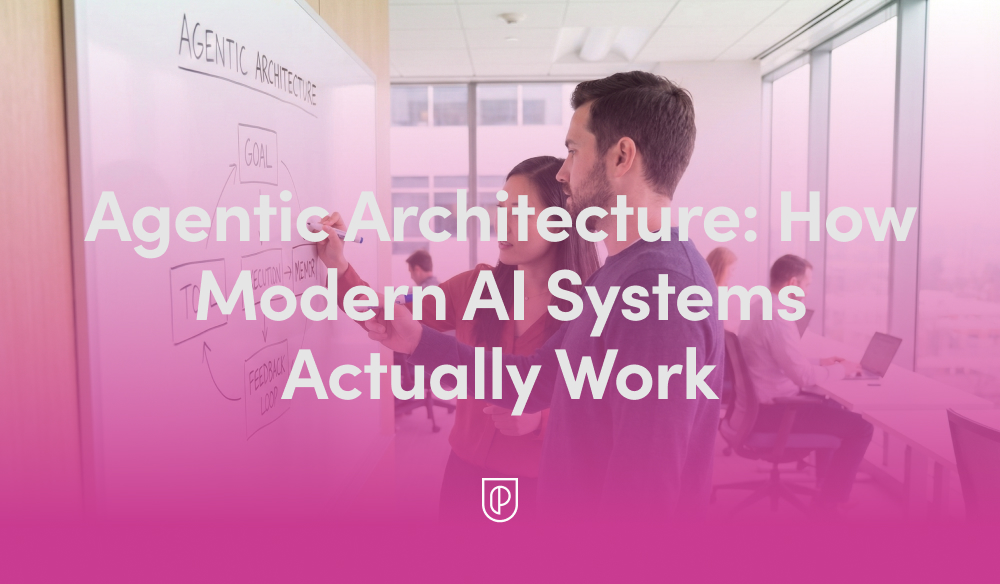
    In my role leading product teams at HighLevel, I’m often asked to explain what’s really happening behind the scenes of today’s AI products. The short answer is that modern systems are built on "Agentic Architecture: How Modern AI Systems Actually Work"—not just a single model, but a coordinated loop of planning, tool use, memory, and evaluation. Once you see that pattern, the design decisions snap into focus and the roadmap becomes far easier to prioritize.

    At its core, agentic AI treats the model as a reasoning engine embedded within an AI workflow. The agent interprets intent, plans steps, calls the right tools and APIs, grounds itself in trusted data, and then evaluates outcomes before deciding to continue or stop. This loop creates reliability, reduces hallucinations, and enables the system to operate in real-world, multi-step scenarios.

    Here’s the practical lifecycle I rely on. A user provides intent (a goal or request). We run a retrieval-first pipeline to ground the model in accurate, current data. Prompt engineering structures the task and primes the agent with constraints and success criteria while managing context window management. The agent generates a plan, executes steps by calling tools or services, evaluates intermediate results, reflects or revises as needed, and only then returns a final answer with clear citations or evidence.

    For more complex work, I orchestrate multiple specialized agents—commonly a planner, a solver, and a critic—coordinated by a lightweight controller. This multi-agent pattern reduces single-agent blind spots, encourages self-checking, and mirrors how empowered product teams collaborate. Whether it’s conversation design for support flows or a voice AI agent driving hands-free tasks, orchestration is the difference between a clever demo and a dependable product.

    Memory is the second pillar. Short-term working context sits in the prompt, while long-term memory lives in vector stores or databases to track past interactions, preferences, and outcomes. Retrieval augments the model with the right facts at the right time, and tight context window management ensures the agent stays focused on signal, not noise. The result is faster responses, lower costs, and far better accuracy.

    Reliability is earned through eval-driven development and robust AI risk management. I define offline and online evaluations, guardrails, and human-in-the-loop checkpoints before scaling traffic. These evaluations become living, automated tests that protect against regressions as prompts, models, and tools evolve. The payoff is real: fewer escalations, higher trust, and measurable improvements to quality over time.

    From a product strategy perspective, I resist over-engineering. Start with a simple retrieval-first pipeline and a single agent; prove value; then layer in multi-agent orchestration only where it moves key metrics. Instrument everything—latency, cost, grounding coverage, and outcome quality—and build Agent Analytics dashboards so teams can diagnose issues and iterate with confidence.

    If you’re looking for a practical playbook, here’s mine: clarify the user intent and success criteria; design the tools the agent can call; ground with authoritative data; write prompts that constrain scope and define termination conditions; add reflection and automated evaluations; and ship behind feature flags for safe, staged rollout. Each step compounds reliability without killing velocity.

    The diagram and the video above bring these patterns to life. If you watch closely, you’ll see the same loop—plan, retrieve, act, evaluate—show up in every effective implementation, regardless of domain. That repetition isn’t accidental; it’s the backbone of agentic architecture and a blueprint you can adapt to your own stack.

    Ultimately, what matters is outcomes. When we build around agentic AI, we create systems that are explainable to stakeholders, maintainable by engineers, and genuinely helpful to customers. That’s how we move past hype to durable impact—shipping AI products that plan, learn, and execute at scale.


    Inspired by this post on Product School.


    Book a consult png image
  • Ship MVPs in Days, Not Months: My Proven Prompt Prototyping Playbook for Product Teams

    Ship MVPs in Days, Not Months: My Proven Prompt Prototyping Playbook for Product Teams

    Most MVPs take too long, cost too much, and still miss the mark. Over the past year, I’ve shifted my team to a prototyping prompts approach that lets us validate problem-solution fit in days, not months. The result is faster learning loops, clearer tradeoffs, and a dramatically higher hit rate on features that actually move the needle.

    When I say prototyping prompts, I mean structured, layered instructions that guide gen ai systems to produce the right artifacts at the right fidelity. Instead of jumping straight to code, we generate concise problem briefs, user stories, interaction flows, low-fidelity UI descriptions, and test plans. Each pass is constrained by acceptance criteria and business outcomes, which keeps the work grounded in value rather than output.

    Here’s the playbook my product trios use to go from idea to a testable MVP in 48–72 hours. First, we anchor on outcomes vs output OKRs and clarify the customer job-to-be-done using evidence from customer interviews and support data. This is classic continuous discovery, but we compress it by focusing on the single riskiest assumption to de-risk this week.

    Second, we build a prompt scaffold. We specify the role, constraints, target users, success metrics, and the exact output format we expect. We also define evaluation upfront, borrowing from eval-driven development. For example, before any generation, we list the acceptance tests that a good solution must pass, including edge cases and compliance considerations. This discipline keeps hallucinations in check and improves repeatability.

    Third, we spin up multiple prototypes in parallel. One prompt generates a lean product brief; another outlines user flows; a third proposes UI states and error handling. If we’re exploring voice, we add prompt engineering for voice to script dialogs and repair strategies. For data-heavy features, we call out retrieval-first pipeline patterns so the model references source-of-truth data rather than guessing.

    Fourth, we validate with real users using the lightest-weight experiment possible. Fake-door tests, concierge workflows, and guided click-throughs let us measure intent before we invest. Where we can, we run quick A/B testing and size the effort using minimum detectable effect (MDE) so we don’t over- or under-sample. The point isn’t perfection; it’s fast, directional signal to inform the next iteration.

    Fifth, we instrument and ship behind feature flags. We track activation, task completion, and time-to-value from day one. On the delivery side, we watch DORA metrics and deployment frequency to ensure we’re learning continuously rather than batching big bets. This bridges discovery and delivery so roadmaps reflect real-world feedback, not assumptions.

    One recent example: we needed to evaluate a voice AI agent for appointment scheduling. In 72 hours, prompts produced the problem brief, dialog flows, error recovery strategies, and a sandbox to simulate inbound requests across three user personas. We exposed a thin slice to a pilot cohort, captured call outcomes, and iterated the repair prompts twice before writing any production code. The pilot converted at a higher rate than our control flow and gave us the confidence to invest in full integration.

    This approach only works if we treat governance as a first-class concern. We bake in privacy-by-design, clear data governance boundaries, and AI risk management from the start. Prompts include guardrails on personally identifiable information, explicit constraints on data use, and links to approved sources. We also maintain a prompt repository with versioning and automated evaluations so changes are observable and reversible.

    Practically, strong prompt scaffolds share three traits. They’re specific about context and constraints, they define success in measurable terms, and they separate concerns by artifact type. I’ll often ask for three variants with different tradeoffs, then run a quick synthesis prompt that highlights points of parity and differentiation. This gives the team structured options rather than a single, brittle path.

    If you’re starting from zero, begin with one high-leverage workflow. Write a crisp outcome statement, draft your acceptance tests, and create a prompt that outputs a one-page brief, three user flows, and the top five risks with mitigations. Validate with five users in 48 hours, then decide: double down, pivot, or park. Rinse and repeat, and your product roadmapping and sprint planning will shift from speculation to evidence.

    The bottom line is simple. Prototyping prompts won’t replace product judgment, but they will accelerate it. By turning ideas into testable artifacts in hours, you minimize waste, maximize learning, and ship better MVPs—fast.


    Inspired by this post on Product School.


    Book a consult png image
  • 12 Game-Changing Updates to Fin Procedures & Simulations for Complex Queries

    12 Game-Changing Updates to Fin Procedures & Simulations for Complex Queries

    Today, I’m excited to share 12 major updates to Fin’s Procedures and Simulations—the foundation that lets Fin handle complex work while keeping teams fully in control of the customer experience.

    In my work building AI workflows with product and support leaders, I’ve seen how the right blend of natural language instructions, deterministic controls, and fully agentic behavior turns Fin into a reliable problem solver. Procedures make this blend possible by enabling Fin to act like a human—yet with the repeatability and governance of software. Simulations then let us test those complex Procedures at scale before they reach customers, so we can deploy with confidence.

    Together, these capabilities make Fin self-manageable, transparent, and ready for genuinely complex work.

    Here’s what’s new at a glance: we’ve made Procedures easier to build and maintain; enhanced deterministic controls for precision and policy compliance; expanded agentic behavior so Fin can adapt in real time; and delivered more powerful Simulations to validate end-to-end workflows before go-live.

    Why did we build this? Many teams see early AI gains in speed, coverage, and cost to serve—but then hit a ceiling. They keep AI confined to simple automation and information retrieval, rather than setting it up to handle the nuanced, multi-step workflows they still trust to humans. We designed Procedures and Simulations to remove that ceiling, so teams can confidently set up, govern, and iterate on complex AI workflows without bottlenecks.

    Dark UI diagram of a continuous AI/ML lifecycle loop on a grid, labeled ANALYZE, TRAIN, TEST, and DEPLOY, with TRAIN highlighted in orange to signal iterative model development and evaluation.
    Follow the AI lifecycle as it cycles from Analyze to Train to Test to Deploy. This streamlined loop spotlights the TRAIN phase, underscoring faster iteration and feedback that power more capable procedures and realistic simulations.

    We also heard that teams needed an easy way to connect data so Fin could reliably check customer status or eligibility and then take action. And they didn’t want to route through engineering every time they needed to create or amend logic for mid-conversation decisions. Procedures combines natural language instructions and intuitive data connector setups. You tell Fin in your own words how you want it to behave, and you’ll be guided through creating conditional steps so Fin will react consistently, with the option to add in any code snippets for circumstances where absolute precision is required. Once you build one Procedure, we believe you’ll want to build several, so Fin will constantly read the conversation it’s in to ensure it’s following the most relevant Procedure, and jump to a more relevant one if the user intent changes.

    I know that taking something like this live the first time can feel like a leap of faith. That’s exactly why we built Simulations—to test Procedures comprehensively, uncover edge cases, and launch with confidence.

    Reaching mature deployment takes a deliberate, ongoing commitment to training workflows, validating them before deployment, measuring performance in production, and refining them over time. At Intercom, we call this the Fin Flywheel: train, test, deploy, analyze. Procedures form the foundation of the train stage, and Simulations make the test stage reliable at scale. Together, they enable Fin to handle complex work, and teams to stay in control of it.

    Procedures: Define exactly how Fin handles complex work. With Procedures, I can set Fin up to resolve complex, time-consuming queries that require multiple steps or business logic. Fin follows standard operating procedures and applies sound judgment—just like a seasoned teammate—so even complicated queries are resolved in controllable, predictable ways.

    Interface screenshot of a customer service Procedures editor titled 'Procedure: Damaged food order,' showing when-to-use guidance, Train Fin on examples, and Test, Save, Set live actions.
    A snapshot of the Procedures builder in action, mapping a clear path for handling damaged food orders while letting teams train Fin on examples, target channels, quickly test updates, and publish with Set live.

    Procedures combine three powerful elements. First, natural language instructions. You write a Procedure in plain language, just like documenting a process for a new teammate. You can paste in your existing SOPs, write from scratch, or let AI draft them for you, then iterate yourself.

    What’s new: Draft Procedures with AI. Share an outline of your process and Fin drafts a complete Procedure using your conversation history, knowledge hub content, and relevant data. If additional context is needed, it prompts you with clarifying questions to make sure the Procedure is thorough and tailored to your use case, significantly reducing setup time. For example: if you’re creating a refund workflow, the system can draft conditional paths for eligibility, approval thresholds, and verification steps based on your historical cases and policies.

    What’s new: Break complex workflows into Sub-procedures. Write a process once and reference it across multiple Procedures by breaking it down into reusable steps, called Sub-procedures. This makes workflows easier to read, faster to build, and simpler to maintain as things change.

    Second, deterministic controls. Natural language is flexible, but some steps need to be exact. You can layer in deterministic controls where precision matters, starting with a fully natural language Procedure and introducing structure gradually where it adds value: conditional steps (branching logic) to handle decision points so Fin’s behavior is consistent and predictable; data connectors so Fin can pull information from your tools or take actions automatically; code snippets for when absolute accuracy is essential; and checkpoints to pause for approval or hand off to a teammate.

    Screenshot of a Transaction dispute procedure showing IF/ELSE logic, a code step for check_dispute_eligibility, and a Data Connector menu with Freeze credit card and Get upcoming invoice.
    Fin demonstrates structured troubleshooting: a transaction dispute flow with eligibility checks, clear IF/ELSE steps, and quick Data Connector actions like freezing a card or pulling invoices, streamlining complex support tasks.

    What’s new: Instruct Fin to read specific content from your knowledge hub. You can set clear rules for Fin to reference a specific policy or article from your knowledge hub in defined situations so Fin always surfaces the right context in a conversation.

    What’s new: Explicit Procedure switching under defined conditions. You can set rules that deterministically trigger a switch to a different Procedure, for example, escalating to a complaints Procedure if specific risk signals are detected mid-conversation.

    What’s new: Internal notes for human handoffs. When Fin hands off to a teammate, it can now include internal notes with relevant context so the person picking up the conversation knows exactly what happened and what needs to happen next.

    Third, fully agentic behavior. Because real conversations rarely follow the happy path, Procedures let Fin reason through what’s happening and adapt—jumping to the right step or switching Procedures entirely if a customer changes their mind or the issue shifts.

    Product UI showing a Simulations panel where a 'Food order damage clear' test is running, with a simulated user and Fin AI Agent exchanging messages and green checks marking triggered steps.
    Procedures and Simulations in action: Fin rehearses a food order damage scenario, confirming details and progressing through each trigger. Teams validate complex flows end to end as steps turn green and outcomes are tracked.

    What’s new: Automatic Procedure switching. If a customer starts in a billing workflow but then asks about cancelling their subscription, Fin transitions to the relevant Procedure without forcing the customer to restart.

    What’s new: Structured data extraction from uploaded files. Fin can now extract structured data directly from PDFs and images uploaded by customers—like invoices, forms, or receipts—and use that data within the conversation. Customers don’t have to copy and paste or repeat themselves.

    As MONY Group put it:

    “ If a customer starts down one path but their issue turns out to be something else entirely, Fin adapts seamlessly – no more getting stuck in loops or forcing customers into the wrong workflow. ”

    Screenshot of a Simulations panel for AI support workflows, listing scenarios: Damage confirmed (Pass), Refund subscription (Fail), No subscriptions (Not run yet), with Run all, New, and suggested tests.
    Simulations help teams rehearse procedures and verify outcomes before going live. Run all tests or launch a new one to ensure Fin handles tricky customer scenarios—from damage confirmation to refunds and missing subscriptions.

    The result is a conversation that feels fluid, but always follows your intended rules.

    Making complexity easier to manage is just as important as unlocking new capabilities. Beyond the core updates, we’ve focused on creation, governance, and scale—while keeping ownership with your team.

    What’s new: Improved instruction authoring. We’ve made it easier to write, edit, and structure Procedures, so building and updating them takes less time and requires less effort.

    What’s new: Reporting on when Procedures trigger, resolve, or hand off. You can now track how Procedures are performing directly within the Procedures UI, seeing exactly when they trigger, when they resolve, and when they hand off to a teammate. This visibility helps you spot issues early and improve over time.

    Two-column graphic with customer testimonials on Fin’s Procedures and Simulations update, citing payment query handling, ~94% CSAT for Payment Information, and real-time claims via API-driven decisions.
    Customer stories from Raylo and Mony Group show how Fin now resolves payment issues and complex claims in-chat, checks account data via APIs, and lifts CSAT to about 94%, highlighting the impact of Procedures and Simulations.

    Simulations: Test complex workflows at scale before they reach customers. Simulations let you validate how Procedures will perform before anything goes live, and continuously revalidate as things change. Deploying complex AI can feel uncertain; Simulations remove that uncertainty so you can launch with confidence and iterate safely.

    You can simulate full conversations. For any Procedure, choose a user or customer segment and run a complete, multi-turn simulated conversation. You see every step Fin takes, how it applies your rules, reasons through decisions, and where it passes or fails—giving you the observability to debug and fix issues before they ever reach customers.

    What’s new: Upload images for richer testing. Simulations now support image uploads, so you can test workflows that involve receipts, invoices, or forms—the same inputs your customers actually send.

    What’s new: Clearer visibility into Fin’s reasoning. You can now see exactly how Fin is thinking through each step of a Simulation, making it easier to understand behavior, catch unexpected decisions, and refine Procedures with confidence.

    You can also use AI to create, store, and rerun tests. Writing test coverage manually doesn’t scale. Fin’s AI Assistant generates Simulations directly from your Procedures, suggesting realistic edge cases like partial refund disputes, missing invoice uploads, or no subscription found, so you can expand coverage without expanding overhead. All the Simulations you create are stored in a central library. When a product changes, a policy updates, or a Procedure is edited, hit “run all” to instantly check whether anything has regressed. This applies the same rigor to AI automation that engineering teams bring to software testing.

    What’s new: AI-suggested Simulations. You can now use AI to generate a full set of Simulations from any Procedure. The AI Assistant suggests realistic variations based on your workflow, so you can build comprehensive test coverage fast.

    Customers are already seeing this in production. “Fin can now handle payment-related queries that were never possible before… The impact on CSAT and overall CX has been pretty shocking – the Payment Information procedure CSAT is sitting at ~94%, and CX score is significantly higher than our average.” – Raylo

    “Procedures have fundamentally changed what we can achieve with Fin. Previously, complex processes like cashback claim investigations could only be handled through a static form on our website… Now, Fin can handle these sophisticated scenarios in real-time within the conversation itself. It checks account information via API calls, makes complex decisions, and guides customers through the entire claims process dynamically.” – MONY Group

    Procedures and Simulations are available now. I’m eager to see how teams use these updates to scale agentic AI, deliver faster resolutions, and raise the bar for customer experience—without sacrificing control, compliance, or quality.


    Inspired by this post on The Intercom Blog.


    Book a consult png image
  • Human-in-the-Loop Mastery: Proven Oversight Tactics That Elevate AI Quality and Trust

    Human-in-the-Loop Mastery: Proven Oversight Tactics That Elevate AI Quality and Trust

    Human-in-the-loop oversight is the fastest and most reliable way I know to elevate AI quality, build user trust, and reduce risk. At HighLevel, my teams treat oversight as a product feature—not an afterthought—because dependable AI experiences come from deliberate design choices across data, models, and people.

    When I say “human-in-the-loop,” I mean a system that blends automation with targeted human judgment at key moments: during data curation, prompt engineering, evaluation, deployment, and post-launch learning. This approach turns “AI workflows” into measurable, repeatable processes and keeps me honest about what’s working, what’s drifting, and where a human safety net must step in.

    Architecturally, I start with a retrieval-first pipeline to ground outputs in trusted knowledge, then wrap it in guardrails. Deterministic preprocessing, careful prompt engineering, and post-processing validators catch obvious failure modes. Confidence thresholds and policy checks route ambiguous or sensitive cases to a human reviewer, while clear, auditable traces show why the system chose automation versus escalation. This balance supports reliability at scale while preserving agility for “agentic AI” patterns when they add value.

    Quality is only real if I can measure it, so I build with eval-driven development from day one. I maintain golden datasets, rubric-based scoring guidelines, and an automated evaluation harness that runs on every change to prompts, models, or data. Pre-production gates protect against regressions, while production telemetry surfaces drift by segment and use case. When it’s time to run experiments, I use A/B tests sized with a minimum detectable effect (MDE) to avoid overfitting to noise.

    Operationally, I optimize for outcomes, not output. I track task success rate, time-to-resolution, safety violation rate, hallucination rate, and cost-to-serve, then connect these to outcomes vs output OKRs. The signal I want is simple: are we reliably solving the user’s job-to-be-done with lower effort and higher confidence? If not, I tighten prompts, refine retrieval, or expand human review where it pays off most.

    Risk governance is non-negotiable. I design with privacy-by-design and data governance from the start—role-based access, audit trails, PII redaction, and red-team tests for safety. Clear reviewer playbooks and calibration sessions reduce bias and ensure consistent decisions. These practices aren’t bureaucracy; they’re how I operationalize AI risk management while maintaining velocity.

    Teams make or break this model. I empower product trios to own the full lifecycle—discovery, build, and learning—so feedback loops close quickly. In-product feedback widgets, reviewer queues, and incident management playbooks help us respond in hours, not weeks. Over time, human review becomes a targeted scalpel rather than a blanket requirement as the system learns and improves.

    Economics guide the level of oversight. I treat each workflow like a portfolio: where the value of accuracy is high and ambiguity is common, I route more to humans; where tasks are simple, frequent, and well-bounded, I automate aggressively. The goal isn’t zero humans—it’s optimal humans, deployed precisely where their judgment compounds ROI.

    If you’re getting started, begin with one high-impact workflow, establish your golden set and evaluation rubric, and wire in a simple review queue. Prove the lift, then scale. In the short video above, I walk through the patterns I use to design these loops, measure quality with rigor, and ship AI that teams—and customers—can trust.


    Inspired by this post on Product School.


    Book a consult png image
  • Multi‑Agent Systems Demystified: Why One AI Isn’t Enough—and How I Ship Faster With Many

    Multi‑Agent Systems Demystified: Why One AI Isn’t Enough—and How I Ship Faster With Many

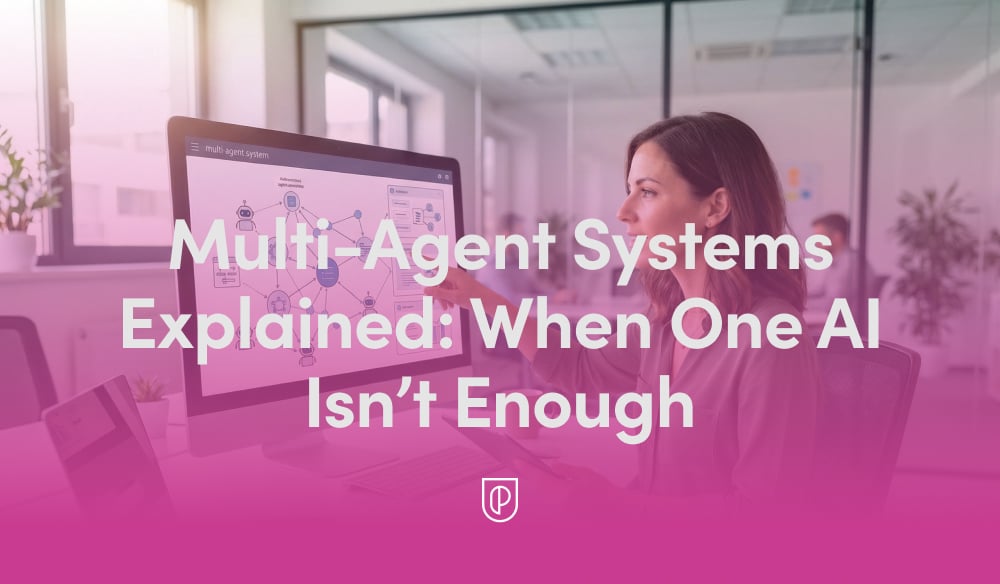
    In my day-to-day building AI products, I’ve learned a simple truth: a single model can be brilliant, but a coordinated team of specialized agents is what consistently ships outcomes customers trust. That’s the promise of multi-agent systems—multiple AIs with distinct roles collaborating inside robust AI workflows to deliver accuracy, speed, and resilience you can’t get from a lone model.

    Think of a multi-agent system as a well-run product trio for machines: a planner decomposes the job, specialists execute focused tasks, a reviewer checks quality, and an orchestrator keeps everyone aligned. This agentic AI approach mirrors how high-performing teams work—divide complex problems, play to strengths, and create tight feedback loops.

    When does one AI stop being enough? Whenever tasks require tool use, domain retrieval, multi-step reasoning, or policy adherence under real-world constraints. In those moments, specialized agents shine—one for search using a retrieval-first pipeline, another for reasoning, another for action execution, and a final one for validation. The result is better accuracy with manageable latency and cost.

    The core architecture I rely on starts with a planner that breaks a goal into steps, followed by execution agents equipped with tools and grounded context. I pair this with context window management to keep prompts lean and relevant, and I insert a verifier (or critic) to catch logic slips and policy violations before results reach customers. A lightweight orchestrator coordinates handoffs and retries to keep the whole flow resilient.

    To make this production-grade, I treat observability as non-negotiable. Agent Analytics helps me see which agents are adding value versus adding latency, where failures cluster, and how prompts drift over time. From there, eval-driven development gives me measurable confidence: I codify representative tasks, run offline and shadow evaluations, and only promote changes that move accuracy and safety in the right direction.

    Governance is equally critical. I design privacy-by-design from the start, restrict data movement with strong data governance, and enforce policy constraints inside the workflow rather than after the fact. This includes red-teaming failure modes, rate-limiting tools, and capturing immutable traces for audits and post-incident reviews—habits borrowed from SRE culture that map well to AI systems.

    On the practical side, prompt engineering remains foundational, but it’s the system design that converts clever prompts into reliable outcomes. Tool access, retrieval quality, memory strategy, and error handling matter more than wordsmithing alone. I’ve found that small prompt improvements are amplified when the surrounding workflow is sound—and are overwhelmed when it isn’t.

    If you’re just starting, begin with a narrow use case and a minimal set of agents—planner, executor, and verifier—then expand. Use continuous discovery with real users to learn where the workflow fails in the wild, and iterate with tight release cycles. Treat every agent like a microservice with clear contracts, test coverage, and metrics, and you’ll unlock compounding gains without losing control.

    The payoff is tangible: faster shipping cycles, fewer regressions, and outcomes customers can actually rely on. When stakes are high and ambiguity is real, one AI is often a talented soloist—but a disciplined ensemble of agents is how I deliver dependable, scalable value at product velocity.


    Inspired by this post on Product School.


    Book a consult png image
  • From Chaos to Clarity with Claude Code: My Hands-On Playbook for Product Leaders

    From Chaos to Clarity with Claude Code: My Hands-On Playbook for Product Leaders

    I’ve been pushing hard to operationalize AI for real product work, and this episode zeroes in on the moment Claude Code stops feeling like a demo and starts behaving like a dependable teammate. If you’ve ever wondered how to go from clever prompts in the browser to durable, repeatable workflows on your machine, this walkthrough is for you.

    Listen on: Spotify | Apple Podcasts.

    My first honest reaction to installing and configuring the desktop agent was the all-too-relatable “this tool thinks everything is a code repo” reality. That framing helped me reset expectations fast: instead of treating it like a magical universal assistant, I began designing guardrails, context, and repeatable routines—exactly how I’d onboard a new team member.

    The shift from Claude-in-the-browser to Claude Code on my machine was the unlock. Locally, it can finally work with my files, folders, and workflows. That meant I could ground it in real artifacts—project docs, meeting notes, product specs, and historical decisions—so responses weren’t just plausible; they were contextual and verifiable.

    On setup, I now treat /init and Claude MD files as my product requirements. I define roles, boundaries, and canonical sources up front, then run in a deliberate “walled garden.” The “treat it like an intern” model works beautifully: scope access intentionally, expand privileges as trust grows, and keep a tight audit trail of what it can touch and why.

    Surprisingly, task management became my ideal on-ramp. It’s easy to validate, the feedback loops are tight, and the ROI is immediate. I export calendar windows rather than granting full calendar access, then let the agent map priorities into Trello, reconcile time blocks, and surface trade-offs. Fast wins build confidence—mine and the agent’s.

    Model switching matters more than I expected. When speed is king and “good enough” will do, Haiku keeps the loop snappy. When stakes are higher—complex synthesis, nuanced product strategy, or gnarly ambiguity—I step up to Claude Opus 4.5. Being intentional about when to optimize for latency versus depth is a quiet superpower.

    Web tasks can still spiral. When that happens, I pause its autonomy, toggle to fewer steps, and ask, “What are you doing?” Paired with Claude’s Web fetch tool, this makes the agent explain its chain-of-thought planning without exposing hidden reasoning, so I can spot brittle assumptions, prune distractions, and re-ground the task.

    Content retrieval has become a killer workflow. I point the agent at my archives—blog posts, book drafts, transcripts, notes—and ask, “Where have I talked about this before?” It assembles a map of prior art, connects themes I’d forgotten, and prevents me from reinventing work. Over time, this evolves into a Zettelkasten-style research system that upgrades rigor and accelerates synthesis.

    I’ve also turned Claude Code into a publishing engine. From a single transcript, it drafts titles, descriptions, show notes, and chapters, then routes artifacts to Ghost for formatting. Before anything ships, I run fact-checking workflows that validate claims against transcripts and research sources. The output improves, but more importantly, the scaffolding makes quality repeatable.

    Reusable workflows compound. I rely on slash commands to trigger common jobs, break down larger efforts with sub-agents, and wire in hooks and plugins where external systems are needed. This is agentic AI at its most practical: fewer hero prompts, more reliable processes.

    Audience analytics and content prioritization are helpful with caveats. I let the agent cluster themes and flag gaps, then I pressure-test its suggestions against first-party data and strategic goals. As with any model-driven insight, triangulation beats blind faith.

    Two metaphors guide my day-to-day. First, Claude Code is like a dog—sometimes it returns with the stick, sometimes it gets lost in the woods. Second, the “intern” framing keeps me honest: don’t hand it the whole company on day one. With that mindset, my output jumped—more volume without sacrificing quality—because the workflow scaffolding got better.

    In this episode, I cover what Claude Code is and why it’s useful even if you’re not an engineer, the real difference between the browser experience and running locally, how to shape behavior with /init and Claude MD files, why task management is the perfect proving ground, when to export calendar windows versus connecting directly, and when model-switching makes sense—Haiku for speed, Opus for depth.

    I also dig into debugging web tasks by asking “What are you doing?”, content retrieval workflows across personal archives, building reusable slash-command systems with sub-agents, hooks, and plugins, practical publishing stacks from transcripts, fact-checking against transcripts and research sources, and using analytics to prioritize content—with a healthy respect for uncertainty.

    If you’ve been trying to make Claude Code feel less like “throwing a stick into the woods,” this is the candid, tactical tour I wish I’d had on day one. Drop your questions and experiments below—I’m eager to compare notes and refine the playbook together.


    Inspired by this post on Product Talk.


    Book a consult png image
  • Build CX Scores You Can Defend: My 5-step playbook for transparent, trustworthy AI metrics

    Build CX Scores You Can Defend: My 5-step playbook for transparent, trustworthy AI metrics

    “You don’t have to trust the algorithm; you can see exactly why a conversation earned the score it did.”

    We recently shared how we redesigned CX Score to deliver deeper, more actionable insights across every conversation. The most common follow-up from support leaders was simpler and incredibly important: “Can I trust it?” It’s the right question—and it’s the one I use as my own bar for whether a metric is ready for the C‑suite.

    CS teams are the subject matter experts on customer experience. They understand the nuance of what customers feel, the context behind every interaction, and the difference between a technically resolved issue and a genuinely satisfied customer. I’ve learned, conversation by conversation, that any metric we ship has to capture that nuance at scale—or it doesn’t deserve to be used.

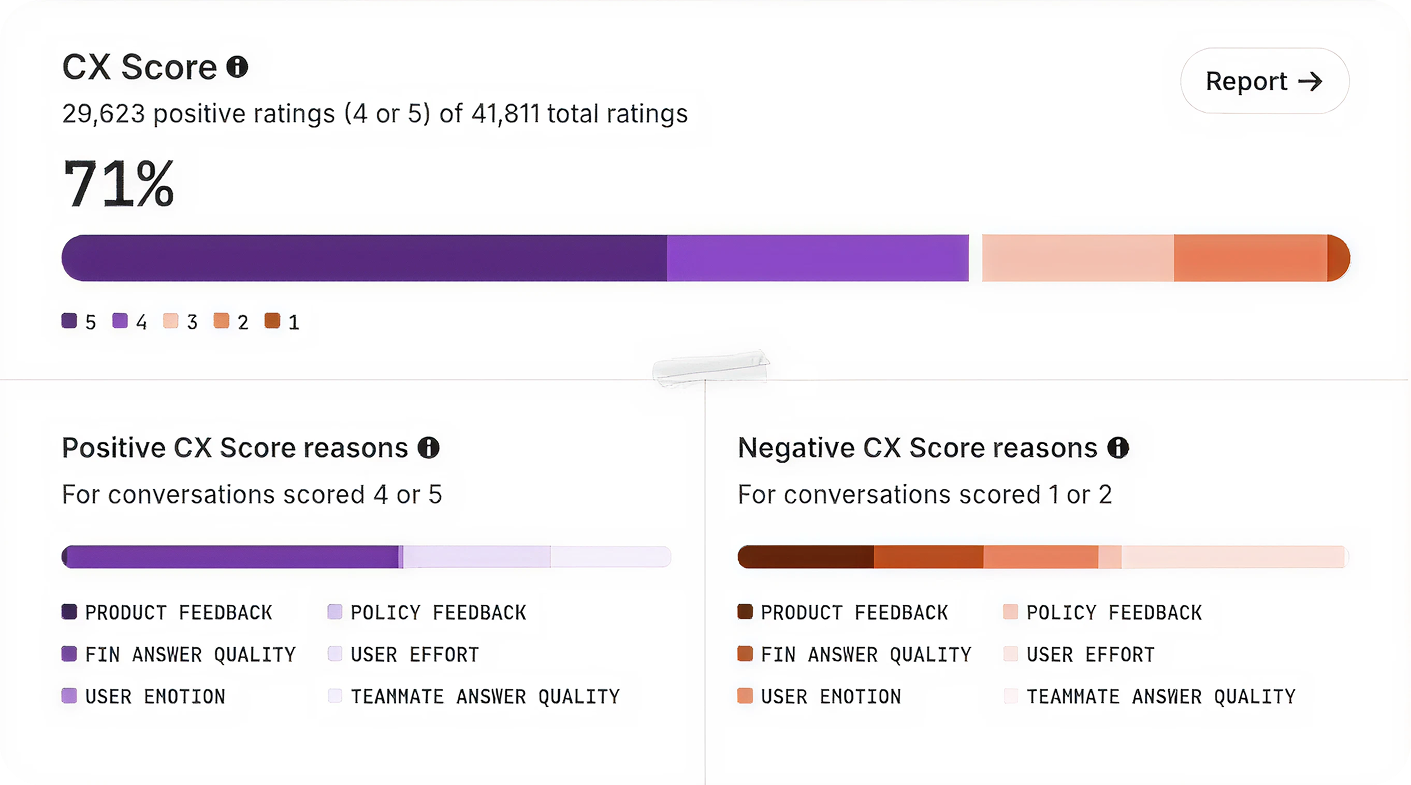
    We built CX Score to give support teams a complete view of how their customers feel across every conversation. It surfaces what’s working, what’s not, and why—so leaders can communicate impact clearly and drive change across support, product, and the wider business.

    Interface card displaying 'CX Score: 2' summarizing a case where repeated CSV export attempts failed, frustrating the customer; the AI agent explains the issue and requests more details; rounded gradient border.
    A CX Score in action: repeated CSV export failures trigger a low score and customer frustration, while the AI agent clarifies next steps and gathers details—turning raw signals into actionable support insights.

    Here’s exactly how I approached building a trustworthy metric that support leaders can inspect, explain, and defend.

    1) It’s grounded in how support teams define quality. I started with how experienced support professionals actually evaluate conversations—collecting real examples of strong, mixed, and poor interactions across industries, identifying the specific factors that shape overall experience, and writing plain-English rules for each. The result: CX Score applies the same criteria a trained support professional would use, not generic LLM assumptions.

    2) It’s aligned with human judgment. We created a dataset of thousands of real customer conversations spanning multiple industries, languages, channels, and agent types. Each was manually reviewed by experienced support professionals—with two reviewers per conversation where possible and disagreement resolution to create stable consensus labels. The result: CX Score is trained and tested to behave like an expert reviewer, not a language model making broad guesses.

    Analytics dashboard visualizing a CX Score with KPI cards and a Sankey performance funnel linking support channels to AI involvement, resolutions, and positive, neutral, or negative outcomes.
    A modern CX analytics view shows how conversations flow from chat, email, and mobile into AI assistance, then to resolutions and sentiment outcomes—turning messy support data into a single, defensible CX Score.

    3) It’s engineered by AI specialists. CX Score isn’t a prompt attached to an LLM. It’s a production system built by Intercom’s AI Group: 37 ML scientists and 350 engineers whose full-time focus is AI for customer service. The system includes specialized handling for long transcripts, model configuration tailored for support language and subtle sentiment, prompt engineering designed to default to neutral when evidence is weak, and a multi-stage evaluation pipeline that checks for precision, consistency, and reliability. The result: A metric built by a team that understands LLM behavior in production support environments, where accuracy and consistency matter most.

    4) It’s validated statistically, not qualitatively. Trust requires measurement, not vibes. We tested CX Score across standard ML metrics: Precision (when the model flags a negative experience, how often do humans agree?), recall (how many human-identified issues does it catch?), and F1 score (the balance between both). We set an explicit bar: F1 above 0.8, representing high agreement with human judgment. We reran these evaluations through every revision, checking for regressions or biases, and I focused especially on negative experiences, because a false negative hides a real problem. The result: CX Score meets a measurable standard before it ships—not a gut check, a statistical requirement.

    5) It was battle-tested with real customers. Lab accuracy isn’t enough. Customer environments are messy: Varied ticket types, mixed languages, unpredictable edge cases. Before release, we ran a multi-phase field test—shadow-scoring conversations with both old and new models, validating sensible behavior across agent type and conversation length, then rolling out to a controlled customer group who confirmed the scores felt right, reasons were clear, and insights were actionable. The result: CX Score shipped because real teams told us it made sense in practice, not because it passed internal tests.

    Donut chart of CX categories beside a chat UI showing a CX Score of 3 with a 'Negative policy feedback' tag, highlighting policy feedback, answer quality, customer effort, and emotion.
    From conversation to clarity: this visual maps the drivers behind a CX Score. Explore how policy feedback, answer quality, and effort combine to produce defendable insights support leaders can act on.

    The importance of explainability. One of the most critical choices I made was ensuring CX Score isn’t a black box. Every score comes with clear reasons, concrete excerpts, and a short explanation of what influenced the rating. This turns the metric into something you can inspect, audit, and explain to executives. You don’t have to trust the algorithm. You can see exactly why a conversation earned the score it did.

    A metric that evolves with your business. Customer expectations shift. Products change. AI improves. A trustworthy metric can’t be static. CX Score evolves with the same commitments that shaped its redesign: Evaluate the real signals that shape customer experience, keep the logic simple and interpretable, and ensure leaders can make clear decisions from it. It’s built to be a durable source of truth across every conversation.

    The takeaway. In a world where products look the same and AI can generate any interaction, customer experience is one of the few differentiators that actually matters. Support leaders have built that expertise conversation by conversation. What they’ve lacked is a measurement system that could validate it at scale—one that’s reliable enough to report to the C-suite, explainable enough to defend in strategy meetings, and rigorous enough to drive real decisions. That’s what CX Score is designed to be: A metric that reflects the reality support leaders see every day, backed by the technical rigor to make it credible everywhere else.

    Want to see CX Score in your workspace? Ask your admin to enable it for your team, and start using explainable AI insights to improve customer experience and coach with confidence.


    Inspired by this post on The Intercom Blog.


    Book a consult png image
  • AI Agent Deployment Mastery: My Proven Checklist to Ship Safely, Faster, and at Scale

    AI Agent Deployment Mastery: My Proven Checklist to Ship Safely, Faster, and at Scale

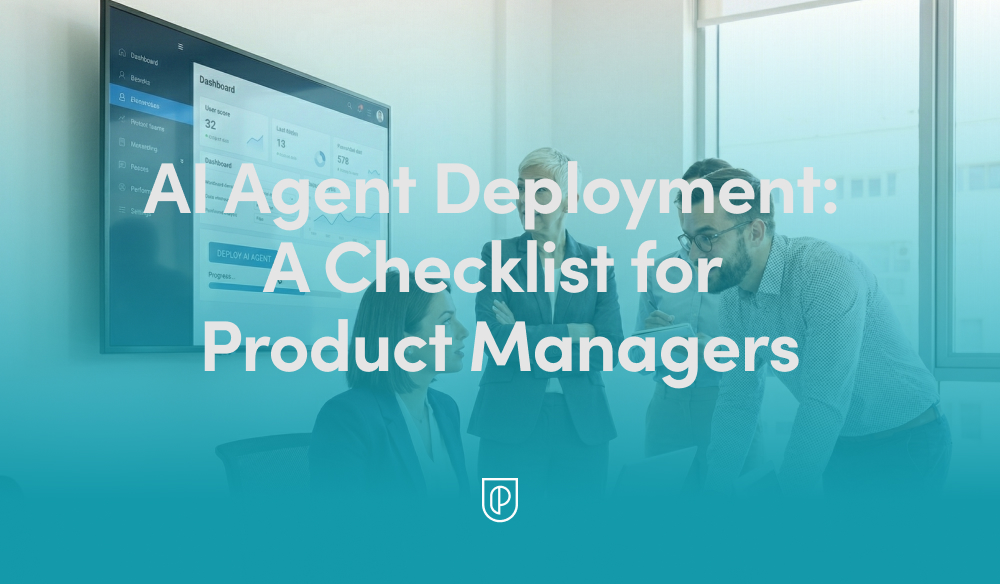
    Shipping AI agents is not like shipping a typical feature. The system learns, reasons, and takes action in unpredictable environments, and when it’s customer-facing, the stakes are high. Over the past few years, I’ve refined a practical checklist that helps my teams move quickly without breaking trust. It balances speed with safety, and ambition with accountability—exactly what you need to scale agentic AI in production.

    This checklist was forged in real launches—some smooth, some humbling. Early on, I watched an otherwise brilliant agent confidently offer a refund policy we didn’t have. That one incident made it clear: AI agents require a higher bar for guardrails, evals, and observability. Today, I won’t greenlight an AI rollout without these steps being explicit, owned, and testable.

    Start with outcomes, not output. I define the job-to-be-done, the target users, and the measurable business impact using outcomes vs output OKRs and driver trees. Success is not “ship an agent,” it’s “reduce first-response time by 40% with no drop in CSAT,” or “increase qualified demo bookings by 20% at a lower cost per acquisition.” Clear outcomes give the agent a purpose and the team a north star.

    Prepare the knowledge the agent will use. A retrieval-first pipeline beats raw prompting for most enterprise cases. I inventory sources of truth, set access controls, and enforce data governance from day one. That includes PII handling, redaction, retention policies, and privacy-by-design. If the agent can’t reliably retrieve the right fact at the right time, the rest doesn’t matter.

    Choose models and prompts with discipline. I align model selection with context window management, cost, latency, and tool-use requirements. Then I build prompts and tools together, not in isolation, and I keep temperature, stop conditions, and function-calling explicit. Most importantly, I use eval-driven development: golden datasets, task-specific metrics (accuracy, helpfulness, latency, cost), and target thresholds that must be met before widening rollout.

    Manage AI risk upfront. I treat jailbreaks, toxicity, and data leakage as product risks, not just security issues. I implement layered defenses—input/output filtering, policy checks, rate limits, and abuse monitoring—and define escalation paths and human-in-the-loop handoffs for ambiguous cases. Every risky capability needs an owner, a playbook, and a test.

    Build the pipeline that lets you iterate safely. Prompts, tools, policies, and retrieval configs go through the same CI/CD rigor as code. I use feature flags for progressive delivery, canary cohorts to limit blast radius, and clear rollback procedures. Observability isn’t optional; I track latency, token usage, cost, failure modes, and user outcomes. I also watch DORA metrics and deployment frequency to ensure we’re improving the engine, not just the output.

    Constrain autonomy intentionally. Agent behavior design matters as much as model choice. I set step limits, define tool whitelists, separate read vs write permissions, and specify decision checkpoints. When the agent is uncertain or confidence drops below a threshold, it hands off to a human or a deterministic workflow. Guardrails aren’t barriers; they’re bumpers that keep you on the track.

    Instrument what users experience, not just what models produce. I track activation, task success, self-serve completion rates, and time-to-value. I pair Agent Analytics with journey analytics so I can see where the agent helps or hurts. I also invest in UX trust cues—transparent explanations, undo paths, and in-app guides—so users feel in control. When the agent changes behavior through learning, the interface should make that understandable.

    If you’re shipping a voice AI agent, test in realistic conditions. I set targets for ASR accuracy, barge-in responsiveness, TTS prosody, and end-to-end latency. I predefine safe transfer logic for complex calls and ensure compliance for call recording and data retention. Voice amplifies both the magic and the mistakes; operational excellence is non-negotiable.

    Plan the business rollout like a product, not a press release. I align pricing (often consumption SaaS pricing), packaging, and SLAs with actual unit economics—tokens, inference, and retrieval. I equip solutions engineering with playbooks and reference architectures, wire up CRM integration for attribution, and put feedback loops into Intercom or the support stack so we learn from every interaction.

    Run operations like an SRE team. I define incident severity for AI-specific failures (e.g., harmful output, runaway cost, degraded retrieval), add alerting, and keep runbooks current. I schedule postmortems that feed directly into eval baselines and backlog priorities. Continuous discovery isn’t a ceremony; it’s the safety net that keeps improvements compounding.

    Close the loop on compliance and governance. From day zero, I document data flows, vendor scopes, and audit logs. I verify regulatory compliance and adopt privacy-by-design so I’m not retrofitting later. Transparency, user consent, and opt-outs aren’t just legal checkboxes; they’re trust-building tools that differentiate your product.

    The result of this checklist is speed with confidence. It gives my teams a common language to debate trade-offs, a clear path to production, and the guardrails to scale safely. If you’re preparing to deploy an agent, adapt these steps to your stack and your customers. Your future self—and your users—will thank you.


    Inspired by this post on Product School.


    Book a consult png image
  • Build Your Personal Operating System with Claude Code: A Playbook for Focus, Speed, Clarity

    Build Your Personal Operating System with Claude Code: A Playbook for Focus, Speed, Clarity

    This is the year to build your personal operating system. For me, that line isn’t a slogan; it’s a commitment to eliminate context switching, compress decision cycles, and turn fragmented information into a reliable source of truth. As a product leader, I needed a system that blends judgment, data, and automation—so I built mine around Claude Code.

    When I say “personal operating system,” I mean an integrated set of AI workflows, rituals, and tools that capture knowledge, structure decisions, and automate execution. It’s where product discovery meets delivery: a place to synthesize signals, prioritize with clarity, and move from insight to action without friction. The outcome is fewer ad hoc decisions, more deliberate strategy, and a calmer, more focused day.

    Claude Code sits at the center because it helps me translate intent into working software and repeatable processes. I use it to scaffold small utilities, write adapters for APIs, and evolve prompts into robust patterns. It accelerates everything from research synthesis and PRD drafting to backlog grooming and stakeholder updates—while keeping me in the loop for final judgment.

    Under the hood, I run a retrieval-first pipeline that connects notes, docs, tickets, research transcripts, and roadmaps into a searchable, living memory. With careful context window management, I feed only the most relevant snippets into Claude Code, preserving accuracy and speed. The result: richer answers, fewer hallucinations, and an assistant that “remembers” what matters without drowning in noise.

    My daily loop is simple: capture, synthesize, decide, and act. I capture customer signals and meeting notes into a personal knowledge management vault; synthesize patterns with prompt engineering that emphasizes evidence; decide using outcomes vs output OKRs; and act by generating drafts, creating tasks, and updating artifacts. Claude Code helps me wire this end-to-end, so the system works even on my busiest days.

    If you’re implementing this from scratch, start small. Pick one high-friction workflow—say, product feedback triage—and build a narrow agentic AI flow to classify, summarize, and route items. Use eval-driven development to test prompts against known edge cases. Add guardrails and privacy-by-design practices from day one, then expand to neighboring workflows once the first loop is reliable.

    Governance matters. I treat AI risk management, data governance, and security as first-class citizens: limited data scopes, clear audit trails, human-in-the-loop approvals, and rollback plans. Feature flags control changes; observability tracks drift and quality; and a simple playbook documents how we deploy, monitor, and improve the system.

    Measure what this personal operating system earns you. Track decision latency, cycle time from signal to action, meeting-to-output ratios, and the signal-to-noise ratio of inputs. When the system is working, you’ll feel it: fewer meetings, more momentum, and sharper product strategy supported by trustworthy AI workflows.

    The goal isn’t to automate judgment—it’s to protect it. By letting Claude Code handle the glue work and information wrangling, I preserve energy for high-leverage thinking: positioning, sequencing, and trade-offs. Build your personal operating system now, and make this the year your product practice runs with clarity and composure.


    Inspired by this post on Pendo – Best Practices.


    Book a consult png image
  • How We Built an AI Career Co‑pilot that Turns Knowing into Doing for Disadvantaged Students

    How We Built an AI Career Co‑pilot that Turns Knowing into Doing for Disadvantaged Students

    How do you help disadvantaged students take action on opportunities they don't even know exist? That question has been top of mind for me as I’ve explored how AI can augment—not replace—human mentorship. Recently, I dug into the work behind Zero Gravity, a UK-based platform using mentoring, community, and learning pathways to unlock elite career opportunities for state school students. Their approach reframed a core problem I care deeply about: the "knowing-doing gap."

    I sat down with Elliot Little (Product Manager) and Dan St. Paul (Software Engineer) from Zero Gravity to unpack how they’re tackling this gap with an AI career co‑pilot. They’ve intentionally positioned the system as an orchestrator, not an automation tool—bridging the space between knowing what to do and actually doing it. As a product leader, I see this as a powerful pattern for Generative AI: use AI to coordinate steps, personalize guidance, and empower action in moments where confidence and clarity are fragile.

    What resonated most was the humility of their build journey. They started with grand visions of AI mentors and synthetic avatars, then scaled back to something simpler and more effective. The first prototype—a job suitability summary—didn’t deliver the "wow moment" they expected. And they discovered that hiding the "LLM magic" backfired—students needed to feel the personalization. That insight aligns with my own experience: users must perceive the value for trust and motivation to compound.

    From a UX standpoint, the team chose text chat over voice input and leaned into guided prompts rather than empty text boxes. That decision lowered cognitive load and increased completion rates—classic product management tradeoffs that privilege momentum over novelty. In my view, this is what good AI product strategy looks like: invite action with structure, then expand autonomy as confidence grows.

    The technical backbone is equally thoughtful. Multi‑month journeys require rigorous context window management to avoid exploding token counts and degrading quality. I appreciated their pragmatic toolkit: context management techniques like removing stale tool calls, summarizing history, exposing tools conditionally. They also used application logic rather than complex RAG architectures to manage tool availability and context freshness. This is the kind of disciplined engineering that keeps systems reliable at scale without overcomplicating the stack.

    Model selection was fit‑for‑purpose, not one‑size‑fits‑all. They’re using different models for different tasks, including "GPT-5 Nano for structured outputs, lighter models for quick replies." That modularity enables speed and cost control while preserving high‑fidelity moments where structure matters most.

    Safeguarding was treated as a first‑class concern—non‑negotiable when you’re building AI for 16‑year‑olds. Their safeguarding architecture pairs moderation endpoints with external verification via Unitary. They also invested in building a failure taxonomy through internal red team/green team exercises. This is AI risk management done right: define failure modes early, test ruthlessly, and wire safety into the product surface area—not just the model layer.

    Evaluation was grounded in outcomes, not demos. The team focused on whether students progressed from insight to action: applying, interviewing, and engaging with mentors. That aligns with how I run eval‑driven development—ship narrowly, measure real behavior, and iterate toward a repeatable "wow moment" that students can actually feel.

    Looking ahead, I’m excited by what’s next: long‑term memory management for multi‑year student journeys. It’s a hard problem—balancing privacy, provenance, and portability—but it’s precisely where an AI career co‑pilot can compound value over time. The vision is compelling: a resilient companion that remembers goals, adapts to context, and orchestrates the right next step.

    If you want to dive deeper, you can listen to the full conversation on Spotify and Apple Podcasts:

    Listen to this episode on: Spotify | Apple Podcasts

    Resources mentioned:

    Zero Gravity: https://zerogravity.co.uk/

    Unitary – AI-powered content moderation: https://www.unitary.ai/

    Blue Dot Impact AI Safety Course – free AI safety course Elliot recommended: https://bluedot.org/

    My key takeaways: build AI that augments human relationships, not replaces them; don’t hide the personalization—let learners feel it; privilege application logic over unnecessary architectural complexity; and treat safety, context, and evaluation as product features, not afterthoughts. That’s how we bridge the "knowing-doing gap" with integrity and scale.


    Inspired by this post on Product Talk.


    Book a consult png image