I focus every day on turning raw customer signals into meaningful product experiences that create measurable outcomes. Human37 is a Brussels-based customer data strategy agency helping organizations turn data into real customer experiences. That statement sets a useful standard for the kind of partner I look for: one that helps us move beyond reports and into shipped value customers can feel.
What matters most to me is the bridge between discovery and delivery—how insights inform product strategy and roadmaps without slowing execution. The strongest partners operationalize behavioral analytics within a unified analytics platform, connect qualitative learning with quantitative evidence, and make journey mapping a living artifact rather than a slide. Tools like Amplitude analytics can accelerate this work, but the real differentiator is the operating model that converts data into decisions and decisions into outcomes.
When I evaluate a customer data strategy partner, I look for five things: rigorous data governance and privacy-by-design; clean event taxonomy and robust identity resolution; clear experimentation workflows that tie to activation and retention analysis; practical enablement for product teams (not just analysts); and a bias for product-led growth rooted in real user behavior. If a partner can’t articulate how insights ladder to user activation and long-term value, they’re not ready to guide the roadmap.
Here’s how I sequence the work to turn signals into experiences: first, define the outcomes that matter and the driver trees behind them; second, instrument events and unify identities to power trustworthy behavioral analytics; third, map critical paths with journey mapping to expose friction and moments of delight; fourth, run focused experiments linked to product strategy, not vanity metrics; finally, scale what works with in-product experiences and lifecycle messaging that compounds retention.
The payoff is speed and clarity: faster time-to-insight, more confident bets, and fewer handoffs between data teams and product builders. If you’re exploring European partners, a Brussels-based agency with a sharp customer data strategy capability can help you move from analysis to action. The litmus test is simple—can they help your team ship experiences that customers notice and your metrics confirm?
Inspired by this post on Amplitude – Perspectives.
There’s a question that runs underneath every AI Agent evaluation: what can it do?
Two years ago, that was the right question to ask because Agents were limited and capability was a genuine constraint. The gap between what organizations needed and what the technology could deliver was wide. I felt that gap acutely in early pilots—plenty of ambition, not enough dependable execution.
That gap has since narrowed considerably, and yet most organizations are running their Agents well below what’s technically possible. I see teams lean on answering and routing, but stop short of looking things up, taking actions, or resolving complex, multi-step problems—especially where data, process variance, or risk come into play.
The standard explanation is that AI isn’t good enough yet—models must improve, or vendors must ship more features. But after studying organizations across industries actively expanding their AI automation, I’ve found that this explanation holds up less often than people assume. The blockers tend to be elsewhere.
The teams I’ve observed weren’t primarily constrained by what their AI could do; they were constrained by what their organization was structured to let it do. In other words, the ceiling wasn’t the Agent’s capability—it was organizational readiness, governance, and risk tolerance.
“Readiness” for AI breaks into five distinct types, and most organizations have some but not all of them. Below is how I assess them with product, operations, and engineering leaders.
Content readiness is whether you can explain your product and policies clearly and consistently. Most companies can. In practice, that means up-to-date knowledge bases, unified policy language, and clear versions that Agents can cite and apply.
Scope readiness is whether you’ve defined the edges: when should AI engage, and when should it step aside? Edge cases multiply, intent varies by customer segment, sensitive topics surface mid-conversation, but most teams can work through this with effort. Clear guardrails reduce ambiguity and shrink risk.
Procedural readiness is where things start to get harder. This is about whether you can articulate your processes clearly enough for something other than a human with years of tacit knowledge to follow. The happy path is rarely the problem. It’s the failure paths, decision branches, variations that have never been written down because they’ve always lived in someone’s head.
Data readiness is the first real cliff. Can you reliably identify the right user, account, or object at the moment a decision needs to be made? Is the data trustworthy in real time? Are the APIs stable, accessible, and actually connected? For most organizations, the honest answer is “partially, but we’re not always sure when it breaks.”
Execution readiness is the highest bar. Not just technically (can the Agent make the change?) but organizationally. Who owns it when the wrong refund gets processed? Who detects it? Who recovers? Does someone with authority actually accept the risk?
Most companies have the first two, some have the third, fewer have the fourth and fifth. When I map this with teams, we often discover that their Agent’s ceiling is really a reflection of operational maturity and data plumbing, not model quality.
We studied companies across six industries – energy, healthcare, ecommerce, gaming, financial services, property management – all trying to expand what their Agents could do. The pattern was consistent: teams set out to automate real actions—looking up account status, processing changes, handling transactions. In most cases, the AI could technically do it, but at a certain point (somewhere between guiding a user through a process and looking something up on their behalf) they hit a wall.
One team tried to automate application changes but couldn’t reliably identify which application to modify across their internal systems. Another explored billing automation but couldn’t access live account data due to regulatory constraints. A third needed to verify status across third-party vendor systems their Agent couldn’t reliably reach. I’ve seen similar constraints surface around CRM integration, data governance, and vendor SLAs—none of which are model issues.
In most cases, the team redesigned around what their infrastructure could support. They moved toward guiding—walking users through processes step by step, rather than executing changes on their behalf. It worked, it resolved conversations and delivered real value, just differently than anyone planned. In customer support, this often looks like consultative flows that shorten time-to-resolution even without direct writes.
Most Agent evaluations are built around capability. Can it handle complex queries? Does it support multiple channels? Can it integrate with our systems? These are reasonable things to evaluate for, but they produce a capability score, and that doesn’t tell you whether your organization can actually use what you’re buying.
The teams that got to deeper automation, the ones executing actions early, didn’t have “better AI,” they had more standardized operations. Actions that were already well-defined, consistently applied, and exposed through stable systems with clear rules. Automation wasn’t inventing new behavior, it was triggering actions that were already tightly controlled elsewhere.
Readiness enables capability, not the other way around. Which reframes the evaluation question from “can the AI do this?” to “are we actually ready for it to?”
Something that gets lost in most conversations about AI readiness is that organizations are often further along than they assume, just not for the kind of work they were planning for. A team that set out to automate refunds but can reliably guide users through complex troubleshooting has genuine capability deployed. They’re operating at the level their readiness supports, which is a starting point, not a deficit.
The more useful frame isn’t “are we ready?” – it’s “what are we ready for, and what specifically stands between here and the next level?” The gaps tend to be concrete: a missing API, data that lives in three systems that don’t agree, a process that’s never been documented, or an ownership question nobody has answered. These are solvable problems. They just require a different kind of investment than buying a more capable Agent.
What nobody has worked through seriously yet is how organizations actually build readiness. Does it develop naturally through using AI at shallower levels first? Or is it mostly a function of prior decisions, like system architecture choices made years ago, operational maturity that accumulated over time, engineering investments that have nothing to do with AI? When readiness does increase, what actually changes? Does the support team develop it? Does engineering grant it? Does it require executive sponsorship and investment in infrastructure with no obvious AI label on it?
In my experience, progress comes from a joint effort: product to define scope and guardrails, operations to codify procedures and edge cases, engineering to harden APIs and observability, and leadership to underwrite risk with clear ownership. When those pieces align, agentic AI moves from guided assistance to safe, auditable execution.
Until there are clearer answers, the pattern is likely to continue. Companies will buy capable Agents, plan ambitious rollouts, and find that the harder work is building the organizational infrastructure. The Agents can do the work. The question is what it takes to let them.
When a platform as foundational as Amplitude refreshes a core feature, I pay close attention. Heatmaps are where qualitative intuition meets quantitative scale, and reliability and precision determine whether teams trust what they see. The latest update meaningfully raises the bar for product analytics teams who depend on crisp visual evidence to guide experiments, diagnose friction, and accelerate product-led growth.
Here’s the essence of the change, in Amplitude’s own terms: “more reliable screenshot capture, selector-based placement, automatic device detection, and a redesigned scrollmap.” That combination tackles the two biggest historical pain points with heatmaps—stability in dynamic interfaces and confidence that clicks are attributed to the right UI elements across devices and layouts.
First, more reliable screenshot capture improves the fidelity of what I’m analyzing. When screenshots consistently mirror the live UI state, I can compare sessions across releases without worrying about rendering quirks or timing artifacts. That boosts trust in behavioral analytics, shortens feedback loops with engineering, and makes heatmaps a dependable companion to A/B testing and session replay.
Second, selector-based placement is a pragmatic step toward precision. In modern, componentized front ends where elements shift with personalization, localization, or responsive design, stable selectors dramatically reduce misattributed interactions. In practice, this means cleaner insights for funnel drop-off analysis, clearer readouts for micro-conversions (e.g., CTA vs. secondary actions), and more confident iteration on UX copy and layout—without constant re-instrumentation.
Third, automatic device detection aligns insights with the actual context of use. Patterns on mobile often diverge from desktop, and blending them can mask critical signals. Accurate device-specific readouts help me tailor experiments, refine activation paths, and decide when to prioritize mobile-first optimizations versus desktop refinements.
Finally, the redesigned scrollmap matters because attention is a finite resource. Knowing how far users scroll—and where they pause—helps me position value propositions, trust elements, and calls to action where they’ll be seen. Combining scroll insights with session replay and event data gives me a sharper picture of what’s above the fold, what’s ignored, and where copy or layout needs a rethink.
How I’d operationalize this update: validate key selectors with engineering and design for critical templates; compare pre- and post-update heatmaps to establish new baselines; segment by device to isolate diverging behaviors; map scroll depth to conversion micro-moments; and feed prioritized findings into backlog grooming and product roadmapping. This keeps heatmaps directly connected to outcomes rather than just interesting visuals.
Bottom line: these improvements make heatmaps a more trustworthy lens for discovery and optimization. With sturdier screenshot capture, precise selector-based placement, automatic device detection, and a redesigned scrollmap, I can move faster from observation to decision—reducing analysis ambiguity, tightening experiment cycles, and turning behavioral analytics into measurable product strategy.
Inspired by this post on Amplitude – Best Practices.
I spend a lot of time helping financial services teams adopt AI analytics without compromising on risk, compliance, or customer trust. The stakes are high: regulations are evolving, data sensitivity is non‑negotiable, and a single misstep can erode confidence. That’s why my approach centers on governed AI, rigorous data governance, and measurable business value—not flashy demos.
Learn how Amplitude delivers safe, governed AI analytics for financial services—aligned to compliance, built for trust, and ready for real workflows.
In practice, “safe and governed” means clear lines of accountability and controls that hold up under audit. I look for privacy-by-design principles, role-based access controls, robust audit trails, and granular data permissions that keep sensitive data segregated. Strong AI risk management also requires model oversight—documented policies, human-in-the-loop review where needed, and explainability for high-impact decisions. Above all, the platform must meet regulatory compliance expectations and support the organization’s risk posture without slowing teams down.
Real workflows are where the value shows up. In financial services, that can mean using behavioral analytics to understand user intent, applying anomaly detection to surface suspicious patterns earlier, and empowering product managers and analysts to iterate safely within a unified analytics platform. When these capabilities are built into the core analytics motion, I see faster detection of issues, clearer attribution of outcomes, and more confident decision-making—all while staying within governance guardrails.
When I evaluate a solution, my checklist is simple and strict: does it enforce strong data governance by default; does it provide transparent, auditable AI behaviors; can it scale securely to meet enterprise requirements; does it tie insights directly to product and growth outcomes; and will it help risk, compliance, and product teams work together instead of at cross purposes? If the answer is yes across that list, the platform earns a place in the enterprise toolbelt.
Done right, governed AI analytics give financial services teams the confidence to move faster with less risk. You gain sharper insights from behavioral data, earlier warning from anomalies, and the trust that comes from controls that are aligned to compliance and resilient under scrutiny. That’s the path to durable advantage: responsible AI that accelerates learning, protects customers, and translates directly into better products and performance.
Inspired by this post on Amplitude – Best Practices.
Customer experience is now a core product strategy lever, not a downstream support function. In my work leading product teams, I’ve seen that the fastest path to durable growth is aligning CX strategy with product, data, and go-to-market—especially when we’re building AI-powered solutions that must scale responsibly.
Amanda Sime is the Customer Experience Strategy Lead at Amplitude. She shapes CX strategy and partners across orgs to design and scale AI-powered solutions.
That mandate captures what high-performing organizations are doing well: connecting behavioral analytics, product discovery, and customer success into a unified operating system. When CX leaders partner tightly with product and data teams, we turn insights into action—using Amplitude analytics to identify friction, journey mapping to prioritize moments that matter, and a unified analytics platform to close the loop from hypothesis to measurable outcomes.
Practically, the playbook looks like this in my teams: start with rigorous journey mapping and retention analysis to pinpoint where value realization lags; run targeted A/B testing to validate interventions; and deploy in-app guides and product tours to accelerate user activation. Layer in session replay and behavioral analytics to understand intent, then operationalize learnings into repeatable workflows that improve time-to-value and customer success. This is how we make product-led growth concrete rather than aspirational.
AI Strategy adds both leverage and responsibility. We design AI-powered experiences with privacy-by-design, clear value propositions, and eval-driven development so we can measure lift, not just ship features. Cross-functional partners—from support to solutions engineering—become critical here, ensuring we scale responsibly while improving the signal-to-noise ratio of feedback flowing back to product roadmapping.
The outcome I aim for is simple: faster cycles from insight to impact. With tight cross-org alignment, a shared metrics framework, and disciplined experimentation, we can transform CX from reactive problem-solving into a proactive growth engine. If your team is ready to operationalize this approach, start with one high-friction journey, build a sharp driver tree, and let data, not opinions, guide the next iteration.
Inspired by this post on Amplitude – Best Practices.
We just launched Operator, an Agent for your customer operations that helps you understand, manage, and improve your entire customer experience. I’ve spent years shipping AI-driven products at production scale, and this one reflects the lessons I’ve learned the hard way about what it really takes to go from a flashy demo to a dependable system your team trusts.
To give you a clear view of just how powerful this Agent is, I want to share the technical infrastructure and engineering choices that make Operator work reliably at production scale across thousands of customer workspaces. My goal is to demystify the gap between a well-prompted LLM and a true, production-grade Agent—so you can make an informed build vs. buy decision.
If you’re a technical leader evaluating whether to build something like this yourself, or trying to understand the difference between a well-prompted LLM and a production Agent system, this is for you.
Escaping the “it’s just an LLM” trap
Most engineering teams in this space start the same way: a prototype. You take a foundation model, give it API access to your support data, add a system prompt with some domain context, and you’ve got something that queries your database, summarizes tickets, and generates reports that look right. It demos convincingly—and I’ve been there, impressed in the moment, only to watch it buckle under real-world complexity.
The problem with that prototype is that it obscures the scope of what’s actually required. It demonstrates the 10% of the system that’s straightforward to build, and it’s easy to assume the rest is just as straightforward. It isn’t. The gap between a working demo and a production system your team depends on daily is where most of the engineering investment lives. That’s precisely the gap we focused on closing.
With Operator, we’ve invested deeply in every layer: tooling, reasoning, how the Agent takes action, and the infrastructure that makes it reliable at scale. Here’s a closer look at the architecture and why it matters for agentic AI, platform scalability, and observability.
The tooling layer
The first thing we had to confront was that the obvious approach (giving a model access to your APIs and letting it figure things out) doesn’t hold up in production. The model makes reasonable decisions for simple queries, but operating across thousands of customer workspaces with different configurations, data models, and usage patterns, a “figure it out” approach isn’t nearly precise enough.
What you need is purpose-built tooling: tools that encode decisions about what data to fetch, how to structure it, what context to include, and what to leave out. Operator has over 50 of these tools and 10 skills.
A tool is a single action that Operator takes (search content, run a query, look up a conversation). A skill chains multiple tools together to complete a whole job, like debugging a conversation end-to-end, rolling out a content update across an entire help center, and identifying the next automation opportunity. This is where AI workflows move from abstract prompts to dependable, repeatable outcomes.
The difference between using thin wrappers around API endpoints and purpose-built tooling shows up in something as seemingly simple as a performance question. When you ask “how did Fin perform last week?”, a naive implementation runs a query and hands back a table. Operator runs a reporting tool that determines which metrics are relevant for your specific workspace, which are meaningful for your particular question, and what the numbers actually mean in context, giving you a much richer answer that you can do something tangible with.
Developing that behavior took months of engineering. Not because any individual piece is conceptually hard, but because getting it right across the full range of customer workspaces, configurations, and edge cases is an iterative process. You build it, you test it against real conversations, you find the cases where it breaks, you fix those, and you repeat. There’s no shortcut—and in practice, this is where most DIY efforts stall.
The intelligence layer
The tooling layer solves what to do, but beneath it is a harder problem: understanding what’s worth doing, and why. This is the layer that makes Operator understand your business rather than just query it. Three components go into it, and in my experience they’re non-negotiable for a reliable Agent.
1. Semantic search
Unlike solutions that rely on keyword matching, Operator uses a system that understands what content is about, not just what words it contains. When it searches your help center, it’s using the same semantic search engine we’ve spent years optimizing for Fin itself. This is a retrieval system that’s been tuned against millions of real support conversations, with precision and recall characteristics we’ve measured and improved continuously. This retrieval-first pipeline is the backbone of grounding and dramatically reduces hallucinations.
2. Attribute awareness
Operator has access to your data and knows what is meaningful for different questions. It knows which metrics are actually in use in your workspace, which custom attributes carry signals, and which fields are populated versus effectively empty. We’ve built specific skills that give Operator this meta-knowledge, so when it’s investigating a performance question, it’s looking at the right things, not hallucinating insights from sparse data.
3. Intelligent reasoning
A well-built Agent can answer your question and anticipate what you should ask next. If you ask Operator about escalations spiking, it doesn’t just say, “escalations increased 23% week-over-week.” It’ll continue on to tell you why this happened by examining the escalated conversations and identifying that a disproportionate number involved a specific product area, before moving on to check whether the relevant help content is up to date, and, if it isn’t, proposing an update. That chain of reasoning isn’t prompt engineering. It’s encoded in the skills we’ve built, refined against the patterns we see across our entire customer base.
The action layer
This is where the engineering complexity increases by an order of magnitude because instead of just analyzing problems and recommending solutions, Operator takes action to solve them itself. It can update Guidance rules, draft and publish help articles, create Procedures, configure data connectors, and modify your Fin configuration. Moving from read-only insights to write-capable actions is a fundamentally different class of product and infrastructure problem—one that demands rigorous SRE practices and rock-solid safeguards.
Every one of these actions has to be safe, reversible, and auditable. An analytics tool that occasionally returns a wrong number is frustrating. but an Agent that occasionally applies a wrong configuration change to a live support system is a different category of problem. To prevent this, we built a robust proposal system, whereby every change Operator suggests is presented as a reviewable diff. You see exactly what will change before anything is applied, with the option to accept, reject, or refine. Nothing goes live without your explicit approval.
What else sets Operator apart
A UI that’s both conversational and graphical, not one or the other. Operator blends conversational interaction with purpose-built graphical components. Proposal diffs show exactly what will change in an article. Inline charts visualize performance trends. Dashboards render directly inside the conversation thread. In practice, that means a knowledge manager reviews a structured diff—not a wall of LLM-generated text—and a team lead asking about weekly performance gets an accurate chart with context, not a paragraph approximating data.
Building this hybrid experience is extremely difficult outside of a native platform integration. In a chat interface or CLI, you’re limited to text output; in a standalone dashboard, you lose conversational context. Operator does both in the same thread, so every interaction is detailed and context-rich—and importantly, actionable in the flow of work.
It lives where your team already works. Operator is built into the same platform your team uses every day. It’s not a separate tool with a separate login, nor is it a Slack bot your engineer set up that only three people know about. It operates exactly where you are, alongside the conversations, help center articles, workflows, and data you’re working with. That tight integration closes the gap between finding a problem and fixing it: spot an outdated article while reviewing a Fin conversation, and Operator can surface the fix in the same session. Notice an escalation spike in the morning, and you can ask Operator to investigate without switching tools, waiting for a data pull, or filing a ticket.
The compounding advantage
Every customer using Operator teaches us something. We see which debugging approaches work across different types of support operations, learn which content structures perform better, and identify automation strategies that consistently land. Those patterns get encoded back into Operator’s skills and tools. When we discover that a particular sequence of investigation steps reliably identifies the root cause of a spike in escalations, we build that into Operator’s diagnostic skill. When we find that a specific way of structuring help articles leads to higher Fin resolution rates, we encode that into the content creation skill. Our engineering team is continuously shipping improvements based on what we observe across the entire customer base.
A custom-built solution gives you exactly what you built, meaning it doesn’t get smarter unless you invest engineering resources into making it smarter. And that usually means taking time and talent away from your core product. I’ve watched teams underestimate the ongoing cost of eval-driven development, model upgrades, and API churn—costs that only grow as your footprint expands.
We’re not locking the door
Some teams want to build their own Agents. Some of our most technical customers do this. But when you do, you’re working with raw APIs and building your own tooling on top of them. When you use Operator, you’re working with a system that already knows what questions to ask, understands your data, and encodes the best practices we’ve learned from thousands of support teams. We recently launched the Fin CLI, which means you can use third-party agents like Claude Code or Cursor to interact with your Fin data and configuration. That door is open. What I hope this post has clarified is everything that goes into the build of Operator: Over 50 tools and 10 skills, purpose-built for support operations. Years of investment in semantic search. Deep integration with every layer of Fin’s stack. The proposal system. The intelligence layer. The reliability infrastructure.
If you’d still like to move ahead with building a custom solution, here’s an honest assessment. You can build a useful read-only tool in weeks. It’ll query your data, summarize tickets, and generate reports, but turning it into a production system will take quarters. Reliability, security, edge case handling, multi-tenant data isolation, and graceful degradation are all important architectural decisions that you’ll need to get right from the start. The action layer is also where you might risk stalling out. Going from “here’s what’s wrong” to safely making changes in a production system is a fundamentally different engineering problem than analysis. Most DIY projects never get there. Finally, you’ll be maintaining it forever. Every model upgrade, API change, and new capability in your support platform means updating your custom tooling. We have a team dedicated to this. You’ll need one too.
The economics still favor buying when a vendor has invested more in the problem than you can justify internally. What I hope this post adds is a clearer picture of what that investment actually looks like from an engineering perspective—and why it compounds into a durable advantage for your support organization.
The investment is ongoing. The problems we’re solving at the infrastructure level today are harder than the ones we solved a year ago, and that trajectory isn’t slowing down. If you’re ready to see the difference a production-grade Agent can make, explore Operator.
I’ve learned that customers don’t just buy features—they buy the way we discover, decide, build, ship, and support. In other words, the operating model is the product. That realization has shaped how my team and I at HighLevel translate product strategy into tangible, repeatable outcomes that show up in quality, reliability, onboarding, and consultative support every single day.
We created Product Partners to codify that operating model and scale it with discipline. It’s a blueprint and operating rhythm that unifies product strategy with go-to-market strategy, customer success, and solutions engineering—so empowered product teams can move faster without sacrificing clarity, governance, or customer trust.
First, we anchored on continuous discovery. Product trios work shoulder-to-shoulder with customer-facing teams to run customer interviews, journey mapping, and A/B testing, then validate insights with session replay and behavioral analytics. We use driver trees and opportunity solution trees to connect problems to outcomes, ensuring prioritization is evidence-based and aligned to product-market fit—not just output.
Second, we elevated delivery excellence. Our practices emphasize CI/CD, feature flags, observability, SRE-informed incident management, and DORA metrics to shorten feedback loops while raising the bar on stability. Privacy-by-design, data governance, and regulatory compliance are built into our workflows, and we make deliberate build vs buy decisions to protect platform scalability and long-term velocity.
Third, we integrated go-to-market alignment from day one. Solutions engineering and customer success shape requirements early, so launches include in-app guides, product tours, onboarding paths, and consultative support that accelerate user activation. We tie outcomes vs output OKRs to stakeholder management rituals, ensuring sales-led and product-led growth motions reinforce each other instead of competing for focus.
Finally, we closed the loop with a unified analytics platform. Activation, retention analysis, and Net Recurring Revenue (NRR) sit alongside qualitative signals from customer interviews and support. This single source of truth helps us refine product positioning, sharpen value propositions, and improve roadmapping and sprint planning with clear, testable hypotheses.
What does this mean for our partners and customers? Faster time-to-value, fewer handoffs, clearer expectations, and a shared lens on the metrics that matter. Product Partners isn’t a side program; it’s how we operationalize trust—through transparency, consistent rituals, and a bias toward learning that compounds.
If this resonates, you’ll feel it in how we discover, build, and support together. I’ll continue to share our playbooks—covering continuous discovery, onboarding, and outcome-based planning—so we can keep raising the standard for product management leadership and product-led growth, one operating rhythm at a time.
Founders should bet on first-time executives. I’ve seen it pay off repeatedly, and a recent deep dive with Praveer Melwani, CFO at Figma, reinforced exactly why. Praveer joined Figma in 2017 as the company’s first business operations and finance hire—when the team was around 30 people and not yet charging for the product—and stepped into the CFO seat in 2022, helping to lead the company’s IPO in 2025. His journey from IC to CFO isn’t just a career arc; it’s a blueprint for scaling leadership capacity in high-velocity environments.
What struck me first was the clarity of the step functions that took him from operator to “whole-company” leader. Early on, he optimized for doing the work—building driver trees, stress-testing go-to-market assumptions, and putting the basics of board management in place. As the business matured, he shifted from answering questions to defining them, owning capital allocation, and shaping the operating cadence. That evolution—from execution to orchestration—is exactly the arc I look for when I’m hiring first-time VPs.
Another takeaway: Figma started acting like a public company three years before its IPO. That wasn’t optics; it was operating discipline. Quarterly rhythms, tight controls, an audit-proof close, and forward-looking narrative management helped the company move faster, not slower. In my experience, this kind of public-company readiness clarifies trade-offs, compresses decision cycles, and strengthens cross-functional trust—especially between product, finance, and go-to-market leadership.
We also unpacked what separates world-class finance leaders from a traffic-cop CFO. The latter enforces rules and guards budgets; the former uses first principles decision making to direct resources toward asymmetric upside. World-class CFOs help the company understand risk in a post-ChatGPT world, design SaaS pricing that matches product reality, and build reliable instrumentation for outcomes—not just outputs. They’re partners in product strategy as much as stewards of the balance sheet.
On pricing, I appreciated the courage behind selling the exec team on AI consumption pricing. Consumption SaaS pricing introduces variance, but it also aligns value with usage and accelerates time-to-value—especially for AI-driven features whose unit economics evolve rapidly. It requires tight stakeholder management, robust telemetry, and a crisp value proposition, but when executed well it can unlock both growth and discipline.
One of the boldest moves: Figma intentionally cut its 90% gross margin to invest in AI. That’s a masterclass in capital allocation. The reflex to protect margins is strong, but durable advantage often comes from compounding learning loops, not short-term optics. Framed correctly, AI Strategy isn’t a cost center—it’s an option on multiple future S-curves. The key is to define decision guardrails, instrument usage, and keep a living risk register for AI risk management.
I was also intrigued by how AI is changing the CFO craft itself. Tools like Claude Code are now part of the financial leader’s toolbox—useful for scenario modeling, policy drafting, and exploring new domains without slowing down the team. Paired with strong data governance and controls, this is where FinOps meets executive leverage: faster cycles, tighter experiments, and better communication with product and engineering.
Leadership transitions can catalyze phase shifts. When a COO leaves or a company re-architects its operating model, great executives don’t just fill gaps—they redesign the system. That’s when clarity about swimlanes, escalation paths, and decision rights matters most. The lesson for founders: hire for adaptability, not just pedigree, and look for people who can turn ambiguity into momentum.
Hiring leaders in functions you don’t deeply understand is a common founder challenge. The best antidote is a first-principles test for hiring VPs: can the candidate map the business model, define success metrics, and explain trade-offs in plain language? Do they show how they’d build the team, not just run it? Can they teach you something new in 30 minutes? I use this pattern across executive hiring because it scales better than relying on domain buzzwords.
Another practice I recommend: build an internal board of peer CFOs and operators. Regular, no-agenda check-ins create a community of practice that shortens feedback loops and surfaces non-obvious risks. It’s one of the most efficient ways to de-risk capital allocation and sharpen strategic narratives ahead of real board meetings.
We talked about scope versus depth: how deeply in the details should a CFO be? My view aligns with what I heard here—be in the details often enough to validate the model and coach the team, but not so deep that you become the bottleneck. The executive job is to raise the quality of decisions at scale, not to personally make every decision.
There were personal lessons, too—from the nine-year working relationship with Dylan Field to foundational team-building insights from time at Dropbox. Strong teams are built on crisp roles, tight feedback loops, and a bias for writing things down. That muscle—organizational development through clarity—is what separates resilient companies from merely lucky ones.
If you’re a founder weighing whether to back a rising operator or recruit a “proven” exec, this story tips the scale toward the former. Bet on slope, not just intercept. Create the scaffolding—public-company behaviors early, transparent metrics, and a culture that rewards learning—and your first-time executives will scale with the business. Done right, it’s the highest-LEVERAGE people decision you can make.
Revenue leaders are starting to use AI to generate better leads, capture peak buyer intent, and scale their pipeline without a linear increase in headcount. I see it every day in my own teams: when we get the foundations right, AI doesn’t just answer questions—it accelerates qualification and turns curiosity into pipeline.
Done well, an AI-first inbound sales experience engages buyers 24/7 in any language, qualifies leads intelligently, and routes high-intent prospects to the right conversion path. But behind that experience, there’s an unsung hero: knowledge management. I’ve learned the hard way that even the smartest Agent underperforms if it’s not fed the right information.
A Sales Agent is only as good as what you give it to work with. If you’re using an Agent, like Fin, to run inbound sales motions end to end, it needs an extensive pool of knowledge to draw from. You need to feed it accurate answers on pricing, features, and plan fit, and clear rules for how to qualify and route each prospect. Without it, your Agent can’t do its job, and your sales team is back to answering the same questions manually and triaging leads that could have been handled automatically.
In this guide, I walk through everything you need to know about building and maintaining the knowledge base that powers your Sales Agent—what to include, how to launch, what to measure, and how to iterate so results compound over time.
What is knowledge management and why is it so important?
Definition: Knowledge management is the process of creating, organizing, sharing, and maintaining knowledge in your business.
Knowledge is your sales agent's edge. This Fin testimonial shows how organizing and optimizing content removes friction in the funnel, lifting conversion and unlocking millions in pipeline and revenue for growing teams.
Your public website and product pages are classic examples, but those are just the tip of the knowledge management iceberg. In an inbound sales motion, knowledge management involves a range of activities such as creating resources (FAQs, pricing overviews, competitive battlecards, case studies, internal sales materials), identifying gaps in documentation and qualification criteria, implementing systems that make information easy to access and use, and developing processes to keep everything current. In my experience, these elements are what allow an Agent to move from merely answering questions to recommending the right plan and explaining why it fits.
Why knowledge management matters even more in the age of AI
Your knowledge base is no longer just static collateral for buyers to read. It powers your Sales Agent and entire inbound motion. It’s the key to accurately answering complex prospect queries, guiding product discovery, qualifying intent in real time, and accelerating the path to pipeline. Two realities shape my approach:
1) Your Agent is only as strong as what you “feed” it. Your Agent is only as good as the knowledge and content that it has access to. A lack of information, poorly structured sales materials, or out-of-date pricing documentation all prevent it from providing clear and correct answers to your buyers, leading to poor buying experiences that degrade trust and cost you deals. No large language model (LLM) knows your business like you do. It doesn’t understand your prospects’ specific needs, pain points, pricing tiers, or use cases. That knowledge is unique to you and your organization, which means you need to map it all out and explicitly feed it to your Agent. You need to feed it facts about your product, and also give it the context behind those facts so it can guide buyers to the right solution rather than just answering their questions.
2) Every investment of knowledge has compounding results. Making the switch to AI isn’t just adopting a new tool. It means adapting to a new ecosystem. Think of it as a flywheel. Every piece of knowledge you add makes your Agent more effective. It generates better conversations and data, which tells you what to add or refine next. The more you invest in it, the faster it compounds.
Smart sales teams don’t copy what already works for service—they connect to it. This Fin quote card reminds readers to reuse trusted knowledge, cut duplication, and keep content manageable for faster, more accurate selling.
“You have to think about AI like a new sales rep. On day one, it needs coaching, guidance, and feedback. But over time, as you refine the inputs and learn from real conversations, it becomes more autonomous and the level of coaching required decreases significantly.” Pascaline Albin, Director of Sales Development at Fin
Every upfront investment you make in your sales knowledge has long-term, revenue-generating impact. Whether you hire someone to do this work full time or give your sales reps time away from the inbox each week, the ROI speaks for itself. I’ve routinely seen small content improvements unlock big conversion gains.
Think of it this way: say it takes 30 minutes to document a new competitive battlecard or update pricing information. That 30-minute investment results in hours saved for your sales team, highly engaged buyers who get instant answers, and actionable data to optimize your inbound motion.
Calculate: Average time to compose a response × frequency of question = time saved for your team. More importantly, that’s time your SDRs and AEs can reinvest in multi-threading into accounts, running complex evaluations, and closing high-value deals that actually move pipeline.
Calculate: Number of prospects who ask this query × average time to respond = total time saved for buyers.
Give your sales agents the knowledge they need from Day 0. A friendly portrait sits next to a bold statement on using Fin's AI Customer Agent to optimize content, guide reps, and turn buyer intent into pipeline and revenue.
“For sales funnels, identifying knowledge gaps or friction can result in a huge improvement in conversion. When you optimize Fin with the right content, the incremental improvements have a big impact on our bottom line and can lead to millions of dollars in pipeline and revenue. That's why knowledge management is an integral part of our training and optimization process.” Tommy Dunton, Senior Manager of Sales Development at Fin
The best way to start generating that data is simply to start. The sooner you begin, the sooner you can capture insights about what your buyers want and need from your inbound sales experience. I prioritize quick deployment, fast feedback loops, and continuous iteration.
What to include in your knowledge base
Wrangling and prioritizing all of your internal and external sales documentation can feel daunting, but with the right technology, it doesn’t have to. The ideal platform provides data-driven insights to show what buyers actually ask and a centralized place to create, manage, and optimize your knowledge content. For example, with Fin for Sales, you get access to a leads report that gives you insight into disengaged prospects. Intercom’s Knowledge Hub enables you to create a single source of truth for your public-facing collateral and internal sales materials. Using Content Targeting, you can segment this information so your Sales Agent only uses the exact content you want.
1) Pricing and product FAQs. What it is: answers to the most common discovery questions buyers have, from pricing and plan differences to implementation, integration, and security or trust topics. How to source: analyze your sales inbox and early discovery calls. Where to use: public website, Sales Agent, and proactive outbound messages.
Give every seller instant, trusted answers with an AI-powered knowledge base that unifies docs, FAQs, and playbooks into a single source of truth—accelerating ramp, boosting call confidence, and improving every customer conversation.
2) Competitor comparisons and battlecards. What it is: guidance for handling competitor mentions, addressing friction, and highlighting unique value propositions. How to source: talk to top-performing AEs or your product marketing team. Where to use: internal snippets for your Sales Agent and internal sales materials.
3) Case studies and social proof. What it is: proof points that help buyers build business cases and gain confidence, speeding deal cycles. How to source: collaborate with customer success and marketing on ROI stories. Where to use: Sales Agent, website, and sales collateral.
4) Specific use cases and buyer personas. What it is: targeted content for cohorts with similar pain points and jobs-to-be-done (e.g., engineering teams, startups). How to source: combine product marketing’s value propositions with real discovery conversations. Document the exact probing questions your best SDRs and AEs use so your Agent can uncover context in real time. Where to use: website and Sales Agent to enable contextual solution matching.
Content formats and sources
When sourcing knowledge, cast a wide net. You likely have more relevant content than you realize, and almost any information is useful once framed correctly. With Fin, you can use public articles (product FAQs, pricing overviews, feature benefits), internal articles (internal sales materials, internal FAQs), snippets (short-form text like promotions or battlecards), website pages (synced from your marketing site), and PDFs (whitepapers, technical specs, detailed sales materials).
Turn conversations into revenue with a clear Sales Performance view. Track rising KPIs and follow leads from Chat and Email through Qualified, Disqualified, and Recovered to outcomes such as Sales Qualified, Pro Plan, or Free Plan.
Create a knowledge management process that fuels your Agent: 5 steps
Step 1: Audit what you have. Start by reviewing your current materials to prevent your Agent from learning outdated information and to identify gaps. If you’re already using a Customer Agent, much of that content can pull double duty for sales—no need to start from scratch. Make your existing content available for your Sales Agent and build sales-specific content on top, like pricing comparisons, competitive battlecards, customer case studies, and qualification criteria that wouldn’t apply to service conversations. If you’re starting fresh, audit pricing, product FAQs, feature details, competitor comparisons, case studies, and buyer use cases.
Put yourself in your buyer’s shoes. Walk through the same steps your prospects take, including their first interaction with your Sales Agent. Before going live, test it yourself. If you’re using Fin, you can do this using the built-in Preview panel to validate answers, routing, and missing topics or objections. Confirm that your Agent asks the right probing questions about goals, fit, and urgency before making a routing decision.
“We're moving incredibly fast at Fin with our Customer Agent, which means optimising our content, guidance and experience with Fin is a constant focus. Before we launch new products, we're testing Fin for Sales to ensure it's got all of the knowledge it needs to make sure the customer experience is perfect and we can convert that intent into pipeline and revenue from Day 0 of that launch.” Tommy Dunton, Senior Manager of Sales Development at Fin
Seek input from across your GTM organization. Don’t rely solely on sales. Involve marketing, growth, revenue ops, and sales ops to align content with campaigns and routing logic, and to integrate with systems like your CRM. Your SDRs and AEs bring real-world objections, use cases, and competitor insights that win deals—and those should feed directly into your Agent’s knowledge base. Judging fit is as much art as science, and your best SDRs can teach the Agent to interpret subtle signals.
Scalable selling starts with better knowledge. This graphic pairs a monochrome portrait with a bold Fin quote showing how training agents and curating a strong knowledge base compound AI performance over time.
Step 2: Plan and prioritize. Decide where to start by focusing on questions your team still answers manually that, if documented, would help your Agent capture more qualified intent. Identify the content your reps share most (demos, explainers, case studies) and ensure the Agent can access it. Look at leads reporting to find early-stage questions, stuck points, and high-volume disengaged outcomes, then strengthen objection-handling content. Prioritize based on pipeline value—build competitive battlecards and enterprise-tier documentation before free-plan details. Use reporting to find funnel drop-offs and content that hasn’t been updated recently—refresh pricing immediately if it has changed.
Allocate time and resources. Treat your Sales Agent like a core GTM channel, not a side project. Assemble a cross-functional project team with clear roles. The Agent owner translates sales strategy into prompts, routing logic, integrations, and rollout. The optimization owner reviews performance data, identifies drop-offs, and drives changes to content or Agent behavior. Early alignment ensures your Agent operates as a professional extension of your sales team.
Step 3: Go live and learn. Deploy broadly across your marketing site and pricing pages to accelerate learning. Within weeks, you’ll see where the Agent guides discovery and qualifies buyers versus where it stalls. Investigate drop-offs—often these point to missing answers or weak probing questions. If your Agent and knowledge base live in the same platform, you’ll get full visibility into your qualification funnel and content performance across touchpoints.
Track metrics to measure success. Monitor completion rate (conversations reaching a clear routing decision), pipeline created (opportunities generated through Agent-handled conversations), meetings booked (qualified prospects routed to a call), and customer satisfaction (quality of the experience). These metrics show what content is working and where to improve.
Step 4: Iterate and improve. Expect gaps early on. That’s good—it surfaces what buyers need to convert. When the Agent gives a poor response, the root cause is usually missing, outdated, or shallow content. Close the gaps, then monitor your metrics and conversation reviews to keep compounding improvements.
Your Sales Agent runs on great content. This Fin-themed graphic pairs a professional headshot with a bold statement highlighting how strong knowledge enables discovery answers and timely updates across the GTM motion.
Build ongoing maintenance into your workflow. Knowledge management is continuous. As your product, personas, and goals evolve, so must your content. Define owners, review cadences, and working time to refresh and create content—don’t wait for launch week chaos. Encourage a “knowledge management” mindset by logging content requests from SDRs and AEs when they hear new objections or discover probing questions that uncover true pain points.
“Training Agents to get better over time is fundamental to using AI. Fin learns from our website and help center, so the quality of those resources directly impacts its performance. The more we’ve invested in our knowledge base, the more success we’ve seen with Fin and those gains continue to compound.” Beth-Ann Sher, Senior AI Knowledge Manager at Fin
Step 5: Build knowledge management into future launch plans. Make Agent-ready sales content part of every product or pricing launch checklist. Partner with engineering, product marketing, and revenue operations to update catalogs and your Agent’s knowledge base on day zero. Then review early discovery conversations to add resources, address new objections, and fine-tune contextual solution matching.
“Content should no longer be an afterthought. It is one of your strongest GTM levers because your Sales Agent relies on it to handle discovery questions and stay up to date on your latest offerings.” Beth-Ann Sher, Senior AI Knowledge Manager at Fin
Best practices for Agent-friendly knowledge management
A pull-quote from Fin explains why one platform matters in sales: centralize conversation data, lead reporting, and agent configuration to spot funnel drop-offs, learn which content works, and elevate the buying journey.
Use the terms your buyers use. Language varies by industry, persona, and role. Analyze discovery calls and on-site searches to capture how buyers actually speak and train your Agent accordingly. Test internally across SDRs, revenue ops, and marketing to reveal variations and content gaps.
Simplify language and remove ambiguity. Machine-friendly language is buyer-friendly. Avoid jargon, spell out acronyms, and clearly explain key product terms so value propositions land.
Keep the experience consistent and on-brand. Ensure product terminology, feature names, and pricing tiers are consistent everywhere. Proof for tone, spelling, grammar, and use standardized templates to build trust.
Add context to your answers. If your internal FAQ is full of “yes/no” answers, expand on the why. Restate the question, provide business context, and equip the Agent with follow-ups that keep the conversation alive and uncover goals and constraints.
Add text to images and videos. Show and tell—always include clear explanatory text so your Agent and all users, including those with accessibility needs, can benefit.
Introduce Fin for Sales to your team with this clean hero banner: bold headline, signature blue spiral, and a clear 'Start free trial' call to action—inviting readers to explore an AI customer agent built for revenue.
Create a scannable structure. Use clear headers and lists in your source content so both Agents and humans can navigate quickly. Avoid dynamic elements that hide crucial details.
Collect bite-size information in FAQ articles. Package tactical intel—seasonal promotions, short battlecards, edge cases—into concise snippets so your Agent can retrieve and deliver them instantly.
A connected Agent turns every conversation into insight. When a Sales Agent is connected to your CRM and enrichment tools, every interaction, qualification signal, and piece of sales content flows into a connected system. “A single platform matters in sales. When your conversation data, lead reporting, and Agent configuration all live in one place, you get much better visibility into your qualification funnel. You can see where buyers are dropping off, what content is working, and can improve the buying experience.” Fred Walton, Senior AI Conversation Designer at Fin
Every conversation makes your knowledge base sharper, showing you what’s resonating, what’s missing, and where to invest next. That’s the retrieval-first pipeline mindset I push with my teams.
Make knowledge management a core sales function
Behind every high-performing Sales Agent is a comprehensive, machine-friendly knowledge management process. Without it, even the most capable Agent will struggle to deliver the pipeline gains AI can deliver. This isn’t a one-time project; it’s a continuous investment. The teams treating knowledge management as a core sales function are building systems that improve with every conversation, turning inbound demand into a compounding growth engine.
I’ve spent my career building products that move the needle, and as a Principal Product Manager and product leader at HighLevel, I focus on the work that compounds: clear strategy, rigorous discovery, and measurable outcomes. My role is to turn ambition into traction by aligning vision with execution, then proving impact with data, not anecdotes.
Great product strategy starts with customer value and ends with business results. I frame the narrative around a defensible value proposition, clarify points of parity and points of differentiation, and translate that into driver trees tied to outcomes vs output OKRs. This creates line-of-sight from our roadmap to metrics that matter—Net Recurring Revenue (NRR), activation, retention, and expansion—so teams know exactly why their work matters.
Discovery is continuous, not a phase. I partner in product trios to run continuous discovery through customer interviews, journey mapping, and an opportunity solution tree that separates signal from noise. By keeping a weekly cadence of learning, we reduce risk early, refine problem statements, and ensure we’re solving the highest-leverage jobs to be done for our customers.
Evidence beats opinion, so I obsess over instrumentation and experimentation. I rely on Amplitude analytics for behavioral analytics, cohorting, funnel health, and retention analysis, and I validate hypotheses with A/B testing designed around a minimum detectable effect (MDE). With feature flags, we decouple deployment from release, ramp value safely, and learn fast without exposing the entire base to risk.
Execution only works when planning is pragmatic and transparent. I run product roadmapping and sprint planning as living systems informed by discovery insights and real usage data. That means tighter stakeholder management, clearer trade-offs, and fewer surprises for go-to-market partners—so we ship confidently and tell a crisp story from beta through scale.
I also apply modern AI practices where they create real leverage. For exploration and prototyping, I use gen ai for product prototyping and practical workflows from LLMs for product managers to accelerate research synthesis, scenario mapping, and content generation—always with human-in-the-loop judgment, data governance, and privacy-by-design as non-negotiables.
The result is a disciplined, human-centered, and data-powered approach. I build empowered product teams that learn faster than the market, align on few-but-mighty bets, and compound outcomes over outputs. That’s how a Principal Product Manager consistently turns strategy into durable, product-led growth.
Inspired by this post on Amplitude – Perspectives.
Sometimes a corporate rename lands with such obvious inevitability—and such lateness—that it feels like a quiet confession. As a product leader, I’ve wrestled with that timing question: move early and risk confusion, or wait and risk stagnation. In this case, the industry finally received the clarity it has been circling for years.
The announcement was clear: “we’re changing the name of our company to Fin.” Crucially, the name Intercom will continue as the customer service software platform that many of the best brands rely on as their primary help desk. The team also “just launched a complete rebuild, Intercom 2,” and is doubling down investment in that product. In other words, the company brand now matches its leading customer agent platform—Fin—while Intercom remains the flagship product line.
From a product strategy and brand architecture perspective, this move aligns the corporate identity with the growth engine. I’ve seen too many winners of a prior era cling to yesterday’s positioning while markets shift under their feet. The phrase that keeps echoing in my mind—because it’s true in practice—is that “the only path to success in the future is through destroying your past.” Culture, pricing models, product lineup, investment priorities—those can evolve. But until the company name evolves, the market’s mental model often does not.
It’s telling that three years ago, when the team effectively created the service agent category, they led with Fin and kept Intercom in the background. That wasn’t indecision—it was smart category design. Humans don’t frequently remap old concepts; we add new ones. We don’t wake up reinterpreting what a chair is, but we do invest energy to understand a new kind of drone or an intelligent software agent. New categories deserve new names, or they’ll be dragged back into old expectations.
This is where product positioning meets competitive differentiation. Newcomers without legacy baggage enjoy a clean slate; they never have to convince the market they’ve changed because they never had an old position to defend. Even with provably superior technology, an incumbent can find itself explaining rather than advancing. I’ve led naming and repositioning work where the hardest task wasn’t shipping new capabilities—it was unseating the entrenched narrative in customers’ heads.
So, “baggage be gone.” Fin is clearly positioned as the future of the customer agent category and is poised to become the largest part of the business. Intercom, as a product brand, very much lives on—and with “Intercom 2” now in the world, the product roadmap and investment thesis are unambiguous. The core takeaway for product management leadership: align corporate naming with your category-creating bet, then let go. That’s how you turn momentum into market leadership.
For leaders working through similar decisions, here’s the lesson I’m taking to my own teams: rebrands aren’t about logos, they’re about narrative clarity and execution velocity. When the corporate name and the breakout product share the same story, go-to-market motions get sharper, customer understanding improves, and AI strategy integrates more naturally into customer support workflows. Naming follows strategy—not the other way around.
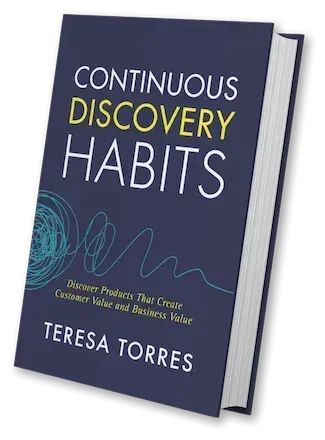
I recently spent time with the debate behind the "product builder" trend—asking whether it’s the future of product management or just another wave of tech FOMO. The conversation featuring Teresa Torres and Petra Wille is a useful prompt, but what matters most is how we translate these ideas into healthy product practices inside our own organizations.
Here’s my take: the product builder movement is neither a mandate nor a fad—it’s a tool. The right question isn’t "should product managers code?" but whether leaning into building advances outcomes for our customers and our teams. In practice, that means letting interest and skill—not pressure—set the pace.
Petra captured it perfectly: "Just because I can do it — is it something I enjoy doing? And do I have enough experience to really get into the flow?" Those two tests—joy and depth—are underrated filters. I’ve seen PMs light up when prototyping or vibe coding a thin slice, and I’ve also seen well-meaning dabbling create hidden complexity that slows everyone down later.
Org design determines whether this works. It’s not about the tools—it’s about clarity of roles, healthy interfaces between product, design, and engineering, and explicit guardrails for where experiments stop and production begins. AI has raised the stakes: "AI can make unskilled work look polished. That’s a feature and a bug — executives see the shine, engineers inherit the mess." If you’ve ever watched a glossy demo turn into weeks of refactors, you know exactly what this looks like.
To avoid that trap, I deliberately separate the three layers where AI is changing product work: personal productivity, team process, and product strategy. Treating these as different stacks keeps expectations clean: a prompt that accelerates personal workflows isn’t the same as an AI-enhanced process that reshapes delivery, and neither automatically produces durable product advantage. Don’t conflate them.
Discovery remains stubbornly human. "Why discovery still requires talking to your customers (sorry)" is more than a friendly nudge. AI can broaden our search space and sharpen analysis, but it doesn’t replace qualitative conversations or the judgment that comes from pattern recognition across real customer contexts. Continuous discovery and disciplined customer interviews are still the most reliable compasses we have.
Where does "vibe coding" fit? It’s great for roughing out concepts, de-risking slices, and communicating intent when words or static mocks won’t cut it. Tools like Claude Code make this faster than ever, and familiar stacks like Ruby on Rails lower the bar for spinning up functional prototypes. But remember the design system trap: AI can make bad decisions look good on the surface. If you don’t control for architecture, accessibility, data contracts, and handoff quality, your team pays the integration tax later.
In well-set-up orgs, the output-oriented muscle memory gets rewired. When AI frees up time, strong teams reinvest it into better problem framing, sharper opportunity solution trees, and tighter product strategy—rather than simply chasing more output. That’s a leadership challenge, not a tooling problem, and it shows up quickly in how teams make trade-offs.
Here’s how I operationalize this with empowered product teams: we articulate clear boundaries for prototypes versus shippable code, define decision rights for when PMs or designers "build," and align on review gates that protect quality without stifling speed. We also make the three AI layers explicit in roadmapping and retros, so improvements to personal workflows don’t get mistaken for strategic advantage.
My distilled guidance echoes the episode’s throughline. The product builder trend isn’t a mandate — it’s a tool. Let enjoyment and skill guide who on your team leans into it. Organizational readiness determines whether AI empowers your team or creates chaos. Don’t conflate personal efficiency, process change, and product impact—they require different responses. Discovery fundamentals haven’t changed; AI helps you go deeper, not skip the work. And the real takeaway on product builders: not everyone has to build, but everyone can if they want to.
If you want to hear the full discussion that sparked these reflections, listen on Spotify or Apple Podcasts. Then tell me: where will you apply builder energy in your team—and where will you deliberately say no?
Resources & Links: Follow Teresa Torres: https://ProductTalk.org. Follow Petra Wille: https://Petra-Wille.com. Mentioned in this episode: Claude Code, Vibe coding, Ruby on Rails.
One more quote I loved because it centers autonomy and craft: "It’s a tool in our toolbox. We can decide who on our team has fun with it, wants to do it, wants to contribute." That’s the mindset that sustains both momentum and morale.