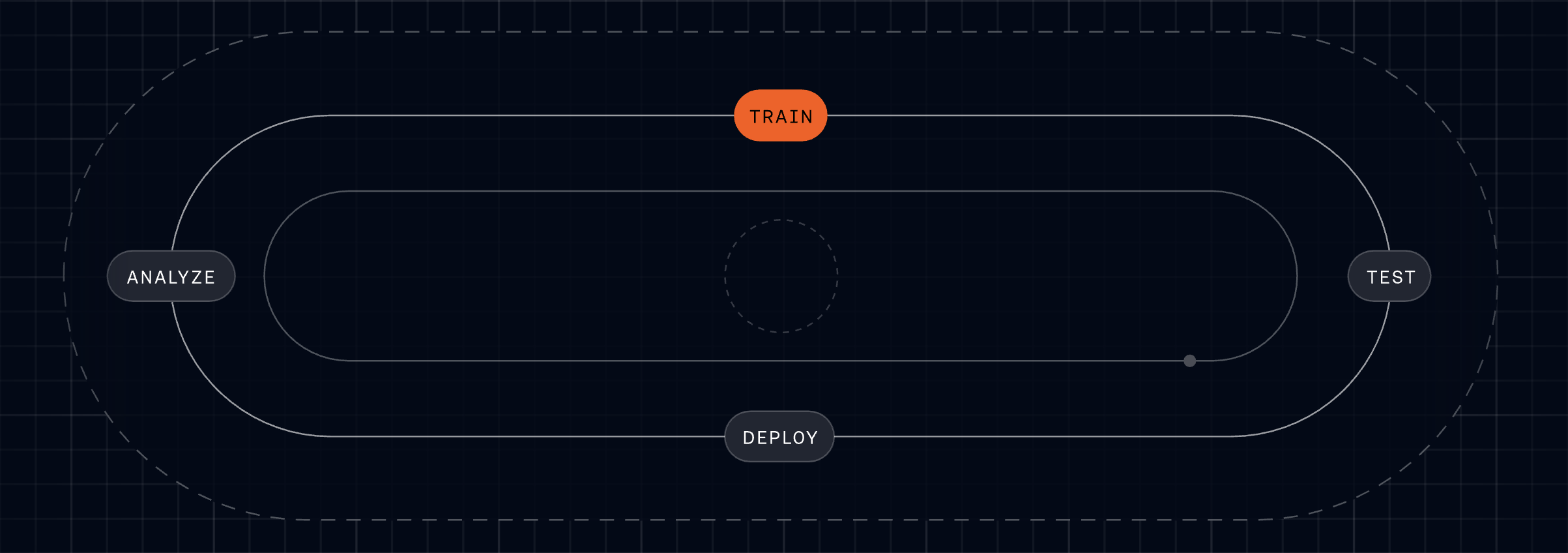
I see the rise of Customer Forward Deployed Engineering (FDE) as a pivotal bridge between FinOps engineering, AI strategy, and measurable customer outcomes. When we align internal platforms and agentic AI with real-world use cases, we don’t just reduce cloud costs—we accelerate adoption, de-risk deployments, and create durable product value that compounds over time.
"Hac Phan leads FinOps engineering at Amplitude, where he builds internal platforms and AI agents that help teams understand and optimize cloud spend. He now heads Amplitude's Customer Forward Deployed Engineering team." That evolution—from building internal capabilities to leading a customer-facing FDE function—captures a pattern I’ve seen repeatedly: the skills that tame complexity inside the company are exactly the skills customers need most at the edge.
In my experience, Customer FDEs thrive when they embed with strategic accounts to translate product capabilities into concrete outcomes: lower unit economics, faster time-to-value, and cleaner governance. They partner closely with solutions engineering, product management, and customer success, using platform building blocks and AI workflows to illuminate the cost drivers that matter—then engineering the shortest path to savings and scale.
The operating model is straightforward but disciplined. Set a clear mission (optimize cost-to-value while expanding usage), define a small set of leading indicators (time-to-first-value, cost per active workload, deployment frequency, NRR lift on FDE-supported accounts), and establish crisp handoffs with core product teams. When FDEs surface repeatable patterns, those insights should flow back into the roadmap as native features, guardrails, and in-product guidance—so every customer benefits, not just the lighthouse few.
Tooling matters. Internal platforms that unify telemetry, usage metering, and pricing logic give FDEs the levers to diagnose and fix issues quickly. Layering AI agents on top of that foundation enables proactive recommendations—think unit-economics dashboards, anomaly detection on spend spikes, and automated playbooks that right-size workloads. With agent analytics in place, we can measure the value of each recommendation and continuously tune the system.
I’ve seen this model turn tense, cost-focused conversations into strategic planning sessions. Instead of debating line items, we co-design architectures that scale efficiently, with platform scalability and governance built in from the start. Customers appreciate the candor and the engineering rigor; teams appreciate how those field insights sharpen product strategy.
For leaders considering this path, start small and design for leverage. Stand up a single FDE pod focused on 2–3 high-potential customers. Codify playbooks for cloud cost optimization, instrument agent analytics from day one, and publish a weekly learning loop back to product. Within a quarter, you’ll know which interventions to automate, which to turn into product features, and which require deeper solutions engineering support.
The broader lesson is simple: when we merge FinOps discipline with customer-embedded engineering and AI-driven insights, we create a force multiplier. Customer FDEs don’t just help accounts spend less; they help them achieve more—sustainably, transparently, and with the confidence that comes from a platform (and a team) built to scale.
Inspired by this post on Amplitude – Perspectives.
Feature launches move fast, and the Slack channel is our command center. Recently, I leveled it up with agentic AI so every data question, feature flag decision, and post-launch readout lives in one trusted place—faster, clearer, and with less operational drag on the team.
Learn how to set up your launch Slack channel so agents handle your data questions, feature flags, and post-launch readouts in one place.
Here’s the strategy I use. I treat the launch Slack channel like a real-time control room: agentic AI handles the repetitive asks, experts handle the judgment calls, and stakeholders stay aligned through crisp, automated summaries. The result is tighter stakeholder management, quicker go/no-go calls, and fewer meetings—without sacrificing data quality or governance.
First, I set clear channel rituals. I name the space #launch-[feature], declare scope and SLAs, and pin the success metrics, dashboards, and rollout plan. Product, engineering, data, support, and GTM all join. I keep threads focused: one for metrics, one for incidents, one for enablement, one for feedback. This small bit of structure makes agent responses and human follow-ups easy to find.
Next, I add a data questions agent. The agent connects to approved sources and answers the most common queries—activation by cohort, conversion by segment, latency by region—directly in-thread with citations and timestamps. When the question requires nuance, the agent routes to an owner and posts a handoff note, preserving context. This keeps our AI workflows safe and reliable while giving the team quick visibility.
Then I wire in a feature flags agent. It exposes read-only status by environment, shows rollout percentages, and links to change history. When a toggle is requested, the agent enforces approvals and logs who asked, who approved, and why. We can pause, ramp, or roll back in seconds—with auditability intact. Feature flags become an operational muscle instead of a bottleneck.
Finally, I schedule post-launch readouts. The readout agent publishes T+1 hour, T+24 hours, and T+7 days summaries: adoption, performance, anomalies, and key learnings. It highlights A/B testing results, flags outliers, and threads follow-up actions to owners. The team gets a single source of truth for post-launch readouts without scrambling across tools.
Governance matters. I apply role-based access, protect PII, and make the agent cite sources so we can trust what we see. I use Agent Analytics to monitor response accuracy, deflection, and time-to-answer, then refine prompts and permissions. This is practical AI risk management: clear boundaries, human-in-the-loop for consequential decisions, and transparent logs.
The impact has been real: faster decisions during go-to-market, fewer pings to data and engineering, and higher confidence in our product management rituals. Centralizing “questions, flags, and readouts” in Slack doesn’t replace expertise—it frees it to focus on the hard problems.
If you’re rolling this out, start small: define the channel, pin your metrics, launch the data agent with a handful of approved queries, add the feature flags agent with strict approvals, and automate a simple daily readout. Iterate weekly. Within one or two launches, you’ll feel the compounding benefits.
Inspired by this post on Amplitude – Best Practices.
In my work with product, operations, and support leaders, I’m often asked to help make sense of Agent Analytics—what to track, how to attribute outcomes, and where to invest. After reviewing countless dashboards and running experiments across human agents and AI agents, I’ve learned that some of the most common measurement beliefs are precisely the ones that lead teams astray.
What comes up in conversation with leaders about Agent Analytics, and why not everything is what it seems.
Below, I unpack four pervasive myths I encounter and share the data-centered practices I use to replace them. My goal is simple: help you upgrade the way you measure performance so you can improve customer outcomes, accelerate learning, and scale impact with confidence.
Myth 1: “Lower average handle time (AHT) means higher performance.” AHT is useful but incomplete. When teams optimize solely for speed, they often push complexity into repeat contacts, reopens, or escalations. In the data, that shows up as a weak or negative relationship between lower AHT and durable outcomes like first contact resolution (FCR), customer effort, or revenue per conversation.
Reality and what I measure instead: I right-size speed by pairing AHT with intent-level resolution and recontact rate. For simple intents (password reset, billing address update), shorter is usually better. For complex intents (tiered troubleshooting, multi-step verification), “right-speeding” wins—slightly longer interactions that prevent rework. Practically, that means segmenting by intent complexity using behavioral analytics, tracking weighted “intent resolution rate,” and monitoring repeat-contact windows (24–168 hours) to catch downstream pain.
Myth 2: “AI agent containment tells the whole story.” A high containment rate can mask failure modes such as unresolved intent, silent abandonment, or low-quality handoffs that frustrate customers and spike human workload later.
Reality and what I measure instead: I break containment into three parts for voice and chat flows: (1) intent resolution without escalation, (2) graceful handoff quality when escalation is necessary, and (3) post-handoff efficiency and satisfaction. For voice AI agent experiences, I also track escalation clarity (did the transcript summarize history and intent?), time-to-human, and customer satisfaction on the combined interaction. This provides a fuller view of customer support ai strategy effectiveness and avoids over-crediting automation for partial wins.
Myth 3: “Quality is subjective, so it can’t be measured at scale.” Teams often default to sporadic QA because they assume it can’t be standardized across channels or agent types. The result is noisy feedback loops and stalled coaching.
Reality and what I measure instead: Quality becomes measurable when it’s grounded in observable behaviors linked to outcomes. I use a rubric anchored in behavioral analytics (e.g., verified customer need, correct resolution path, policy compliance, empathy markers) and validate it via correlation with FCR, recontact, and retention analysis. To scale, I combine calibrated human reviews with AI-assisted scoring, check inter-rater reliability weekly, and use driver trees to connect quality levers to business results. This creates a consistent, coachable signal for both human agents and AI flows.
Myth 4: “If the dashboard is green after launch, we’ve won.” Early wins can reflect novelty effects, cherry-picked routing, or short-term incentives that don’t persist. Declaring victory too soon locks in fragile gains and hides regressions across cohorts.
Reality and what I measure instead: I treat go-live as the start of learning. I use A/B testing with a clear minimum detectable effect (MDE), stagger ramps, and hold out stable control cohorts for at least one full demand cycle. I track outcomes vs output OKRs—focusing on intent resolution, customer effort, and revenue/customer health over vanity metrics. I also monitor seasonality and channel mix shifts inside a unified analytics platform to ensure improvements generalize beyond the first week.
How I operationalize this day to day: (1) define intents and complexity upfront, (2) unify journey data across channels, (3) instrument resolution and recontact rigorously, (4) apply driver trees to isolate what actually moves outcomes, and (5) iterate via disciplined experiments rather than sweeping changes. This approach aligns product and operations, speeds up coaching, and ensures AI investments compound rather than decay.
If you’re rethinking your Agent Analytics stack, start by replacing each myth with a sharper metric: pair AHT with intent-level resolution, pair containment with handoff quality and satisfaction, pair QA with outcome-linked rubrics, and pair green dashboards with robust experiments. The payoff is a measurement system that earns trust, guides better decisions, and consistently improves customer and business results.
Our retention curve had flattened even as activation ticked up, and that disconnect told me we were missing a leading indicator buried in our AI agent telemetry. I set out to connect our AI evals directly to product retention, not as an academic exercise, but as the basis for focused roadmap bets and stronger product-led growth.
"Learn how we used Agent Analytics to discover an eval signal that predicts 3X higher user retention."
Connecting AI evals to retention analysis is deceptively hard. Evals often live in ad-hoc notebooks while behavioral analytics and cohort retention live elsewhere. IDs drift. Signals are noisy. Teams gravitate to fast output over outcome clarity. I leaned into eval-driven development to close that gap and make our AI workflows accountable to business results.
We began with crisp hypotheses: for example, that higher semantic accuracy and lower escalation rates would correlate with repeat usage. We enumerated a concise eval taxonomy—accuracy, containment, safety, latency, and UX friction—and used Agent Analytics to compute per-user and per-tenant features on a daily cadence. That gave us a reliable, unified analytics platform for AI-specific signal generation.
Next, we joined those features to our product telemetry in Amplitude analytics using clean user and account identifiers. With that foundation, we created weekly and monthly cohorts, ran retention analysis, and used driver trees alongside simple logistic models to control for plan type, segment, region, and acquisition channel. The goal wasn’t perfection—it was directional clarity strong enough to inform product strategy.
One eval metric separated itself from the pack. When users hit a specific threshold early in their journey, the model predicted 3X higher user retention compared to peers who didn’t. I still remember overlaying that signal on our cohort chart—the lift was impossible to unsee, and it immediately reframed our activation and onboarding priorities.
From there, we operationalized. We built in-app guides that nudged new users toward the eval threshold, added a health score to customer success workflows, and put feature flags on model changes until they improved the eval. We validated the effect size with A/B testing and set up anomaly detection to catch regressions before they touched real users.
If you want a repeatable playbook: define your north-star retention window, shortlist 3–5 eval candidates tied to real user value, ensure rock-solid identifiers across systems, compute daily features in Agent Analytics, model uplift against retention cohorts in Amplitude analytics, then translate the winning signal into onboarding nudges, product tours, and success playbooks. Track second-order outcomes too—support tickets, NPS, and Net Recurring Revenue (NRR)—so you don’t optimize a proxy at the expense of experience.
I also learned what to avoid. Watch for sample-size traps and label leakage, and remember that segment mix can masquerade as model improvement. Use minimum detectable effect (MDE) calculations to size experiments, add risk scoring to gate launches, and keep a tight feedback loop between product, data science, and customer success.
The payoff is far more than a tidy dashboard. By grounding our AI strategy in behavioral analytics and measurable retention lift, we turned an abstract eval into a concrete growth lever—and gave our product teams the confidence to move faster with clarity.
Inspired by this post on Amplitude – Perspectives.
AI agents are getting remarkably good at scaffolding features and writing tests, yet when production issues surface, accountability still lands on me and my team. The last mile of quality—reproducing the issue, isolating the root cause, and validating a durable fix—remains a human responsibility, even in an era of agentic AI. That’s why I’ve built a repeatable debugging approach that blends behavioral analytics with agent-assisted coding to close the loop quickly and safely.
Investigate bugs directly in Claude or Cursor with Amplitude MCP. Learn two Session Replay workflows to debug faster.
The goal is simple: transform messy, anecdotal bug reports into actionable, prioritized work that my developers can resolve confidently. By pairing Session Replay with Amplitude analytics, I can quantify impact, capture precise reproduction steps, and feed rich context into Claude or Cursor. The result is a faster path from signal to solution—and fewer back-and-forth cycles with engineering, support, and product.
Here’s how I use Session Replay to tighten the feedback loop. First, I lean on behavioral analytics to detect anomalies and segment affected users, so I know whether we’re facing an edge case or a widespread degradation. Then I use the replay to see exactly what the customer experienced: the path they took, the UI state, the environment details that matter (device, browser, version), and the precise moment things went sideways. This contextual backbone lets me enter Claude or Cursor with high-signal inputs, rather than guesswork.
Workflow 1: From customer session to reproducible issue. I start with the offending Session Replay and capture the exact steps to reproduce, including state transitions and timestamps for any console errors or API failures. In Claude or Cursor, I provide those steps, reference the replay link, and ask the model to propose a minimal failing test and a hypothesis for root cause. With Amplitude MCP as the connective tissue, I can keep the model anchored to the relevant events and user path while it generates patches or targeted instrumentation. I validate the hypothesis locally, run the failing test, and then move the fix through CI/CD with feature flags so we can verify in production without overexposing risk.
Workflow 2: From code symptoms back to customer evidence. Sometimes I begin in the IDE or agent environment with a flaky test, a suspicious diff, or a performance regression. In that case, I ask Claude or Cursor to outline likely failure modes and the critical code paths. Then I pivot to Session Replay for corroboration: do real users hit these paths, under what conditions, and how often? Using Amplitude MCP to anchor the agent in actual user journeys helps separate theoretical fixes from changes that will meaningfully improve outcomes. I confirm with replays after the patch lands, monitor Web Vitals and related behavioral metrics, and only then ramp the flag.
Two practices make these workflows consistently effective. First, I frame prompts to keep the model tightly scoped: reproduction steps, expected vs. actual behavior, impacted segments, and any known constraints (e.g., rate limits, third-party dependencies). Second, I treat the agent as a proactive pair-programmer: it drafts hypotheses, tests, and diffs, while I provide ground truth from Session Replay and analytics. That division of labor keeps the LLM productive without letting it drift from the evidence.
Operationally, I also align this approach with our incident management and observability standards. For high-severity issues, SREs and product managers share the same replay artifacts, event timelines, and roll-forward criteria. We document root causes and guardrails as docs-as-code, then socialize them via developer evangelism so similar classes of bugs get caught earlier. Over time, this tightens our DORA metrics—particularly lead time for changes and deployment frequency—without compromising stability.
Privacy-by-design is non-negotiable. We ensure Session Replay redacts sensitive fields, enforces least-privilege access, and complies with our data governance policies. When I involve an agent, I include only the minimum data necessary to reach a fix and prefer structured artifacts (event IDs, stack traces, and test cases) over raw PII. These safeguards let us move quickly without trading away trust.
The takeaway is pragmatic: agents can accelerate creation, but accountability for quality still rests with us. By grounding Claude or Cursor in real user behavior via Amplitude MCP and Session Replay, I get faster reproduction, more accurate fixes, and cleaner rollouts. The combination turns “mysterious customer bug” into “verified hypothesis and passing test” in a fraction of the time—and that’s how we ship responsibly at speed.
Inspired by this post on Amplitude – Best Practices.
Weekly product reviews are where strategy meets execution, and over the past year I’ve turned them into a high-signal, low-friction ritual by leaning on agentic AI. As VP of Product Management at HighLevel, Inc., I’ve standardized a set of agent skills that compress preparation time, surface the right insights, and keep PMs, engineers, and designers focused on decisions—not document wrangling.
"Learn how our teams use agent skills with claude, cursor and codex to run product reviews as PMs, engineers, and designers. Here are 5 killer use cases for builder."
Below, I walk through the five skills I rely on most in our weekly cadence—each one mapped to a clear product management outcome. They’re simple to set up, easy to govern, and aligned with core practices like continuous discovery, product roadmapping and sprint planning, and eval-driven development.
Skill 1 — Backlog triage with signal extraction: I point an agent at fresh tickets, customer notes, and experiment results to cluster themes, tag impact, and flag regressions. Using a retrieval-first pipeline and Agent Analytics, the assistant ranks items by value, effort, and risk so our meeting starts with a prioritized, explainable shortlist instead of a raw queue.
Skill 2 — PRD and spec synthesizer: Ahead of the review, an agent drafts a one-page PRD update from design diffs, git history, and decision logs. With Claude Code and Cursor, it highlights interface changes, acceptance criteria, and open questions, linking back to sources. The result is a crisp, auditable brief that keeps product trios aligned without re-litigating context.
Skill 3 — Experiment and metrics analyzer: An analytics agent pulls A/B testing readouts, checks minimum detectable effect assumptions, and annotates anomalies. It turns raw telemetry into a narrative: what moved, by how much, and whether we trust it. This makes our discussion about tradeoffs, not spreadsheets, and speeds commitments on next steps.
Skill 4 — Voice-of-customer synthesizer: The assistant clusters interviews, support threads, and NPS verbatims into jobs-to-be-done and pain themes. It proposes opportunity solution tree updates and calls out places where our roadmap diverges from customer signal. That keeps continuous discovery alive in the room—even when time is tight.
Skill 5 — Roadmap and sprint planning co-pilot: After decisions, an agent converts outcomes into scoped backlog items, engineering tasks, and stakeholder updates. It drafts sprint goals, flags dependency risks, and aligns work to objectives. Because it’s grounded in the meeting record, it preserves intent while removing ambiguity.
Under the hood, prompt engineering patterns and guardrails keep these workflows predictable: a retrieval-first pipeline for context, eval-driven development for quality checks, and role-specific prompts for PMs, engineers, and designers. With Claude Code I generate structured diffs and test scaffolds; with Cursor I accelerate code-review summaries; and with codex I bootstrap utility scripts that keep the loop tight between insights and implementation.
The payoff is tangible: higher decision velocity, fewer meetings to “re-clarify,” and clearer accountability across the product organization. Just as important, governance and privacy-by-design are built in—every agent logs rationale, cites sources, and respects data boundaries—so leaders can scale AI workflows confidently.
If you’re looking to level up your product reviews, start with these five skills, measure impact with Agent Analytics, and iterate. Small automations compound quickly, and the more consistently you run them, the more your team’s attention shifts from preparing content to making better product decisions.
Inspired by this post on Amplitude – Perspectives.
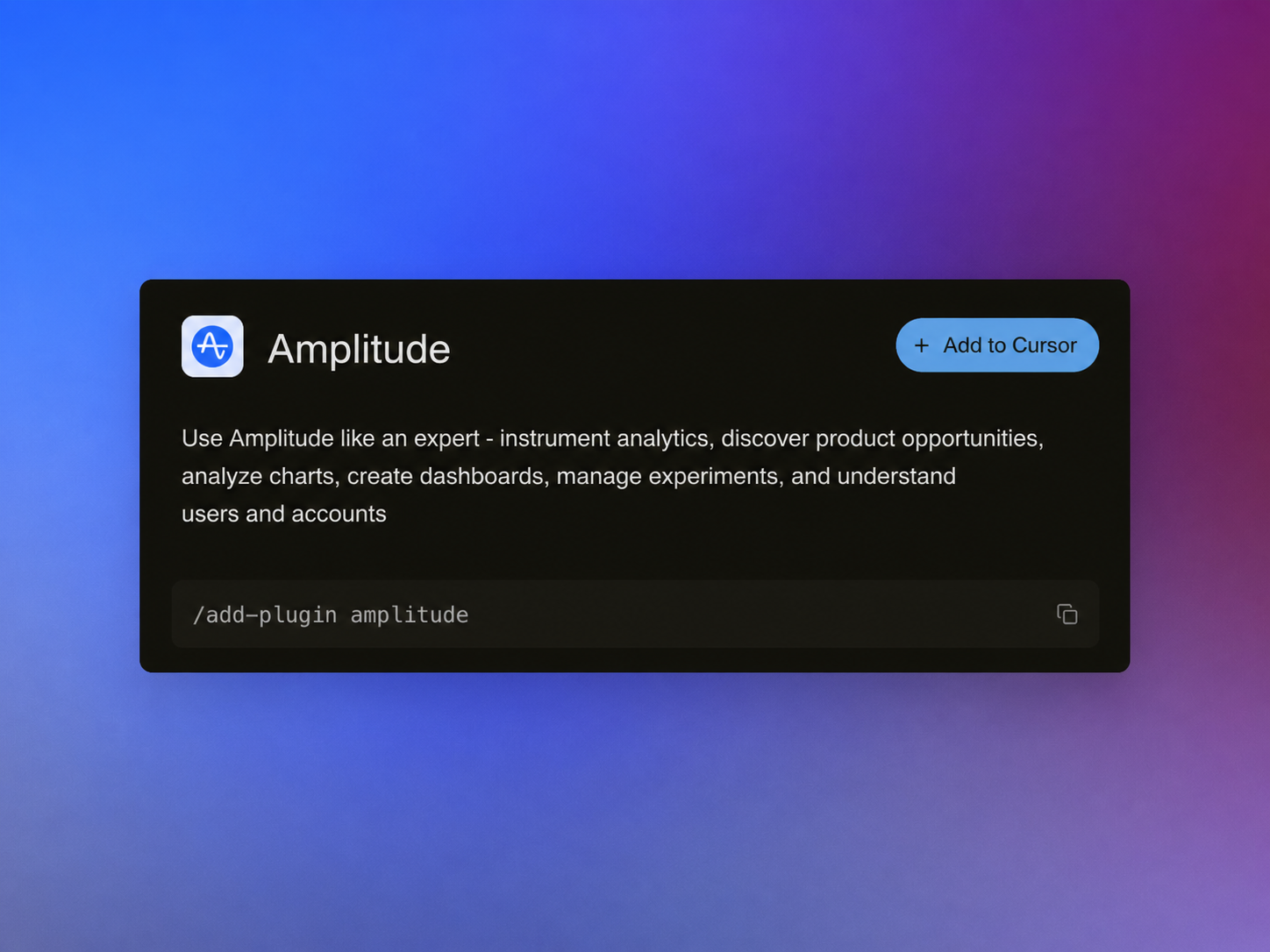
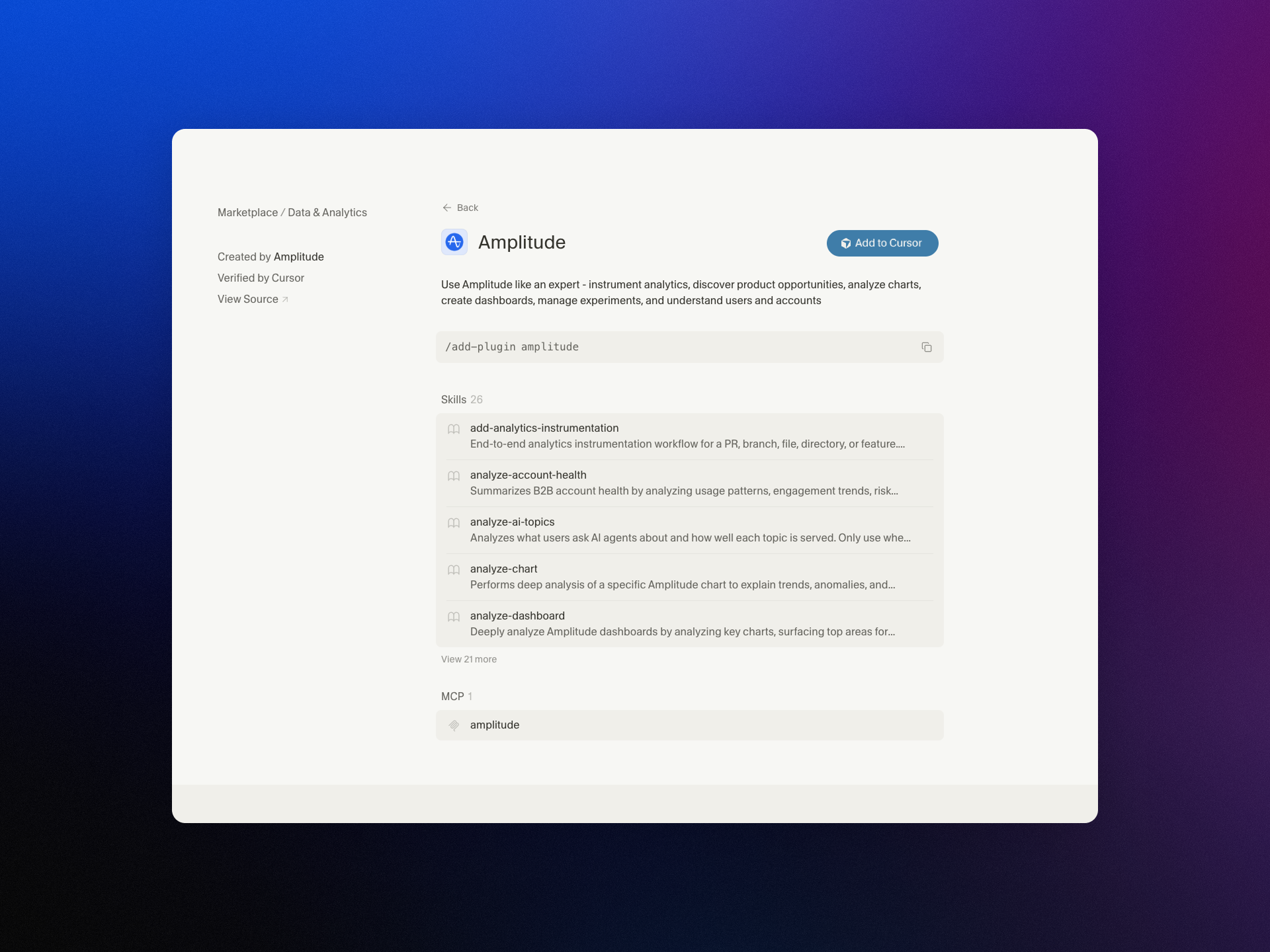
I’m excited to share that we’ve brought Amplitude Plug and Play to the Claude and Cursor marketplaces—a lightweight way to infuse your everyday prompts with serious product analytics context and speed.
"Learn more about our new AI plugin, the easiest way to turn your favorite AI client into an analytics expert with a single-install."
For years, I’ve watched teams lose momentum hopping between dashboards, docs, and spreadsheets just to answer simple questions like “What changed in activation last week?” or “Which cohort is driving retention?” With Amplitude analytics and behavioral analytics at the core, Amplitude Plug and Play collapses that friction by bringing the answers to where you already think and build—inside Claude and Cursor.
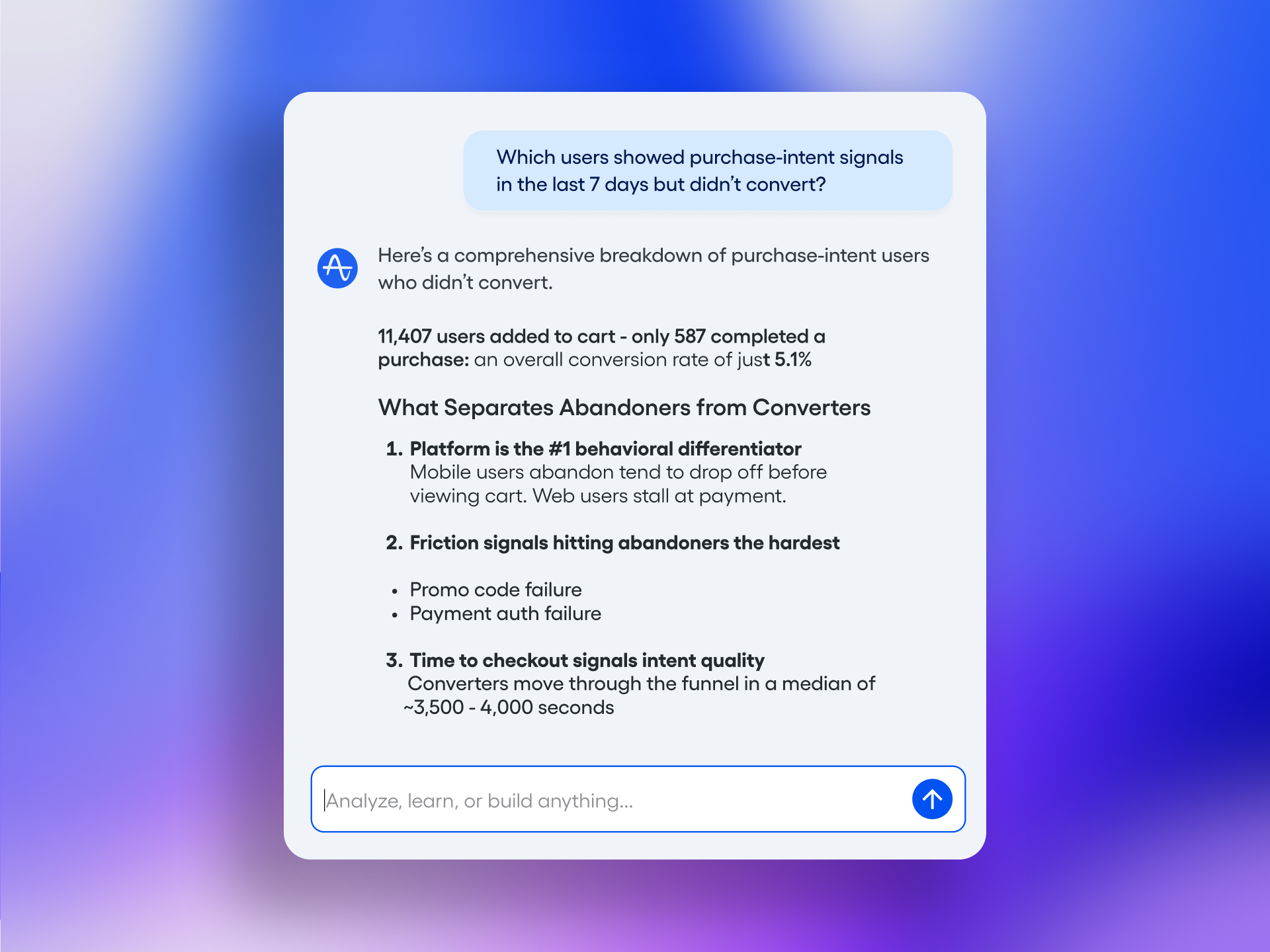
In practice, this means I can ask natural-language questions such as “Show me the funnel from signup to activation by region,” “Compare retention week over week for new users from our latest release,” or “Summarize our last A/B testing results on onboarding” and get structured, context-aware responses. The goal is to keep me in flow while still honoring the rigor of a unified analytics platform.
What I love most is how this elevates both discovery and delivery. Product managers can accelerate continuous discovery by querying cohorts, drivers, and anomalies mid-conversation. Engineers working in Cursor or with Claude Code can validate event definitions, sanity-check metrics, and spot regressions without leaving their IDE. The result is tighter feedback loops and better decision quality.
Just as importantly, the experience is designed for clarity and consistency. When I ask about activation, I expect the same canonical definition every time. When I explore a retention analysis, I want clear assumptions and transparent logic. By anchoring responses to well-defined metrics and event taxonomies, the plugin helps reinforce good data governance while keeping the interaction fast and conversational.
Getting started takes only a few minutes. Open the Claude or Cursor marketplace, search for Amplitude Plug and Play, complete the single-install flow, and connect to your Amplitude analytics workspace. From there, start prompting as you normally would—only now your AI client can reason with product context.
This launch is part of how I see gen ai reshaping AI workflows for product teams: less context switching, more signal per prompt, and a shared, accessible understanding of what’s really moving the business. If you’re ready to turn your AI assistant into a trusted partner for product insight, Amplitude Plug and Play is a powerful next step.
Inspired by this post on Amplitude – Best Practices.
I’ve been through enough planning cycles to know the impossible math sales leaders juggle. Every year, we’re asked to deliver more pipeline, and the expectation is that the team will somehow hit the target—whether headcount follows or not. In a good year you close some of the gap, but the underlying constraint remains: your pipeline ceiling is tied to your headcount. The ask gets bigger, but the resources rarely keep pace. There’s never been a convincing answer to “how do I grow pipeline by 30% without 30% more people?”
For the first time in my 20-year sales career, there’s a real answer, and it comes from how we’re using our Customer Agent—internally nicknamed “Fin”—for inbound sales. What changed my perspective wasn’t faster execution on the same tasks; it was recognizing that an Agent can generate its own pipeline, consistently and at scale.
Most conversations about AI in sales focus on efficiency—do the same work, just faster. That’s helpful but incomplete. In practice, the Agent is producing net-new, attributable pipeline. It’s not simply an efficiency layer inside the SDR team; it’s a distinct source that deserves its own targets, its own owner, and clear visibility in our pipeline analytics.
Here’s how we run it. Fin has dedicated performance metrics but is held to the same outcomes as any rep: meetings booked, pipeline created, and revenue generated. On live chat, we track qualified, disqualified, and dropped conversations, then follow those cohorts through to opportunity and close. When you fold the Agent’s numbers into the team’s aggregate, you lose the crucial signal of what the Agent is actually doing. Reframing this with explicit attribution changes the boardroom conversation from “efficiency gains” to “a new, incremental source of pipeline.” Last month was our highest pipeline month from Fin to date—stronger than when live chat was handled by humans alone.
The template for this transformation came from customer service. Before we operationalized AI for sales, I partnered closely with our support organization. They built the organizational architecture we’re applying today: clear ownership of the AI motion, Agents and humans running in parallel, and a continuous optimization loop that treats the Agent as a living system, not a set-and-forget tool. The workflows in support and sales are more similar than people expect—qualify the need, guide to the right solution, and move decisively toward an outcome.
“The right benchmark is matching a high-performing rep on that channel, consistently and at scale”
When the Agent reliably meets that benchmark, the gains compound. The team wins back time for work where relationships truly matter—multi-threading across stakeholders, tailoring value narratives, and navigating complex buying processes. That is where human judgment shines.
The most common question I hear is what this means for SDRs. If the Agent owns the frontline, what are SDRs actually doing? The answer is: higher-leverage work. The Agent handles frontline inbound—engaging instantly, qualifying, routing high-intent prospects to the right team, and keeping lower-intent visitors warm by directing them to self-serve resources or remembering their context until they’re ready for a real conversation. It does this 24/7, across languages, without the capacity constraints that come with a human-only model.
What changes is where SDRs’ time goes. For us, that’s phone-based qualification, where we still see the strongest conversion. It’s also deeper relationship-building across multiple stakeholders in an account—the kind of multi-threaded engagement that takes time and judgment. Trials are a great example: rather than treating a trial as a conversion mechanism, SDRs can help prospects get real value from it through guided setup and outcome-oriented check-ins.
Introduce Fin for Sales to your team with this clean hero banner: bold headline, signature blue spiral, and a clear 'Start free trial' call to action—inviting readers to explore an AI customer agent built for revenue.
“That’s work they rarely have capacity for right now, because too much of their time goes to the frontline. Fin changes that”
I want to be direct about one thing: replacing your SDR function entirely with AI is a mistake. SDRs are the talent pipeline for closing teams. The reps who become your best AEs are, more often than not, people who came up through an SDR role. That’s where they learn to qualify and build relationships at speed. Eliminating that function to reduce cost creates fragility further up the funnel that can take years to surface.
Across the market, many sales organizations are still early in this journey. Startups and smaller teams are ahead—they’re building AI-first motions from the ground up and deliberately designing to avoid scaling headcount in the traditional way. Larger, more established sales development functions are mostly still running standard workflows. That makes sense—transforming a mature org is harder than building anew—but complexity isn’t a reason to wait. Momentum is building, and the gap is widening between teams leaning in and those holding back.
What’s emerging now is dedicated AI ownership within sales. It requires someone with program-level responsibility for how the Agent actually performs, rather than bolting AI tools onto an existing job description. We created that role – it’s called “AI SDR program lead.” This role owns the strategy, implementation, and optimization of Fin within the inbound SDR motion, ensuring it drives pipeline growth and integrates well across our systems and workflows. It’s a new career opportunity that came directly from the AI motion, with one of our existing managers moving into it.
The long-held assumption that pipeline growth requires proportional headcount growth is no longer a fixed law. AI-generated pipeline is real, measurable, and improvable with the same rigor we apply to any other part of the function. Treating it as its own source—with explicit targets, attribution, and dedicated ownership—is the difference between marginal efficiency gains and truly breaking the link between pipeline growth and headcount.
The constraint hasn’t disappeared; it has moved. It’s no longer just about how many people you can hire. It’s about how well the Agent understands your product, your customers, and your qualification logic—and how quickly your team can iterate the workflows, knowledge, and guardrails around it. For the first time, the pipeline ceiling can be higher than your headcount allows.
If you’re standing up this motion now, start with three moves: give the Agent its own KPIs and attribution, put a single owner in charge of performance and iteration, and reorient SDR time toward high-conversion conversations and multi-threaded account development. That’s how you scale pipeline with AI Strategy and sales-led growth—without scaling headcount in lockstep.
Every day at HighLevel, I talk with support leaders who are balancing two imperatives that can feel at odds: scaling service efficiently while deepening empathy in every interaction. My product lens is simple—use AI to clear the path for humans to do what only humans can do: listen, understand, and solve nuanced problems with care.
Discover how AI helps support teams deliver faster, more empathetic experiences. Automate the repetitive, so agents can focus on what matters: the customer.
That principle anchors our customer support AI strategy. We deploy AI workflows that handle the heavy lift—classification, intent detection, summarization, knowledge retrieval, and next-best-action—so agentic AI can triage, resolve routine issues, and hand off the right context when a human touch is needed. The result is a queue that moves faster, with more signal and less noise, and a team freed to bring empathy and judgment to the moments that matter most.
On the front line, a voice AI agent or chat interface deflects repetitive requests, while conversation design ensures the experience feels respectful, transparent, and helpful. Inside the console, Agent Analytics surface what leaders care about: which topics spike, where customers get stuck, how sentiment and CSAT shift, and which playbooks actually shorten time to resolution. When an agent steps in, AI-assisted replies, real-time summarization, and suggested macros reduce cognitive load—so attention goes to the customer, not the keyboard.
Shipping these capabilities responsibly requires rigor. My playbook pairs LLMs for product managers with a retrieval-first pipeline that grounds responses in audited knowledge, backed by privacy-by-design and data governance. We use eval-driven development to measure safety and quality, and A/B testing to quantify impact before broad rollout. This isn’t just about automation; it’s about trust, reliability, and continuous discovery with real customers.
Context is king, so CRM integration is non-negotiable. By unifying tickets, purchase history, prior conversations, and lifecycle stage, agents walk in with empathy already loaded. Whether the channel is Intercom, HubSpot, or native chat, a unified analytics platform connects signals across journeys, enabling proactive outreach, smarter product tours, and in-app guides that prevent avoidable tickets in the first place.
The outcome is a support organization that scales without sacrificing humanity. AI handles the repetitive; people handle the relational. Teams spend less time searching and more time solving. Leaders coach with data instead of guesswork. And customers feel heard—because they are. That’s how we make human support more human, at scale.
Inspired by this post on Amplitude – Perspectives.
I’ve been deep in the work of turning agentic AI from a promising idea into reliable, measurable outcomes. Today, I want to share a concise, practitioner’s update on what’s new with Amplitude Agents—and, more importantly, how to get real value fast using proven product management techniques.
We launched AI Agents a few weeks ago. We’ve been shipping pretty fast since then, so we wanted to loop you in on what’s new and what’s worth trying.
Rapid releases only matter if they translate into user value. My approach is to treat every agent improvement as a learning opportunity: instrument it, set clear success metrics, run controlled experiments, and iterate. This eval-driven development mindset keeps us honest about what’s truly working in the wild.
If you’re trying Amplitude Agents now, start with a narrowly scoped, high-signal workflow where success is unambiguous—think a single journey with a clear “done” state. Connect the experience to your unified analytics platform so you can see the full picture across events, funnels, and cohorts. In practice, I lean on Amplitude analytics and Agent Analytics to make this visibility effortless.
Define how you’ll measure impact before you ship. Identify activation and completion events, baseline them, and then A/B test your agentic AI flow against the status quo. Behavioral analytics will show whether users are discovering the agent, sticking with it, and returning for more. When the story in the data is clean, it’s much easier to scale the win.
Hardening matters as much as headlines. As you expand use, apply sensible guardrails—input validation, clear prompts, and transparent handoffs to deterministic flows when confidence is low. Pair this with observability so you can spot anomalies early and recover gracefully. These practices reduce risk while preserving the speed and creativity that make AI workflows powerful.
Once the basics are working, dig into adoption patterns: segment by cohort, study user activation paths, and run retention analysis to find where the agent is truly changing behavior. These insights shape roadmap priorities and help you invest in the moments that drive durable value.
We’ll keep shipping quickly and sharing practical guidance. If you have feedback, experiments to showcase, or questions about instrumentation, send them our way—I use that signal to refine our next set of improvements and learning agendas. Expect more short, focused updates and deeper dives on evaluation frameworks, prompt strategies, and rollout playbooks.
In short: keep it scoped, instrument everything, test deliberately, and let the data guide your next move. That’s how Amplitude Agents becomes not just new, but indispensable.
Inspired by this post on Amplitude – Best Practices.
Every week, I field the same question from product leaders and engineers: should we deploy an AI agent here, or are we overfitting the problem to a shiny solution? Learn when AI Agents actually help product teams—plus a simple framework to decide when not to use them.
When I say “AI agents,” I’m talking about autonomous or semi-autonomous systems that can perceive context, plan steps, and take actions across tools and data sources with minimal supervision—what many now call agentic AI. In product management terms, they’re not just another feature; they’re an operating model shift. Used well, they compound team leverage. Used poorly, they add invisible complexity, new failure modes, and governance headaches.
To make the call with confidence, I use a straightforward VITAL framework that my team can apply in minutes. It keeps us honest about where AI agents are a force multiplier—and where a simpler automation, rule, or in-product UX is the better choice.
V is for Volume. Agents shine where there’s sustained, repetitive, high-throughput work: triaging inbound support, cleansing CRM records, orchestrating QA checks, or synthesizing weekly research summaries. If the workflow happens rarely or ad hoc, an agent is often overhead in disguise.
I is for Instructions. Can I specify success in clear, testable terms? Strong instructions include measurable acceptance criteria and constraints. If I can’t articulate what “good” looks like without hand-waving, the task likely needs product discovery, not autonomy.
T is for Tolerance. What is the blast radius if the agent makes a wrong call? Low-stakes, reversible actions with tight guardrails are ideal. If the tolerance for error is near zero (e.g., irreversible financial transactions or sensitive regulatory actions), favor human-in-the-loop, stronger approvals, or defer agents entirely.
A is for Access. The agent needs the right data, tools, and permissions, with privacy-by-design and data governance in place. If telemetry is sparse, integrations are brittle, or you can’t enforce least-privilege access, you’ll fight fragility more than you’ll gain leverage.
L is for Learning loop. Agents require eval-driven development, Agent Analytics, and continuous feedback to stay accurate as reality shifts. If you can’t measure quality, latency, and cost per outcome—or you lack a retrieval-first pipeline to ground responses—expect drift and stakeholder distrust.
Now, the counterweight. Don’t use agents when the problem is novel or strategically ambiguous and you still need exploratory research; when outcomes are unmeasurable or subjective without heavy context; when stakes are high and the acceptable error rate is effectively zero; when data is siloed, stale, or legally constrained; when the work is one-off or low-volume; or when your team can’t commit to instrumentation, evaluations, and ongoing maintenance. In these cases, a simpler rules engine, a clearer UX, or a well-defined workflow usually beats agentic complexity.
Here’s how this plays out in practice. We’ve seen agents materially improve customer support triage (categorization, priority, and next-best-action suggestions), CRM hygiene (deduplication, enrichment, and routing), and release QA (regression check orchestration with human sign-off). Conversely, we avoid agents for nuanced pricing decisions, sensitive risk scoring without robust datasets, or any workflow where “explainability” and auditability trump speed.
Operationalizing agents is a product problem before it’s an ML problem. Start narrow with a retrieval-first pipeline and rigorous prompt engineering, define success metrics upfront (quality, latency, cost per task), and run head-to-head evaluations against human baselines. Ship behind feature flags, monitor with Agent Analytics, and graduate from assisted to autonomous modes only after you’ve proven stability. Align this with product roadmapping and sprint planning so the work lands as durable capability, not a lab demo.
Finally, be honest about build vs buy. If the workflow is a point of parity, consider buying and focusing your team on integration quality and governance. If it’s a potential source of competitive differentiation, invest in a modular architecture with clear context window management, strong observability, and a feedback loop tightly coupled to your empowered product teams.
The bottom line: AI agents unlock leverage when there’s volume, clarity, tolerance, access, and a learning loop. If any of those pillars is missing, pause. Your best next move is likely better instrumentation, sharper problem framing, and continuous discovery—not more autonomy. That discipline is how product teams turn agentic AI from hype into habit.
Your product deserves a support experience that does more than point users to a help article. In my work leading product teams, I’ve seen how an intelligent, in-product assistant can reduce friction, accelerate user activation, and create the kind of product-led growth that traditional support channels struggle to deliver. The bar is higher now: customers expect immediate, context-aware help that feels proactive, measurable, and trustworthy.
When I evaluate support solutions, I look for three capabilities: an assistant that truly knows the user’s context, can act on their behalf to resolve issues end-to-end, and can prove the impact with rigorous measurement. Anything less is just another interface to your knowledge base. The shift to agentic AI makes this possible—if it’s grounded in behavioral analytics and integrated with your unified analytics platform.
Learn more about Amplitude AI Assistant. Our in-product support agent knows your users, acts on their behalf, and measures whether it actually helped.
That promise resonates with how I design AI Strategy: start with data fidelity, not dialog. When an assistant is wired into Amplitude analytics and behavioral analytics, it can understand where a user is in the journey, the features they have (or haven’t) adopted, and which nudges or in-app guides historically drive success. This is the foundation for precise, contextual help—surfacing the right product tours at the right moments and removing guesswork.
Knowing users isn’t enough; the assistant must act. With agentic AI, the assistant can execute safe, auditable steps on a user’s behalf—updating settings, triggering a workflow, or guiding a multi-step configuration—rather than handing off a to-do back to the customer. Done well, this reduces time-to-value and support tickets while aligning with a thoughtful customer support ai strategy that respects permissions, privacy-by-design, and clear guardrails.
Equally important is measurement. I expect every AI touchpoint to demonstrate lift: faster time-to-resolution, higher feature adoption, improved retention, and lower churn. This is where robust A/B testing, Agent Analytics, and retention analysis come in—so we can quantify the assistant’s contribution against meaningful product outcomes, not vanity metrics. If we can’t measure it, we can’t manage it.
Operationally, I advise teams to pilot with narrowly scoped, high-impact journeys and iterate with tight feedback loops. Instrument the assistant’s actions and outcomes, set minimum detectable effect thresholds for experiments, and continually refine prompts and playbooks. Tie insights back to your unified analytics platform so learnings inform roadmap choices and reinforce a durable product-led growth motion.
In short, the next generation of in-product support will be built on data-rich context, agentic execution, and rigorous proof of value. That’s the standard I hold my teams to—and the experience users deserve when they ask for help.
Inspired by this post on Amplitude – Best Practices.