Category: Generative AI

  • A Practical AI Workflow for Product Manager Cover Letters

    A Practical AI Workflow for Product Manager Cover Letters

    You have found a product role that fits, but the blank page is slowing you down. AI can produce a polished draft in seconds. That is not the hard part. The hard part is choosing the evidence that will make a hiring manager believe you can solve this company’s product problems.

    Your cover letter should make one decision easier: whether to interview you. The workflow below helps you turn a job description and your verified career evidence into a short, role-specific argument without surrendering your judgment or voice to an AI tool.

    Design the letter for the hiring manager’s first scan

    Plan for a first scan of under 30 seconds and a final length of 200-300 words. That constraint is useful. It forces you to decide which parts of your experience matter for this role instead of compressing your entire resume into prose.

    A strong PM cover letter gives the reader evidence for a few practical questions:

    • Do you understand the customer and product problem behind the role?
    • Have you made consequential product decisions, or have you only participated in product processes?
    • Can you connect your work to activation, adoption, retention, revenue, efficiency, or another relevant outcome?
    • Can you work with engineering and other functions to turn an ambiguous problem into a shipped, measured result?
    • Why is this experience useful to this company now?

    You do not need to answer every question with a separate story. Choose the few competencies the role emphasizes and make every paragraph carry evidence for at least one of them. If a sentence does not improve the case for interviewing you, it is consuming scarce attention.

    Key takeaways

    • Write one argument for one role, not a general biography that could accompany every application.
    • Build a verified evidence bank before asking AI to draft anything.
    • Use AI to extract requirements, map evidence, produce alternatives, and critique the result. Do not use it to invent facts.
    • Show decisions and outcomes rather than restating responsibilities from your resume.
    • Keep the final letter to 200-300 words and make sure it still sounds like something you would say.

    Build a truth set before you open the drafting prompt

    Generic AI writing usually begins with incomplete inputs. If you provide only the job description and your resume, the model has to guess which experiences matter, how they connect, and what tone represents you. Its guesses may sound plausible while being strategically weak or factually unsafe.

    Give the model two structured inputs instead: a role brief and an evidence bank. The role brief describes what the employer appears to need. The evidence bank contains only claims you can defend in an interview.

    Create the role brief

    Read the job description once as a candidate and again as a product manager diagnosing a problem. Separate broad language such as ownership or collaboration from concrete expectations such as improving onboarding, scaling a platform, conducting discovery, positioning a product, supporting go-to-market execution, or aligning stakeholders.

    Then use this prompt:

    Prompt: Extract the core competencies and product problems from this job description. For each one, include the exact phrase that supports your interpretation, the likely work involved, and the evidence a hiring manager would need to see. Group duplicate or overlapping requirements. Do not write a cover letter and do not infer company facts that are not stated.

    Review the output yourself. A repeated phrase can be a signal, but frequency alone does not establish priority. Pay particular attention to responsibilities described as immediate, core, accountable, or tied to a named business or customer problem.

    Create the evidence bank

    For each relevant experience, record the elements that make it usable:

    • Context: the product, customer, market, or operational setting.
    • Signal: what you learned from customers, data, the market, or internal constraints.
    • Decision: what you chose, changed, prioritized, delayed, or rejected.
    • Trade-off: what competing concern made the decision difficult.
    • Collaboration: how engineering, design, go-to-market, operations, or executives participated.
    • Outcome: what changed and how you measured it.
    • Business meaning: why that change mattered beyond the product metric.

    Give every evidence record a simple label such as E1 or E2. Preserve the exact metric, timeframe, scope, and level of ownership you can support. If you influenced a decision, do not let the draft say you owned it. If you know the direction of an outcome but not a defensible number, do not add a precise percentage.

    Now ask AI to map evidence rather than manufacture a narrative:

    Prompt: Map the evidence records to the role brief. Use only the supplied facts. For every proposed claim, cite its evidence label. Mark a requirement as unsupported when there is no credible match. Recommend the strongest role-specific examples, but do not draft the letter yet.

    This mapping exposes a weak application early. If the central requirement has no supporting evidence, another round of prompting will not solve the problem. You may need a more honest adjacent example, a narrower claim, or a decision not to invest further in that application.

    Use AI as an analyst, variant generator, and critic

    The useful AI workflow is not a single command to write a great cover letter. It is a sequence that separates analysis from evidence selection and writing. That separation makes errors easier to notice and revisions easier to control.

    1. Extract the role’s competencies and product problems.
    2. Map your verified evidence to those requirements.
    3. Build an outline in which every paragraph has a defined job.
    4. Generate alternative versions from the approved outline.
    5. Audit the strongest version for unsupported claims, weak reasoning, generic language, and voice.

    This follows a practical pattern: extract the competencies, draft an outline, compare alternatives, and then refine tone and clarity. You retain the decisions that matter: which evidence is fair, which trade-off is important, and which version represents you.

    Generate alternatives without losing factual control

    Light A/B testing in this context means comparing two drafts against the same rubric. It does not mean sending different claims to the same employer. Hold the evidence constant and vary the framing.

    Prompt: Write two cover-letter drafts of 200-300 words from the approved outline. Use only facts tied to evidence labels. Draft A should lead with the customer and product problem. Draft B should lead with the most relevant product outcome. Preserve any unresolved fact as a visible placeholder. Do not add company praise, metrics, technologies, or scope that I did not provide.

    Do not ask the model which version is best without defining best. Have it compare the drafts on role relevance, evidence integrity, decision clarity, outcome clarity, company specificity, and consistency with your normal voice. The winning draft is not necessarily the most fluent one. It is the one that makes the strongest truthful case with the least reader effort.

    Run a claim-level audit

    Before polishing, force the model to show its work:

    Prompt: Audit every sentence in this draft. For each sentence, identify the role requirement it serves, the evidence label that supports it, and any wording that overstates ownership, causality, scope, or certainty. Flag generic sentences that could be sent unchanged to another company. Do not rewrite until the audit is complete.

    Review every flag manually. AI can detect a mismatch between the draft and the material you supplied, but it cannot determine whether your underlying memory is accurate. That remains your responsibility.

    Draft the cover letter as a four-part product argument

    A compact PM cover letter works when each part performs a different function. You need a value proposition, evidence of judgment, evidence of collaboration, and a specific connection to the company’s current need.

    Open with relevance, not ceremony

    Your first sentence should connect the product problem you solve, the customer you understand, and the outcome you tend to drive. Enthusiasm can appear later, but it cannot substitute for relevance.

    Use this pattern: I build [product or capability] for [customer], turning [important problem] into [verified outcome]. The need for [role-specific competency] is where my experience with [relevant context] is most applicable.

    Replace every bracket with evidence. If the sentence becomes crowded, remove a concept rather than stacking more clauses. The opening is a positioning statement, not an executive summary of your career.

    Prove product judgment with a decision

    The central paragraph should show how you converted an ambiguous signal into a product decision. Duties describe the process around you. Decisions reveal your judgment within it.

    Use this pattern: When [customer or product signal] revealed [problem], I chose [decision] over [alternative] because [trade-off]. Working with [relevant partners], I [execution mechanism], which changed [verified outcome] and mattered because [business value].

    Quantify impact when you have a defensible measure. Activation, retention, and adoption can be stronger evidence than vanity metrics when they reflect the actual goal of the work. If a valid number is unavailable, name the observable outcome without inventing precision.

    Show how the work moved through the team

    Product leadership is not demonstrated by adding cross-functional to a list of adjectives. Show the mechanism. Did you create clarity from conflicting customer signals? Did you align engineering around a platform trade-off? Did discovery change the roadmap? Did positioning work alter the go-to-market plan?

    Your second role-specific example can be shorter than the first. Use it to prove that you can partner with an empowered product team and move from insight to delivery without claiming everybody else’s work as your own.

    Close on the problem ahead

    The closing should answer why this company and why now without turning into a paragraph of praise. Connect a need visible in the role description to the experience you have already proven. If you refer to the company’s product, roadmap, market, or customers, use only information you have verified.

    Use this pattern: The opportunity to [role-specific problem or responsibility] is a direct match for my experience in [evidence-backed capability]. I would welcome a conversation about how that experience could help [company’s stated objective].

    That is enough. A confident close asks for the next conversation. It does not need to repeat the opening, summarize every paragraph, or declare that you are the perfect candidate.

    Edit until every sentence earns its space

    The final editing pass is where a serviceable AI draft becomes your cover letter. Check the logic before polishing the language.

    • Role mapping: Does every paragraph connect to a core requirement, or is it merely impressive in isolation?
    • Decision clarity: Can the reader identify what you decided and why?
    • Outcome clarity: Does the letter describe a change in customer or business results rather than a list of shipped outputs?
    • Ownership accuracy: Are you distinguishing between led, owned, influenced, partnered, and supported?
    • Company specificity: Could any sentence be sent unchanged to several unrelated employers?
    • Evidence integrity: Can you defend every metric, scope claim, and causal statement in an interview?
    • Voice: Would you naturally use these words when speaking with a hiring manager?
    • Compression: Can you remove a clause without losing evidence or meaning?

    Repair the common AI failure patterns

    • Job-description echo: If the draft says you are skilled in discovery, strategy, and stakeholder management, replace the list with one decision that demonstrates the relevant capability.
    • Resume narration: If a paragraph walks through successive roles, cut the chronology and keep the experience that maps directly to this job.
    • Adjective stacks: Replace strategic, innovative, data-driven, and customer-centric with a concrete signal, choice, or measurement.
    • Unsupported certainty: Change claims about the company’s strategy or roadmap unless you verified them. The job description can support a connection, but it does not give you inside knowledge.
    • Manufactured causality: Do not say your action caused an outcome when the available evidence supports only contribution or association.
    • Borrowed voice: Remove phrases you would not say aloud, even if they sound polished. Fluency is not authenticity.

    Keep a reusable evidence bank and a core structural template, but create a fresh evidence map for each serious application. Slot in two role-specific examples, run the claim audit, and read the final version aloud. If a sentence is difficult to say naturally, it will probably be difficult to defend naturally in an interview.

    For your next application, do not begin by asking AI to write. Begin by deciding what the employer needs to believe and which verified experience gives them a reason to believe it. Once those decisions are sound, AI can help you express them faster. Send the letter when it is concise, specific, and unmistakably yours.
    References

  • 2026 Support Capacity Playbook: Bold AI Automation, Smarter Staffing, Zero‑Surprise SLAs

    Capacity planning has always been a high-stakes exercise in customer service, and when you miss, the signal shows up fast in backlogs and SLAs. I’ve lived that pressure across multiple cycles, and 2026 will reward teams that plan differently. AI fundamentally changes capacity planning because it changes the work. It resolves the bulk of your volume, speeds up execution, and elevates the complexity and value of what humans handle. The consequence is simple: planning models must evolve. This is the final installment in my 2026 customer service planning series, and I’m focusing on the tension every leader feels right now—be ambitious about automation, but avoid the trap of understaffing if your assumptions don’t hold. My goal is to share how AI changes the logic of capacity planning, what I’ve learned implementing these practices with my team and with customers, and the common traps to avoid. Traditional planning rests on relatively stable assumptions: volume grows predictably, work types stay consistent, handle times don’t swing dramatically, and productivity improves slowly with better tools and training. In an AI-first model, none of that is guaranteed, and the fundamentals flip. The mix of work changes as AI absorbs a growing share of simpler conversations, leaving humans with deeper, more time-consuming issues that demand human-to-human connection. Demand can actually increase when you remove friction, so AI can both resolve more and attract more volume. Human time splits differently as teammates solve customer problems and also review AI behavior, give feedback, improve content, and support system-level work. Performance becomes dynamic, not fixed—automation rate isn’t a one-time number; it can rise with care and fall with neglect. If you plan for 2026 using a pre-AI model—assuming similar productivity, similar work mix, and a linear relationship between volume and headcount—you will underestimate what it now takes to run a high-performing support organization. There are many metrics you can track, but the one to put at the center is automation rate (AI Agent involvement rate × AI Agent resolution rate). This single construct tells me what share of total volume AI actually resolves, how much work remains for humans, how much additional demand humans can absorb, and how ambitious I can be with headcount. Early in the journey, I prioritize raising involvement—getting the AI involved in more conversations. Once involvement is high, I shift to resolution on the hardest remaining work, where each additional 1% of automation can represent several people’s worth of capacity. In my 2026 plans, automation rate sits alongside projected inbound volume, average “output” per person for the more complex work that remains, and occupancy—how much time is allocated to customer-facing interactions versus operational and strategic work. Together, those inputs give a realistic picture of how many people you need and where they should spend their time. First, plan boldly on automation, but match it with investment. I do not cap automation assumptions at 40–50% “because AI is new.” Many teams are already modeling 60%, 70%, even 80%+ for 2026—when they invest in AI ownership and content. The investment is non-negotiable: named ownership for AI performance (AI ops, knowledge management, conversation design), clear automation targets by work type (e.g., informational vs. personalized vs. actions vs. deep troubleshooting), realistic expectations for what’s easy to automate and what’s not, and a concrete plan to raise automation over time in monthly or quarterly steps rather than a single jump. To decide where to invest first, I dig into the data. I start with the biggest volume drivers, separate content-led issues from those dependent on data or complex procedures, assume higher resolution potential for content-led topics once the knowledge base is in shape, and set more modest initial resolution expectations for system-dependent flows. Then I stair-step improvements as the systems, data contracts, and workflows mature. In short, bold automation goals only work when paired with the team structure, content, and systems required to reach them—and the discipline to iterate. Second, expect human “output” per person to go down. That’s a mindset shift. Historically, we assumed individual productivity would stay flat or tick up as tools improved. In an AI-first model, humans handle fewer conversations but more complex, cross-functional issues—and create more value despite lower case counts. I model a lower “cases closed per person” than prior-year baselines, explicitly assume the remaining work is more complex and time-consuming, and redefine productivity to include system-level work like AI Agent improvements, content updates, and policy or workflow change management. I also report “capacity created” from automation alongside human outputs, so leadership sees the full picture. Third, rethink occupancy: more time off the queues, on higher-value work. Traditional occupancy splits time between inbox and training, meetings, and breaks. Now there’s an expanding “out-of-inbox” portfolio that directly affects AI performance and overall capacity: reviewing AI-handled conversations, improving AI Agent triaging and handovers, contributing to content and procedures, feeding insights to product and engineering, and supporting system changes that reduce future volume. I set lower inbox occupancy targets than before and make the rationale explicit. People aren’t working less—they’re working differently. In planning, I assume more time spent on improvement and system work, make it visible (for example, X% in inbox and Y% on AI and system improvement), and treat this as critical, not a “nice to have.” If you don’t proactively allocate it, it won’t happen—and your automation and performance targets will suffer. Fourth, work with the finance team early, and treat your plan as a set of assumptions. Capacity planning with AI is a set of bets across automation rate, human output, demand growth, occupancy, and where surplus capacity (if any) goes. I bring finance in early, show that the plan is dynamic and directly tied to AI performance, and label every lever as an assumption with ranges. I commit to a quarterly review cadence with finance to compare assumptions versus reality and adjust headcount, targets, and investment as needed. The risks are real: if automation grows slower than expected and you stop backfilling too early, you’ll be understaffed for months. Hiring and onboarding take time, so course-correcting late creates strain. If you do produce surplus capacity, have a clear strategy to reallocate those teammates to higher-value work—improving systems, feeding insights back to product, supporting new channels, and driving proactive CX—rather than defaulting to reductions. I also set explicit guardrails—if automation rate misses by five points for two consecutive months, we pause planned reductions and revisit hiring gates. If it over-performs, we shift people into backlog eradication, content upgrades, or proactive outreach, so we bank compounding value. To set your team up for success in 2026, anchor your plan on automation rate, be honest that humans will handle fewer but harder conversations, and protect time for system improvements. Partner early and often with finance, avoid shrinking too fast, and design a plan for surplus capacity so you’re never caught flat-footed. If AI is going to handle the majority of your customer conversations, your plan has to be designed to help it do that well and to keep your team set up for meaningful, sustainable work. A 2026 plan built on adaptable assumptions—not fixed predictions—will hold up as your work, your systems, and your customers’ expectations continue to change. If you’d like future editions like this, subscribe and stay close—I’ll keep sharing what’s working, what isn’t, and how to tune your customer support AI strategy in real time.

    Inspired by this post on The Intercom Blog.


    Book a consult png image
  • AI in Product Design: My Proven Playbook, Real Use Cases, and the Tools That Win Faster

    AI in Product Design: My Proven Playbook, Real Use Cases, and the Tools That Win Faster

    In product design, AI has shifted from novelty to non-negotiable. I’ve watched teams accelerate discovery, compress prototyping cycles, and turn ambiguous ideas into validated experiences faster than ever—without sacrificing quality or customer trust.

    AI in product design has quickly moved from new to necessary. Here are the AI product design tools and approaches you need to stay relevant in this decade.

    From my vantage point leading product teams, “necessary” means AI is woven throughout the product lifecycle—discovery, prioritization, prototyping, validation, and iteration—not bolted on. The goal isn’t to chase hype; it’s to build durable advantage with clear AI Strategy, disciplined execution, and measurable outcomes.

    First, anchor the work in strategy. Tie every AI initiative to a specific customer problem and value proposition, then express that linkage with outcomes vs output OKRs. This keeps teams focused on real impact and avoids feature-chasing. It also sharpens product positioning and clarifies where AI can deliver competitive differentiation versus simple points of parity.

    Second, upgrade discovery. I rely on AI workflows to synthesize interviews, cluster themes, and surface insights at scale. A retrieval-first pipeline—grounding models in our own data—improves factuality and reduces hallucinations. Combine this with strong data governance and privacy-by-design so insights are trustworthy and compliant from day one.

    Third, make quality measurable. Adopt eval-driven development: define evaluation sets and acceptance thresholds that reflect real user tasks before you ship. Pair that with A/B testing and minimum detectable effect (MDE) discipline, so you learn quickly and confidently. Add safety guardrails (red-teaming prompts, content filters, and bias checks) to manage AI risk without slowing the pace.

    Fourth, enable empowered product teams. Product trios (PM, design, engineering) should co-create prompts, prototypes, and evaluation criteria. Give designers and PMs practical tools—LLMs for product managers, structured prompt templates, and reusable components—so AI-augmented work becomes the default, not a special project.

    Where does AI shine in product design today? Concept exploration and market scans, turning fuzzy opportunity spaces into crisp problem statements. Rapid wireframes and interaction ideas, using gen ai for product prototyping to explore multiple design directions in minutes. UX writing that adapts tone and reduces friction across onboarding, tooltip design, and microcopy.

    It also excels at guided experiences. I’ve seen strong lifts in user activation when we pair in-app guides and product tours with context-aware suggestions. For support and education use cases, a retrieval-grounded assistant can deflect tickets, shorten time-to-value, and reinforce the product’s value proposition at the exact moment a user needs help.

    Voice is another frontier. A well-scoped voice AI agent can accelerate complex workflows (think data entry or multi-step configurations) when hands-free is faster or more intuitive. Just be intentional about when agentic AI adds net value versus when a simple UI tweak would do.

    On the tooling side, my AI product toolbox is pragmatic and modular. For analytics and learning loops, Amplitude analytics and Pendo help quantify behavior changes and retention analysis. For in-product engagement and feedback routing, Intercom and HubSpot integrate cleanly with LLM-driven tagging and summarization. For ideation and automation, I use a ChatGPT connector and Claude Code for quick scripts, data wrangling, and prompt experiments. The constant: a retrieval-first pipeline that grounds models in approved knowledge and maintains context window management at scale.

    Risk management is built in, not bolted on. Set clear AI risk management policies, catalog model and data dependencies, and document decisions. Align with regulatory compliance requirements early, and keep an audit trail of prompts, datasets, and eval results. That’s how you move fast without breaking trust.

    If you’re getting started, begin small: pick one high-friction workflow, add a retrieval-grounded copilot, and measure the lift. Use the results to inform product roadmapping and sprint planning, then scale to adjacent use cases. With disciplined discovery, sharp evaluation, and the right tooling, AI becomes a force multiplier for product teams and a clear win for customers.


    Inspired by this post on Product School.


    Book a consult png image
  • From Concierge to AI Marketing Engine: Inside Mowie’s Document Hierarchy Playbook

    From Concierge to AI Marketing Engine: Inside Mowie’s Document Hierarchy Playbook

    I’m constantly asked by SMB owners: What if your small business could have a full marketing team—automated content calendars, customer segmentation, and channel-specific posts—without the headcount? That question is no longer hypothetical; it’s precisely the promise behind Mowie, and the way they got there is a masterclass in practical AI product development.

    I recently listened to Chris O'Connor (CEO) and Jessica Valenzuela (Co-Founder) of Mowie, an AI marketing platform built for small and medium-sized businesses in restaurants, retail, and e-commerce. Their story starts with a concierge marketing service—doing the work by hand for overwhelmed owners—and evolves into a fully automated AI product.

    They walk through their "document hierarchy" approach: how Mowie crawls the web to build a "dossier" about each business, infers customer segments and marketing pillars, and generates quarterly content calendars with channel-specific posts. As a product leader, this is the kind of retrieval-first pipeline that consistently outperforms naive prompt chaining because it builds durable context before generation.

    They also unpack the technical challenges of structuring unstructured data and the evolution from rigid schemas to loosely structured markdown. In my experience with LLMs for product managers, markdown becomes a flexible intermediate representation that’s easy to diff, trace, and feed back into models without brittle parsing.

    Equally important, they use customer feedback—from calendar approvals to regeneration requests—as their primary evaluation signal. That’s eval-driven development in practice: close the loop with lightweight evals that reflect genuine user intent, not proxy metrics.

    The planning model is elegant: the three mini-calendars—public events, business-specific events, and recommended campaigns—roll up into a coherent plan that eliminates the blank-page problem and enables steady, predictable execution.

    Crucially, they’re building traceability so customers can see which context documents influenced their content. This kind of transparency increases trust, accelerates edits, and supports governance in regulated categories where auditability matters.

    Onboarding and data collection stay pragmatic: let the system crawl first, ask humans only for deltas, and progressively profile over time. It’s a pattern I advocate in continuous discovery and AI workflows—keep humans in the loop without overwhelming them, and make the right action the easy action.

    Early on, they used Simon Sinek's Golden Circle framework to validate demand and sharpen messaging. Framing the "why" before the "what" helps teams maintain a crisp value proposition and tighten their go-to-market strategy.

    Performance measurement goes beyond vanity metrics by connecting marketing performance back to point-of-sale data for attribution. The ability to tie campaigns to revenue events is the bridge from clever content to accountable outcomes.

    What’s next is equally compelling: deeper attribution, omnichannel expansion, and digital out-of-home displays. For SMBs, that points to a unified analytics platform spanning email, social, and in-store touchpoints—exactly where modern marketing is headed.

    My takeaways for builders: invest in a retrieval-first pipeline with a resilient document hierarchy; prefer loosely structured markdown over rigid JSON when dealing with messy inputs; design human-in-the-loop controls that double as evals; and always connect activity to business outcomes. That’s how you turn an idea into a repeatable system that scales.

    If you want to explore further, start here: Mowie AI — AI marketing platform for SMBs. For early validation and storytelling, revisit Simon Sinek's Golden Circle.


    Inspired by this post on Product Talk.


    Book a consult png image
  • Automated Insights for Product Teams: Uncover Causal ‘Aha’ Moments in Minutes, Not Weeks

    Automated Insights for Product Teams: Uncover Causal ‘Aha’ Moments in Minutes, Not Weeks

    I’ve spent countless cycles guiding teams through the maze of dashboards, SQL pulls, and ad‑hoc analyses—only to watch truly meaningful patterns emerge far too late. Automated insights are the next frontier in product analytics: a shift from manual exploration to AI that proactively surfaces what matters most. When we let the system do the heavy lifting, we accelerate discovery, reduce bias, and give product trios the clarity to act.

    Finding causal connections in product data involves exhaustive searches and tests. We trained our AI to find “aha” moments in minutes instead of weeks.

    Here’s what that means in practice for product management: the platform continuously scans events, cohorts, and segments; prioritizes signals linked to activation, conversion, and retention; and highlights likely causes behind meaningful movements in your core KPIs. Instead of sifting through endless funnels and cohorts, I get ranked hypotheses I can validate with targeted A/B testing and minimum detectable effect (MDE) guardrails.

    This approach turns analytics into action. Automated insights reduce time-to-learning, tighten our discovery loops, and make continuous discovery tangible—especially when we’re aligning roadmaps, designing experiments, and refining onboarding. Whether you’re using tools like Amplitude analytics or instrumenting a unified analytics platform, the value is the same: faster, clearer paths to customer impact.

    I’ve seen teams unlock retention analysis breakthroughs by spotting counterintuitive patterns—like a specific feature combination or an overlooked step in onboarding—well before they would have surfaced through manual analysis. With AI workflows scanning the noise and elevating the signal, we can focus on decisions: ship or iterate, scale or sunset, double down or pivot. That’s empowered product teams in action.

    If you’re building for product-led growth, this is the leverage you’ve been waiting for. Automated insights transform how we prioritize, test, and communicate strategy—bringing us from gut feel and lagging indicators to explainable, causal narratives we can stand behind. The outcome is simple: more confident bets, less waste, and a faster path to durable product-market fit.


    Inspired by this post on Amplitude – Best Practices.


    Book a consult png image
  • Unlock Real-Time Product Insights: Amplitude + OpenAI MCP in ChatGPT, Without BI Bottlenecks

    Unlock Real-Time Product Insights: Amplitude + OpenAI MCP in ChatGPT, Without BI Bottlenecks

    I’ve been working to remove the friction between product questions and product answers. The most impactful step so far: connecting Amplitude analytics directly into ChatGPT via OpenAI’s MCP. This turns everyday conversations into decision-grade insights—no dashboards to hunt, no SQL to write, and no analytics queue to wait on.

    Connect Amplitude data directly to the tools your team uses every day. OpenAI’s MCP connector eliminates traditional barriers to product data.

    In practice, this means I can ask ChatGPT natural-language questions like, “Where are users dropping in our activation funnel this week?” or “Which cohorts are driving retention lift post-onboarding?” and get grounded answers from Amplitude—fast. It’s a step-change for product-led growth because the insights live where we already think and plan.

    Here’s how I apply it day to day: I’ll prompt ChatGPT to compare week-over-week activation for new SMB signups across regions, diagnose drop-offs by step, and summarize A/B testing outcomes with guardrails like minimum detectable effect considerations. When we’re shaping strategy, I’ll pull a retention analysis and cohort breakdown to inform bet sizing and roadmap tradeoffs—all without pulling the team into a BI bottleneck.

    Governance remains non-negotiable. I scope the MCP tools to a least-privilege data slice, apply privacy-by-design rules to exclude PII, and log every query for auditability. Clear data governance and AI risk management policies ensure we maintain trust while accelerating discovery. Tight context window management keeps prompts focused and reduces noise.

    Operationally, the setup is straightforward: define the MCP tool spec for Amplitude, map canonical events and metrics (activation, retention, conversion, and product-qualified lead stages), and test with a retrieval-first pipeline so responses reliably cite the right source of truth. We standardize metric definitions across product, growth, and customer success to avoid semantic drift.

    The impact on empowered product teams is immediate. Continuous discovery becomes a daily habit rather than a quarterly ritual; questions move from “I’ll get back to you” to “Let’s check right now.” For product managers working with LLMs, this is the connective tissue that makes ChatGPT a true ChatGPT connector for analytics—an on-demand, unified analytics platform that supports faster iteration and sharper decision-making.

    If you’ve been waiting to make analytics truly ambient, this is the moment. Start small with a single funnel or cohort, validate governance, and expand to your core lifecycle metrics. The payoff is a shared understanding of what’s working, what’s not, and where to focus next—delivered in the flow of work.


    Inspired by this post on Amplitude – Best Practices.


    Book a consult png image
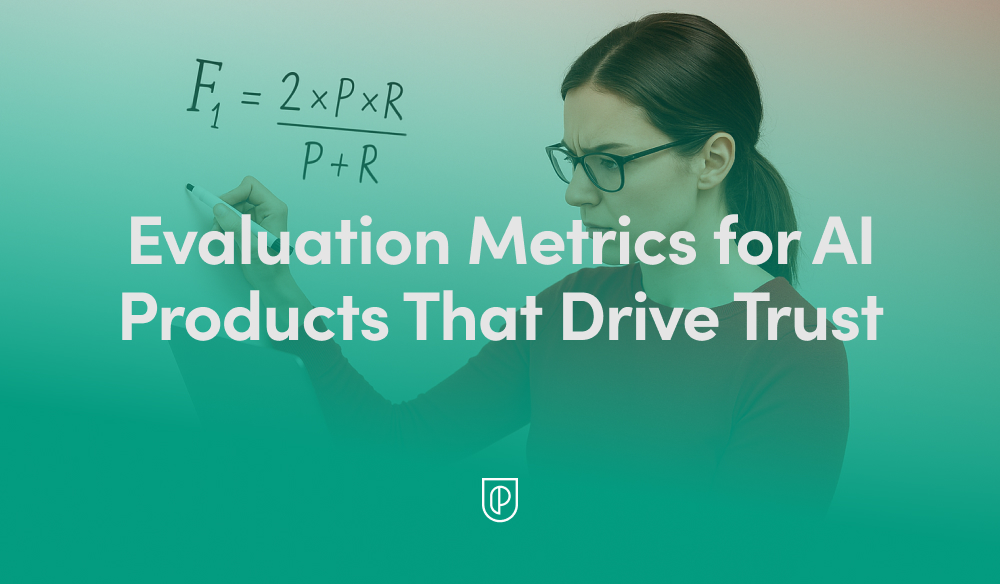
  • Beyond Accuracy: The Trust-First Evaluation Metrics I Use to Scale High-Impact AI Products

    Beyond Accuracy: The Trust-First Evaluation Metrics I Use to Scale High-Impact AI Products

    When I assess whether an AI product is ready for prime time, I start with trust—not model accuracy. Accuracy is table stakes; trust is what earns adoption, drives retention, and unlocks durable product-led growth.

    Evaluation metrics in AI products go beyond accuracy. Learn how product teams use trust-driven metrics to build reliable, growth-driving AI systems.

    In practice, I organize trust-driven metrics into four layers: model quality and safety, user and business outcomes, operational reliability and cost, and governance and compliance. This layered approach keeps product trios aligned on what matters now, what must be gated in CI/CD, and what signals we’ll use to prove progress against outcomes vs output OKRs.

    On model quality and safety, I care about precision, recall, F1, calibration, and abstention behavior, but also the hard-to-fake signals: hallucination rate, grounding and faithfulness, citation coverage, toxicity, bias, and fairness. For generative systems, I instrument refusal correctness (declining unsafe requests) and evidence adequacy (did the answer rely on retrieved, trustworthy sources).

    User and business outcomes must be explicit. I track adoption, activation, task success rate, time to first value, win rate uplift in assisted workflows, CSAT and NPS deltas, and retention analysis by cohort exposed to AI features. For customer support scenarios, deflection rate, average handle time change, and first-contact resolution are core; for sales or ops copilots, I monitor cycle-time reduction and error-rate reduction in critical tasks.

    Experimentation is non-negotiable. I design A/B testing with a clear minimum detectable effect (MDE), pre-registered guardrails for safety and quality, and sequential tests that stop early if harm outpaces benefit. Online metrics are always paired with offline evals so we can iterate quickly without exposing users to regressions.

    Operationally, trust shows up as speed, stability, and cost predictability. I track latency end-to-end, time to first token, throughput, rate of 5xx and timeouts, cost per request, and caching effectiveness. We also trend safety incidents per 10,000 interactions and mean time to mitigation to keep reliability visible alongside performance.

    Governance and compliance are part of the product, not an afterthought. Data governance and privacy-by-design metrics include PII exposure rate, data lineage coverage, access-control correctness, audit pass rate against internal policies, and model and prompt change traceability. This is the backbone of our AI risk management posture and accelerates regulatory compliance reviews instead of slowing them down.

    The delivery engine for all of this is eval-driven development. We maintain golden datasets and scenario-based test suites that mirror real user intents, gate releases in CI/CD with minimum thresholds, and run canary rollouts to validate offline–online alignment. Every model or prompt update gets a comparable scorecard so product, engineering, and design can trade off quality, speed, and cost with shared facts.

    For LLM-heavy features, retrieval-first pipeline metrics are mandatory. I monitor retrieval hit rate, recall at K, mean reciprocal rank, context contamination, and citation correctness. With large prompts, context window management matters: we track context utilization, truncation rate, and the contribution of each context block to final answers to avoid silently losing critical evidence.

    Finally, trust must be legible. I package these metrics into an executive scorecard that maps to business outcomes, risk appetite, and OKRs, with clear thresholds for ship, improve, or roll back. When teams can articulate trade-offs—say, a 20% latency reduction at a small cost increase, or a lower hallucination rate at the expense of higher abstention—they build credibility with stakeholders and confidence with customers.

    Trust is not a single number; it’s a system of evidence. By instrumenting these layers and operationalizing AI Strategy with rigorous, transparent metrics, we can ship faster, reduce surprises, and earn the right to scale AI features across the product portfolio.


    Inspired by this post on Product School.


    Book a consult png image
  • From No-Code Hack to 10,000 Weekly Calls: Inside Perk’s Voice AI That Actually Works

    From No-Code Hack to 10,000 Weekly Calls: Inside Perk’s Voice AI That Actually Works

    I love real-world AI that ships, scales, and actually solves painful customer problems. This story checks every box. As a product leader who has brought agentic AI to production environments, I was captivated by how a small, focused team at Perk took a no-code voice AI prototype and turned it into a system that reliably makes 10,000+ calls per week to prevent failed hotel payments.

    What happens when you combine a real customer problem, a no-code prototype, and a team willing to listen to every single call?

    Steven Payne (Product Manager), Gabriel Stock (Senior Engineering Manager), and Philipe Steiff (Senior Software Engineer) from Perk share how they built a voice AI agent that calls hotels to verify virtual credit card payments, preventing travelers from arriving to find their rooms unpaid. This is a textbook example of linking operational pain to a high-leverage AI solution.

    What started as a hackathon experiment in Make.com became a production system handling over 10,000 calls per week across multiple languages. Along the way, the team learned hard lessons about prompt engineering for voice (numbers, pronunciation, and a very "Karen-like" first version), how to break a single monolithic prompt into structured conversation stages, and why listening to actual calls beats any amount of theorizing.

    From a product management perspective, this approach aligns perfectly with eval-driven development and continuous discovery. Structure the problem, instrument aggressively, ship safely, then listen—deeply—to real interactions. In my own teams, I’ve seen that nothing accelerates iteration on agentic AI like closing the loop between qualitative call reviews and quantitative evals.

    They built a working prototype without writing a single line of backend code.

    They structured the call into discrete stages (IVR, booking confirmation, payment) to improve reliability.

    They created two eval systems: one for call success classification, another for conversational behavior.

    They scaled from five calls a day to tens of thousands per week while maintaining quality.

    This is a detailed look at building AI for real-time human interaction—where the stakes are high and the feedback is immediate.

    Guests: Steven Payne, Product Manager, Perk; Gabriel Stock, Senior Engineering Manager, Perk; Philipe Steiff, Senior Software Engineer, Perk.

    What stood out to me was how Perk's team identified an AI use case by connecting prior experimentation with a real operational problem. Why they chose Make.com for prototyping—and shipped to production without touching backend code—underscores how far no-code can take you when paired with crisp problem framing. The evolution from a single prompt to structured conversation stages (IVR handling, booking confirmation, payment request) is exactly how you harden agent behavior for production.

    Breaking up the agent's task dramatically improved reliability. They also built two eval systems: classification for success rates and LLM-as-judge for conversational behavior. Even with automation, the team still listens to calls manually—a practice I strongly endorse for uncovering edge cases, trust issues, and UX nuances that dashboards can’t show.

    The challenge of prompt engineering for voice—numbers, booking references, and text-to-speech markup—was non-trivial. Expanding to German revealed that prompts in native language improve results. And, as often happens with operations-heavy rollouts, this project uncovered other operational problems they didn't know existed—valuable signal for the roadmap.

    Resources & Links: Perk. Make.com — No-code automation platform used for the prototype. Twilio — Voice/telephony provider. Eleven Labs — Text-to-speech provider (used in early experiments).

    Chapters: 00:00 Introduction to the Team; 01:54 Understanding PERK's Mission; 02:59 Challenges in Travel Booking; 07:27 AI Solutions for Customer Care; 09:52 Prototyping with AI and Voice; 17:00 Implementing AI in Production; 25:51 Learning Through Trial and Error; 26:40 Prompting Challenges and Solutions; 27:58 Iterating on Prompts and Evaluations; 30:08 Scaling and Production Challenges; 32:43 Advanced Evaluation Techniques; 35:32 Real-World Applications and Success; 49:07 Future Directions and Expansion; 53:53 Conclusion and Team Reflections.

    My product takeaways: Start with clear operational pain and measurable outcomes (e.g., payment verification). Use no-code to validate quickly, then progressively harden. Treat voice AI like any production system: break it into deterministic stages, add guardrails, and measure both outcome and behavior. Pair automated evals with hands-on reviews. And when going multilingual, write prompts in the native language—your accuracy will thank you.

    If you’re exploring agentic AI for operations, this is the blueprint: tight scoping, Make.com for speed, Twilio for reliability, structured prompts for control, and an eval-driven loop to scale quality with confidence.


    Inspired by this post on Product Talk.


    Book a consult png image
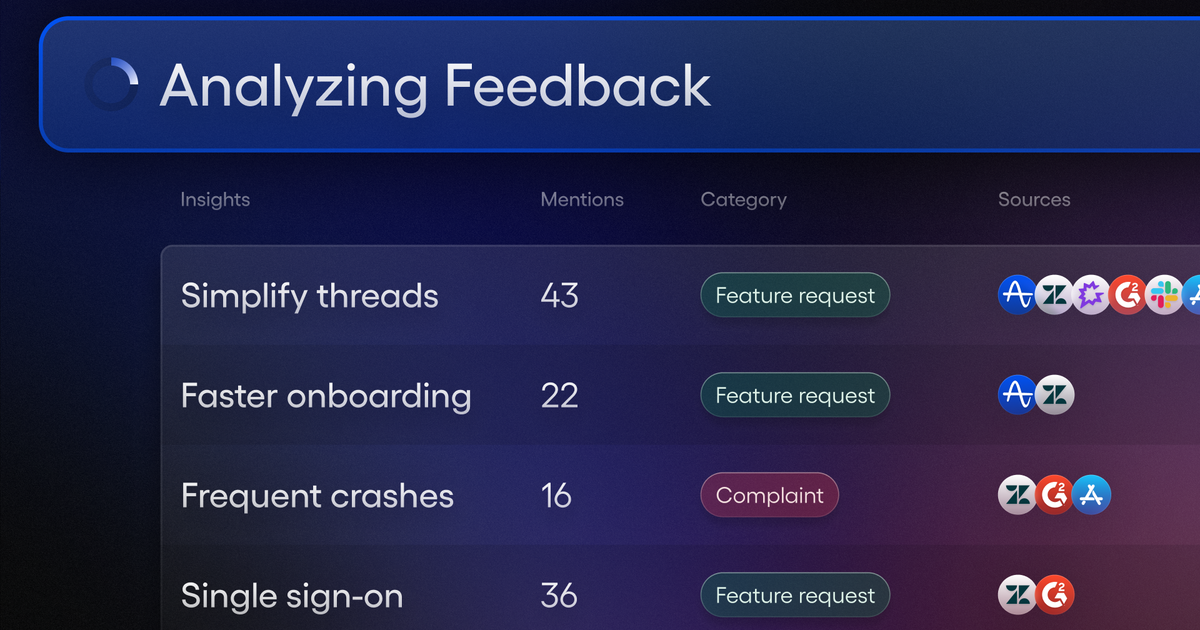
  • How Amplitude AI Feedback Turns Noise into Product Signal You Can Ship With Confidence

    How Amplitude AI Feedback Turns Noise into Product Signal You Can Ship With Confidence

    I’ve spent enough time in the trenches of product management to know the hardest part isn’t collecting feedback—it’s separating signal from noise. When every channel is buzzing, the real question becomes: what should we build next, and why? That’s where Amplitude AI Feedback has changed how I work. It gives me a disciplined, data-informed way to turn messy qualitative input into clear, defensible roadmap decisions.

    Learn how Amplitude AI Feedback leverages AI to transform massive volumes of customer feedback into actionable product insights.

    In practice, this means I can synthesize input from support tickets, NPS responses, user interviews, sales notes, and reviews—then connect those insights to product behavior data from Amplitude analytics. The result isn’t just a list of requests; it’s a ranked problem set grounded in evidence, which makes product discovery and continuous discovery faster, clearer, and less biased.

    A recent example: we were hearing recurring complaints about onboarding friction, but it wasn’t obvious which steps truly mattered. By pairing feedback themes with activation and retention signals, I could zero in on the first-session setup tasks that correlated with drop-off. That clarity guided product roadmapping and sprint planning decisions we could stand behind, and it accelerated user activation without bloating the backlog.

    My workflow is straightforward: aggregate feedback, cluster themes, validate with behavioral metrics, and translate insight into outcomes. I look for patterns tied to user activation, retention analysis, and moments that drive product-led growth. When the evidence shows a request is both frequent and high-impact, it earns a place on the roadmap; when it’s loud but low-impact, it becomes a targeted experiment rather than a default commitment.

    What I appreciate most is the confidence this brings to stakeholder conversations. Instead of debating opinions, we review the evidence: quantified themes, clear user stories, and measurable KPIs. That turns “Finally, Signal That Tells You What to Build” from a slogan into an operating principle, and it helps empowered product teams move faster with fewer reversals.

    If you’re building your AI Strategy or exploring LLMs for product managers, this is one of the highest-leverage moves you can make: use a unified analytics platform to connect qualitative feedback with quantitative behavior. It sharpens prioritization, improves time-to-learning, and keeps the team focused on outcomes—not outputs.


    Inspired by this post on Amplitude – Best Practices.


    Book a consult png image
  • Own Your AI: 4 Essential Roles to Supercharge Support and Prevent Performance Drift by 2026

    Own Your AI: 4 Essential Roles to Supercharge Support and Prevent Performance Drift by 2026

    AI doesn’t fail because the model is bad, it fails because ownership is missing.

    When someone truly owns your AI, everything changes. Resolution and automation rates climb, the system self-improves, and the customer experience transforms in ways a dashboard alone will never show you.

    This is part three of our five-part series on customer service planning for 2026. We’ll be sharing all five editions on our blog and on LinkedIn.

    If you’d rather have them emailed to you directly as they’re published, drop your details here.

    Last week, we introduced the four roles that make AI actually work in a support organization. These roles are already showing up inside the teams who are scaling AI the fastest, and this week, we get closer to the ground.

    Here’s what these roles look like in practice — what they do, how they work, and why your AI performance will inevitably drift without them.

    AI operations lead — owns AI performance, every day. I think of this person as the air-traffic controller for our AI Agent. I treat the AI as a living system that needs ongoing supervision, evaluation, and tuning. This role is accountable for what leaders care about most: quality, reliability, and continuous improvement.

    The AI ops lead sees the whole picture: conversation quality, missing knowledge, flawed assumptions, unexpected failures, new opportunities for automation, and the subtle signals that the system is beginning to drift. In practice, that vigilance is the difference between steady gains and slow decline.

    Day-to-day, here’s what I expect from this role.

    1. Reviews AI conversations and surfaces performance patterns. The AI ops lead monitors the AI Agent’s behavior — the tone shift after a product launch, a sudden dip in resolution for a specific intent, or conversation clusters revealing new customer behavior. They scan for anomalies, trends, and early warnings, with an emphasis on what’s happening right now, not last week. Without this intentional ownership, I’ve watched a 2% dip turn into a 10% drop in days.

    2. Prioritizes fixes and improvements. Once patterns emerge, they triage fixes like a product team handles bugs. Missing or incorrect content? They route it to the knowledge manager. Behavioral issues? They adjust guidance and guardrails. Action or system issues? They partner with the automation specialist. This connective tissue turns individual fixes into compounding improvements.

    3. Defines and maintains AI guardrails. Leaders everywhere worry about AI doing things it shouldn’t. This role answers that fear by establishing clarification logic, escalation rules, “never answer” policies, and safety boundaries. The goal is predictable behavior that protects customer trust — an essential pillar of any AI Strategy and AI risk management practice.

    4. Aligns reporting with leadership. The AI ops lead reports on resolution rate, CX Score, CSAT, automation coverage, and hours saved — making the economic impact visible. That visibility is a foundational step in any credible customer support ai strategy.

    Why this role exists now. AI systems are dynamic and require constant tuning. A small dip in quality quickly becomes an operational issue, and no existing role naturally owns that. When someone does, teams feel the benefit almost immediately.

    Knowledge manager — builds and maintains the structured knowledge AI depends on. I hear the same thing from leaders again and again: AI is only as good as the content you give it. This role is rapidly evolving from classic knowledge management into knowledge strategy — part content designer, part systems thinker, part information architect. Their job is to build the knowledge scaffolding that lets AI answer accurately, consistently, and safely.

    Here’s how the knowledge manager creates leverage.

    1. Writes, maintains, and improves support knowledge — continuously. After every product change, they update articles, remove duplication, resolve contradictions, and pay down “knowledge debt” that quietly erodes accuracy. The upkeep is shaped by AI performance; when patterns expose gaps, they fix the source.

    2. Structures knowledge for AI, not for browsing. Traditional help centers are for humans skimming pages. AI needs clean intent signals, crisp formatting, and clearly structured language. The knowledge manager designs that structure as intentionally as the content itself.

    3. Works hand-in-hand with AI ops. Many performance issues stem from missing or unclear knowledge. When the AI ops lead surfaces recurring misunderstandings or low-resolution categories, the knowledge manager resolves the root cause at the source.

    4. Ensures accuracy and compliance at scale. As AI handles more sensitive situations, the knowledge manager safeguards correctness, currency, and compliance — critical for data governance and regulatory alignment.

    5. Develops a cross-functional knowledge strategy. The role creates a canonical, cross-functional source of truth that product, engineering, product marketing, go-to-market, and support (AI and human) can all rely on.

    Why this role exists now. This is one of the highest-leverage positions in an AI-first support org. Teams like Rocket Money and Anthropic are hiring knowledge managers because AI accuracy depends on the quality of knowledge feeding it. Without this role, resolution rate caps out early and never climbs.

    Conversation designer — designs how the AI speaks, clarifies, and interacts. AI isn’t just a tool customers use; it’s a representative they interact with. Tone, clarity, pacing, and conversational structure matter, especially in voice. Every word affects perceived expertise, trustworthiness, and brand. The conversation designer ensures the AI feels human-friendly without pretending to be human — the sweet spot that builds trust without misleading customers.

    In my experience, staffing conversation design early accelerates results. It changes not only how we tune AI, but how we understand the end-to-end customer experience.

    Here’s what great conversation design looks like.

    1. Shapes the AI’s tone, voice, and communication style. This role refines phrasing, tunes politeness, adjusts how confusion is handled, and shapes micro-interactions that determine whether customers feel cared for or dismissed. On voice channels, natural cadence is make-or-break.

    2. Designs flows for high-value conversations. They design how the AI clarifies intent, branches, communicates uncertainty, verifies details, escalates, hands off, and returns to the main thread without feeling mechanical — treating customer experience as a product with language as the interface.

    3. Translates procedures and complex workflows into natural language and logic. As AI runs structured procedures and actions, this role becomes a conversational system architect, translating SOPs into conditional logic with exceptions and fallbacks. For example, in Intercom, our conversation designer uses Simulations to run simulated conversations to see where the AI Agent gets confused, over-confident, or awkward, and refine flows until the interaction feels effortless end-to-end.

    4. Ensures transitions to humans feel smooth and respectful. Handoffs should provide clear context to the human agent and maintain continuity so customers never feel dropped.

    Why this role exists now. As AI becomes the primary interface, conversation design directly influences trust, brand perception, and operational outcomes. It’s a core competency for any Generative AI and LLMs for product managers program.

    Support automation specialist — builds the backend actions that allow AI to do real work. If the conversation designer shapes expression, this role shapes capability. They transform AI from an answering machine into an outcome engine by bridging AI and the systems it must safely and deterministically act on.

    Support teams increasingly expect AI to do what a human would do: refund a charge, adjust a subscription, verify an identity, update an account setting, or pull relevant data. That expectation creates a new technical role at the edge of support, ops, and engineering.

    What I rely on this specialist to deliver.

    1. Creates and maintains backend workflows the AI executes. This includes building and maintaining: Fin Tasks. Fin Procedures with embedded steps. Action flows that call internal and external APIs. Automations that span billing systems, user identity layers, CRM objects, subscription entitlements, refund tools, and more. They ensure the AI can act compliantly and predictably — the playbooks that turn intent into action.

    2. Owns the integrations required for advanced automation. Many problems require data elsewhere — billing platforms, internal databases, systems of record. The specialist ensures the AI can retrieve, validate, and use that information safely, often partnering closely on CRM integration and internal services.

    3. Partners closely with product and engineering. Some workflows require new endpoints, permission layers, safety gates, or deterministic fallbacks. This role drives those changes across the stack.

    4. Ensures reliability and safety at every step. Guardrails, validation logic, exception handling, safe execution paths — all are essential. They confirm that the AI has access to the correct data, the action matches policy, edge cases are accounted for, risky flows have deterministic constraints, and every action is auditable and reversible.

    Why this role exists now. Customers don’t want answers, they want outcomes. AI can now deliver those outcomes, but only with the right backend scaffolding. This role modernizes operational architecture and unlocks end-to-end automation.

    How these roles work together — the new operating loop. These roles aren’t silos; they’re interdependent parts of one system. The AI ops lead identifies patterns and performance gaps. The knowledge manager resolves inaccuracies or missing content. The conversation designer improves clarity, tone, and flow. The automation specialist expands the system’s ability to take action. Each improvement compounds the next, moving you from early automation to transformational resolution rates through continuous refinement.

    This loop is what separates teams that plateau early from teams that scale AI into a reliable, high-performing system — the essence of a durable AI Strategy.

    How to get started (even if you can’t hire all four roles today). Most teams phase into this model: assign partial ownership, formalize responsibilities, then specialize as AI volume grows. Here’s the progression I recommend.

    Phase 1: Assign ownership. Give each role’s core responsibilities to someone who can devote five to 10 hours weekly. Early on, support ops, enablement, senior ICs, and technically inclined teammates can anchor the work.

    Phase 2: Formalize the responsibilities. As AI resolves more queries, optimization becomes core operational work. Formalizing ownership prevents performance drift and knowledge debt.

    Phase 3: Specialize and hire. Once AI handles 50–70% of incoming volume, these responsibilities become full-time roles. Investing in specialization becomes essential infrastructure for the next scale stage.

    The bottom line. AI changes the shape of your support team. These four roles — AI operations lead, knowledge manager, conversation designer, and support automation specialist — form the backbone of the AI-first support organization. They bring order to a constantly changing environment and enable AI to deliver the outcomes leaders and customers expect heading into 2026.

    Next week, we’ll continue the 2026 planning series with a deep dive into org design models for AI-first support teams — how to structure people, workflows, and accountability in a world where AI resolves most conversations before a human ever sees them.

    To follow along with the series and have each new edition emailed to you directly, drop your details here.


    Inspired by this post on The Intercom Blog.


    Book a consult png image
  • AI vs. Human Judgment in Customer Interviews: The Hard‑Won Lessons That Changed My Mind

    AI vs. Human Judgment in Customer Interviews: The Hard‑Won Lessons That Changed My Mind

    I recently revisited a topic I once pushed back on: using AI to analyze (and maybe even synthesize) customer interviews. After six months of real-world experiments and countless conversations with seasoned product leaders, I’ve evolved my perspective. There is meaningful value here—but only when we’re clear about where AI helps and where it quietly erodes the hard-won customer understanding that powers great product decisions.

    If you want to experience the conversation that sparked this reflection, you can listen to the episode on Spotify or Apple Podcast, and watch the discussion here: YouTube. It’s a candid, practical exploration of AI’s role in continuous discovery, and it mirrors what I’m seeing on the ground with product trios and empowered product teams.

    Here’s the crux: AI raises the floor for beginners but accelerates experts even more. That matches my experience—early-career PMs get structure, momentum, and a confidence boost, while experienced interviewers can move faster without sacrificing nuance. But there’s a catch. If your interviewing skills aren’t solid yet, AI can create a veneer of insight that masks shallow understanding. In other words, it can help you go wrong more efficiently.

    The conversation makes an important distinction between analysis and synthesis. Analysis is about extracting signals from the interview. Synthesis is about building meaning—connecting patterns, weighing contradictions, and deciding what to do next. AI can speed up the former with summaries and highlights. The latter—true synthesis—still demands expert judgment, context, and empathy.

    One line from the episode stuck with me: your unpolished interview skills matter more than any shiny new AI workflow. I’ve felt that firsthand. When interview quality is uneven, dropping transcripts into an LLM won’t save you. You still need to synthesize every interview individually so the signals remain traceable and credible. That discipline keeps teams aligned, prevents overfitting to noise, and builds the organizational memory that fuels better bets.

    We also explored the operational reality most teams face: interviews pile up. Backlogs grow. Leaders want speed. This is where “expert + AI” shines. With the right prompts, templates, and context, tools like ChatGPT and Claude can help transform raw transcripts into structured artifacts you can trust—provided a strong interviewer sets the frame and makes the calls. That balance preserves both velocity and quality.

    What changed my mind most was the evidence from experiments—running sets of interviews through different LLMs and comparing outcomes. The patterns were consistent: beginner + AI is usually better than nothing, but the real performance gains come from expert + AI. When experts guide the process, AI becomes an accelerant rather than a crutch.

    A favorite story in the episode takes a detour into building a gaming PC—an unexpected but perfect metaphor for AI’s limits. You can get great step-by-step guidance from a model, but when context shifts or edge cases appear, expertise is what keeps you from making expensive mistakes. Customer interviews are like that. Empathy comes from human interaction; AI can’t replace the experience of talking directly to your customers.

    My practical guidance for teams integrating AI into continuous discovery: start with interviewing fundamentals, separate analysis from synthesis, and standardize how you capture single-interview learnings. If you need a tight template for this, refer to “The Interview Snapshot: How to Synthesize and Share What You Learned from a Single Customer Interview.” Use AI for summaries, clustering, and draft artifacts—but have an expert finalize the narratives, evaluate trade-offs, and document assumptions.

    If you’re scaling this across an organization, invest in training first, then in workflows. Build a lightweight operating system for discovery: consistent interview guides, “story-based” techniques, and a shared library of prompts. Consider resources like “The Interview Coach,” as well as practical write-ups such as “Customer Interview Analysis: Where AI Helps and Hurts.” These help teams avoid common pitfalls and make better use of AI in high-judgment moments.

    My bottom line: AI isn’t magic. It can help, but only if your interviews are strong and you provide the right context. Customer understanding is a competitive moat; outsourcing it entirely will cost you in the long run. Use AI to accelerate—not replace—the human judgment that makes product discovery work.

    Resources and links worth exploring: ChatGPT, Claude, The Interview Snapshot: How to Synthesize and Share What You Learned from a Single Customer Interview, The Interview Coach, and Customer Interview Analysis: Where AI Helps and Hurts.

    I’d love to hear how your team is using AI in discovery. What’s working, what’s risky, and where do you draw the line between automation and judgment? Share your experiences in the comments—our community learns faster when we compare notes.


    Inspired by this post on Product Talk.


    Book a consult png image
  • Unlock AI Product Roadmaps: Essential Tools Every PM Needs to Prioritize and Ship Faster

    Unlock AI Product Roadmaps: Essential Tools Every PM Needs to Prioritize and Ship Faster

    In my role leading product teams, the AI product roadmap isn’t just a plan—it’s the operating system for how we discover value, prioritize with rigor, and ship with confidence. The pace has changed, the stakes are higher, and the best product managers are now orchestrating AI capabilities, data, and customer insight in near-real time.

    Master the evolving art of the AI product roadmap. Prioritize smarter, turn data into direction and insight into action, only much faster.

    When I say “AI product roadmap,” I’m talking about a living system that blends strategy, discovery, and delivery. It’s less about dates and more about outcomes, risk reduction, and sequencing learning. In practice, that means combining AI Strategy with product roadmapping and sprint planning, then validating each bet with real customer signals.

    For prioritization, I anchor on outcomes vs output OKRs and connect them to measurable signals across the funnel. Continuous discovery keeps insights flowing, while a unified approach to analytics and retention analysis tells me where the lift is. This lets me rank initiatives not just by impact and effort, but by how quickly we can learn, iterate, and compound value.

    On discovery, product trios are non-negotiable. We prototype early with gen ai and LLMs for product managers to accelerate concept validation and reduce ambiguity. When customers can co-create through in-app guides or lightweight product tours, we turn vague needs into crisp problem statements and testable hypotheses far faster.

    On delivery, I pair tight feedback loops with experimentation. A deliberate cadence of A/B testing and strong instrumentation ensures we’re learning every sprint, not just launching. The goal is to de-risk decisions quickly, keep momentum high, and translate signals into roadmap movement without thrash.

    Under the hood, the AI stack matters. I rely on a retrieval-first pipeline to ground models in trusted data, and I’m intentional about privacy-by-design and data governance from day one. As agentic AI patterns emerge, I put evaluation workflows in place so we can ship confidently—and safely—without slowing down innovation.

    Finally, alignment is the multiplier. Clear narrative roadmaps tied to customer outcomes help stakeholders see trade-offs, while crisp interfaces with go-to-market and CRM integration close the loop from roadmap to revenue. When everyone can trace a line from AI strategy to shipped value, prioritization becomes easier and trust grows.

    If you’re feeling the acceleration, you’re not alone. With the right AI product toolbox—rooted in discovery, grounded in data, and delivered through tight feedback loops—you can move faster, learn smarter, and build products your customers can’t live without.


    Inspired by this post on Product School.


    Book a consult png image